AI Headshot Generators 2026 — Professional Photos, Compared
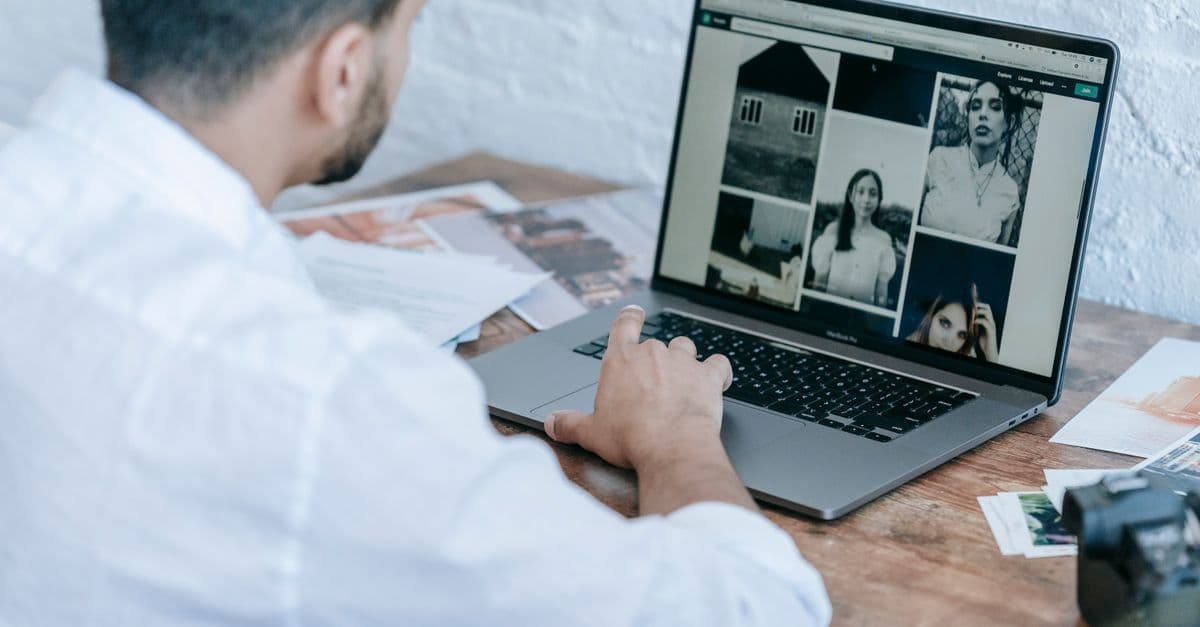
Photo: Michael Burrows / Pexels
The best AI headshot generators in 2026 are Aragon AI and BetterPic for realism, HeadshotPro for teams, and Secta for style variety — they turn a dozen selfies into studio-style professional portraits for a fraction of a photographer's fee. You upload photos, the tool trains a small model of your face on top of a large image generator, and within one to two hours you get dozens of polished headshots to choose from. Members with a LinkedIn profile photo already receive up to 21 times more profile views and nine times more connection requests than members without one, according to LinkedIn's own data — which is a large part of why this category exists at all.
This guide compares the leading tools on realism, price, and turnaround, explains the actual machine learning mechanism behind them (diffusion models plus a lightweight fine-tuning technique called LoRA), and is honest about where the technology still falls short — including the privacy questions that come with uploading your face to a third-party server.
The Short Answer
| Best for | Tool | Price (typical) | Turnaround |
|---|---|---|---|
| Most realistic results | Aragon AI | ~$30–60 | 1–2 hours |
| Premium quality | BetterPic | ~$30–45 | A few hours |
| Teams & companies | HeadshotPro | ~$29+/person | ~2 hours |
| Style variety | Secta | ~$30–50 | A few hours |
| Budget / quick | App-based generators | ~$10–20 | Minutes–hours |
Expect to pay roughly $25–60 for a usable set, versus $150–400 or more for a professional photographer session in a major US city. Quality has closed much of the gap between the two, but not all of it — see "What to expect" below before you buy.
What is an AI headshot generator?
An AI headshot generator is a web service that takes a small batch of your ordinary selfies, uses them to briefly customize a large pre-trained image-generation model, and then produces new synthetic photographs of "you" in professional settings — a studio backdrop, a blazer you never owned, lighting no camera in your house could replicate. Nobody points a camera at you a second time. The photo you end up using for LinkedIn or a company site was never actually taken; it was generated.
That distinction matters more than it sounds. A traditional headshot is a photograph, an optical record of light bouncing off your face at one moment. An AI headshot is closer to a highly detailed, statistically-informed painting of you, built by a model that has learned both "what faces generally look like" from billions of training images and "what your specific face looks like" from the dozen or so photos you fed it. The output can be excellent. It can also drift from reality in ways a camera physically cannot.
How AI headshot generators actually work
Every tool in this category follows roughly the same four-step pipeline, even though the branding differs:
- You upload selfies — usually 6 to 20 varied photos: different angles, expressions, backgrounds, and lighting conditions.
- The service fine-tunes a personalized adapter on top of a shared diffusion model — this is the step that actually takes the bulk of the processing time, not seconds.
- You pick styles — backgrounds, outfits, and settings (corporate office, outdoor, plain studio).
- The model generates dozens of images, and you cull down to the handful you'll actually use.
The engine under most of these products is a diffusion model — the same family of AI that powers Midjourney and Stable Diffusion. A diffusion model is trained by taking real photos, adding random visual noise to them in small steps until the image is pure static, and then training a neural network to reverse that process: predict, step by step, what noise to remove to get back to a coherent photo. Once trained on billions of image-text pairs, the network can start from pure noise and "denoise" its way into an image that matches a text description it has never seen paired with a specific photo before. Generation is mechanical noise-removal, not memory retrieval.
That trained model has no idea what your face looks like, though. Getting it to consistently generate images of you specifically is the job of a second, much smaller and faster technique called LoRA (Low-Rank Adaptation). LoRA was originally developed to fine-tune large language models cheaply, and it was later adapted for image diffusion models. Instead of retraining the entire multi-billion-parameter network on your selfies — which would be slow, expensive, and unnecessary — LoRA freezes almost all of the base model's weights and trains only a small set of new "adapter" weights that get injected into the model's attention layers. A full Stable Diffusion checkpoint runs 2 to 7 gigabytes; a LoRA adapter trained on your face is typically only 10 to 200 megabytes, and training completes in 15 to 45 minutes using just 10 to 50 reference images.
The single most surprising fact in this category: the AI does not memorize your face as a fixed 3D model or a stored photo of you. It learns a small, portable adjustment (the LoRA weights) that nudges a shared, general-purpose model toward your features whenever it draws a person. Two headshot services using the identical base diffusion model can produce noticeably different-looking versions of "you," because the LoRA training process and the strength of the adjustment differ between providers.
Why does likeness sometimes look "off"?
Every LoRA-based system faces a trade-off called LoRA strength. Turn the adjustment up and the output looks more like your actual face, but risks distortion — waxy skin, asymmetric features, or an uncanny-valley stiffness. Turn it down and the lighting, styling, and composition look more polished and photographer-grade, but the identity drifts further from your real face. Providers tune this balance differently, which is a major reason Aragon AI, BetterPic, and HeadshotPro can produce visibly different "you" from the same input photos — each has picked a different point on that trade-off curve, and some report internal identity-preservation benchmarks in the 90–95% range on their own test sets, figures that are provider-reported rather than independently audited.
Why does the process take an hour instead of seconds?
Text-to-image generation from an already-trained model can happen in a few seconds per image. The bottleneck in a headshot generator is the LoRA fine-tuning step: the service has to train a new adapter from scratch on your specific photos before it can generate anything that looks like you, and that training run — even on modern GPU hardware — takes anywhere from 15 minutes to over an hour depending on how many training images you provided and how many training steps the provider runs. Batch generation of dozens of final images afterward adds more time.
Does the quality of my input photos matter?
Yes, substantially. The LoRA adapter can only learn what's visible in your training set. Selfies that are blurry, similarly angled, poorly lit, or shot through a beauty filter all get baked into the model's understanding of your face, and the model has no way to distinguish a filter artifact from your actual skin texture. Ten to 20 varied, well-lit, filter-free photos covering multiple angles and expressions consistently produce more accurate and more usable results than a handful of near-duplicate selfies.
What to expect, realistically
AI headshots in 2026 are good enough that many pass as real photos at a glance, in good cases. Set your expectations before you pay for a batch.
Where they shine: LinkedIn and professional networking profiles, company team pages, speaker bios, conference badges, resumes, and social avatars. For these low-stakes, non-verification uses, a strong AI headshot is more than sufficient and pairs naturally with the kind of polish AI resume tools already bring to the rest of your job-search materials.
Where they still struggle:
- Faithful likeness. The LoRA strength trade-off means the AI can subtly alter your features, over-smooth skin, or "beautify" you in ways that don't actually look like you — sometimes without you noticing until a colleague points it out.
- Hands, glasses, and jewelry. Diffusion models historically struggle with small, geometrically complex objects that appear at odd angles relative to the rest of the frame; glasses reflections, earring symmetry, and hand poses (in half-body compositions) remain the most common visible errors.
- Distinctive features. Unusual hairstyles, visible scars, vitiligo, strong prescription glasses, or asymmetric facial features can get smoothed away or misrendered, because the base model's training data skews toward "typical" faces and the LoRA adapter is a small nudge on top of that bias, not a full override.
- Consistency across a batch. Because each image is generated independently from noise, you'll often get 40 images with visibly different "versions" of your face — some closer to reality, some further — rather than 40 consistent photos of one person.
Generate a full batch and cull hard. Realistically, expect to keep somewhere around 5 to 10% of what the tool produces as genuinely usable, on-model results.
The tools compared, in more depth
Aragon AI
Aragon's onboarding collects structured details about you (age range, hair length, ethnicity, body type) that get folded into the generation prompts, then asks for six to ten reference photos — a lower minimum than most competitors. It generally optimizes toward style and composition, and independent reviews commonly report a large share of outputs meeting a "professional-looking" bar on lighting and skin texture, alongside fast turnaround (roughly one to two hours). Because it trains a single shared model and biases it toward your face through prompt conditioning as much as raw LoRA weight, results can occasionally skew toward a stylized, retouched look rather than a documentary-accurate one.
BetterPic
BetterPic markets itself on realism and premium output quality, generally in the same $30–45 price band as Aragon. Reviewers consistently rank it among the top two or three for texture fidelity — skin pores, hair strands, and fabric detail rendering more convincingly than budget competitors, which tend to over-smooth.
HeadshotPro
HeadshotPro's product is built around teams: HR and marketing departments upload photos for an entire staff roster and get back a visually consistent set of headshots (same background style, same lighting treatment) across everyone, which solves a real problem individual-focused tools don't — a company "team" page where ten employees each picked a different AI tool looks visibly inconsistent. Per-person pricing runs from roughly $29 up depending on volume, with turnaround around two hours per batch.
Secta
Secta leans into style variety — more background and outfit combinations per batch than most competitors — which suits users who want options across multiple use cases (LinkedIn, a personal website, a speaker bio) from one upload rather than a single tightly-optimized "best" headshot.
Budget, app-based generators
A wider tier of cheaper mobile-app and browser tools (roughly $10–20) exists below the four above. They use the same underlying diffusion-plus-fine-tuning mechanism, generally on smaller training budgets or fewer generation steps, which tends to show up as more visible artifacts, less realistic lighting, and a narrower style range. They can be adequate for low-stakes personal use but are worth culling even harder than the premium tier.
AI headshots vs. a professional photographer
| Factor | AI Generator | Photographer |
|---|---|---|
| Cost | $25–60 | $150–400+ |
| Time | Same day, from home | Scheduling + shoot |
| Variety | Dozens of styles instantly | Limited by session |
| Exact likeness | Good, occasionally off | Exact, by definition |
| Re-dos | Regenerate anytime for no extra shoot | Re-book and pay again |
| Physical presence needed | No | Yes |
Table: Cost, time, and fidelity trade-offs between AI headshot generators and traditional photographer sessions.
For most professional online uses, an AI generator wins on cost and convenience by a wide margin. For a guaranteed-accurate likeness, a personal brand where authenticity itself is the differentiator, or a context that legally or professionally requires a real photograph, a photographer still wins outright — no diffusion model, however well-tuned, can promise a pixel-for-pixel accurate record of your current appearance the way a camera shutter can.
The privacy and biometric-data question
Uploading a dozen close-up photos of your face to a third-party server is not a neutral act, and it is worth understanding what you're actually handing over before you do it.
Under the EU's General Data Protection Regulation, a photograph only becomes legally classified as biometric data (a special, more strictly protected category under GDPR Article 9) when it is processed through specific technical means that allow unique identification of a person — which is close to what a LoRA fine-tuning pipeline does when it derives a mathematical representation of your facial structure. Regulators have taken this seriously in adjacent cases: France's data protection authority fined Clearview AI 20 million euros for scraping and processing billions of faces without consent, and a Spanish supermarket chain was fined 2.52 million euros for deploying facial recognition without proper consent, according to enforcement summaries from privacy-law trackers. Headshot generators are a different use case from surveillance facial recognition, but the underlying legal question — what happens to a mathematical model of your face after you've paid and downloaded your images — is the same category of concern.
Before uploading your photos to any headshot service, it is reasonable to check for three things: whether the provider states a data-retention or deletion policy for your training photos and the fine-tuned model derived from them, whether your images are used to further train the provider's general-purpose model (rather than only your personal, temporary adapter), and whether the service operates under a jurisdiction with enforceable privacy law. None of the four tools compared above are evaluated here on privacy policy specifics, since those terms change frequently — read the current policy on the provider's own site before uploading.
The honesty question: is it OK to use one?
A real, non-hypothetical consideration: an AI headshot is an idealized version of you, generated, not a photograph that was taken of a real moment. For professional contexts this is now widely accepted, treated similarly to studio retouching that has always been part of professional photography. But the analogy has limits.
- Don't use a headshot that no longer resembles you. Someone meeting you after seeing your AI headshot online, expecting the photo's version of your face, is an awkward first impression at best and a credibility problem at worst.
- Some contexts expect an unaltered photograph. Journalism bylines, dating profiles, and identity-verification uses are the clearest examples; misrepresentation in those settings carries real consequences, not just social awkwardness.
- Detection tooling is catching up, but slowly. The industry standard emerging for provenance is C2PA Content Credentials, a cryptographically signed metadata standard that can show an image's creation and edit history when a platform preserves and checks it. Google's SynthID embeds an imperceptible watermark into images generated by Google's own tools, producing a probabilistic confidence score rather than a yes/no verdict, and it currently only covers Google-generated content. Neither system is universal yet: most AI images shared on social platforms today arrive with no embedded credentials at all, and the absence of a watermark is not proof that an image is a real photograph.
- Disclosure is increasingly the safer default where authenticity matters to your audience — a note in your LinkedIn "About" section costs nothing and removes any ambiguity.
Used as a convenient, polished professional portrait, an AI headshot is a legitimate, money-saving tool. Used to misrepresent your actual current appearance in a context where accuracy matters, it's a risk that outweighs the convenience.
Common mistakes people make with AI headshots
Uploading only recent, similar-looking selfies. If every training photo is a front-facing phone selfie taken in the same room under the same lighting, the LoRA adapter has almost no information about how your face looks from other angles or under other lighting, and the generator will guess — often badly.
Skipping the culling step. Every service generates far more images than you'll actually use. Picking the first "good enough" result instead of generating a full batch and comparing against real reference photos of yourself is the single most common reason people end up with a headshot that "doesn't quite look like them."
Ignoring hands and accessories. If your chosen style includes visible hands, glasses, or jewelry, check those areas closely before finalizing — they remain the most error-prone regions across every tool in this category.
Treating every provider's "identity preservation" claim as independently verified. Percentages like "95% identity match" are typically figures the company reports from its own internal testing, not numbers audited by a third party. Treat them as a directional marketing claim, not a certified benchmark, and judge the output with your own eyes instead.
Using an AI headshot somewhere it will be directly compared to a live version of you. A video interview immediately after an idealized AI headshot invites an unflattering contrast. Match the tool's promise to the context you're actually using it in.
Frequently Asked Questions
Q: What is the best AI headshot generator in 2026? A: Aragon AI and BetterPic lead on realism for individuals, HeadshotPro is best for teams and companies that need a visually consistent set across many employees, and Secta offers the widest style variety per upload. Expect to pay roughly $25–60 for a usable batch. The right choice depends on whether you're optimizing for maximum realism, team consistency, or style options.
Q: Are AI headshots good enough for LinkedIn? A: Yes. LinkedIn and other professional profiles are the ideal use case, since members with a profile photo already get up to 21 times more profile views and nine times more connection requests than members without one, according to LinkedIn's own published data. A strong AI headshot captures most of that benefit at a fraction of a photographer's cost — just choose results that still genuinely look like you.
Q: How much do AI headshots cost? A: Typically $25–60 for a batch of dozens of images from mid-tier providers like Aragon, BetterPic, or Secta, compared with $150–400 or more for a professional photographer session. Team plans through services like HeadshotPro run around $29 or more per person. Budget app-based tools run cheaper, roughly $10–20, but tend to show more visible artifacts.
Q: Do AI headshots actually look like you? A: Usually close, but not always exact. The underlying LoRA fine-tuning technique involves a trade-off: stronger adjustment toward your real face risks visual distortion, while weaker adjustment produces more polished styling but drifts further from your actual appearance. Uploading varied, clear, filter-free selfies and culling the results hard is the practical fix.
Q: How does an AI headshot generator technically work? A: It fine-tunes a small adapter (typically using a technique called LoRA, or Low-Rank Adaptation) on top of a large pre-trained diffusion model, using roughly 10 to 20 of your selfies. The adapter, usually just tens of megabytes, nudges the shared model's output toward your facial features whenever it generates a portrait, while the base model supplies the studio lighting, backgrounds, and photographic realism it already learned from billions of training images.
Q: Is my face data safe when I upload selfies to an AI headshot tool? A: It depends entirely on the provider's stated data policy. Photographs processed to extract facial identification data can qualify as biometric data under strict privacy laws like GDPR, which generally requires explicit consent for that kind of processing. Before uploading, check whether the service states a retention and deletion timeline for your training photos and the derived model, and whether your images are used to train the provider's general model rather than only your personal, temporary version.
Q: Can people tell an AI headshot isn't a real photo? A: Sometimes, but detection tools are still catching up. Emerging provenance standards like C2PA Content Credentials and watermarking systems like Google's SynthID can flag AI origin when a platform checks and preserves that metadata, but most AI images shared online today carry no embedded credentials at all, so the absence of a watermark is not proof an image is genuine.
Q: Is it ethical to use an AI headshot? A: For professional profiles, it's now widely accepted, comparable to the retouching that has long been part of studio photography. The line is misrepresentation: avoid a headshot that no longer resembles you, and prefer a real photograph for contexts that expect one, such as journalism, dating profiles, or identity verification. Disclosure costs nothing and removes ambiguity where authenticity genuinely matters to your audience.
Q: Why do AI headshot generators take an hour or more instead of generating instantly? A: Because the service has to fine-tune a personalized model on your specific photos before it can generate anything resembling your face, and that training step, even on modern GPU hardware, takes 15 minutes to over an hour depending on the number of training images and steps used. Generating dozens of final images afterward adds further processing time.
Q: What's the biggest limitation of AI headshots right now? A: Fine detail in small, geometrically complex regions — hands, glasses, and jewelry — remains the most common visible failure point across every major provider, along with occasional loss of distinctive features like scars or unusual hairstyles that fall outside what the base model was heavily trained on.
Read next
The takeaway
An AI headshot is not a photograph in the traditional sense — it's a generated image produced by fine-tuning a shared diffusion model on a handful of your selfies through a lightweight technique called LoRA, and that mechanism explains both why the results can look so polished and why likeness sometimes drifts. For realism, Aragon AI and BetterPic currently lead; for team consistency, HeadshotPro; for style variety, Secta. Budget $25 to $60, upload your best and most varied selfies, generate a full batch, and cull hard for the ones that actually still look like you — then save the photographer's fee for the rare context where a guaranteed, exact likeness genuinely matters more than convenience.
Last verified: July 2026
Follow new articles
Add SciHub101 to your feed reader to see new science and technology stories.
About the Author
SciHub101 is an independent science and technology publication founded and edited by Buğra Sözeri, a software engineer and app developer based in Türkiye. AI tools assist with drafting and research. Source documentation in the existing archive is uneven, and articles are being reviewed and corrected. The Editorial Team byline identifies editorial responsibility; it does not certify specialist or independent human review. Where we compare products, anything built by our own team is labelled as such — see the editorial guidelines and About page for how corrections and disclosures work.
Related Articles
Best AI Data Analysis Tools 2026 — Analyze Without Code
Best AI data analysis tools 2026: ChatGPT Advanced Data Analysis, Julius, Claude, Microsoft Copilot, Tableau Pulse compared for charts, stats, and insights — no code.
Best Free AI Photo Tools With No Card Needed (2026)
Best free AI photo tools compared (2026): Kitana, Fotor, Picsart, Pixlr, Photoroom, and HeadshotPro, judged on free access, presets, and stated limits.
Best Free Meal Planning Apps With a Fasting Timer (2026)
Best free meal planning apps with a fasting timer (2026): MyCookingCalendar, Eat This Much, MyFitnessPal, Cronometer, YAZIO, and Mealime compared fairly.
Best AI Manga and Anime Clip Makers for Non-Artists (2026)
Best AI manga and anime clip makers for non-artists (2026): Gootaku, Anifusion, NovelAI, Dashtoon, Pixton, and Storyboard That, judged on free access and range.
How To Compare AI Image Editors For Marketing
How to compare AI image editors for marketing: test inpainting precision, brand consistency across generations, and licensing terms on your own photos.