Why No Code Automations Still Need Version Control

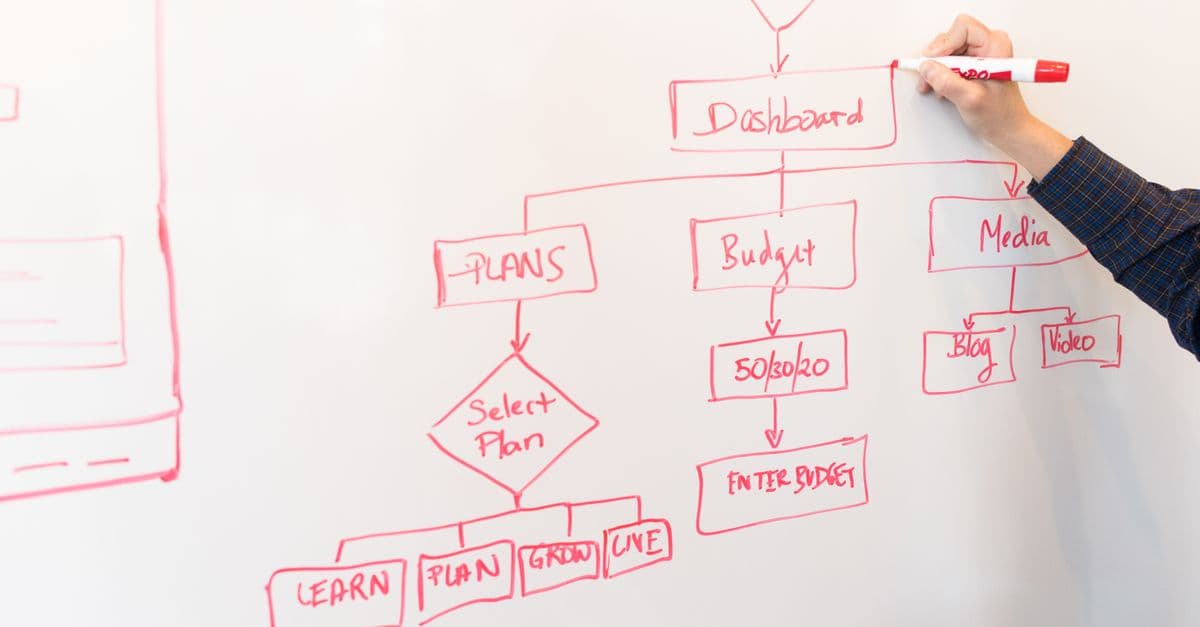
Photo: Thirdman / Pexels
A marketing operations manager edits a Zapier workflow to add one extra filter step, tests it once with sample data, and moves on. Three weeks later, customer refunds silently stop triggering their follow-up survey, and nobody can say when the change happened, what the workflow looked like before, or who touched it. No-code tools remove the need to write code, but they do not remove the need to know what changed and when, which is the problem version control was invented to solve. This article explains what version control does, what the major platforms actually offer, and how teams close the gaps.
What version control actually does, and why "no code" does not remove the need for it
Version control is a system for recording changes to a file or set of files over time, so a team can review what changed, who changed it, and revert to an earlier state if the new one breaks something. Git, the dominant system in professional software development, was created by Linus Torvalds in April 2005. The Linux kernel project had been using a proprietary tool, BitKeeper, and lost its free license that month, so Torvalds built a distributed replacement with strong protection against corruption (Wikipedia, Git).
The core capabilities are not really about code syntax. They are four things: a timestamped history of every change, an author attached to each change, the ability to compare any two states and see exactly what differs (a "diff"), and the ability to restore an earlier state. None of those depends on the changed object being a text file typed by hand. They depend on the object being a defined state that can change over time and that someone, at some point, needs to inspect or undo.
A no-code workflow is exactly that kind of object. Every trigger, filter condition, delay, branch, and field mapping is stored as structured configuration in the platform's database. The visual canvas is a rendering layer on top. When someone drags a new step into a Zap or tightens a filter in a Make scenario, they are editing a specific state of business logic, in the same sense that a developer editing a Python function is. The interface is different. The underlying question, "did this change, and can we prove it," is identical.
A useful analogy: the recipe and the restaurant
Think of a restaurant kitchen. The recipe card says how the sauce is made. If a cook changes the salt quantity on the card and does not tell anyone, the sauce tastes different tomorrow and nobody knows why. Version control is the habit of dating every edit to the card, signing it, and keeping the old card in a drawer. A no-code workflow is the recipe card, and the filter condition is the salt.
Treating no-code platforms as exempt from this discipline is a category error. "No code" means the changeable state is edited through a graphical interface instead of a text editor. The state still changes, and the risk of an unreviewed change producing a silent regression is the same. Only the tooling that would normally catch it may be missing.
What the major platforms actually offer
The common claim that no-code tools have no change tracking is out of date. Each major platform offers something, and the differences are what matter. The table below summarizes what the vendors' own documentation says, as of October 2026. Features and plan requirements change, so check the vendor's current pages before relying on it.
| Platform | Built-in history or rollback | Export for outside storage | Native Git integration |
|---|---|---|---|
| Zapier | Version Rollback to recover steps from an earlier version of a Zap; available on Professional, Team, and Company plans | Not covered in the sources reviewed | Not covered in the sources reviewed |
| Make | Manually saved versions with description, author, and timestamp, stored for 60 days; restore, then save | Scenario blueprints export as .json; connections must be recreated after import |
Not covered in the sources reviewed |
| n8n | Workflow diffs between local and remote changes | Command-line export:workflow with a --separate option for one file per workflow, described as "useful for versioning" |
Source control and environments backed by Git branches; Business and Enterprise plans |
Sources: Zapier help center, Make help center, n8n docs on source control, n8n CLI docs.
Two points stand out. First, n8n is the only one of the three whose documentation describes a native link to a Git repository, and it is limited to paid tiers. Second, the built-in histories are real but shallow. Make keeps each saved version for 60 days and does not save a restored version automatically. Zapier's rollback recovers steps from a prior version, and its help page does not say how many versions are kept.
How Make's history works in practice
Make's history is a good example of the gap between "has history" and "has a review process." A user saves a version with an optional description, and the history lists the description, the person, and the date and time. Restoring means opening the history, picking the version, clicking restore, and then saving. It is helpful after a mistake. It does not ask a second person to approve the change before it goes live, and it expires.
Make also offers scenario recovery, which retrieves unsaved changes after a browser crash. The documentation is explicit that "scenario recovery is not an autosave feature," so it is a safety net for interruptions, not a change log (Make help center).
Do any no-code platforms have native version control comparable to Git?
Partly. n8n's source control links an instance to a Git repository so teams can run separate environments on separate branches, and it provides workflow diffs for comparing local and remote changes. That is much closer to a software workflow than a revision list is. It is also limited to paid plans, and the sources reviewed here do not describe branch protection or required reviews on the n8n side. Zapier and Make document history and rollback features, which cover recovery but are not the same as branching and peer review.
Why platforms were slower than code editors on change tracking
Professional software development arrived at Git, pull requests, and code review after decades of pain from multiple people editing shared logic without coordination: overwritten changes, untraceable regressions, and arguments about whose version was right. The tooling matured because the pain was severe and recurring.
The no-code platforms are younger and started with a different customer. Zapier began as a side project in 2011 and launched as a company in 2012 (Wikipedia, Zapier). n8n was founded by Jan Oberhauser in Berlin and launched publicly in October 2019 (Wikipedia, n8n). Make was formerly known as Integromat. These tools were built to connect services without requiring a developer, and the first user was often one operations person automating a small task, not a team coordinating changes to production logic.
That original use case has largely gone. Automations now sit in the critical path of order fulfillment, refund handling, lead routing, compliance notifications, and data syncs that finance and legal depend on. The criticality grew faster than the governance features. For the larger picture of how to compare these tools, see the best automation tools of 2026.
Shadow IT: the enterprise risk pattern no-code automation reproduces
Shadow IT is IBM's term for any software, hardware, or IT resource used on an enterprise network that IT staff have not approved, do not know about, or do not oversee. IBM lists four risks, including reduced visibility and control (IT may not know about tools whose flaws and updates then go unaddressed), data insecurity (shadow data can fall outside standard backups), and compliance problems (tools built without compliance expertise may fail data-protection rules) (IBM, what is shadow IT).
No-code automation fits this pattern even when the tool is officially sanctioned. A workflow built in one person's account, connected to the company's CRM and payment system and processing real customer data, may never appear on any inventory. It was not installed like software, so it does not show up like a server. But it holds business-critical logic and touches sensitive data outside any process that records who built it and what changed.
CSO Online reported in June 2023 that Gartner found 41 percent of employees acquired, modified, or created technology outside IT's visibility in 2022 and expected the share to reach 75 percent by 2027 (CSO Online). That article does not tie the figures specifically to no-code tools, so it is best read as context for how common employee-built technology has become, not as a measurement of no-code adoption.
The knowledge-loss problem
The specific failure that links shadow IT and unversioned automation is loss of institutional knowledge. When the person who built a workflow leaves the team, or simply forgets why they added a filter eight months ago, the workflow becomes a black box. Nobody can safely modify it because nobody can see what changed, when, or why. A description attached to each saved version is the cheapest defense, and it is one reason Make's description field is worth using.
What actually breaks without change tracking
The most damaging failures are rarely outages. They are small changes, a tightened filter, a shortened delay, an updated field mapping, that alter behavior without an error. A broken workflow often looks identical to a working one until someone notices missing output downstream.
Consider a realistic, hypothetical sequence. A support lead edits a scenario that routes escalated tickets to a chat channel, adding a condition to exclude one noisy ticket tag. Six weeks later, a different tag with overlapping logic starts matching the same exclusion, and a category of urgent tickets stops reaching the channel. There was no test suite to catch it. And if the platform's history has expired or was never annotated, nobody can point to the edit that introduced the gap.
This is what separates no-code failures from typical software bugs: the failure is not a crash but a quiet narrowing or misrouting. Software teams catch many such regressions because code review makes the change visible to a second person before it ships. A workflow edited and published by one person, with no review step and no diff view, skips that safety net.
Failure modes at a glance
| Change | What happens | Why nobody notices | What would have helped |
|---|---|---|---|
| Filter tightened | Some records no longer pass through | No error; the workflow still "succeeds" | A diff showing the changed condition |
| Delay shortened | Downstream system gets data before it is ready | Intermittent, hard to reproduce | A dated change description |
| Field mapping updated | Wrong column populated | Output looks plausible | A comparison of mappings between versions |
| Step disabled for testing, never re-enabled | A branch silently stops | The run history shows success | A review before publishing |
| Owner leaves | Nobody understands the logic | The workflow runs fine until it does not | Documentation attached to each version |
Many of these silent failures are also the kind that error queues and monitoring for silently failing webhooks are meant to surface. Version control and monitoring are complements. Monitoring tells you something is wrong; history tells you what changed.
How teams add real version control to platforms that lack it
Teams that treat automations as production infrastructure usually build a layer on top of whatever the platform provides. The options, from lightest to heaviest, are below.
| Approach | What it captures | Rollback | Audit trail | Best fit |
|---|---|---|---|---|
| Built-in history (Zapier rollback, Make versions) | Recent saved states inside the platform | Restore a prior version | Timestamp, sometimes author and description | Small teams, low-stakes workflows |
| Manual export to a shared folder | A point-in-time JSON snapshot | Only if someone exported before the change | Depends on file naming and memory | A handful of automations, as a stopgap |
| Scheduled export committed to Git | Full history of exported states with diffs | Any committed version | Commit author, time, and message | Workflows touching customer data, revenue, or compliance |
| Native Git integration (n8n source control) | Workflows tied to branches and environments | Via Git history | Git history plus instance permissions | Teams on a plan that includes it, with separate dev and production |
The export-and-commit pattern
For tools without native Git support, the common pattern is a scheduled script that exports every workflow's definition and commits the files to a repository. n8n's command line supports this directly: export:workflow with --all exports every workflow, and --separate writes one file per workflow, which the docs describe as useful for versioning. The --backup option sets several of these flags together (n8n CLI docs).
Make's blueprint export gives a .json file containing modules, settings, and mapped values, but connections must be recreated after import (Make help center). That detail matters for rollback planning: a blueprint restores the logic, but not the credentials that power it.
Two cautions apply. First, exports can contain information that changes without the logic changing, such as canvas layout. Before relying on diffs, look at what an export contains and strip anything cosmetic, or the history will fill with noise. Second, exports can be sensitive. n8n's docs warn that its decrypted credential export makes "all sensitive information" visible in the files. Never commit credentials to a repository, and keep secrets in a dedicated secrets store.
A lightweight practice that works without Git
Not every team needs a repository. A minimal discipline still captures most of the value:
- Name an owner for every workflow, in the workflow's name or description.
- Write a one-line description every time a version is saved, saying what changed and why.
- Keep a change log in a shared document for workflows that touch money or customer data.
- Test in a copy rather than editing the live workflow, then replace the live version deliberately.
- Export on a schedule and store the file somewhere that is backed up.
None of that needs engineering help, and it addresses the knowledge-loss problem directly. For a process-first approach, see how to map a business process before automating it.
Why "just test it manually" is not a substitute
Manual testing verifies that a workflow works now, with the data used. It says nothing about what the workflow used to do, whether a change was intentional, or who to ask when it regresses months later. History answers a different question during an incident: not "does this work," but "what changed, and can we get back to the state before it broke."
The gap shows when an incident falls outside the window a person's memory covers. A workflow tested thoroughly on day one, then modified twice over four months by two people, gives an investigator no reliable starting point. Manual testing produces confidence at one moment and leaves no searchable record. Version history exists to persist that record cheaply and independently of anyone's recollection.
There is also a coordination problem. Two people testing the same workflow at different times cannot know whether they are looking at the same state unless a shared record says what that state is. A screenshot of "how it looked when I tested it" cannot be searched, compared, or trusted once someone else makes a change.
Where approval and review fit in
Version history tells you what changed after the fact. A review step stops a bad change before it ships. The two work together, and approval workflows describe how to put a human checkpoint in front of risky actions. For no-code teams, the simplest review is a rule: any change to a workflow that touches payments or customer data is shown to a second person, with the saved version's description as the explanation.
What version control does not fix
Version control is necessary and not sufficient, so it is worth being plain about its limits.
- It does not record runtime behavior. History shows how a workflow was configured, not what data flowed through it on a given day. Run logs and monitoring cover that.
- It does not capture the outside world. If an upstream API changes its response format, the workflow's saved definition is identical before and after the break. See API basics for no-code automation for why those interfaces drift.
- It does not make duplicates safe. A restored workflow that re-sends records can cause double processing; idempotency keys are a separate defense.
- It does not replace testing. A clean history of a wrong workflow is still a wrong workflow.
- It depends on use. A history nobody reads or a description nobody writes protects nothing.
What people get wrong about no-code governance
"We are small, so we do not need this." Size matters less than criticality. A two-person company whose only order-confirmation workflow breaks silently has the same problem as a large one.
"The platform keeps everything." Retention differs. Make, for example, stores each saved version for 60 days, and what a platform keeps is a product decision that can change.
"Git is for programmers." Git is a record-keeping tool. The idea of dated, attributed, comparable states applies to any configuration, and DORA lists scripts and system configuration among the things teams should version.
"Exporting JSON is too technical." The export is a button or a single command in the tools above, and committing a file to a shared repository is a small step compared with explaining to a customer why refunds stopped.
"Version control stops mistakes." It does not. It shortens the time to find and undo them, which is where most of the damage is done.
What this means
Removing code from authoring does not remove the thing being changed. It is still a versioned piece of business logic deciding what happens to real customer data. Teams that treat no-code automations as disposable personal scripts get a three-week-old silent bug that nobody can trace. Teams that treat them as production infrastructure converge on what software engineering settled decades ago: record every change, know who made it, and always keep a path back to the last known-good state. The platforms are moving in that direction, with n8n offering Git-backed environments and Zapier and Make offering rollback. Until the features match the stakes, the discipline has to come from the team.
Sources
- DORA. Version control.
- Zapier Help Center. Restore your Zap to a prior version with version rollback.
- Make Help Center. Scenario version control and Blueprints.
- n8n Docs. Source control and environments and CLI commands.
- IBM. What is shadow IT?
- CSO Online (June 6, 2023). Shadow IT is increasing and so are the associated security risks.
- Wikipedia. Git, Zapier, n8n.
Read next:
- How to map a business process before automating it
- How approval workflows prevent automation mistakes
- Why automation needs error queues
FAQ
Q: Why do no-code automation platforms still need version control if there is no code file to track? A: A visual workflow is a specific, changeable configuration of business logic, stored as data behind the interface rather than as a text file. Without tracking changes to it, teams lose the ability to see what changed, when, and who made the change, which is what version control provides.
Q: Can no-code workflows be stored in Git? A: Yes, in different ways. n8n documents source control linked to a Git repository on its Business and Enterprise plans, and its command line can export each workflow as its own file. Make exports scenario blueprints as JSON. Teams can commit those exports to a repository on a schedule.
Q: Why is manual testing not a substitute for version control? A: Manual testing only confirms a workflow behaves correctly with the data used at that moment. It leaves no searchable record of earlier states, cannot identify which change introduced a regression months later, and gives multiple people no shared record of what the current state is.
Q: What kinds of failures are most common in unversioned workflows? A: Small logic changes, such as a tightened filter or an altered field mapping, tend to do the most damage because they rarely raise errors. The workflow keeps running, just incorrectly, and without a dated history it is hard to say which edit caused the problem.
Q: How does unversioned automation relate to shadow IT? A: IBM defines shadow IT as technology used without IT's approval, knowledge, or oversight. No-code workflows built and edited outside any central process share its risk profile: business-critical logic touching sensitive data, with no organizational record of what exists or what changed, even when the tool itself is sanctioned.
Q: Do Zapier and Make have built-in version history? A: Yes. Zapier documents Version Rollback, available on its Professional, Team, and Company plans. Make keeps manually saved versions for 60 days and lets users restore one and save it. Neither page describes branching or required peer approval, so teams with critical workflows often add exports and review on top.
Q: Is it safe to commit workflow exports to a repository? A: Only if the export does not contain secrets. n8n's documentation warns that its decrypted credential export makes sensitive information visible in the files. Export workflow definitions without credentials, keep secrets in a dedicated store, and check what an export contains before the first commit.
Follow new articles
Add SciHub101 to your feed reader to see new science and technology stories.
About the Author
SciHub101 is an independent science and technology publication founded and edited by Buğra Sözeri, a software engineer and app developer based in Türkiye. AI tools assist with drafting and research. Source documentation in the existing archive is uneven, and articles are being reviewed and corrected. The Editorial Team byline identifies editorial responsibility; it does not certify specialist or independent human review. Where we compare products, anything built by our own team is labelled as such — see the editorial guidelines and About page for how corrections and disclosures work.
Related Articles