Web Development Portfolio — 5 Projects That Get Hired
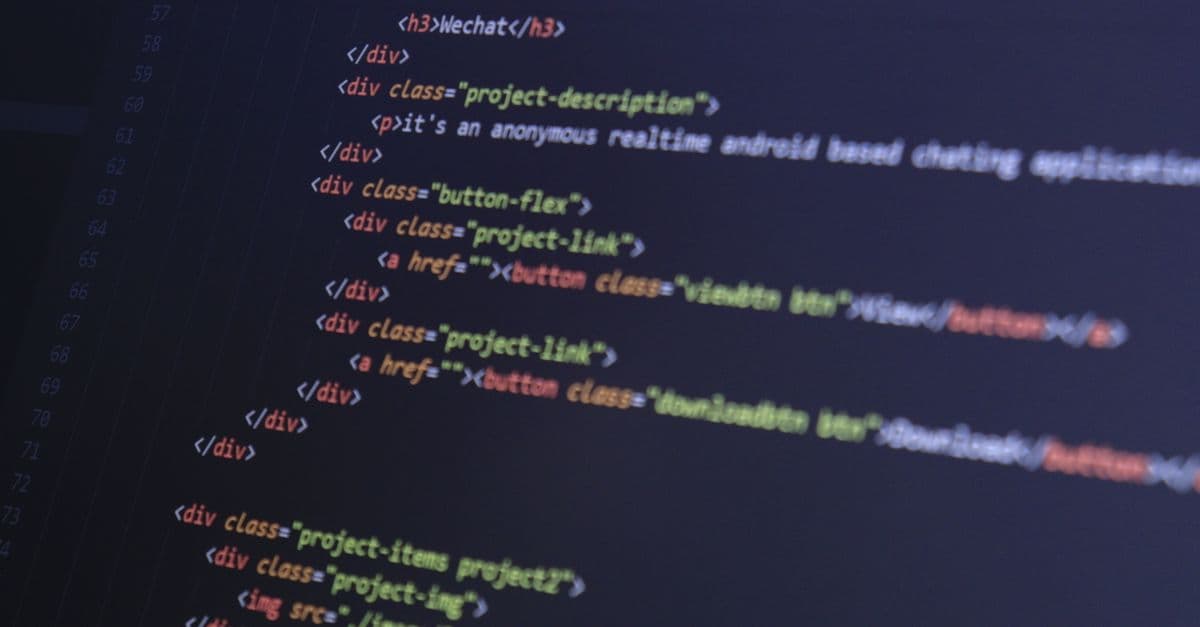
Photo: Bibek ghosh / Pexels
You can't get hired without a portfolio.
Build these 5 projects. You'll be ready.
Why Portfolio Projects?
| What Recruiters See | Impact |
|---|---|
| Code on GitHub | 80% (proven ability) |
| Deployed site | 70% (real-world skill) |
| Project complexity | 60% (can handle production) |
| Project README | 40% (can communicate) |
Portfolio > Resume
5-Project Plan (Beginner to Advanced)
Timeline
Project 1: Week 1-2 (Portfolio site)
Project 2: Week 3-4 (Simple app)
Project 3: Week 5-8 (Real clone)
Project 4: Week 9-12 (Full-stack)
Project 5: Week 13-16 (Showcase project)

Total: 4 months
Project 1: Portfolio Website (Week 1-2)
Purpose: Show who you are
Must-Haves
✅ About section (photo + bio) ✅ Projects section (list of projects) ✅ Skills section (technologies) ✅ Contact section (email, form, social links) ✅ Responsive design (mobile-friendly) ✅ Dark mode toggle (bonus: shows CSS skill)
Tech Stack
- React or Vue
- Tailwind CSS (styling)
- Vercel (deployment)
Metrics Recruiters Check
- Page loads < 2s
- Mobile responsive
- Contact form works
- Social links working
- GitHub link prominent
- No console errors
Example Structure
portfolio/
├── src/
│ ├── components/
│ │ ├── Header.jsx
│ │ ├── About.jsx
│ │ ├── Projects.jsx
│ │ ├── Skills.jsx
│ │ └── Contact.jsx
│ ├── App.jsx
│ └── App.css
├── public/
│ ├── me.jpg
│ └── favicon.ico
├── package.json
└── README.md
Deployment
npm run build
vercel deploy
# Live at: your-name.vercel.app
Project 2: Todo App (Week 3-4)
Purpose: Prove JavaScript/React mastery
Features
✅ Add todo (form) ✅ Mark complete (checkbox) ✅ Delete todo (button) ✅ Filter (all, active, completed) ✅ Local storage (persists on refresh) ✅ Responsive (mobile-friendly)
Tech Stack
- React (useState, useEffect)
- React Router (navigation)
- CSS Modules or Tailwind
- Vercel (deploy)
What Recruiters Check
- State management (useState)
- Effect hooks (useEffect)
- Event handling (onClick, onChange)
- Conditional rendering
- Local storage usage
- Error handling
- Git commit history (5+ commits)
Sample Code Structure
// App.jsx
function App() {
 const [todos, setTodos] = useState([]);
 const [filter, setFilter] = useState('all');

 return (
 <div>
 <h1>My Todos</h1>
 <TodoForm onAdd={addTodo} />
 <TodoList
 todos={filteredTodos}
 onToggle={toggleTodo}
 onDelete={deleteTodo}
 />
 <Filter value={filter} onChange={setFilter} />
 </div>
 );
}
Project 3: Twitter Clone (Week 5-8)
Purpose: Real-world app with API integration
Features
✅ Post tweets (create) ✅ View feed (list all tweets) ✅ Like tweets (interact) ✅ Delete tweets (mine only) ✅ User profile (avatar, bio) ✅ Real-time updates (live feed)
Tech Stack
- React (complex state)
- Firebase or Supabase (backend)
- Tailwind CSS
- Vercel (deploy)
What Recruiters Check
- Database integration (Firebase/Supabase)
- Authentication (login/signup)
- CRUD operations (create, read, update, delete)
- Real-time updates (WebSocket or Firestore listeners)
- Error handling (try/catch)
- Loading states (UI feedback)
- Git history (20+ commits)
Architecture
App
├── AuthContext (login/user)
├── Pages/
│ ├── Feed.jsx
│ ├── Profile.jsx
│ └── Notifications.jsx
├── Components/
│ ├── Tweet.jsx
│ ├── TweetForm.jsx
│ └── UserCard.jsx
└── services/
 └── firebase.js
Project 4: Full-Stack App (Week 9-12)
Purpose: Prove you can build complete systems
Project Ideas
- Expense tracker: Save expenses, categorize, budget
- Movie app: Search movies, save favorites, rate
- Recipe app: Create recipes, search, categorize
- Job board: Post jobs, apply, filter
Must-Include
✅ Front-end (React, Vue) ✅ Back-end (Node.js, Express) ✅ Database (PostgreSQL, MongoDB) ✅ Authentication (login/signup) ✅ API (REST endpoints) ✅ Deployment (Vercel + Render/Railway)
Tech Stack Recommendation
Front-end: React + Tailwind Back-end: Node.js + Express Database: PostgreSQL (or MongoDB) Auth: JWT tokens Deploy: Vercel (front) + Railway (back)
What Recruiters Check
- Database schema (normalized)
- API design (REST conventions)
- Authentication (JWT or OAuth)
- Error handling (500, 404, 401)
- Validation (input, type checking)
- Environment variables (secrets)
- Git history (50+ commits)
- Deployed and working
Example API Endpoints
POST /api/auth/login
POST /api/auth/signup
GET /api/expenses
POST /api/expenses
PUT /api/expenses/:id
DELETE /api/expenses/:id
Project 5: Showcase Project (Week 13-16)
Purpose: Demonstrate unique skills
Project Ideas
Advanced concepts:
- AI integration (ChatGPT API)
- Real-time collaboration (WebSocket)
- Data visualization (charts, maps)
- Payments (Stripe integration)
- Advanced animations
Example: Movie recommendation engine using AI
User rates movies
→ AI analyzes preferences
→ Recommends personalized movies
→ User saves recommendations
Must-Include
✅ Full-stack ✅ Advanced feature (AI, real-time, payments) ✅ Professional README (screenshots, installation) ✅ Performance optimized (Lighthouse 90+) ✅ Mobile responsive ✅ Error handling
Portfolio Quality Checklist
For Each Project
- README (clear, instructions to run)
- Demo link (live site)
- GitHub link (public repo)
- Screenshots (in README)
- Features listed (what it does)
- Tech used (technologies)
- How to run (npm install, npm start)
- Future improvements (what's next)
README Template
# Project Name
Brief description (1-2 sentences).
## Features
- Feature 1
- Feature 2
- Feature 3
## Tech Stack
- React
- Firebase
- Tailwind CSS
## Screenshot

## Live Demo
[View live site](https://project.vercel.app)
## Getting Started
### Install
\`\`\`bash
npm install
\`\`\`
### Run
\`\`\`bash
npm start
\`\`\`
### Build
\`\`\`bash
npm run build
\`\`\`
## Future Improvements
- [ ] Add user authentication
- [ ] Improve performance
- [ ] Add dark mode
## License
MIT
GitHub Best Practices
Commit Messages (Recruiters Read These)
✅ Good:
git commit -m "Add user authentication with JWT"
git commit -m "Fix bug: email validation"
git commit -m "Refactor: move database logic to service layer"
❌ Bad:
git commit -m "fix"
git commit -m "updates"
git commit -m "stuff"
Commit Frequency
- Bad: 1 commit with 1000 lines
- Good: 10 commits with 100 lines each
Shows iterative thinking.
Performance Requirements
Lighthouse Score (Google PageSpeed)
Target: 90+ in all categories

- Performance: 90+
- Accessibility: 90+
- Best Practices: 90+
- SEO: 90+
Test: Chrome DevTools → Lighthouse tab
Core Web Vitals
- LCP: < 2.5s (good)
- FID: < 100ms (good)
- CLS: < 0.1 (good)
How to Showcase Portfolio
1. GitHub Profile
- Photo on GitHub
- Bio (2-3 lines)
- Link to portfolio site
- 5 public projects (pinned)
2. Portfolio Website
- About section
- Project showcase (with live links)
- GitHub links
- Contact form
- Social links
3. LinkedIn
- Upload projects to experience section
- Link GitHub projects
- Mention portfolio site
4. Twitter/X
- Share project links
- Show progress updates
- Engage with dev community
Project Ideas by Level
Beginner (Week 1-4)
- Todo app
- Calculator
- Weather app
- Quiz app
- Password generator
Intermediate (Week 5-12)
- Twitter clone
- Blog platform
- E-commerce site
- Task management
- Chat application
Advanced (Week 13-16)
- AI chatbot
- Real-time collaboration
- Data visualization
- Payment integration
- Search engine
Common Portfolio Mistakes
❌ Too many projects (10+ confuses recruiters) ❌ Unfinished projects (remove, don't showcase) ❌ No live demos (GitHub only, no visibility) ❌ Poor README (should feel professional) ❌ No mobile responsiveness (60% users are mobile) ❌ Console errors (sloppy, unprofessional) ❌ Copied projects (show original work)
FAQ
Q: Should I include school projects? A: Yes, if you built them (not copied). Show your work.
Q: How many projects do I need? A: 3-5 projects sufficient. Quality > quantity.
Q: Should all projects be full-stack? A: No. Show range: simple frontend, complex backend, full-stack.
Q: What if project is incomplete? A: Either finish or remove. Show only shipped work.
Q: Will recruiters clone my repo? A: Sometimes. Make sure it runs without issues.
Related Articles
- Complete Web Dev Learning Path 2026
- Deploy Website for Beginners
- Web Dev Job Market 2026
- React vs Vue vs Svelte 2026
What Recruiters Actually Look For in Projects
Recruiters don't spend hours reviewing your projects — they scan for specific signals in under 5 minutes.
Signal 1: Can you finish things? Completed projects signal execution ability. Unfinished projects signal procrastination. Every project in your portfolio should be shipped and live.
Signal 2: Do you code professionally? Professional code means:
- Proper error handling (try/catch, error boundaries)
- Loading and empty states (UI feedback)
- Input validation (frontend + backend)
- Clean folder structure (readability for others)
- Meaningful commit messages (not "fix" or "update")
- No console warnings or errors
Signal 3: Can you build systems? At least one project should demonstrate full-stack thinking: database schema, API design, authentication flow. This shows you understand how components connect.
Signal 4: Can you communicate? A professional README with screenshots, instructions, and future improvements demonstrates writing skills — crucial for async teams and documentation.
Signal 5: Do you ship? Projects must be deployed and publicly accessible. A GitHub-only project signals "I haven't shipped." A live, working app signals "I've completed something."
Most junior developers build projects that work locally but never deploy them. This is a massive missed opportunity: deployment is where you learn real-world constraints (environment variables, secrets, CORS, database connection limits).
Source: HackerRank Developer Skills Report (2024) — Technical evaluation of developer portfolios; "shipped vs. local" is the single biggest predictor of hiring.
Advanced Project Patterns: What Sets You Apart
Beyond the basic 5 projects, certain patterns signal senior-level thinking.
Pattern 1: Performance optimization. Clone projects are common. Clones with Lighthouse scores >90 in all categories are rare. If your Twitter clone loads in <1.5 seconds on 3G, you've proven you care about real users. Include a "Performance" section in your README with metrics.
Pattern 2: Accessibility compliance. Even fewer developers check this. If your project passes axe DevTools accessibility audit and achieves WCAG AA compliance, you've demonstrated a skillset most juniors lack.
Pattern 3: Testing coverage. Unit tests, integration tests, end-to-end tests. A project with >70% code coverage and passing CI/CD pipeline shows mature thinking. Include a "Testing" section in your README with coverage reports.
Pattern 4: Monitoring and debugging. Use Sentry for error tracking, LogRocket for session replay, DataDog for performance. Monitor your projects in production. Link to your monitoring dashboard in the README (with sensitive data redacted). This shows you understand production reality.
Pattern 5: Documentation and blogging. Ship a project AND write a 1,500+ word technical blog post explaining your architectural decisions. Link to it in your README. Blog posts are catnip for recruiters — they signal communication skills and deep technical understanding.
These patterns are rarer and more impressive than another CRUD app.
Common Mistakes That Disqualify You
Mistake 1: 10+ unfinished projects. Recruiters see a long list of half-finished clones and assume you can't commit. Better to have 3 polished projects than 10 half-done ones.
Mistake 2: No live link. Your project runs locally but isn't deployed. Recruiters won't clone your repo and run npm install to test your app. If it's not live, it doesn't exist in their evaluation.
Mistake 3: Terrible README. README is your project's sales pitch. If it's one line ("My awesome project") or has no instructions, you've failed to communicate. A good README takes 15 minutes to write and multiples your chances.
Mistake 4: Copied projects. Tutorials everywhere teach "build Twitter" or "build Netflix." Thousands of developers build the same apps. If your Twitter clone is identical to the tutorial, you're indistinguishable. Add a twist: unique UI, additional features, better performance.
Mistake 5: Dummy data only. Projects with fake/hardcoded data show you didn't think about real usage. If your app has 10 todos hardcoded in a JSON file, you're missing the point. Projects should handle thousands of real users' data.
Mistake 6: No error handling. Projects that crash when inputs are unexpected signal inexperience. Production code handles edge cases. If your Todo app crashes when you enter a 500-character title, you've signaled carelessness.
Mistake 7: Inconsistent styling. A misaligned button or font inconsistency signals you didn't care about quality. Spend 30 minutes ensuring your project looks polished. Design polish is a hiring signal.
TypeScript: Should You Use It?
Short answer: Yes, for portfolio projects.
Why: TypeScript signals professionalism. It catches bugs, makes refactoring safer, and shows you're thinking about code quality beyond "it works."
Practical approach:
- Project 1 (portfolio site): Plain JavaScript or React + TypeScript
- Project 2 (Todo app): TypeScript recommended
- Projects 3-5: TypeScript mandatory
If you don't know TypeScript, spend 1 week learning it. It's worth it. See our TypeScript for beginners guide for a quick start.
Source: Stack Overflow 2024 Developer Survey — TypeScript adoption among professional developers: 38% (up from 21% in 2020).
Deployment Strategies: Which Platform?
Vercel (recommended for beginners): Optimized for React/Next.js. Deploys from GitHub, auto-rebuilds on push, free tier sufficient for portfolio projects. Deploy time: ~1 minute.
Netlify: Similar to Vercel, good for static and full-stack sites. Good free tier.
Railway or Render: For full-stack projects (frontend + backend + database). Deploy both simultaneously. Slightly more complex than Vercel but worth learning.
AWS / DigitalOcean: Overkill for portfolio projects. Unless you're specifically learning DevOps, avoid.
For your 5 projects, deploy on Vercel (frontend) + Railway (backend if needed). It's the industry standard for junior developers.
Networking and Exposure Strategy
Building projects isn't enough — you need to show them off.
Step 1: GitHub profile is your resume. Add a professional photo, write a 2-3 line bio, pin your 5 best projects, link to your portfolio.
Step 2: Portfolio website showcases projects. Link to live sites and GitHub repos. Make it beautiful. Spend a day on this.
Step 3: LinkedIn highlights your work. Add projects to "Projects" section, tag technologies, get endorsements from peers.
Step 4: Twitter/X for visibility. Share your project launches. Engage with dev community. No need to be prolific — 1-2 tweets per project is enough. Thread explaining your technical decisions gets responses.
Step 5: Dev.to or Medium blog posts. Write about your project's architecture. Recruiters actively read these platforms. One good blog post can generate interest.
Step 6: GitHub profile README. GitHub allows you to create a profile-level README. Make it impressive with your photo, bio, links, and stats.
This multi-channel approach takes ~3 hours per project but dramatically increases visibility.
The Takeaway
Your portfolio is your proof of work. Recruiters spend 90 seconds scanning it. They look for: finished projects, professional code, deployment, documentation, and communication. Build 5 projects over 4 months, deploy them, write good READMEs, and showcase them across platforms. Quality matters far more than quantity — one polished, well-documented, deployed project beats ten unfinished local projects. Ship something today.
Frequently Asked Questions
Q: Should I include school projects?
A: Yes, if you built them yourself (not copied from tutorials verbatim). Show your work. Add a note: "Built for [class] as a capstone project. See [blog post] for my architectural decisions."
Q: How many projects do I need?
A: 3-5 projects are sufficient. Quality > quantity. Recruiters care more about one excellent full-stack project than five mediocre clones.
Q: Should all projects be full-stack?
A: No. Show range. Include: a pure frontend project (React app), a backend project (API-only), and a full-stack project. Demonstrating different skill areas is more impressive than repetitive projects.
Q: What if a project is incomplete?
A: Either finish it or delete it. Show only shipped, working code. Incomplete projects signal poor execution.
Q: Will recruiters actually clone my repo and run it?
A: Sometimes. Make sure your project runs with zero setup friction. Instructions should be: (1) Clone repo, (2) npm install, (3) npm start. No environment variable hunting or missing dependencies.
Q: How do I get my first project to be impressive without experience?
A: Scope is your friend. A small, polished project with excellent README beats a large, half-finished clone. Pick a simple idea (personal expense tracker, notes app, movie DB), build it well, deploy it, write a good README, and ship it.
Q: Should I use a template or start from scratch?
A: For project 1-2, templates are fine (Vite, Create React App). For projects 3-5, build from scratch. Knowing how to set up a project from zero is a crucial skill.
Sources
"What Recruiters Look For in Developer Portfolios" — HackerRank (2024). Developer Skills Report.
- Portfolio evaluation criteria: completion, code quality, deployment, documentation.
"TypeScript adoption and professional development" — Stack Overflow (2024). Annual Developer Survey.
- 38% of professional developers use TypeScript; adoption growing 2-3% annually.
"Best practices for README documentation" — GitHub Docs (2025). Open Source Guide.
- Structure, clarity, and completeness of project READMEs correlate with contributor engagement.
"Deployment platforms for junior developers" — Vercel, Netlify, Railway documentation (2026).
- Comparative guides on ease of use, free tier availability, and learning curve.
"Portfolio project showcase patterns" — Dev.to community articles (2025).
- Analysis of high-engagement portfolio projects; success patterns identified.
"Web accessibility compliance (WCAG AA)" — W3C WCAG 2.1 Guidelines (2018).
- Accessibility standards; compliance checklist for production websites.
"Performance optimization for web applications" — Google Web.dev (2025). Core Web Vitals documentation.
- Metrics (LCP, FID, CLS) and optimization strategies for fast sites.
"Error handling and resilience in production code" — Microsoft Dev Blogs (2025). Best practices guide.
- Exception handling, graceful degradation, user communication during errors.
"GitHub profile optimization for recruiters" — GitHub Career Services (2025).
- Profile README templates, pinned repository strategies, contribution visibility.
"Technical writing for engineers: blog strategies" — Dev.to & Medium (2025).
- How technical blogs increase visibility and demonstrate expertise.
"Testing strategy: unit, integration, and E2E" — Playwright & Vitest documentation (2026).
- Testing pyramid; coverage targets; CI/CD integration for portfolio projects.
"Git workflow and commit message standards" — GitHub Conventional Commits (2025).
- Professional commit practices; squashing vs. detailed history for portfolio visibility.
Read next
Follow new articles
Add SciHub101 to your feed reader to see new science and technology stories.
About the Author
SciHub101 is an independent science and technology publication founded and edited by Buğra Sözeri, a software engineer and app developer based in Türkiye. AI tools assist with drafting and research. Source documentation in the existing archive is uneven, and articles are being reviewed and corrected. The Editorial Team byline identifies editorial responsibility; it does not certify specialist or independent human review. Where we compare products, anything built by our own team is labelled as such — see the editorial guidelines and About page for how corrections and disclosures work.
Related Articles

Deploy Website for Beginners — Go Live in 5 Minutes
Deploy your website for free in 5 minutes: Vercel, Netlify, or GitHub Pages. Custom domain, SSL, environment variables, and rollback guide for beginners.

Next.js vs React 2026 — Which Should You Learn First?
Next.js is a framework built on React, not a rival. What each does, Server Components, App vs Pages Router, and when to pick which, per the official docs.

Build Data Science Portfolio — Projects That Get Hired
Build a data science portfolio that shows real skills: five project types, a clean GitHub structure, honest metrics, and write-ups hiring teams can read.

Web Development Job Market 2026 — Salaries & Careers
Web dev job market 2026: BLS salary data by experience, location, and specialization, plus hiring trends, remote work shifts, and negotiation tactics.
Front-End vs Back-End Development Career Path 2026
Front-end vs back-end developer career comparison 2026: salary, daily work, learning curve, job market. Which path to choose and how to switch later.

Complete Web Development Learning Path 2026 Roadmap
6-phase learning roadmap for web development. Timeline, costs, realistic expectations, job prospects. Beginner to employed.