AI Tools for Developers Beyond Coding: 2026 Stack

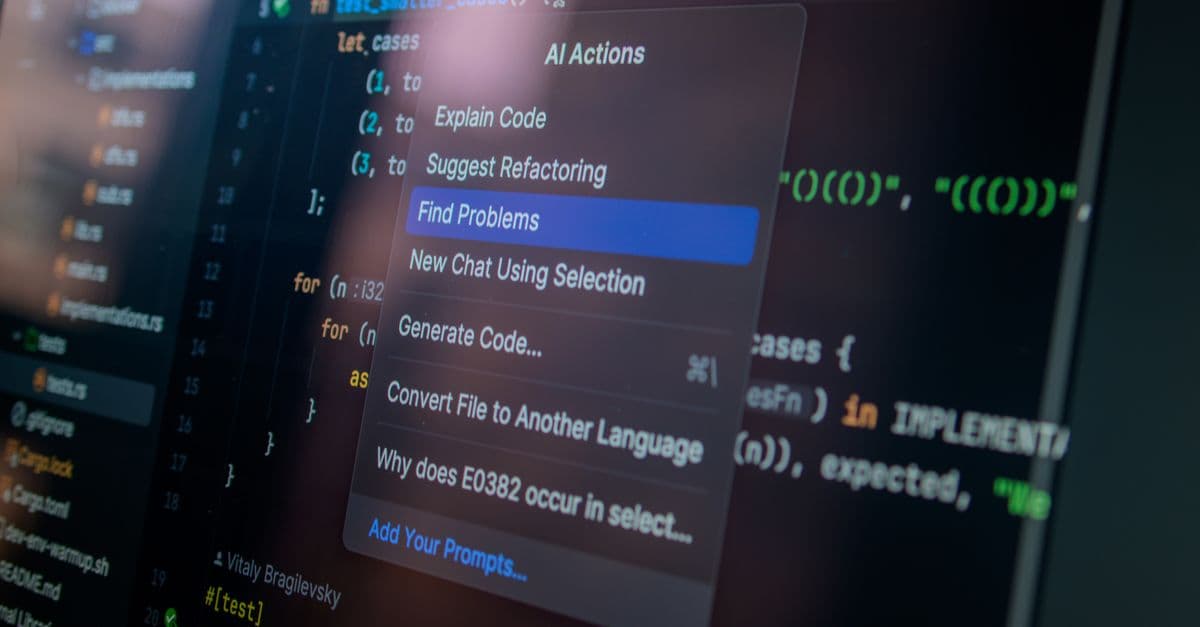
Photo: Daniil Komov / Pexels
Most coverage of AI for developers is about writing code faster. Yet when Atlassian surveyed 3,500 developers and managers for its 2025 developer experience report, respondents said they spent only 16% of their time coding. The other 84% covers everything else a developer does, from reviewing and debugging to meetings and hunting for information. This article surveys the AI tools aimed at that larger share of the day: code review, testing, debugging and incident response, documentation, knowledge search, and workflow automation. It covers what each category does, what the vendors charge as of October 22, 2026, and where the evidence says to stay skeptical.
Where a developer's time actually goes
The 16% figure comes from Atlassian's State of Developer Experience report. Treat it as one survey's answer, not a universal constant. Surveys that ask people to estimate their own time tend to disagree with each other, and the mix differs between a startup engineer and someone maintaining a bank's payment system. The useful point is directional: whatever the exact share, coding is a minority of the job.
Atlassian also reported that 99% of respondents said AI tools save them time, with 68% saving more than 10 hours a week. In the same survey, 50% said they lose 10 or more hours a week to organizational inefficiencies, and the top time-wasters were finding information, adapting to new technology, and switching between tools. In other words, the time AI hands back is being spent as fast as it is freed, mostly on friction that has nothing to do with typing code.
That framing explains why the tools below matter. A code generator speeds up the 16%. The categories in this article try to shrink the rest, and each one targets a specific kind of friction:
| Friction | Category of tool | Example products covered below |
|---|---|---|
| Waiting for and doing reviews | AI code review | CodeRabbit, Greptile, Qodo, GitHub Copilot code review |
| Slow, brittle test suites | AI-assisted testing | Playwright test agents, Hypothesis, fast-check |
| Hours lost in on-call investigation | AI debugging and incident tools | Sentry Seer, Datadog Bits AI SRE |
| Docs that nobody updates | Documentation platforms | Mintlify |
| "Where did we decide that?" | Knowledge search | Glean, Onyx |
| Ticket and PR overhead | Workflow automation | Linear, GitHub Actions |
For the tools that write the code itself, see our AI coding agents review and the Claude Code vs Cursor vs Windsurf comparison.
A reality check before the tools
Two pieces of research set the ground rules for everything that follows.
The first is the 2025 DORA report from Google Cloud, drawn from nearly 5,000 technology professionals. It found that 90% of respondents use AI at work and more than 80% believe it increased their productivity, yet 30% have little or no trust in AI-generated code. AI adoption correlated positively with delivery throughput but still correlated negatively with delivery stability. The authors summarize the pattern as AI amplifying what already exists: strong teams become more efficient, and teams with weak practices see their problems intensified.
The second is developer sentiment. In the 2025 Stack Overflow Developer Survey, 66% of respondents named "AI solutions that are almost right, but not quite" as a top frustration, and 45.2% said debugging AI-generated code takes more time. Only 4.4% rated AI very good at complex tasks.
An AI tool in your workflow behaves like a power tool in a workshop. In a well-organized shop with jigs, measurements, and safety guards, it multiplies what a skilled person can do. In a messy shop it makes a bigger mess faster. Tests, observability, and review habits are the jigs. Every category below works better once they exist.
Code review: the most natural fit
Code review is a good target for AI for a structural reason. A reviewer needs to read a diff, hold the surrounding code in mind, and spot problems in a narrow window. That is a reading and pattern-matching task, which is where language models are strongest, and it comes with a built-in human checkpoint, since a person still decides whether to merge.
The dedicated review bots
CodeRabbit reviews pull requests (PRs) automatically. Its pricing page lists four tiers: Essentials at $24 per developer per month billed annually ($30 monthly), Team at $48 ($60 monthly), Advanced at $72, and Enterprise with custom pricing. You are charged only for developers who create pull requests, and open-source projects get free reviews on public repositories. The entry tier covers AI pull request and CLI reviews, chat, one-click fixes, and pre-merge checks. The tier differences are meaningful: Team adds unit-test generation and triage, and Advanced adds security monitoring and architecture-impact review.
Greptile emphasizes whole-repository context, so that a review considers callers and dependencies instead of only the lines changed. According to its pricing page, the Starter plan is free for one active developer with 50 credits a month. Pro is $30 per seat per month with 50 credits per seat and $1 per extra credit. A base review costs 1 credit, a "Plus" review 3 credits, and an "Apex" review 10 credits. A seat is any developer who received a review during the billing period. Qualified open-source projects can apply for free use.
Qodo describes itself as an AI code review and governance platform. Its site says specialized agents flag bugs, rule violations, and requirements gaps using cross-repository context, and that it can turn coding standards into enforceable rules with an audit trail. It supports GitHub, GitLab, Bitbucket, and Azure DevOps, plus VS Code and JetBrains.
GitHub Copilot now includes pull request review on its paid plans. GitHub's plans page lists Pro at $10 per month, Pro+ at $39, and Max at $100, with code review included on those and not on the Free plan. Usage is measured in GitHub AI Credits, where one credit equals $0.01. Code completions do not consume credits, while chat and agent usage does. If your team already pays for Copilot, this is the lowest-friction way to try AI review before adding a specialist tool.
How these tools compare
| Tool | Strength according to its own materials | Pricing model (Oct 2026) |
|---|---|---|
| CodeRabbit | PR summaries, one-click fixes, pre-merge checks | $24 to $72 per active developer per month, depending on tier |
| Greptile | Full-repo context, credit-based reviews | Free starter; $30 per seat plus credits |
| Qodo | Standards enforcement, cross-repo review | See vendor |
| GitHub Copilot | Built into the platform you already use | $10 to $100 per month, credit-based |
What AI review does well, and what it does not
A reviewer bot is good at the tedious checks humans skip when tired: a missing null check, an unclosed resource, a test that does not assert anything, an inconsistent name. It also writes a plain-language summary of a large diff, which helps a human reviewer orient quickly.
It is weaker at the questions that matter most in review. Is this the right abstraction? Does this change fit where the product is going? Is the migration safe to run against production data? Those require context that does not live in the diff. A bot is also prone to confident false positives, which wastes reviewer attention and trains people to ignore it. A sensible policy is to treat AI review as a first pass that runs before a human sees the PR, never as the approver of record. For security-sensitive code, keep a person in the loop and consider a dedicated static analysis tool alongside the AI.
Testing: the unglamorous high-value category
Testing is where AI help is least flashy and often most useful, because a good test suite is also what makes every other AI tool safer to use. DORA's finding that acceleration from AI exposes weaknesses downstream unless automated testing and fast feedback loops are in place points the same way.
Generating and repairing end-to-end tests
Playwright, the browser testing framework, now ships three test agents. According to the Playwright documentation, a planner explores your application and writes a Markdown test plan, a generator converts that plan into Playwright test files while checking selectors and assertions against the live app, and a healer runs a failing test, replays the steps, inspects the current UI for equivalent elements, suggests a patch, and reruns. The healer stops when the test passes or a guardrail halts the loop, and it skips the test if it decides the functionality is truly broken.
The setup runs through an AI tool you already use: VS Code, Claude Code, Codex, or OpenCode. You generate the agent definitions with a command such as npx playwright init-agents --loop=claude, add a seed test that provides a ready page context, and then ask the planner, generator, and healer in turn.
The healer is the most interesting piece. Brittle end-to-end tests usually fail for boring reasons: a button was renamed, a selector changed, a loading state shifted. Fixing them is toil. An agent that can look at the page, find the equivalent element, and propose a patch removes much of that toil. The risk is that a healer can "fix" a test by making it pass for the wrong reason, which is why the guardrail and a human reading the patch both matter.
For wider browser automation context, see our browser automation guide.
Property-based testing as an AI companion
Property-based testing flips the usual approach. Instead of writing example inputs, you describe a property that should hold for all inputs, and the library generates many inputs to try. Hypothesis does this for Python. A classic property for a sort function is that the output has the same elements as the input and that the elements are in order. fast-check offers the same idea for JavaScript and TypeScript and works with runners such as Jest, Mocha, and Vitest.
An analogy: example-based tests are like checking a bridge by driving three trucks across it. Property-based tests are like specifying that the bridge must carry any load up to a limit and letting a machine try thousands of loads. Language models are good at a half of the work, which is proposing the properties ("the output is sorted," "decoding an encoded value returns the original"). The library does the other half, which is exhaustive-looking input generation. That division plays to each side's strengths.
Where AI-generated tests go wrong
Generated unit tests tend to describe what the code currently does, not what it should do. If a function has a bug, a test generated from that function can assert the bug. Treat generated tests as drafts that need a human to confirm the intended behavior. A good check is to deliberately break the code and see whether the test fails. If it still passes, the test is not protecting anything.
Debugging and incident response
This category is changing fastest, and it is where marketing claims run furthest ahead of day-to-day reality.
Sentry Seer is attached to an error and performance monitoring product. According to Sentry's documentation, Seer analyzes incoming issues, identifies likely root causes, and can generate a code fix and open a pull request. It can also hand the code-writing step to an external coding agent such as Claude Code, Cursor Cloud Agents, or GitHub Copilot. A newer Seer Agent, in open beta, answers natural-language questions about errors and performance. Seer is an add-on to a Sentry subscription with "active contributor" pricing: a person is billed if they create two or more PRs in a month in a Seer-enabled project. It draws on stack traces, tracing data, logs in beta, linked repositories, and performance data.
Datadog Bits AI SRE takes a similar approach on the infrastructure side. Datadog's documentation describes Bits Investigation as an autonomous agent that investigates production issues triggered by alerts, forming and revising hypotheses as it gathers telemetry to help on-call engineers find root causes. It is not supported on Datadog's US government sites.
The common thread: these tools sit on top of observability data. They need traces, logs, and good alerts to reason about. A tool that reads your telemetry can narrow a search in minutes, but it cannot invent evidence you did not collect.
General-purpose chat models remain a strong option for one-off debugging. Paste the stack trace, the relevant code, and what you tried, and ask for hypotheses ranked by likelihood. The cost is workflow friction, because you assemble the context by hand. Coding agents with repository access remove that friction, which is why our piece on why AI coding tools need repo context matters here too.
What to keep skeptical about
- Auto-fix in production. Opening a PR with a proposed fix is a very different thing from deploying one. Tools that propose and a human who approves is the pattern that vendor documentation describes. Keep it that way.
- Observability gaps. If you do not trace a request path, no AI can explain where it slowed down. Invest in telemetry first. Our explainer on AI observability covers the monitoring side when the system under test is itself an AI feature.
- Novel failures. Pattern-matching tools do best on recurring problems and worst on new ones, which are exactly the incidents that wake people up.
For the broader pattern of when adaptive agents help versus fixed workflows, see our comparison of AI agents versus traditional automation.
Documentation: write less, keep it current
Documentation is the task developers like least, and also where a draft from a model is most obviously better than a blank page. The harder problem is not writing, it is staleness.
Mintlify is a documentation platform that markets itself as self-updating documentation for people and AI agents. Its site claims more than 20,000 companies (a marketing figure it does not source), features an AI assistant, offers its own llms.txt file, and offers an "Agent Score" tool for checking whether agents can read your docs. If you publish public API docs, making them readable by AI tools is becoming part of the job, which our explainer on llms.txt covers.
For one-off documents, a general model with a few representative files as context produces a usable README or runbook draft. Give it real code, a statement of the audience, and the format you want, then edit.
The unsolved problem is drift. A model can write documentation from today's code, but nothing reliably notices when tomorrow's change makes a paragraph false. The practical fix is process, not product: tie documentation updates to the pull request, make the reviewer check them, and let a bot flag changed public interfaces whose docs were not touched. AI helps draft the update. It does not decide that an update is needed.
Knowledge search: the internal Stack Overflow
Atlassian's survey named "finding information" the top time-waster. That makes knowledge search a more important category than its modest buzz suggests.
Glean is an enterprise search and assistant product. Its website claims 275+ integrations, among them Slack, Google Drive, Jira, Confluence, SharePoint, and GitHub, and says that "users only see what they're allowed to see," meaning results respect existing permissions. Glean does not publish prices and directs buyers to request a demo, so any per-seat figure you see elsewhere is not from the vendor.
Onyx is the open-source option. Its repository describes a platform that connects to more than 50 applications, indexes content with metadata and permissions, and can be self-hosted with Docker, Kubernetes, or Helm and Terraform, including in air-gapped setups. The Community Edition is MIT licensed and covers core retrieval-augmented generation, chat, and agents, while the Enterprise Edition adds features such as single sign-on and role-based access control.
Code-specific search has shifted. Sourcegraph retired Cody Free and Cody Pro on July 23, 2025, pointing individual users to a separate agentic tool called Amp, while Cody Enterprise continued. If an older guide recommends Cody's free tier, it is out of date.
How these tools work is worth knowing, because it explains their failure modes. Most use retrieval-augmented generation (RAG): the system converts your documents into numerical representations called embeddings, finds the passages closest in meaning to your question, and hands them to a model to write an answer. Our explainers on RAG and AI knowledge management go deeper. The failure modes follow directly:
- Missing sources. If a decision lives in a meeting nobody wrote down, retrieval cannot find it.
- Stale sources. If two documents disagree, the system may cite the older one.
- Permission leaks. A search tool that indexes everything must enforce who may see what. That is why vendors emphasize permission-aware search.
- Confident answers from weak evidence. Models can paper over thin retrieval, which is why you should click through to the cited source on anything that matters. Our piece on why AI hallucinates facts explains the mechanism.
Teams below a certain size often do not need a dedicated product at all. If your documentation fits in one wiki and your repository is a single codebase, a coding agent with repository access plus the wiki's built-in search may be enough.
Workflow automation around the code
Smaller wins appear in how work is tracked and routed.
Linear describes several AI features on its site. Linear Agent understands issues, projects, customer requests, docs, and code, and can create issues from Slack or Teams conversations, draft project updates, and plan a cycle from the backlog. Triage Intelligence suggests assignees, teams, projects, labels, related issues, and duplicates. Coding sessions return reviewable diffs. A Linear MCP server gives compatible AI tools access to issues, projects, and comments. MCP (Model Context Protocol) is an open standard for connecting AI tools to outside systems, explained in our MCP guide.
CI-based agents are the other pattern. Coding agents such as Claude Code can run in GitHub Actions or GitLab CI/CD to review code and triage issues automatically, according to Anthropic's documentation. The advantage over a chat window is repeatability: the job runs on every PR, with the same instructions each time.
For the no-code side of automation, our automation tool roundup compares general-purpose platforms.
Concrete daily workflows
These patterns are lightweight enough to try this week.
Orient in an unfamiliar repository. Point a coding agent at a new codebase and ask for the architecture, the main request flow, and where configuration lives. Then check two or three of its claims by reading the files it names. This is often faster than a first day of aimless browsing, and the verification step keeps it honest. A tool with subagents can keep the exploration output out of your main conversation. See AI subagents explained.
Draft a PR description from the diff. Generate a summary, then edit it for the reason behind the change, which the diff cannot show. Reviewers read descriptions more carefully when they contain intent and not just a list of files.
Explain a stack trace. Provide the trace, the function it points to, and recent changes. Ask for ranked hypotheses and a way to confirm each. The confirmation step turns a guess into a test.
Port a utility between languages. Rewriting a small, well-tested function in another language works well because the tests define success. Large framework migrations are riskier, because there is no small oracle to check against.
Pressure-test a migration plan. Paste a database migration or rollout plan and ask where it could lock tables, lose data, or fail halfway. Treat the answer as a checklist of questions to investigate, not a verdict.
What a defensible budget looks like
Pricing changes often, so the table lists vendor-published prices as of October 22, 2026, and leaves out tools that do not publish them.
| Need | Option | Published price |
|---|---|---|
| General assistant and agent | Claude Pro (includes Claude Code) | $20 per month, or $17 per month billed annually |
| Editor and completions | GitHub Copilot Pro | $10 per month |
| PR review | CodeRabbit Essentials | $24 per active developer per month annually, $30 monthly |
| PR review, repo-aware | Greptile Pro | $30 per seat per month plus extra credits |
| Error investigation | Sentry Seer | Add-on to a Sentry plan, priced per active contributor |
| Knowledge search | Glean | Not published; demo required |
| Self-hosted knowledge search | Onyx Community Edition | MIT licensed; infrastructure cost only |
For one developer, a reasonable start is a single general-purpose subscription plus the free tier of one review tool. A team should add tools one at a time and measure the effect before adding the next. Compare these stacks with our guides for marketers and designers, where the categories overlap but the products differ.
How to tell whether a tool is helping
Because self-reported benefits are unreliable, measure something external. A 2025 randomized trial by the research group METR found that experienced open-source developers took 19% longer with AI tools on real tasks, while believing they had been about 20% faster. The study was small (16 developers) and focused on experts in codebases they knew well, so it does not generalize to everyone, but its lesson does: how a tool feels is not the same as what it does.
Practical measures for a team:
- Review turnaround time. Time from PR opened to first substantive review, before and after adopting a review bot.
- Escaped defects. Bugs found in production that review should have caught.
- Test flakiness. The share of CI runs that fail without a code change, before and after adding test repair.
- Time to first useful hypothesis during incidents.
- Reviewer load. How many PRs each person reviews, and whether bot comments are being resolved or ignored.
Run a trial on a limited set of repositories for a few weeks, compare against the previous period, and note whether engineers act on the tool's comments. An ignored bot is a cost without a benefit.
Risks that deserve a line in your policy
- Secrets and proprietary code. Check each vendor's data retention and training terms for your plan tier. Enterprise tiers typically offer stronger commitments, and Sentry states that it does not train generative AI models on your data by default or without permission.
- Prompt injection. Tools that read issues, comments, or web pages can encounter text written to steer them. Our prompt injection explainer describes why this is hard to fully prevent, so limit what automated agents may do without approval.
- Over-trust. DORA found 30% of respondents with little or no trust in AI-generated code, and Stack Overflow found trust in accuracy at 32.7%. A healthy default is verify, then rely.
- Evaluation of the tool itself. If you build your own AI features, learn how to test them. See our guide to LLM evaluation.
Where the hype outpaces the evidence
A short list of claims to discount until you have tested them yourself:
- "AI project management." Many products are dashboards with generated summaries. The built-in AI of a tracker you already use, such as Linear's, may be enough.
- Whole-codebase language migration. Small, tested functions port well. Whole systems do not, because the test oracle is missing.
- "AI architect" tools. A diagram that looks plausible is not a design that handles your traffic, data, and team. Architecture depends on constraints a tool cannot see.
- Fully autonomous incident resolution. Vendors describe agents that investigate and propose. Documentation for the tools reviewed here describes proposals and root-cause analysis, not unsupervised production changes.
- Review without humans. The data on trust and accuracy above argues against removing the final human check.
Frequently asked questions
Q: Where do developers actually spend their time if not coding? A: In Atlassian's 2025 survey of 3,500 developers and managers, coding was 16% of the week. Respondents named finding information, adapting to new technology, and context switching among their top time-wasters.
Q: Which AI tool gives the best return outside of code generation? A: There is no single best answer, but code review and test maintenance are common first choices because they have clear checkpoints and measurable outcomes. Start with the pain your team reports most often and measure before and after.
Q: Is GitHub Copilot worth it if I already use another coding tool? A: Copilot Pro is $10 per month and includes pull request review, per GitHub's plans page. If your team lives on GitHub, that makes it a cheap way to test AI review. Compare it against a specialist such as CodeRabbit or Greptile on your own pull requests.
Q: Can AI code review replace human reviewers? A: Evidence says no. DORA found that AI adoption correlates with lower delivery stability, and developers report that AI output is often almost right but not quite. Use AI review as a first pass and keep a person as the approver.
Q: Are there self-hosted options for knowledge search? A: Yes. Onyx is open source, with an MIT-licensed Community Edition that can run in Docker or Kubernetes, including air-gapped. Expect to spend engineering time on setup and connectors.
Q: Is Sourcegraph Cody still available? A: Cody Free and Pro were retired on July 23, 2025. Sourcegraph said Cody Enterprise was unaffected and pointed individual users to Amp.
Q: How should a small team start? A: Pick one category, run one tool for a few weeks on a limited set of repositories, and track one metric such as review turnaround or flaky test rate. Add a second tool only after the first one earns its place.
The takeaway
The most useful AI tools for developers in 2026 may be the ones that never write a line of code. They read diffs, repair brittle tests, narrow incident searches, and find the document someone wrote two years ago. Each depends on infrastructure you control: tests that mean something, telemetry that records what happened, documentation tied to pull requests, and a review culture that treats AI comments as input, not verdicts. Teams with those foundations get leverage from these tools. Teams without them mostly get faster ways to produce work that still needs checking.
Read next:
Follow new articles
Add SciHub101 to your feed reader to see new science and technology stories.
About the Author
SciHub101 is an independent science and technology publication founded and edited by Buğra Sözeri, a software engineer and app developer based in Türkiye. AI tools assist with drafting and research. Source documentation in the existing archive is uneven, and articles are being reviewed and corrected. The Editorial Team byline identifies editorial responsibility; it does not certify specialist or independent human review. Where we compare products, anything built by our own team is labelled as such — see the editorial guidelines and About page for how corrections and disclosures work.
Related Articles
Best AI Voice Tools 2026 — ElevenLabs vs OpenAI TTS
Top AI voice tools 2026: ElevenLabs, OpenAI Voice, Murf, Play.ht, Suno for music. Quality, pricing, and use cases compared for creators and developers.
Best AI Presentation Tools — Gamma, Beautiful, Tome
Top AI presentation tools 2026: Gamma, Beautiful.ai, Tome, Decktopus, SlidesAI compared. Generate professional slides from prompts in minutes, not hours.
Best Free AI Photo Tools With No Card Needed (2026)
Best free AI photo tools compared (2026): Kitana, Fotor, Picsart, Pixlr, Photoroom, and HeadshotPro, judged on free access, presets, and stated limits.
Best Free Meal Planning Apps With a Fasting Timer (2026)
Best free meal planning apps with a fasting timer (2026): MyCookingCalendar, Eat This Much, MyFitnessPal, Cronometer, YAZIO, and Mealime compared fairly.
Best AI Manga and Anime Clip Makers for Non-Artists (2026)
Best AI manga and anime clip makers for non-artists (2026): Gootaku, Anifusion, NovelAI, Dashtoon, Pixton, and Storyboard That, judged on free access and range.

AI Headshot Generators 2026 — Professional Photos, Compared
Best AI headshot generators 2026: Aragon, HeadshotPro, BetterPic, Secta compared for realism, price, and turnaround. How they work, results to expect, and pitfalls.