n8n Workflow Automation — Beginner's Guide

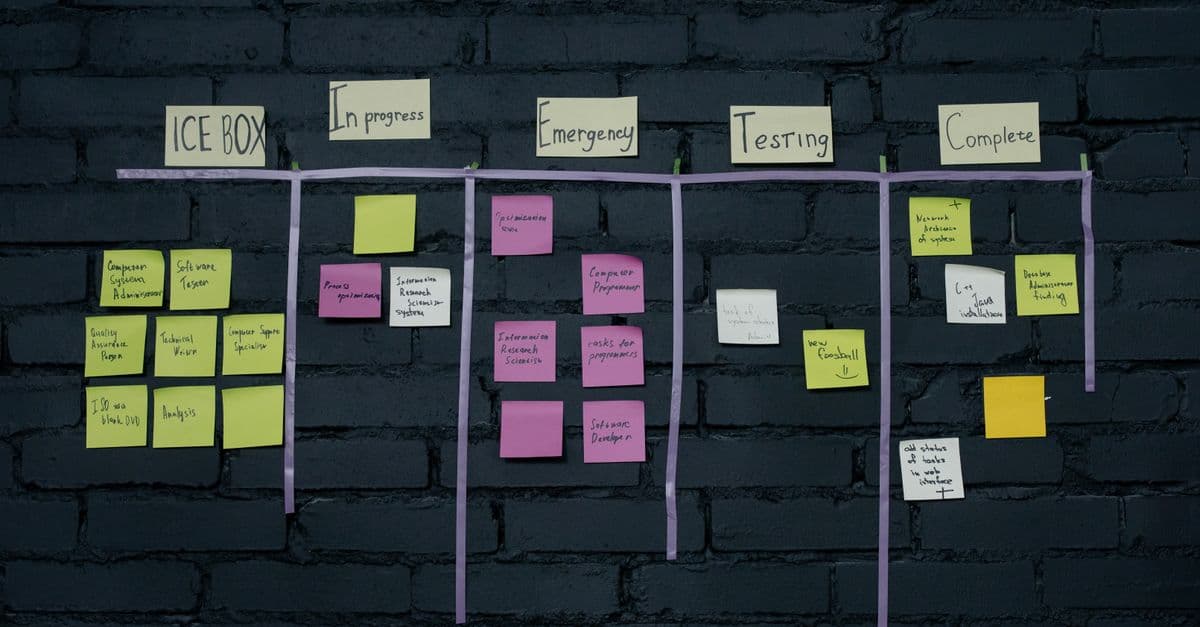
Photo: Thirdman / Pexels
Automation tools are everywhere, but most of them rent you access to your own data on their servers for a monthly fee. n8n flips that model: it is open-source, can be self-hosted on your own server, and still provides a visual, low-code workflow builder that rivals Zapier and Make. This guide covers everything you need to get started, from the core concepts to building your first real workflow.
What Is n8n?
n8n (pronounced "n-eight-n," short for "nodemation") is an open-source workflow automation platform originally released in 2019 by Jan Oberhauser. It lets you connect apps, APIs, and services together using a visual node-based editor — no code required for most use cases, but JavaScript or Python expressions are available when you need them.
Two ways to use n8n:
- Self-hosted: Download and run n8n on your own server, VPS, Raspberry Pi, or local machine using Docker or npm. You own your data.
- n8n Cloud: Managed hosting from the n8n team. Starts free for low volume, paid plans for heavier usage.
n8n has over 400 built-in integrations (called "nodes") and supports custom HTTP requests for anything not covered natively.
Core Concepts: Nodes and Connections
Every n8n workflow is a directed graph of nodes connected by lines (edges).
Nodes
A node is a single unit of work. There are three types:
- Trigger nodes — Start the workflow. Examples: Webhook, Schedule (cron), Gmail Trigger, Slack Trigger.
- Action nodes — Do something: send an email, create a database row, post to Slack.
- Core/utility nodes — Transform or route data: IF, Switch, Merge, Code, Set, HTTP Request.
Each node has an input and an output. Data flows through as JSON objects called items. If a node outputs five items, the next node processes all five.
Connections
You draw a line from the output pin of one node to the input pin of another. n8n also supports branching — one node can connect to multiple downstream nodes. The IF node specifically produces two branches: true and false.
Trigger Types
Choosing the right trigger is the most important decision in any workflow:
| Trigger | When to Use |
|---|---|
| Webhook | React to events from external services (e.g., a new Stripe payment) |
| Schedule (Cron) | Run on a fixed interval: hourly, daily, every Monday at 9 AM |
| App Trigger | Native event listeners for supported apps (Gmail, Slack, GitHub) |
| Manual | Click "Execute Workflow" — great for testing and one-off runs |
| Form Trigger | Built-in form that generates a URL; submission starts the workflow |
Common Integrations
n8n covers the most popular productivity and developer tools out of the box:
- Slack — Send messages, create channels, post to threads
- Gmail / Google Workspace — Read, send, label emails; create calendar events
- Notion — Create and update database pages
- Airtable — Read and write records
- PostgreSQL / MySQL / MongoDB — Direct database queries
- OpenAI — Call GPT models for summarisation, classification, extraction
- Google Sheets — Read/write spreadsheet rows
- HTTP Request node — Call any REST API not covered natively
Building Your First Workflow: Daily Slack Digest
Here is a practical example: every morning at 8 AM, fetch the top Hacker News stories and post a digest to Slack.
Step 1 — Add a Schedule Trigger Set the interval to "Every Day" at 08:00.
Step 2 — HTTP Request node (Hacker News API)
- Method: GET
- URL:
https://hacker-news.firebaseio.com/v0/topstories.json - This returns an array of story IDs.
Step 3 — Split In Batches node Take the first 5 IDs (set Batch Size = 1, add a Limit node before it or use a Code node to slice the array).
Step 4 — HTTP Request node (fetch each story)
- URL:
https://hacker-news.firebaseio.com/v0/item/{{$json["id"]}}.json - Use n8n's expression syntax to interpolate the ID.
Step 5 — Aggregate node Combine all five story items into one list.
Step 6 — Slack node
- Resource: Message → Send
- Channel:
#general - Message: Use a Code node or Set node to build the digest text from the aggregated titles and URLs.
Total time to build: roughly 15 minutes. No code required beyond the expression for the URL.
n8n vs Zapier vs Make — Comparison
| Feature | n8n | Zapier | Make |
|---|---|---|---|
| Pricing model | Free (self-hosted); Cloud from $20/mo | Free tier (5 Zaps, 100 tasks/mo); from $19.99/mo | Free tier (1,000 ops/mo); from $9/mo |
| Self-hosting | Yes (Docker/npm) | No | No |
| Integrations | 400+ | 7,000+ | 1,800+ |
| Visual editor | Node graph | Linear step-by-step | Node graph (Scenarios) |
| Code support | JavaScript & Python expressions | No | No native code |
| Error handling | Built-in retry + error branches | Basic | Advanced (routers, error handlers) |
| Data control | Full (self-hosted) | Vendor stores data | Vendor stores data |
| Learning curve | Medium | Low | Medium |
| Best for | Developers, data-sensitive workflows | Beginners, simple zaps | Power users, complex data mapping |
Verdict: If data privacy matters or you want to avoid recurring SaaS fees, n8n self-hosted wins. For raw integration count and ease of use, Zapier leads. For complex multi-step workflows at a lower price than Zapier, Make is the better choice. See our Zapier vs Make comparison for a deeper dive.
Self-Hosting n8n: What You Need to Know
Running n8n yourself takes about 10 minutes with Docker:
docker run -it --rm \
 --name n8n \
 -p 5678:5678 \
 -v ~/.n8n:/home/node/.n8n \
 docker.n8n.io/n8nio/n8n
Open http://localhost:5678 and you have a fully functional n8n instance.
For production use:
- Deploy on a VPS (Hetzner, DigitalOcean, Fly.io). A $4–6/month instance is plenty for most personal workflows.
- Use PostgreSQL instead of the default SQLite for reliability.
- Reverse-proxy with Nginx or Caddy for HTTPS.
- Set up basic auth or SSO for the editor UI.
What self-hosting does NOT give you:
- Automatic n8n updates (you must pull new images manually)
- Built-in scaling for very high-volume workflows (use queue mode with Redis for that)
Pricing Summary
| Plan | Price | Tasks/month |
|---|---|---|
| Self-hosted Community | Free | Unlimited |
| n8n Cloud Starter | $20/mo | 2,500 workflow executions |
| n8n Cloud Pro | $50/mo | 10,000 executions |
| Enterprise (Cloud or self-hosted) | Custom | Custom |
For most individual users and small teams, self-hosting on a cheap VPS is the smartest option financially.
Advanced Node Types and Logic
Beyond basic actions and triggers, n8n offers sophisticated nodes for complex workflows:
Function nodes let you write custom JavaScript inline:
// Example: Transform user data
return items.map(item => ({
  ...item,
  email_domain: item.json.email.split('@')[1],
  is_enterprise: item.json.email.endsWith('@company.com')
}));
Merge nodes combine data from parallel branches back into a single stream. You can merge by a specific field, concat arrays, or replace values.
If/Switch nodes add conditional branching:
- IF nodes split into two branches (true/false)
- Switch nodes allow multiple conditions (case/default logic)
Loop nodes iterate over arrays:
- Execute Once mode: suitable for batch operations
- For Each Item mode: processes each item sequentially
Aggregate nodes collect all items from a loop and merge them into a single output — essential for combining looped results back into one object.
AI nodes (OpenAI, Anthropic, HuggingFace) let you:
- Classify text
- Summarize content
- Extract structured data from unstructured text
- Generate content from templates
Vector Database nodes (Pinecone, Qdrant, Weaviate) enable retrieval-augmented generation (RAG) workflows — combining external knowledge bases with LLMs for intelligent automation.
Error Handling and Robustness
Production workflows fail. Good workflows handle failure gracefully.
Try-Catch approach: Wrap risky nodes (API calls) with Try node, configure a Catch branch for failures. The Catch node has full access to the error message and data.
Conditional retries: Set each HTTP Request node to retry 3 times with exponential backoff before propagating the error downstream.
Dead-letter queues: Route permanently failed items to a separate workflow or database table for manual review instead of losing them.
Monitoring with webhooks: Use a Slack node in error handlers to notify you immediately when production workflows fail.
Logging: Use Set nodes to capture key data points and log them to a database. When something fails, you have a full audit trail.
Example error workflow:
- Schedule trigger → Main workflow (wrapped in Try)
- Catch branch → Log error + details to PostgreSQL
- Catch branch → Send Slack message to #errors channel
Expressions and Data Manipulation
n8n uses JSONata and JavaScript syntax for expressions. Understanding this is what separates basic automators from power users.
$json access pattern:
$json.field          // Access a field in the current item
$json["nested-field"]  // For fields with hyphens or spaces
$json.array[0]       // Access array index

$json.deep.nested.value  // Chain nested objects
$env for environment variables (set via Docker env or Cloud settings):
$env.DATABASE_URL
$env.API_KEY
$now for timestamps:
$now.toISOString()   // 2026-05-14T19:30:00.000Z
$now.toDateString()  // Sat May 14 2026
Array operations:
// Map: transform each element
$json.items.map(item => item.name.toUpperCase())

// Filter: select matching elements
$json.items.filter(item => item.price > 100)

// Reduce: aggregate to a single value
$json.items.reduce((sum, item) => sum + item.price, 0)
Webhook Security and Best Practices
Webhooks are powerful but expose your n8n instance to the internet. Security matters:
Authentication: By default, n8n webhooks are publicly accessible. Add security:
- API Key auth: Set a custom header requirement (e.g.,
X-API-Key) and validate in your workflow - Basic auth: Use HTTP Basic credentials (username:password encoded in header)
- JWT: For complex scenarios, validate JWT tokens from integrations
IP whitelisting: If self-hosted, use firewall rules to restrict webhook access to known service IPs.
HTTPS only: Always deploy behind a reverse proxy with valid HTTPS certificates.
Rate limiting: Add a Webhook Limit node to prevent abuse (e.g., max 1 request per second).
Validation: Before processing webhook data, validate the shape and content. A malformed payload should fail fast.
Performance Optimization Tips
n8n workflows can be optimized for speed:
Batch operations: Instead of creating 1,000 Slack messages individually, batch them into one API call.
Parallel execution: Split workflows into multiple branches (using the IF/Switch nodes) to run non-dependent operations in parallel.
Caching: For frequently accessed data (e.g., current exchange rates), fetch once and cache locally instead of API-calling every time.
Lazy loading: Don't fetch all 10,000 records if you only need the first 100. Use pagination and limits.
Database indexes: When writing to PostgreSQL, ensure columns used in WHERE clauses are indexed. This is often overlooked but dramatically speeds up workflows that update existing records.
Common Workflow Patterns
A few templates that solve real problems:
Sync workflow: Periodically fetch data from API A, transform it, write to API B. Use a Schedule trigger + Loop + Batch operations.
Approval workflow: Slack message with action buttons that trigger different paths (approved/rejected).
Data enrichment: Webhook receives a customer ID, fetch customer data from database, call third-party API for credit score, merge results, post to Slack.
Backup workflow: Daily schedule → Export data from Airtable → Save to Google Drive as CSV.
Alert workflow: Webhook from monitoring tool (e.g., Sentry) → Parse error details → Post formatted message to Slack + save to PostgreSQL for tracking.
Hosting Options Beyond Self-Hosting
While self-hosting is cheapest, alternatives offer convenience:
n8n Cloud: Managed by n8n team. Automatic updates, no server maintenance, built-in support. $20–$50+/mo depending on volume.
Fly.io: Deploy n8n in their $5/mo tier, handles scaling and SSL automatically.
Railway.app: Similar to Fly.io, simple deployment from GitHub.
DigitalOcean App Platform: Click-to-deploy n8n, $12/mo minimum.
Render, Heroku: Also support n8n, though pricing has risen significantly in recent years.
For teams prioritizing development speed over cost, managed n8n Cloud is increasingly attractive. For cost-conscious teams or those with strict data privacy requirements, self-hosting remains the clear choice.
Frequently Asked Questions
Q: Is n8n really free to self-host?
A: Yes. The core application is licensed under the Sustainable Use License, allowing free self-hosting for personal and internal business use. Enterprise features (SAML SSO, advanced user management) require paid licenses.
Q: Can n8n handle large data volumes?
A: For thousands of records per workflow run, yes. For very high throughput, enable queue mode with Redis and run multiple worker instances to scale horizontally.
Q: Does n8n work without internet when self-hosted?
A: The UI and core logic work offline. Nodes calling external APIs (Slack, Gmail, etc.) require internet. You can use n8n in air-gapped setups for purely internal automations.
Q: How does n8n compare to Python for automation?
A: n8n excels at multi-app integrations without code. Python is better for custom logic, heavy data processing, or when you have coding expertise. Many teams use both together.
Q: Can multiple team members collaborate on workflows?
A: Yes. n8n Cloud Pro and Enterprise support role-based access and multi-user editing. Self-hosted community edition has limited collaboration features in recent versions.
Q: What happens if a workflow fails?
A: n8n logs the error with the exact node and input data. You can configure error handlers to send alerts (Slack, email) and manually route failed items to a review queue rather than losing data.
Real-World Use Cases and Templates
Customer onboarding automation:
Webhook from Stripe → Create user in internal database → Send welcome email via SendGrid → Add to Slack channel → Post to Notion → Create Jira ticket for onboarding team. Total time to build: 20 minutes. Saves 2 minutes per customer manually. At 100 new customers/month, saves ~200 minutes/month (or $50 in labor if someone doing it).
Lead scoring and routing:
Webhook from web form → Enrich with HubSpot/Apollo data → Call OpenAI to classify by fit → Route to Slack channel per team → Log to PostgreSQL + Airtable for visibility. Automatically separates hot leads from generic inquiries.
Data ETL pipeline:
Schedule trigger (daily) → Query Google Analytics API → Transform into flat structure → Append to BigQuery table → Trigger Looker dashboard refresh → Slack summary to exec team. Replaces hand-rolled Python scripts.
Invoice reconciliation:
Webhook from payment processor (Stripe/Square) → Match to invoice in Airtable → Update status → If mismatch, escalate to Slack + send email for manual review. Catches accounting discrepancies automatically.
HR automation:
Webhook from Guidepoint (external hire notification) → Create user in Active Directory → Send credentials to email → Add to Slack org + Google Groups → Provision software licenses → Create calendar event with manager. Onboarding happens instantly, reduces manual steps from 30 to 2.
API Design and Building Custom Endpoints
n8n workflows can become an API. Some teams build data transformation and enrichment logic in n8n, expose it via webhook, and use it from other systems.
Example: Expose an "enrich customer" endpoint:
- Webhook trigger + webhook auth (API key validation)
- Input:
{ customer_id, phone_number } - Fetch customer history from CRM
- Call third-party risk API
- Compute custom score
- Return:
{ customer_id, risk_score, enriched_at }
Other applications POST to this n8n endpoint, getting consistent data enrichment without duplicate logic.
Performance caveat: n8n isn't designed for massive-scale API serving (thousands of simultaneous requests). For that, traditional APIs (FastAPI, Node.js) are better. But for internal company APIs with moderate load, n8n is remarkably efficient.
Deployment Topologies and Failover
Single node (development/small teams):
One n8n instance on a cheap VPS. Sufficient for workflows with <50 executions/day. Downtime means workflow delays.
High availability (production):
- Multiple n8n instances behind a load balancer
- Shared PostgreSQL database (so state is consistent)
- Queue mode with Redis (distributed work queue)
- Health checks and auto-restart
At n8n's scale, this remains simple compared to traditional microservices architectures.
Monitoring, Debugging, and Observability
Production workflows fail silently sometimes. Good monitoring catches issues fast.
Built-in logging:
Every workflow run is logged in the n8n database. UI shows execution history with input/output at each node. Extremely useful for debugging.
Distributed tracing:
Add a Set node early in the workflow with a unique ID, pass it through all downstream nodes, log it at the end. When a workflow fails, you have the ID to cross-reference with external systems.
Alerting patterns:
Workflow error → Slack message (immediate notification)
Workflow success but suspicious data → Slack thread (low priority)
Webhook received but didn't process → PostgreSQL log + daily digest
Health checks:
A scheduled workflow every 5 minutes: "Is the database reachable? Are critical integrations up?" Alerts on failure, preventing cascading problems.
Versioning and Collaboration
n8n Cloud Pro supports multiple environments (dev, staging, production) and versioning. Self-hosted enterprise has similar features. For self-hosted community edition:
- Export workflows as JSON from Git
- Use git for version control
- Pull, edit, push to deploy
This is more manual but keeps you in control.
Limitations and When to Avoid n8n
n8n is less ideal for:
- Heavy computation (machine learning inference, large data processing) — use Python instead
- Workflows needing sub-second latency — adds overhead
- Highly specialized APIs with no existing integration — custom coding needed
- Very complex conditional logic — becomes unwieldy visually
When workflow complexity explodes:
Workflows with 20+ nodes start becoming hard to read. Workflows with 50+ nodes demand refactoring into sub-workflows or backing up to a coding approach.
The takeaway
n8n is a powerful choice for anyone building integrations and automation. It offers the visual interface of Zapier and Make, the customization of Python scripting, and the cost predictability of self-hosting. The learning curve is moderate, but it rewards expertise — complex workflows that would be awkward in Zapier are natural in n8n. Whether you start with n8n Cloud to learn or dive straight into self-hosting, the core concepts transfer directly. The future of automation is likely a mix: use n8n for multi-app integrations, Python for heavy lifting, and cloud services for scale. n8n fits naturally into that ecosystem.
Read next:
Follow new articles
Add SciHub101 to your feed reader to see new science and technology stories.
About the Author
SciHub101 is an independent science and technology publication founded and edited by Buğra Sözeri, a software engineer and app developer based in Türkiye. AI tools assist with drafting and research. Source documentation in the existing archive is uneven, and articles are being reviewed and corrected. The Editorial Team byline identifies editorial responsibility; it does not certify specialist or independent human review. Where we compare products, anything built by our own team is labelled as such — see the editorial guidelines and About page for how corrections and disclosures work.
Related Articles

Python Automation Scripts for Beginners
Automate repetitive tasks with Python: file management, web scraping, emails, API calls, and scheduling — with practical code examples.

Notion API Automation 2026 — Build Powerful Workflows
Notion API automation explained: connections, data sources, webhooks, rate limits, and Python patterns for syncing GitHub, reports, and AI tagging.

n8n Self-Hosted Guide: Docker Setup, Costs, and Licensing
How to self-host n8n with Docker: real cost breakdown, Sustainable Use License rules, Postgres setup, first workflow, and n8n vs Zapier vs Make.


Google Sheets Automation Guide — Apps Script & Zapier 2026
Automate Google Sheets with built-in tools, Apps Script, Zapier, AppSheet, and AI calls. Working code, real quotas, and the limits that break spreadsheets.
Airtable Automation Tutorial — Build Workflows Fast
Airtable automation tutorial: triggers, actions, scripts, webhooks, and current run limits by plan, plus patterns that hold up. Build reliable no-code workflows.