n8n Self-Hosted Guide: Docker Setup, Costs, and Licensing

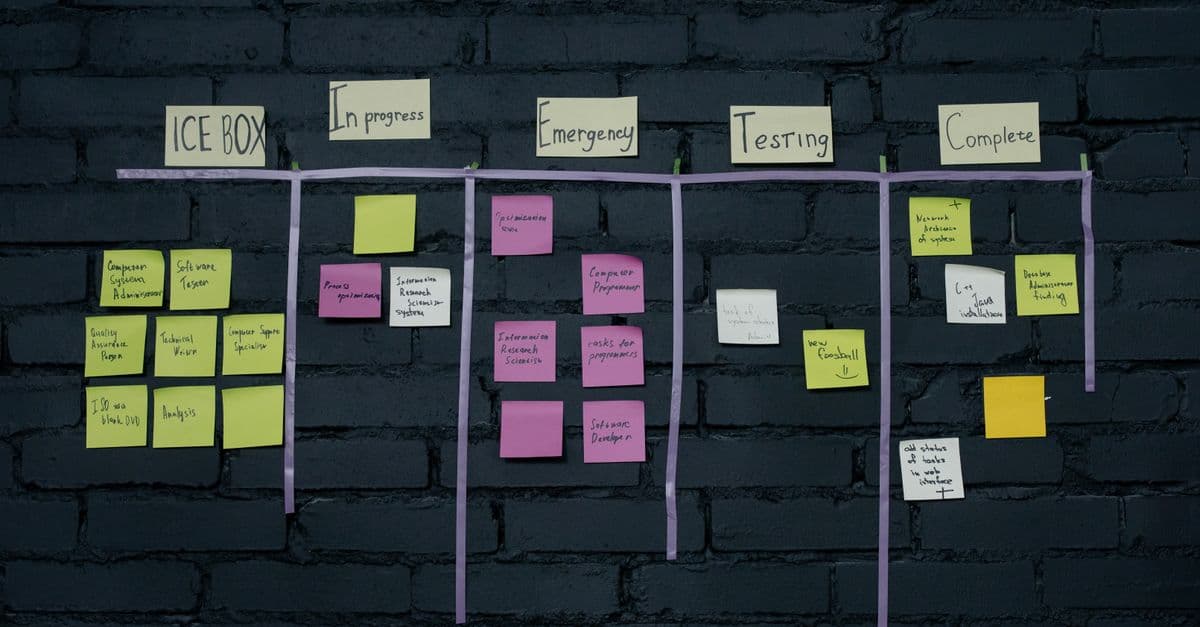
Photo: Diego Martinez / Pexels
n8n is a workflow automation platform you can run on your own server instead of renting one from a SaaS vendor. Founded by Jan Oberhauser in Berlin in 2019, it now runs over 400 built-in integrations and has raised $254 million from investors including Sequoia Capital and Accel (n8n press, Felicis). Self-hosting it means paying for a small server instead of a per-task subscription, but it also means you own the uptime, the backups, and the security. This guide covers what "self-hosted" actually costs, how the licensing works, and how to deploy it correctly the first time.
What n8n actually is, and why "self-hosted" matters
n8n is a node-based automation tool. You drag boxes onto a canvas, each box represents a trigger or an action, like "when a new row appears in this spreadsheet" or "send this to Slack," and you connect them with lines. It's the same basic idea as Zapier or Make (formerly Integromat), but with two differences that matter for anyone running a business on top of it: it's open source, and you can run the whole thing yourself instead of routing your data through someone else's cloud.
That second point is the actual value proposition, not a footnote. When you use Zapier, every email, customer record, or Slack message that flows through your automation touches Zapier's servers. For a hobby project, that's irrelevant. For a healthcare intake form, a legal document pipeline, or anything under GDPR, HIPAA, or SOC 2 scope, it can be the difference between a compliant architecture and a liability. Self-hosting n8n keeps that data inside infrastructure you control, which is why the tool shows up disproportionately often in engineering teams at regulated companies rather than solo marketers.
The tradeoff is operational. A SaaS automation tool means someone else patches the server, someone else handles the database, and someone else eats the 3am outage. Self-hosting n8n means you're now running a small production service: a container, a database, TLS certificates, and backups. None of that is exotic if you've deployed a Docker app before, but it is a real skill requirement that Zapier and Make deliberately abstract away.
The detail most comparisons skip: n8n isn't Apache-licensed open source. It runs under n8n's own Sustainable Use License, and that license has a specific commercial restriction that trips people up. More on that below, before you build a business on top of the free tier.
The licensing question nobody reads before deploying
n8n started under Apache 2.0 in 2019, moved to the Commons Clause in 2020, and has run under its own Sustainable Use License (SUL) since 2022 (n8n Docs, Sustainable Use License). This is the detail that separates n8n from truly permissive tools like most Apache or MIT projects, and it's worth understanding before you architect a product around it.
Under the SUL, you can self-host n8n for free, modify the source code, and use it internally to run your own business, no matter how much revenue that automation touches. What you can't do is take n8n and resell it as a hosted service to other people, i.e., build a competing "n8n-as-a-service" product on top of their code without a commercial agreement (n8n Blog, "Announcing the New Sustainable Use License"). n8n calls this licensing category "fair-code": source-available, free for internal use, but commercially restricted against resale.
For the overwhelming majority of self-hosters, agencies running client automations, internal ops teams, indie developers, this restriction changes nothing. You're using n8n to automate your own workflows, not selling access to n8n itself. The restriction only bites if your business model is literally "we host n8n instances for other companies and charge for it," in which case you need an enterprise license conversation with n8n directly.
Is n8n free for commercial use?
Yes, for internal business use, including revenue-generating automation, at no cost, forever, on the self-hosted Community Edition. The license only restricts reselling n8n itself as a hosted product to third parties without an agreement (n8n Docs).
How n8n's execution model actually works
Before touching Docker Compose, it helps to understand what's running under the hood, because it explains most of the deployment decisions below.
n8n has three core pieces: the editor UI (where you build workflows visually), the workflow engine (which actually executes each node when a trigger fires), and a database that stores your workflow definitions, credentials, and execution history. By default, all three run in a single process. That's fine for testing and for low-volume personal use.
Once you're running production workloads, especially anything with webhooks that need to respond fast or workflows that run on a schedule across many customers, n8n supports a "queue mode" that splits the workflow engine into separate worker processes coordinated through Redis. The main process accepts triggers and hands jobs to a queue; workers pull from that queue and execute them in parallel (n8n Docs, Scaling). This is the architecture n8n's own enterprise customers run, and it's the reason a single-container deployment eventually becomes a bottleneck: one process handling both the UI and every workflow execution will stall under load, particularly if you have workflows with long-running HTTP calls or large data transforms.
For a first deployment, single-process mode with PostgreSQL is the right starting point. You migrate to queue mode when you actually hit concurrency limits, not before. Premature infrastructure complexity is a bigger risk for a first-time self-hoster than a slow workflow.
Why Postgres instead of the default SQLite
n8n ships with SQLite as the default database when you don't configure anything else. SQLite is a single file, which is simple, but it locks the entire database on writes, and it becomes a real problem once you have more than a handful of concurrent workflow executions or you want to run backups without stopping the service. n8n's own documentation recommends PostgreSQL for any production deployment (n8n Docs, Postgres). The Docker Compose setup below uses Postgres from the start so you don't have to migrate later, which is a genuinely painful database migration if you wait until you have real workflow history to move.
Deploying n8n with Docker: the full walkthrough
Prerequisites
You need a server with Docker and Docker Compose installed. A $6 to $12 per month VPS (DigitalOcean, Hetzner, Linode) with 2 GB of RAM is enough for single-process mode running a moderate number of workflows. You also need a domain name pointed at the server's IP address, because n8n's OAuth-based integrations (Gmail, Slack, HubSpot) require HTTPS callback URLs, and self-signed certificates will break most of them.
Step 1: Create the Docker Compose file
Save this as docker-compose.yml in a new directory on your server.
version: '3.8'
services:
  n8n:
    image: n8nio/n8n:latest
    container_name: n8n
    restart: always
    ports:
      - "5678:5678"
    environment:
      - N8N_HOST=your-domain.com
      - N8N_PROTOCOL=https
      - N8N_PORT=5678
      - WEBHOOK_URL=https://your-domain.com/
      - DB_TYPE=postgresdb
      - DB_POSTGRESDB_HOST=db
      - DB_POSTGRESDB_USER=n8n
      - DB_POSTGRESDB_PASSWORD=${DB_PASSWORD}
      - DB_POSTGRESDB_DATABASE=n8n
      - GENERIC_TIMEZONE=UTC
    volumes:
      - n8n_data:/home/node/.n8n
    depends_on:
      - db
    networks:
      - n8n_network

  db:
    image: postgres:16-alpine
    container_name: n8n_db
    restart: always
    environment:
      - POSTGRES_USER=n8n
      - POSTGRES_PASSWORD=${DB_PASSWORD}
      - POSTGRES_DB=n8n
    volumes:
      - db_data:/var/lib/postgresql/data
    networks:
      - n8n_network

volumes:
  n8n_data:
  db_data:

networks:
  n8n_network:
    driver: bridge
Two things worth noting in this config versus the naive version many tutorials publish: it uses postgres:16-alpine (a current, patched Postgres release, not an outdated pin) and it doesn't expose port 5678 directly to the internet without a reverse proxy in front of it. You still need TLS termination, covered in Step 3.
Step 2: Set your database password and start the stack
# SSH into your server
ssh root@your-server-ip

# Create an .env file with a strong, generated password
echo "DB_PASSWORD=$(openssl rand -base64 24)" > .env

# Start the containers
docker compose up -d

# Confirm both containers are healthy
docker compose ps
# Expect: n8n (running), n8n_db (running)
Generating the password with openssl rand instead of typing something memorable matters here: this credential guards a database that will eventually hold every OAuth token and API key your automations use.
Step 3: Put a reverse proxy with TLS in front of it
n8n's webhook triggers and OAuth integrations require HTTPS. The cleanest way to get free, auto-renewing TLS in front of a Docker container is Caddy or Traefik with Let's Encrypt. A minimal Caddy setup is a single Caddyfile:
your-domain.com {
    reverse_proxy localhost:5678
}
Caddy handles certificate issuance and renewal automatically the first time it starts, with no manual certbot cron job to maintain. Point your domain's A record at the server's IP before starting Caddy, or certificate issuance will fail its HTTP challenge.
Step 4: Log in and build your first automation
Open https://your-domain.com, create the admin account on first load (this is a one-time local admin, not tied to any external identity provider unless you configure SSO on Enterprise), and you're in the editor.
Building a real workflow: Gmail to Google Sheets
The classic first workflow, watch an inbox, log matching emails to a spreadsheet, exercises the three concepts every n8n automation reuses: triggers, nodes, and field mapping.
Create the workflow. Click "New" then "Workflow," and name it something specific like "Support Email Log," not "Untitled" — you will have a dozen workflows within a month and unnamed ones are unmanageable.
Add the trigger. Click the "+" button, search "Gmail," and select "Gmail Trigger." Authenticate with OAuth (this is where your HTTPS setup from Step 3 gets exercised for the first time). Configure it to watch for new emails matching a filter, for example from a specific support alias, and run "Execute Workflow" once to confirm it pulls a test email.
Add the action. Click "+" below the Gmail node, search "Google Sheets," select the "Append or Update" operation, and map fields: column A to email_subject, column B to email_from, column C to a truncated email_body_preview. n8n auto-suggests these mappings from the previous node's output, which is one of the genuine UX advantages over building the same thing with raw API calls.
Activate it. Save, then toggle "Active" in the top right. From this point the workflow runs on its own trigger schedule (Gmail push notifications, in this case) without you opening the editor again.
This same three-step pattern, trigger, transform or route, action, is how every n8n workflow works, from a two-node email logger to a fifty-node lead-scoring pipeline that touches five different APIs.
What 400+ integrations actually covers
n8n officially maintains 400+ core, first-party integration nodes, and the ecosystem, including community-built node packages published to npm, extends past 1,000 total connectors (n8n community node counts, 2026 industry surveys). Anything not covered by a dedicated node can still be reached through the generic HTTP Request node, which means n8n can talk to essentially any REST or GraphQL API, just with more manual configuration than a purpose-built node provides.
| Category | Representative integrations |
|---|---|
| Gmail, Outlook, SendGrid, Mailgun | |
| CRM | HubSpot, Pipedrive, Salesforce, Zoho |
| Spreadsheets/databases | Google Sheets, Airtable, Microsoft Excel, Postgres, MySQL |
| Chat and messaging | Slack, Discord, Telegram, Microsoft Teams |
| E-commerce | Shopify, WooCommerce, Stripe |
| Developer tools | GitHub, GitLab, Jira, generic Webhook/HTTP Request |
| AI | OpenAI, Anthropic, and a dedicated AI Agent node for building LLM-driven workflows |
Table: n8n integration categories and representative first-party nodes, current as of the 2026 documentation.
The AI Agent node is worth calling out separately because it's a meaningful architectural difference from Zapier and Make: n8n lets you wire an LLM directly into a workflow as a decision-making node, not just a text-generation step, so the automation itself can choose which branch to take based on model output rather than following a fixed if/then tree.
n8n vs Zapier vs Make: where each actually wins
| Aspect | n8n (self-hosted) | Zapier | Make |
|---|---|---|---|
| Base cost | $0 software (server ~$6-15/mo) | $19.99-99+/mo (task-based tiers) | $9-299+/mo (operation-based tiers) |
| Where data lives | Your server | Zapier's cloud | Make's cloud |
| Core integrations | 400+ official, 1,000+ with community nodes | 8,000+ | 2,000+ |
| Custom code | Full JavaScript/Python code nodes | Limited "Code by Zapier" step | Limited custom function step |
| Setup effort | Requires Docker/server literacy | Sign up and build in minutes | Sign up and build in minutes |
| Best for | Developers, agencies, compliance-sensitive teams | Non-technical users, fastest breadth of apps | Power users wanting visual complex logic without code |
Table: Feature and cost comparison across the three leading workflow automation platforms, 2026 pricing.
Choose n8n if you have someone on the team comfortable with Docker, you need to keep sensitive data off third-party servers, or you're running enough automation volume that per-task SaaS pricing would get expensive fast. Choose Zapier if you need the widest possible app coverage today and nobody on the team wants to touch a terminal. Choose Make if you want visual, complex branching logic (loops, error routers) without writing code, and you're comfortable with its cloud.
One nuance the table can't fully capture: n8n's own hosted option, n8n Cloud, exists precisely for teams who want n8n's flexibility without the self-hosting overhead. As of 2026, n8n Cloud's Starter plan runs €24 (about $24-26) per month for 2,500 workflow executions, with unlimited workflows and users, and a Pro plan at €60/month for 10,000 executions (n8n pricing documentation, 2026). That's a real middle ground: n8n's execution engine and integration breadth, without server administration, at a price still meaningfully below Zapier's higher tiers.
Real cost math: self-hosted vs. cloud SaaS
Take a mid-size team running roughly 20 active automations with moderate volume, comparable to what a 15-person operations or marketing team would build over a year.
| Platform | Monthly cost | Annual cost | What limits you |
|---|---|---|---|
| Zapier (Pro-tier equivalent) | ~$99 | ~$1,188 | Task count per billing cycle |
| Make (Pro-tier equivalent) | ~$29-47 | ~$350-560 | Operations per cycle |
| n8n Cloud (Starter) | ~$312 | Execution count per cycle | |
| n8n self-hosted (small VPS) | ~$10-15 server cost | ~$120-180 | Your server's CPU/RAM, not a vendor's task counter |
Table: Illustrative annual cost comparison at moderate automation volume; actual costs scale with execution frequency and data volume on every platform.
The self-hosted line is the only one where cost doesn't scale with usage. Run 20 automations or 2,000, the server bill is the same until you outgrow the VM's RAM or CPU, at which point you resize the instance, not renegotiate a subscription tier. Over five years, that difference between Zapier's Pro tier and a self-hosted n8n instance is on the order of $4,000-5,000 in avoided subscription cost, before accounting for the engineering time spent maintaining the server, which is the real line item SaaS pricing is buying you out of.
Custom code: the feature that changes what's possible
Unlike Zapier and Make, where custom logic is bolted on as a limited "code step," n8n treats JavaScript (and, via a separate node, Python) as a first-class part of the workflow canvas. A Code node can transform data with arbitrary logic between any two integration steps:
// Inside an n8n "Code" node
const email = $input.first().json.email;
const score = email.includes("urgent") ? "high" : "low";

return [{ json: { score } }];
This matters more than it looks. In Zapier or Make, a routing decision that needs custom logic (parsing an unusual date format, scoring a lead based on several weighted fields, deduplicating against a fuzzy match) often requires an external webhook to a script you host somewhere else, adding a second point of failure. In n8n, that logic lives inside the workflow itself, versioned with everything else, and debuggable in the same execution log as every other node.
Security practices that actually matter for a self-hosted instance
Self-hosting shifts security responsibility onto you, and n8n instances that skip these steps are a documented target for credential-stuffing attacks, since a compromised n8n instance often holds OAuth tokens for every connected service.
- Change the default admin password immediately after first login, and enable two-factor authentication if you're on a version that supports it.
- Store all secrets (API keys, database passwords) as environment variables, never hardcoded inside a workflow's Code node, since workflow exports can leak credentials if shared.
- Terminate TLS at the reverse proxy (Caddy or Traefik with Let's Encrypt) rather than exposing the raw n8n port to the internet.
- Back up the Postgres volume on a schedule, not just the n8n data volume, since workflow history and credentials both live in the database.
- Restrict inbound firewall rules to the ports you actually need (443 for HTTPS, 22 for SSH from known IPs), and close 5678 to the public internet entirely once your reverse proxy is working.
- Update the image regularly (
docker pull n8nio/n8n:latest), since n8n ships frequent releases and older versions can carry unpatched vulnerabilities.
Common confusions people run into
"Self-hosted means unsupported." It means community-supported by default, not unsupported. n8n maintains active documentation, a large community forum, and an Enterprise tier with SLA-backed support if you need it. What you lose versus Zapier isn't support entirely, it's guaranteed response-time support without paying for the enterprise contract.
"Free means no ongoing cost." The software is free; the server, the domain, the time spent patching and monitoring are not. Budget the $10-20/month server cost and, more importantly, budget the maintenance hours, especially before major version upgrades, which occasionally change environment variable names or node behavior.
"More integrations always wins." Zapier's 8,000+ app count sounds decisive until you check whether it includes your actual tools. Most teams use fewer than 15 distinct apps in their automations. What matters is whether n8n, Zapier, or Make covers those 15, and if it does, breadth beyond that is largely irrelevant to your decision.
"Queue mode is required from day one." It isn't. Single-process mode with Postgres comfortably handles most small-to-mid teams. Add Redis-backed queue mode when you actually observe execution backlog, not preemptively.
Migration path: start on SaaS, graduate to self-hosted
A pragmatic sequence many teams follow: prototype new automation ideas quickly on Zapier or Make, where the barrier to a working first version is lowest, and once a workflow is stable and running at meaningful volume, rebuild it in self-hosted n8n. n8n's editor is close enough conceptually to both tools that rebuilding a proven Zapier "Zap" as an n8n workflow is usually a matter of hours, not days, once you know the exact trigger and field mappings that already work in production.
Frequently asked questions
Q: Do I need DevOps experience to self-host n8n? A: Basic Docker and Linux command-line familiarity is enough for the setup in this guide. You don't need Kubernetes or infrastructure-as-code experience for a single-server deployment; you do need to be comfortable reading logs and restarting a container when something breaks.
Q: Is n8n really free for commercial use? A: Yes, for running your own business's automations, at any revenue scale, under the Sustainable Use License. The license only restricts reselling n8n itself as a hosted product to other customers (n8n Docs).
Q: What happens if my server crashes?
A: Workflows stop running until the container restarts, which restart: always in the Compose file handles automatically for most crashes. Data loss is limited to whatever changed since your last Postgres backup, which is why scheduled backups aren't optional for anything running production workflows.
Q: Can I run unlimited workflows on the self-hosted Community Edition? A: Yes. There's no workflow or execution cap in the Community Edition; the only real ceiling is your server's CPU and RAM under concurrent execution load.
Q: How do I back up my n8n workflows?
A: Export individual workflows from the UI (Menu → Download), or back up the entire Postgres volume for a full-instance restore: docker compose exec db pg_dump -U n8n n8n > backup.sql. The database dump is the one that actually matters for disaster recovery.
Q: Does n8n support webhooks like Zapier and Make? A: Yes. Every workflow using a Webhook trigger node gets a unique URL that any external service can POST to, functionally equivalent to a Zapier or Make webhook trigger.
Q: Is n8n production-ready for enterprise use? A: Yes. It's MIT-adjacent fair-code (Sustainable Use License), actively maintained, and used in production by companies large enough to need the Enterprise tier's SSO and dedicated support, which n8n sells specifically because the demand exists.
Q: What's the difference between n8n Cloud and self-hosted n8n? A: Same underlying software and integrations; n8n Cloud runs the infrastructure for you at a fixed monthly execution-based price starting around €24/month, while self-hosting puts you in charge of the server but removes the execution-count ceiling entirely (n8n pricing, 2026).
Q: Can I switch from Zapier to n8n without rebuilding everything from scratch? A: There's no automatic one-click importer between platforms, since each uses a different workflow definition format, but the trigger/action logic transfers conceptually. Most teams rebuild proven Zaps in n8n manually, which is faster than it sounds once the field mappings from the original are known.
Q: How does n8n handle AI-driven automation compared to Zapier or Make? A: n8n includes a dedicated AI Agent node that lets an LLM make branching decisions inside the workflow itself, not just generate text as one static step, which gives it more flexibility for building automations that need to reason about unstructured input, like classifying an incoming support email before routing it.
The takeaway
Self-hosted n8n is the right call when you have someone who can run a Docker container and you need either lower long-term cost at scale or genuine control over where your automation data lives. It is the wrong call if nobody on the team wants to touch a server, in which case n8n Cloud or a pure SaaS tool like Zapier will get you running faster with less risk. The Sustainable Use License makes this a real free option for internal automation regardless of your revenue, not a limited trial dressed up as open source, so the actual decision comes down to operational appetite, not price.
Read next:
Follow new articles
Add SciHub101 to your feed reader to see new science and technology stories.
About the Author
SciHub101 is an independent science and technology publication founded and edited by Buğra Sözeri, a software engineer and app developer based in Türkiye. AI tools assist with drafting and research. Source documentation in the existing archive is uneven, and articles are being reviewed and corrected. The Editorial Team byline identifies editorial responsibility; it does not certify specialist or independent human review. Where we compare products, anything built by our own team is labelled as such — see the editorial guidelines and About page for how corrections and disclosures work.
Related Articles

Make.com Automation Tutorial — Complex Workflows Guide
Make tutorial: build workflows with conditions, loops, error handling. More powerful than Zapier, cheaper, better for complex logic.

Automation ROI Calculator — How Much Time You Save
Calculate exact automation ROI with real numbers. Time savings, hourly rate formula, payback period, and 10 common automation ROI examples with data.

n8n Workflow Automation — Beginner's Guide
Learn n8n from scratch: nodes, triggers, integrations, and how it compares to Zapier and Make for self-hosted workflow automation.

Notion API Automation 2026 — Build Powerful Workflows
Notion API automation explained: connections, data sources, webhooks, rate limits, and Python patterns for syncing GitHub, reports, and AI tagging.

Google Sheets Automation Guide — Apps Script & Zapier 2026
Automate Google Sheets with built-in tools, Apps Script, Zapier, AppSheet, and AI calls. Working code, real quotas, and the limits that break spreadsheets.
Airtable Automation Tutorial — Build Workflows Fast
Airtable automation tutorial: triggers, actions, scripts, webhooks, and current run limits by plan, plus patterns that hold up. Build reliable no-code workflows.