Best Web Development Tools 2026 — Editors & Frameworks
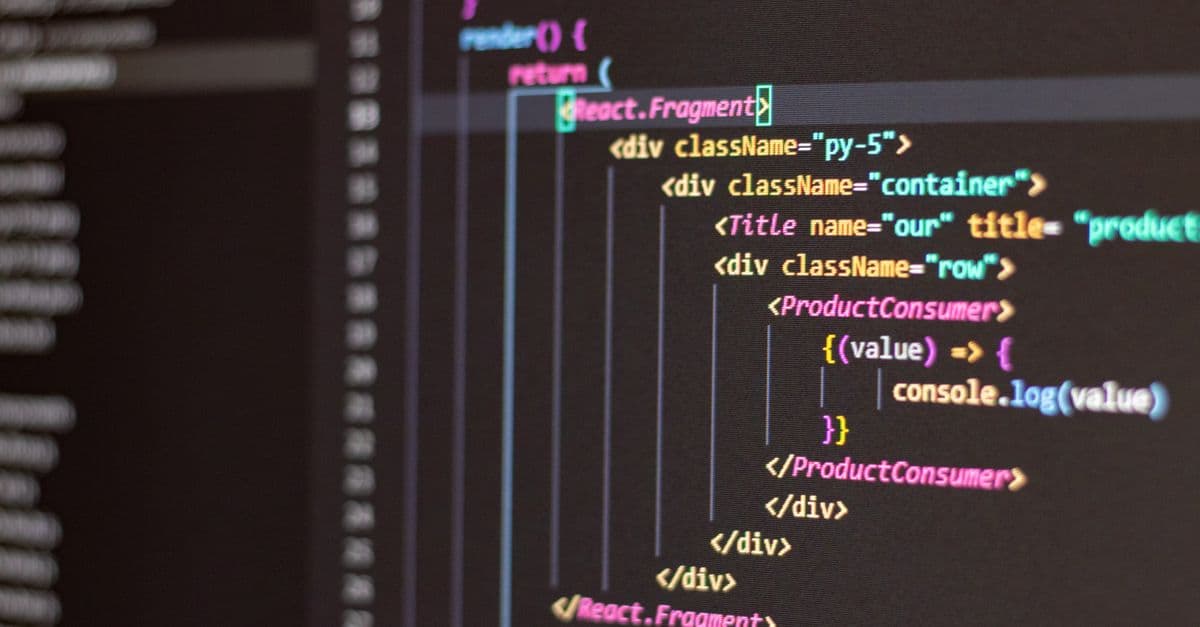
Photo: Antonio Batinić / Pexels
A working web developer touches roughly eight distinct tools before a single line of code reaches a real URL: an editor, a version-control system, a package manager, a UI framework, a bundler, a test runner, a deployment platform, and a database. Every one of those categories has a clear, evidence-backed leader in 2026, and every one of those leaders is free to start with. This guide walks through each layer of the stack, explains why the leading tool won its category, and shows the realistic alternatives for the situations where the default choice is the wrong one. For the build-tool layer, see what Vite is.
Why the "best tool" question actually matters
New developers often treat tool selection as a matter of taste, the way someone picks a favorite coffee shop. It is not. The tools in a stack determine how fast you can ship, how many bugs reach production, and — for anyone job-hunting — whether your skills match what companies are actually hiring for.
Consider hiring signal alone. In the 2025 Stack Overflow Developer Survey, React was used by 44.7% of professional developers, more than double the next competitor, Angular, at 18.2% Stack Overflow Developer Survey 2025. Job postings track usage share closely, so a beginner who spends six months mastering a framework used by 5% of the industry has narrowed their own options, not widened them.
The same logic applies to editors and deployment platforms. Tool choice is not aesthetic. It is a bet on ecosystem size, hiring demand, and long-term maintenance, and some bets are objectively better than others.
The essential stack (all free to start)
The table below is the minimum viable toolkit for building and shipping a production website in 2026. Every row has a genuinely free tier that is usable for real projects, not a crippled trial.
Table: The 2026 web development starter stack
| Layer | Tool | Cost to start | Why it leads its category |
|---|---|---|---|
| Editor | VS Code | Free | 75.9% developer usage share, largest extension marketplace Stack Overflow 2025 |
| Version control | Git + GitHub | Free | Industry-standard distributed version control, largest hosted ecosystem |
| Package manager | npm | Free | Ships with Node.js; registry of roughly 2 to 3 million packages npm registry data |
| UI framework | React | Free | 44.7% usage among professional developers, largest job market Stack Overflow 2025 |
| Build tool | Vite | Free | Native ES modules dev server, largely displaced Webpack in new projects State of JS 2024 |
| Deployment | Vercel | Free tier | Built by the Next.js team, git-integrated deploy previews |
| Database | PostgreSQL | Free (self-hosted) | Most-used database among developers per Stack Overflow 2025, roughly 45% adoption Stack Overflow 2025 |
A hobby project can run this entire stack for $0/month. A small production app with a managed database and a paid deploy tier typically lands between $20 and $50/month.
Code editor: VS Code versus the alternatives
Why VS Code won
VS Code is a free, open-source editor built by Microsoft on the Electron framework. It combines a text editor, an integrated terminal, a debugger, and a Git client into one application, and its extension marketplace lets developers bolt on language support, linters, and AI assistants without switching tools.
Its dominance is not marketing. It is measured. VS Code usage climbed from 73.6% of professional developers in 2024 to 75.9% in 2025, and among developers who use AI coding tools, VS Code usage runs even higher, at 77.7% for professionals and 80.4% for learners Stack Overflow Developer Survey 2025. Newer AI-native editors like Cursor (18% usage) and Windsurf (5%) are gaining share, but none has come close to displacing VS Code as the default Stack Overflow Developer Survey 2025.
Think of VS Code the way you'd think of a good multi-tool knife. It is not the single sharpest blade in every category — WebStorm has deeper built-in refactoring, Vim is faster for pure text manipulation once mastered — but it is the one tool that handles 90% of situations well enough that carrying a second one rarely pays off.
Setup in 10 minutes
- Download from code.visualstudio.com (or the fully open-source build, VSCodium, if you want to avoid Microsoft's telemetry).
- Install four extensions: ESLint (catches bugs before runtime), Prettier (auto-formats code on save), GitLens (shows who changed what line and when), and a framework-specific snippet pack such as ES7+ React/Redux/React-Native Snippets.
- Open the integrated terminal (
Ctrl+`) so you never need to alt-tab to a separate terminal app. - Turn on "format on save" in Settings so Prettier runs automatically.
Editor alternatives compared
Table: Code editor alternatives
| Editor | Cost | Best for | Trade-off |
|---|---|---|---|
| WebStorm | ~$70/year (individual license) | Deep refactoring on large JS/TS codebases | Heavier, slower startup, license cost |
| Sublime Text | Free (unlimited eval) / $99 license | Speed on huge files, minimal UI | No built-in debugger or Git panel |
| Vim / Neovim | Free | Terminal-only remote work, keyboard-only workflows | Steep learning curve, plugin setup required |
| Cursor | Free tier / $20/mo Pro | AI-first pair programming inside a VS Code fork | Newer, smaller community, subscription for full features |
Q: Is VS Code good enough for professional work, or do I need a paid IDE?
VS Code is used by the majority of professional developers at companies of every size, including large engineering organizations. A paid IDE like WebStorm adds value on very large, deeply-typed codebases where advanced refactoring pays for itself, but it is a upgrade from a solid baseline, not a requirement to do the job.
Version control: Git and GitHub
How Git actually works
Git is a distributed version control system. Every developer's local copy of the repository contains the full history of every change ever made, not just a snapshot of the current files. That is the key difference from older, centralized systems like Subversion, where the history lived only on a central server.
Think of a centralized system like a single library card catalog that everyone has to check out from one desk. Git is more like every branch of the library having a complete, synchronized copy of every book and its full edit history, so any branch can operate offline and merge changes back later.
The essential commands cover nearly everything a working developer needs day to day:
git clone <repo-url>      # copy a project and its full history
git add .                 # stage changes for the next commit
git commit -m "message"   # save a snapshot with a description
git push                  # upload local commits to the remote
git pull                  # download and merge remote changes
git checkout -b <branch>  # create and switch to a new branch
Why GitHub over the alternatives
Git is the protocol; GitHub, GitLab, and Bitbucket are hosting platforms built on top of it. GitHub hosts the largest number of open-source projects and has the deepest integration with CI/CD tools, package registries, and deployment platforms like Vercel and Netlify, which is why it remains the default choice for most teams even though the underlying Git commands are identical everywhere.
Table: Git hosting platforms
| Platform | Cost | Best for |
|---|---|---|
| GitHub | Free for public and private repos | Largest ecosystem, most third-party integrations |
| GitLab | Free tier, self-hosted option | Teams wanting built-in CI/CD and self-hosting for compliance |
| Bitbucket | Free tier | Teams already using Jira and other Atlassian tools |
Q: Do I need to learn Git before I learn a framework?
Yes. Every framework tutorial, every deployment platform, and nearly every job posting assumes basic Git fluency. Learning clone, add, commit, push, and pull takes under an hour and removes a dependency that blocks everything else.
Package manager: npm, and when to reach for something faster
What a package manager actually does
npm (Node Package Manager) reads a package.json file describing your project's dependencies, downloads those packages and their own dependencies from the npm registry, and writes a package-lock.json file that pins exact versions so a build is reproducible on any machine. The npm registry itself holds somewhere between 2 and 3 million packages depending on the counting methodology, making it the largest software package registry in existence npm registry.
npm init -y                          # create package.json
npm install react                    # install a runtime dependency
npm install -D @types/react          # install a dev-only dependency
npm run dev                          # run a script defined in package.json
npm audit                            # scan installed packages for known vulnerabilities
Why speed matters here, and where Bun fits
npm's install step is often the single slowest part of setting up a new project or a fresh CI run. Bun, a newer JavaScript runtime and package manager written in Zig, targets this specific bottleneck. Independent benchmarking from Frontend Masters on an M3 MacBook Pro found a fresh install of a medium-sized dependency tree completed in about 6 seconds with Bun versus about 38 seconds with npm, a roughly sixfold improvement on realistic project sizes Bun vs Node.js benchmarks, Strapi. Bun also reports 98% compatibility with existing npm packages, with the main exceptions being native C++ addons and a handful of edge-case Node.js APIs Bun vs Node.js benchmarks, Strapi.
That speed gap is not a reason to abandon npm on day one. It is a reason to reach for Bun once install time is measurably slowing down your team, particularly in CI pipelines that reinstall dependencies from scratch on every run.
Table: JavaScript package managers
| Manager | Relative install speed | Best for |
|---|---|---|
| npm | Baseline | Maximum compatibility, ships with Node.js by default |
| yarn | Faster than npm via caching | Teams already standardized on it, offline installs |
| pnpm | Faster than npm, disk-efficient | Monorepos — uses hard links instead of duplicating packages per project |
| bun | Fastest in most benchmarks | Projects where install/CI time is a real bottleneck |
Q: Is Bun ready to replace npm and Node.js in production?
For most standard web applications, yes — Bun is broadly compatible with the npm ecosystem and Node.js APIs as of 2026. Teams relying on native C++ addons, specific APM/profiling agents, or edge-case Node.js internals should test thoroughly before switching, since those are the documented gap areas Bun vs Node.js benchmarks, Strapi.
UI framework: React and its real competitors
Why React still leads
React, maintained by Meta, treats a user interface as a function of state: you describe what the UI should look like for a given set of data, and React handles updating the actual browser DOM efficiently when that data changes. That declarative model — describe the destination, not the step-by-step directions to get there — is the core reason it displaced older imperative DOM-manipulation approaches like jQuery. For ready-made components, see what shadcn/ui is.
The adoption numbers back up the "safe default" reputation. React usage sits at 44.7% among professional developers surveyed by Stack Overflow in 2025, with a further 30.7% naming it their most-wanted framework to work with next year Stack Overflow Developer Survey 2025.
But usage and admiration are not the same thing, and that gap is worth knowing about. In the same survey, Svelte was the most admired framework among developers who have used it, at 62.4%, ahead of React's 52.1% admiration score Stack Overflow Developer Survey 2025. Svelte compiles your component code down to vanilla JavaScript at build time rather than shipping a runtime library to the browser, which developers who've tried it tend to like. It simply hasn't reached React's job-market scale yet, at only 7.2% usage Stack Overflow Developer Survey 2025.
The React ecosystem
- Next.js — a full-stack framework built on React, adding server-side rendering, file-based routing, and API routes.
- React Router — client-side navigation for single-page apps not using Next.js.
- TanStack Query (formerly React Query) — manages server state, caching, and refetching.
- Redux / Zustand — client-side state management for complex, shared application state.
- Tailwind CSS / shadcn/ui — utility-first styling and pre-built accessible components.
Table: Front-end framework comparison
| Framework | 2025 usage share | Admiration score | Best for |
|---|---|---|---|
| React | 44.7% | 52.1% | Maximum job availability, largest ecosystem |
| Angular | 18.2% | 44.7% | Enterprise apps needing an opinionated, batteries-included structure |
| Vue | 17.6% | 50.9% | Gentler learning curve, strong docs, mid-size teams |
| Svelte | 7.2% | 62.4% | Performance-sensitive apps, developers who value less boilerplate |
Sources: Stack Overflow Developer Survey 2025
Q: Should a beginner learn React or Vue first?
React is the safer choice for employability given its roughly 2.5x usage advantage in the job market, but Vue's gentler learning curve and clearer documentation make it a reasonable first framework if the immediate goal is understanding component-based UI concepts rather than maximizing job prospects on day one.
Build tooling: Vite versus Webpack
What a build tool does, and why the old one got replaced
A build tool takes your source code — JSX, TypeScript, CSS modules, images — and transforms it into optimized, browser-ready JavaScript, CSS, and HTML. For years, Webpack was the default, but it bundled your entire application before starting a local dev server, which meant a large app could take tens of seconds just to boot up on every restart.
Vite flips that model. During development, it serves your source files directly to the browser as native ES modules and only transforms each file the moment the browser actually requests it, so startup time stays roughly constant regardless of project size. For production, it switches to Rollup under the hood to produce a fully bundled, optimized build.
The shift shows up clearly in developer sentiment data. In the State of JS 2024 survey, Vite's usage and interest scores both exceeded 70%, roughly double Webpack's figures — the exact inverse of where the two tools stood in the late 2010s State of JS 2024. Interestingly, Webpack still edges out Vite slightly on raw satisfaction score, but that reflects a smaller, self-selecting group of long-time users who've already tuned their configs, versus Vite's much broader base of developers who never had to touch a config file at all State of JS 2024.
npm create vite@latest my-app -- --template react
cd my-app
npm install
npm run dev
Table: Build tool comparison
| Tool | Dev server model | Best for |
|---|---|---|
| Vite | Native ES modules, instant startup | New projects, almost universally the default choice today |
| Webpack | Full pre-bundle before serving | Legacy projects with deep custom config already in place |
| esbuild | Go-based, extremely fast raw compilation | Simple builds, or as an underlying engine for other tools |
| Rspack / Rolldown | Rust-based, Webpack/Vite-API-compatible | Teams needing Webpack-level plugin compatibility with Rust-level speed |
Deployment: Vercel and the hosting landscape
Why git-integrated deployment changed the job
Before platforms like Vercel and Netlify, deploying a website meant manually configuring a server, setting up SSL certificates, and pushing files via FTP or SSH — a process that could eat an entire afternoon for a first-time deploy. Vercel, built by the creators of Next.js, connects directly to a GitHub repository: every push to the main branch triggers an automatic production deploy, and every pull request gets its own live preview URL with a unique link, so a reviewer can click and see the actual running change before it merges.
That preview-URL workflow is the single biggest practical upgrade over older hosting. It turns "does this change work?" from a question you answer by reading a diff into a question you answer by clicking a live link.
Table: Deployment platform comparison
| Platform | Free tier | Best for |
|---|---|---|
| Vercel | Yes, generous for personal projects | Next.js and React apps, fastest path from git push to live URL |
| Netlify | Yes | Static sites, serverless functions, framework-agnostic |
| Railway | Usage-based, ~$5/mo minimum | Full-stack apps needing a database alongside the app server |
| Cloudflare Pages | Yes, generous | Static + edge-function sites wanting Cloudflare's global CDN |
| AWS (Amplify/EC2) | Pay-as-you-go | Large-scale apps needing fine-grained infrastructure control |
Q: What's the actual difference between Vercel and Netlify?
Both offer git-integrated deploys, free tiers, and preview URLs. Vercel is optimized specifically for Next.js since the same company builds both, giving it an edge on server-side rendering and edge functions for that framework. Netlify is framework-agnostic and has historically had stronger tooling for pure static sites and form handling, making the choice mostly about which framework you're deploying.
Database: PostgreSQL versus MongoDB
Relational versus document — the real distinction
PostgreSQL is a relational (SQL) database: data lives in structured tables with defined columns and types, and relationships between tables are enforced by the database engine itself. MongoDB is a document database: data lives as flexible JSON-like documents that don't require a fixed schema, which makes it faster to iterate on early in a project but pushes more validation responsibility onto your application code.
Think of PostgreSQL like a well-organized filing cabinet with labeled folders and a strict form for every document type. MongoDB is closer to a set of labeled boxes where each item inside can look a little different — faster to toss things in, harder to guarantee everything is filed correctly later.
Current adoption data favors PostgreSQL by a wide margin: roughly 45% of developers surveyed by Stack Overflow in 2025 report using it, versus roughly 25% for MongoDB Stack Overflow Developer Survey 2025. On the independent DB-Engines popularity ranking, which tracks job postings, search interest, and technical discussion volume, PostgreSQL sits ahead of MongoDB overall as of 2026 and was the fastest-growing major database in the first half of the year DB-Engines H1 2026 ranking, Redgate.
Table: Database providers
| Provider | Database | Starting cost | Notable feature |
|---|---|---|---|
| Supabase | PostgreSQL | Free tier, ~$25/mo Pro | Built-in auth, storage, and realtime subscriptions |
| Railway | PostgreSQL | ~$5/mo | Simple setup alongside app hosting |
| Neon | PostgreSQL | Free tier | Serverless, branch-per-PR database workflow |
| MongoDB Atlas | MongoDB | Free tier (M0), paid tiers scale up | Managed, flexible schema for rapidly changing data |
Q: When does MongoDB actually make more sense than PostgreSQL?
MongoDB fits well when your data genuinely varies in shape record to record — user-generated content with optional fields, event logs, or catalogs with wildly different attributes per item — and when you need to iterate on the data model quickly without running schema migrations. For most standard web apps with clearly defined entities like users, orders, and posts, PostgreSQL's enforced structure catches bugs earlier and pays off long-term.
Testing, code quality, and monitoring
Jest and Cypress cover two different failure modes
Jest is a unit-testing framework: it checks that individual functions and components behave correctly in isolation, run in milliseconds, and catch logic bugs early. Cypress is an end-to-end testing tool: it drives a real browser through an actual user workflow — click a button, fill a form, verify a page navigates — and catches integration bugs that unit tests can't see, like a broken API call or a CSS layout hiding a button.
npm install -D jest && npm test              # unit tests
npm install -D cypress && npx cypress open    # end-to-end tests
A healthy test suite runs many fast Jest tests for logic and a smaller number of slower Cypress tests for the critical user paths — signup, checkout, login — where an integration bug would be the most costly to ship.
Code quality and error tracking add-ons
Table: Productivity and monitoring add-ons
| Tool | Cost | Purpose |
|---|---|---|
| ESLint | Free | Flags bugs and enforces code style rules before runtime |
| Prettier | Free | Auto-formats code consistently across a team |
| Chrome DevTools | Free, built-in | Inspect elements, debug JS, profile performance, view network calls |
| React DevTools | Free | Inspect React component trees and props/state |
| Sentry | Free tier / paid scales with volume | Captures real production errors with stack traces |
| GitHub Copilot | ~$10/mo individual | AI code completion inside VS Code and other editors |
Lighthouse and real-user performance data
Chrome's built-in Lighthouse tool audits a page for performance, accessibility, and SEO, scoring it 0–100 and citing specific fixes like unoptimized images or render-blocking scripts. It runs in a lab environment on a single simulated device, though, so it won't catch problems that only show up under real network conditions. Vercel Analytics and similar real-user-monitoring tools report actual Core Web Vitals from live visitors, which is the number that matters for Google's ranking signals. For a deeper walkthrough of Core Web Vitals thresholds and fixes, see our Web Performance Optimization guide.
Common mistakes when picking a stack
New developers tend to make the same handful of errors when assembling a toolchain, and most of them come from optimizing for the wrong variable.
- Chasing the newest tool instead of the most-hired-for one. A framework with 62% developer admiration but 7% market usage, like Svelte, is a defensible choice for a personal project but a riskier bet if the immediate goal is getting hired.
- Ignoring the free tier limits until they hit. Vercel's and Supabase's free tiers are genuinely usable for real projects, but bandwidth and database row caps are worth checking before a portfolio project goes viral and suddenly needs a paid plan.
- Skipping version control on "just a small project." Every project becomes a bigger project. Git costs nothing to set up from commit one and is painful to retrofit after fifty uncommitted changes.
- Running Webpack configs copied from a five-year-old tutorial. Vite's near-zero-config setup replaces most of what those configs were doing manually, often with better default performance.
- Choosing MongoDB by default because it "sounds more modern." Document databases solve a specific schema-flexibility problem. Most CRUD apps with clearly defined entities are actually better served by PostgreSQL's enforced structure.
Setup guide: zero to deployed in 15 minutes
- Install VS Code from code.visualstudio.com.
- Install Node.js (which bundles npm) from nodejs.org — pick the current LTS release.
- Create a GitHub account at github.com if you don't already have one.
- Create a Vercel account at vercel.com and connect it to GitHub.
- Scaffold a project:
npm create vite@latest my-app -- --template react cd my-app npm install npm run dev - Push to GitHub and import the repo into Vercel. Every future
git pushto main now triggers an automatic live deploy.
For a fuller, phase-by-phase roadmap from zero coding experience to a first job, see the Complete Web Development Learning Path 2026. For a deeper walkthrough of deploy options, custom domains, and rollback strategies, see Deploy Website for Beginners.
Frequently asked questions
Q: Do I need to pay for any of these tools to build a real production website? A: No. VS Code, Git, GitHub, npm, React, Vite, and Vercel's and Supabase's free tiers cover a fully functional production website for most small-to-medium projects. Paid tiers become relevant once you exceed bandwidth, build-minute, or database-size limits, which typically happens only after real traffic arrives.
Q: What's the single most important tool to master first? A: Git. Every other tool in this stack — your editor, your deployment platform, your team's code review process — assumes you can commit, push, pull, and branch. It's also the tool most tutorials skip past too quickly.
Q: Is Next.js the same thing as React, or something different? A: React is a UI library for building components and managing state. Next.js is a full-stack framework built on top of React that adds routing, server-side rendering, and backend API routes. You can use React without Next.js, but most production React apps in 2026 use Next.js or a comparable meta-framework to avoid rebuilding routing and data-fetching from scratch.
Q: Should I learn TypeScript along with JavaScript? A: Most production codebases in the React and Angular ecosystems use TypeScript, which adds static typing on top of JavaScript and catches a category of bugs — wrong argument types, typos in property names — before the code ever runs. It's worth learning core JavaScript first, then adding TypeScript once you're comfortable with functions, objects, and asynchronous code.
Q: Is Bun a safe replacement for npm and Node.js in 2026? A: For most standard web apps, yes, with Bun reporting roughly 98% compatibility with the npm ecosystem. Projects depending on native C++ addons or specific profiling/APM agents should test carefully before migrating a production app Bun vs Node.js benchmarks, Strapi.
Q: Why does this guide recommend PostgreSQL over MongoDB as the default? A: PostgreSQL leads in developer adoption (about 45% versus MongoDB's roughly 25%, per the 2025 Stack Overflow survey) and was the fastest-growing major database on the independent DB-Engines ranking through the first half of 2026 DB-Engines H1 2026, Redgate. Its enforced schema also tends to catch data-integrity bugs earlier for apps with well-defined entities.
Q: Is WebStorm worth the subscription cost over free VS Code? A: It depends on codebase size. WebStorm's built-in refactoring and static analysis are deeper than VS Code's out of the box, which pays off on large, long-lived TypeScript codebases. For learning, portfolio projects, or small-to-medium apps, VS Code with ESLint and Prettier covers the same ground for free.
Q: What should a complete beginner install first, in what order?
A: Node.js (which brings npm), then VS Code, then a GitHub account. In that order you can immediately run npm create vite@latest, open the result in VS Code, and push it to GitHub — the three tools that unlock everything else in this guide.
Q: How does responsive, mobile-first CSS fit into this toolchain? A: It's independent of the framework and deployment choices here — you'll write it inside whatever component framework you pick, most commonly with Tailwind CSS utility classes or plain CSS Grid and Flexbox. See the Responsive Design & Mobile-First Development Guide for the full pattern set and a launch checklist.
The takeaway
The 2026 web development stack rewards boring, well-adopted defaults over novelty: VS Code, Git and GitHub, npm (or Bun once install speed actually matters), React, Vite, Vercel, and PostgreSQL cover the overwhelming majority of real production projects, and every one of them has a usable free tier. None of these choices are permanent — Svelte's admiration scores and Bun's speed benchmarks are real signals that the landscape keeps shifting — but starting with the tools that match current hiring demand and community size gives a new developer the shortest path from an empty folder to a live, working website.
Read next:
Follow new articles
Add SciHub101 to your feed reader to see new science and technology stories.
About the Author
SciHub101 is an independent science and technology publication founded and edited by Buğra Sözeri, a software engineer and app developer based in Türkiye. AI tools assist with drafting and research. Source documentation in the existing archive is uneven, and articles are being reviewed and corrected. The Editorial Team byline identifies editorial responsibility; it does not certify specialist or independent human review. Where we compare products, anything built by our own team is labelled as such — see the editorial guidelines and About page for how corrections and disclosures work.
Related Articles

Web Development Job Market 2026 — Salaries & Careers
Web dev job market 2026: BLS salary data by experience, location, and specialization, plus hiring trends, remote work shifts, and negotiation tactics.

Responsive Design & Mobile-First Development Guide 2026
Responsive web design guide 2026: mobile-first CSS, Flexbox, Grid, media queries, touch-friendly UI. Real code examples and checklist for every project.

Docker Explained — Containers for Beginners
Learn Docker from scratch: containers vs VMs, Dockerfiles, docker-compose, and how to ship a Node.js app reliably across any environment.

Build Tools Compared 2026 — Vite, Webpack, Turbopack, Bun
Vite, webpack, Turbopack, Bun, Rspack and Rolldown compared for 2026: how each works, where each wins, and what the benchmarks do and do not show.

htmx vs React 2026 — When to Skip the JavaScript Framework
htmx vs React in 2026: how server-sent HTML fragments compare with client-rendered JavaScript, where each fits, and what a documented React-to-htmx port saved.

Next.js vs React 2026 — Which Should You Learn First?
Next.js is a framework built on React, not a rival. What each does, Server Components, App vs Pages Router, and when to pick which, per the official docs.