What Is MLX? Apple's ML Framework
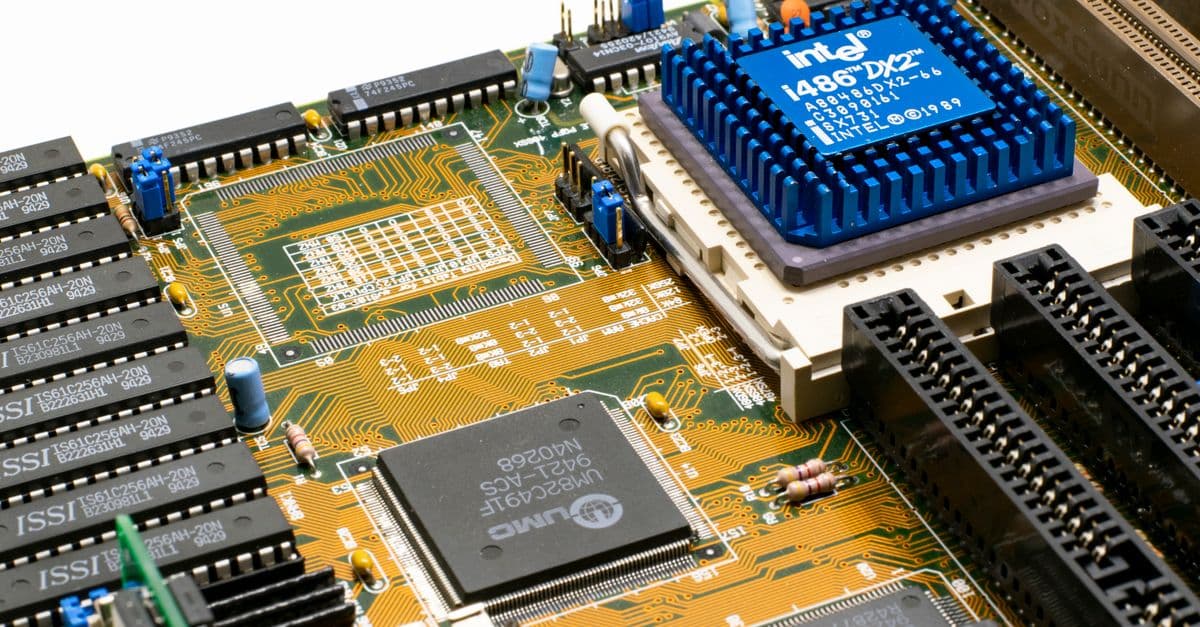
Photo: Nicolas Foster / Pexels
MLX is an open-source array and machine learning framework that Apple's machine learning research team released on December 5, 2023, under the MIT license. It was built specifically for Apple Silicon (the M-series chips inside modern Macs), and its core idea is simple: let the CPU, GPU, and Neural Engine share one pool of memory instead of copying data between separate chips. That single design choice is why a MacBook can now run language models that would choke a discrete GPU workstation.
If you have ever wondered how a laptop with 64 GB of RAM can run a 70-billion-parameter language model that would crash a $2,000 graphics card with 24 GB of video memory (VRAM, the dedicated memory built into a graphics card), MLX is a large part of the answer. It is not the only piece of the puzzle — quantization and efficient inference engines matter too — but MLX is the framework Apple built to make training and running these models on a Mac feel like a first-class experience rather than a workaround.
What MLX actually is, and why Apple built it
Apple has historically kept its machine learning infrastructure private, shipping finished features like Face ID or Photos search without ever open-sourcing the training code behind them. MLX broke that pattern. According to Apple's own GitHub repository, the project was authored by four researchers — Awni Hannun, Jagrit Digani, Angelos Katharopoulos, and Ronan Collobert — and released simultaneously with full source code, not a limited demo (MLX GitHub repository).
The timing was not an accident. By late 2023, developers were already running open-weight models like Llama on Macs using community tools such as llama.cpp, and Apple Silicon's unusually large, fast memory pool was becoming a well-known secret among AI hobbyists. MLX formalized that advantage into an actual framework with automatic differentiation (the math machinery that lets a model learn by calculating how each weight should change), not just an inference trick.
MLX is deliberately narrow in scope. It does not try to be a general-purpose framework for every chip on Earth the way PyTorch or TensorFlow do. It targets one hardware family, and in exchange for that narrowness, it gets to make aggressive assumptions about memory layout, GPU scheduling, and data movement that a cross-platform framework cannot.
Think of it the way you'd think about a bespoke tool built for one job versus a Swiss Army knife. A Swiss Army knife opens a can, cuts rope, and files a nail, adequately, on any surface you hand it. A dedicated fillet knife does exactly one job — slicing fish — far better than the Swiss Army knife ever could, because every millimeter of its design assumes that one task. MLX is the fillet knife of ML frameworks: it assumes Apple Silicon and nothing else, and that assumption is where its speed comes from.
The unified memory advantage
To understand why MLX matters, you have to understand the bottleneck it removes. On a traditional GPU setup — the kind built around an NVIDIA or AMD graphics card — the GPU has its own dedicated memory, physically separate from the computer's main system RAM. Running a model on that hardware means:
- Loading model weights from disk into system RAM
- Copying those weights across the bus from system RAM into GPU VRAM
- Running the actual computation on the GPU
- Copying results back out of VRAM into system RAM
That copying step is the bottleneck. It takes time, and worse, it caps the size of any model you can run at whatever your GPU's VRAM happens to be, often 24 GB on a high-end consumer card, regardless of how much system RAM the rest of the computer has.
Apple Silicon Macs are built differently. The CPU, GPU, and Neural Engine (Apple's dedicated chip for running trained ML models efficiently) all sit on the same physical package and share one pool of RAM. There is no separate VRAM to copy into. A 70-billion-parameter model that fits inside 48 GB of unified memory simply runs, because the GPU already has direct access to wherever that data lives.
The analogy that makes this click for most people: imagine two roommates who need to share a filing cabinet. In the traditional GPU setup, each roommate keeps their own separate filing cabinet in a different room, and every time one needs a document the other has, someone has to physically walk it down the hall and photocopy it. In the unified memory setup, both roommates work at the same desk with one shared filing cabinet between them. Nobody photocopies anything. Whoever needs a document just reaches over and grabs it.
MLX is architected around that shared desk. Arrays (the fundamental data structure in any ML framework, essentially grids of numbers) live in unified memory, and the framework decides which processor should handle each operation — the GPU for large matrix multiplications, the CPU for control-flow-heavy logic — without ever triggering a copy between them.
Most surprising fact: The Apple M3 Ultra chip delivers up to 819 GB/s of memory bandwidth across 512 GB of unified memory, according to Apple's own March 2025 announcement — enough bandwidth for the GPU to move model weights fast enough that a Mac Studio can serve large open-weight models at usable speeds without a discrete GPU at all (Apple Newsroom, March 2025).
It is worth being precise about what "usable speeds" means here, because marketing language tends to blur the line between "technically runs" and "pleasant to use." Token generation speed (measured in tokens per second, roughly how many word-fragments a model produces each second) on a fully loaded 70B-class model on an M3 Max with 64 GB tends to land in the single digits to low teens of tokens per second depending on quantization, which is readable but not blazing. Smaller 7B–13B models run far faster, often 30–60 tokens per second, comfortably faster than most people read.
Inside MLX's design: lazy evaluation, composable transforms, dynamic graphs
MLX's API will feel immediately familiar to anyone who has worked with the modern Python machine learning stack, because it deliberately borrows ideas from three existing frameworks rather than inventing a fourth incompatible one.
- A NumPy-like array API. Functions like
mx.array,mx.dot, andmx.matmul, along with broadcasting and indexing rules, mirror NumPy closely enough that anyone who has done data science in Python can read MLX code on sight. - A PyTorch-inspired neural network module.
mlx.nn.Linear,mlx.nn.LayerNorm, and similar building blocks, plus a training loop structure, will look like a lightly renamed version of PyTorch'storch.nn. - JAX-like function transforms.
mx.gradfor automatic differentiation,mx.vmapfor vectorizing a function across a batch, andmx.jit-style compilation borrow directly from Google's JAX framework's philosophy of composable, functional transforms.
The one architectural choice that is distinctly MLX's own is lazy evaluation. By default, MLX operations do not execute immediately. Instead, they build up a computation graph, and nothing actually runs on the GPU or CPU until you explicitly ask for a result (or until a result is needed to print or save). This deferred execution lets MLX's compiler look at the whole chain of operations at once and fuse or reorder them for efficiency, rather than executing each step in isolation the moment it's called.
import mlx.core as mx

a = mx.array([1.0, 2.0, 3.0])
b = mx.array([4.0, 5.0, 6.0])
c = a * b        # lazy — nothing has been computed yet
mx.eval(c)        # forces evaluation, returns the actual result
MLX also builds its computation graphs dynamically, meaning the shape of the graph can change from one call to the next without triggering an expensive recompilation, which is a deliberate contrast with static-graph frameworks that need to "warm up" before every shape change. Apple's own documentation frames this as making debugging simpler, since you can inspect intermediate values the way you would in ordinary Python rather than stepping through an opaque compiled graph (MLX documentation).
Beyond Python, MLX also ships fully featured Swift, C++, and C APIs that mirror the Python interface. This matters more than it sounds: it means an iOS or macOS developer can prototype a model in Python, then port the same logic into a native Swift app without switching mental models or reimplementing the math from scratch.
How does MLX handle automatic differentiation?
MLX uses composable function transforms, most directly mx.grad, to compute gradients (the derivatives that tell a training algorithm how to adjust each weight) automatically. You write an ordinary Python function describing your model's forward pass, wrap it with mx.grad, and MLX traces the computation graph to produce the gradient function without you writing any calculus by hand.
The MLX ecosystem: what's built on top of the core library
The core MLX array library is deliberately small. The reason it has become genuinely useful to developers, rather than a research curiosity, is the ecosystem that Apple and outside contributors have built around it.
- MLX-LM handles inference and fine-tuning specifically for transformer-based large language models, wrapping the lower-level array operations in a higher-level interface tuned for text generation.
- MLX-VLM extends that same pattern to vision-language models, the multimodal systems that can reason over both images and text in the same conversation.
- mlx-examples and the broader community catalog dozens of working model implementations, from Llama and Mistral to Whisper (speech recognition) and Stable Diffusion (image generation), each adapted to run natively through MLX.
- MLXLanguageModel, introduced alongside Apple's Foundation Models framework updates at WWDC 2026, lets developers load any MLX-community model from Hugging Face into the same Swift API Apple uses for its own on-device models — including streaming responses, tool calling, and structured output, according to Apple's WWDC25 and WWDC26 developer sessions (Apple Developer, WWDC25 "Get started with MLX for Apple silicon").
- A community-maintained hub on Hugging Face now hosts thousands of models pre-converted into MLX's native format, so developers don't have to run their own conversion scripts before they can experiment.
- Popular local-LLM front ends, including Ollama and LM Studio, have added native MLX backends alongside their original llama.cpp-based engines, giving users a one-click choice between engines on the same hardware.
This ecosystem is the real reason MLX is interesting to people who don't work at Apple. The core array library is a solid piece of engineering, but the ecosystem is what turns "Apple published a research framework" into "an ordinary developer can fine-tune a 7-billion-parameter model on a laptop over a weekend."
MLX's API at a glance: a worked example
To make the abstraction concrete, here is roughly what a minimal fine-tuning workflow looks like using MLX-LM, Apple's higher-level LLM toolkit built on top of the core array library. This is illustrative rather than a full tutorial, but it shows the shape of a real workflow.
# Install MLX-LM
pip install mlx-lm

# Fine-tune a small model using LoRA (Low-Rank Adaptation, a technique
# that trains a small set of extra weights instead of the whole model)
mlx_lm.lora --model mistralai/Mistral-7B-v0.1 \
  --train --data ./my_dataset --iters 1000

# Run inference against the fine-tuned model
mlx_lm.generate --model ./fine-tuned-model \
  --prompt "Explain unified memory in one sentence."
Two things stand out about this workflow compared to a typical cloud-GPU fine-tuning setup. First, there is no cloud account, no billing, and no data leaving the machine — everything runs locally against files on disk. Second, LoRA fine-tuning (training a small number of additional weights rather than updating every parameter in the model) keeps memory requirements low enough that a 7B model fine-tune is realistic on a MacBook Pro with 32 GB of unified memory, not just a Mac Studio.
How MLX compares to other Mac ML options
MLX is not the only way to run machine learning workloads on a Mac, and it is not always the right choice. The table below lays out where it sits relative to the other realistic options.
Table: Machine learning frameworks and runtimes available on Apple Silicon Macs, compared by primary strength, weakness, and best use case.
| Framework | Strengths | Weaknesses | Best for |
|---|---|---|---|
| MLX | Native Apple Silicon design, unified memory, full autodiff for training | Apple-only, ecosystem is roughly two years old | Training and fine-tuning on Mac, local research |
| PyTorch (MPS backend) | Cross-platform, the largest ML ecosystem in existence | Apple's MPS (Metal Performance Shaders) backend is less mature than CUDA or MLX for training | Projects that must also run on Linux or Windows |
| llama.cpp | Extremely efficient quantized inference, tiny footprint | Inference only, no training support | Running quantized open-weight LLMs as fast as possible |
| CoreML | Apple's official deployment framework, very low power draw | Meant for post-training deployment, not research or fine-tuning | Shipping a trained model inside an iOS or macOS app |
| TensorFlow / JAX | Mature, extensively documented, large body of published research | Limited native Apple Silicon optimization compared to MLX | Cross-platform training pipelines that predate MLX |
A useful mental shortcut: MLX is for training and researching on a Mac. llama.cpp is for running already-trained, quantized LLMs as efficiently as possible. CoreML is for shipping a finished model inside an app people download from the App Store. PyTorch with the MPS backend is what you reach for when the same code also has to run on a Linux server or someone else's Windows machine.
It is common for these tools to be used together rather than as competitors. A developer might fine-tune a model in MLX, evaluate it, then convert it to CoreML for the version that actually ships inside a shipping iOS app, since CoreML is optimized for the low-power, always-on inference that a phone app needs rather than the flexibility a research framework provides.
Real-world case studies: who's actually using MLX
Three concrete examples illustrate what MLX is used for outside of Apple's own labs, and each shows a different shape of use case.
Running frontier-scale open-weight models on a single machine. With a Mac Studio configured with an M3 Ultra chip and 512 GB of unified memory, researchers have run Llama 3.1's 405-billion-parameter variant, a model that on NVIDIA hardware typically demands a cluster of eight H100 GPUs working together. That doesn't mean the Mac matches an 8-GPU cluster's throughput — it does not — but it means a single desktop machine can hold and execute a model that would otherwise require a data-center-scale setup, which is a genuinely different capability, not just a speed trade-off (Apple Newsroom, March 2025).
Independent researchers avoiding cloud GPU bills. Sakana AI, a Tokyo-based AI research lab, has published work on training and evolving models using Apple Silicon hardware and MLX-adjacent tooling, part of a broader pattern of smaller labs choosing to iterate locally on Mac hardware rather than renting cloud GPU time for every experiment. For a lab running dozens of small experiments a week, the fixed cost of Mac hardware can beat the variable cost of constantly rented cloud compute.
On-device foundation models inside Apple's own operating systems. Apple has not published the exact internal training stack behind the on-device foundation model that ships with macOS and iOS, but the company's own WWDC sessions describe an infrastructure lineage closely related to MLX for both training and on-device execution research, distinct from the optimized runtime that actually ships to end users (Apple Developer, WWDC25 "Get started with MLX for Apple silicon").
Outside of these headline cases, the more mundane but arguably more important use case is individual developers fine-tuning small, task-specific models, a customer-support classifier, a code-completion model tuned to a private codebase, a summarizer trained on a company's internal documents, entirely on a laptop, without any of that data ever leaving the building. For teams with strict data residency or privacy requirements, that alone can be the deciding factor over raw speed.
Where MLX falls short
No framework is a universal answer, and MLX has real limitations that are worth being upfront about before you build a project around it.
No practical multi-machine training at scale. MLX is fundamentally a single-node framework. Experimental support exists for connecting multiple Macs over Thunderbolt to distribute a workload, but this is nowhere near the mature, battle-tested multi-node training infrastructure that exists for CUDA-based clusters, and it is not something most teams should plan production training pipelines around.
A young ecosystem compared to the alternatives. PyTorch has roughly a decade of published research, pretrained checkpoints, tutorials, and Stack Overflow answers behind it. MLX has existed since December 2023, meaning any given error message or edge case is far less likely to already have a documented solution somewhere online.
Locked to Apple hardware. If a team's production infrastructure runs on Linux servers, or the plan is to eventually train on rented cloud GPUs at scale, code written against MLX does not transfer. It has to be rewritten, or the team has to maintain the model logic twice, once for local Mac development and once for the actual production training environment.
Raw throughput still trails top-tier CUDA hardware. For pure floating-point operations per second on comparable price points, an NVIDIA H100 still outperforms an M3 Ultra by a wide margin. The Mac's advantage is in memory capacity and cost per gigabyte of usable memory, not in raw computational throughput. A researcher choosing between the two is really choosing between "can I fit the model at all" and "how fast can I iterate once it's loaded," and those are different questions with different right answers depending on the project.
MLX vs. CUDA: the bigger picture
It helps to zoom out from feature comparisons and think about what problem each ecosystem was built to solve. NVIDIA's CUDA (Compute Unified Device Architecture, the software layer that lets developers program NVIDIA GPUs directly) has spent close to two decades becoming the default substrate underneath essentially every major deep learning framework, and virtually every published state-of-the-art model was trained on CUDA hardware. That head start is enormous: driver stability, library support, cloud availability, and institutional knowledge all favor CUDA by default.
MLX isn't trying to unseat that. It is solving a narrower, more personal problem: how do you make a $2,000–$10,000 consumer computer capable of running and lightly training models that would otherwise require renting a data center. That's a genuinely different use case from "train GPT-5-scale models from scratch," and MLX has never claimed to compete there.
The clearest way to frame the relationship: CUDA is the highway system that professional freight relies on, built for maximum throughput at massive scale. MLX is more like a well-designed home workshop, not meant to replace an industrial factory, but capable of producing real, usable work without needing to rent factory time by the hour. Most serious AI practitioners end up using both, CUDA-based cloud infrastructure for large training runs, and an MLX-equipped Mac for local prototyping, fine-tuning smaller models, and running inference without a monthly cloud bill.
When to use MLX
| Reach for MLX if... | Look elsewhere if... |
|---|---|
| Your team primarily develops on Macs | You need to train across a multi-node cloud GPU cluster |
| You want to fine-tune LLMs locally without cloud costs | Your code must run identically on Linux or Windows |
| You're researching on-device or privacy-preserving AI | Your production target is a Linux server fleet |
| You want to run 70B+ parameter models on a single machine | You need maximum FLOPS per dollar for large-scale training |
| You want fast local iteration without waiting on cloud queues | You're deploying inference inside an iOS or macOS app (use CoreML) |
Common confusions about MLX
A few misunderstandings come up often enough to be worth addressing directly.
"MLX is just Apple's version of CoreML." They solve different problems. CoreML is a deployment format, meant for shipping a finished, already-trained model inside an app with minimal power draw. MLX is a training and research framework, meant for building and iterating on models before they're finished. A realistic pipeline often uses both: train and fine-tune in MLX, then convert the final model to CoreML for shipping.
"MLX means Apple has entered the GPU-cluster training business." No. MLX's entire architecture is built around a single machine's unified memory. It is not designed to compete with CUDA clusters for training frontier-scale foundation models from scratch, and Apple has never marketed it that way.
"You need a Mac Studio to use MLX usefully." Not for most tasks. A MacBook Pro or MacBook Air with an M-series chip and 16 GB or more of unified memory can run smaller quantized models comfortably and fine-tune 7B-class models using LoRA. The high-memory Mac Studio configurations matter specifically for running the largest, unquantized, 70B-and-above models.
"MLX will replace PyTorch." Unlikely, and not really the goal. PyTorch's ecosystem dominance, cross-platform reach, and decade of accumulated tooling make it the default for the vast majority of research and production ML work. MLX occupies a specific niche: Mac-native local development, especially for LLM inference and small-to-medium fine-tuning jobs.
FAQs
Q: Is MLX free and open source? A: Yes. MLX is released under the MIT license on GitHub by Apple's machine learning research team. Anyone can use, modify, and contribute to it without paying a license fee (MLX GitHub repository).
Q: Can I run MLX on Intel Macs or non-Apple hardware? A: No. MLX is built specifically for Apple Silicon chips (the M1 through M4 series and their successors). Intel-based Macs and non-Apple hardware are not supported, since the framework's core design assumes the unified memory architecture that only Apple Silicon provides.
Q: Does MLX replace PyTorch? A: Not for most users. PyTorch remains dominant in research and production machine learning across the industry. MLX is best suited to Mac-native development, particularly local LLM inference and small-scale fine-tuning, rather than large-scale production training.
Q: How much RAM do I need to run a 70B parameter model with MLX? A: Roughly 40–48 GB of unified memory for a 4-bit quantized version of a 70B model. Running it at full, unquantized precision typically requires 140 GB or more. Configurations like the M3 Max with 64 GB, or an M3 Ultra Mac Studio with 96 GB or higher, handle this comfortably.
Q: Does Apple Intelligence use MLX? A: Apple has not disclosed the exact internal training stack, but the company's WWDC developer sessions describe infrastructure closely related to MLX behind on-device foundation model research. The runtime that actually ships to end users on macOS and iOS is a separate, Apple-optimized layer, not MLX running directly on-device.
Q: Can I deploy an MLX-trained model inside an iOS app? A: Generally, developers convert the trained model to CoreML for App Store deployment, since CoreML is purpose-built for low-power, always-on inference on iPhones and iPads. MLX itself is better suited to research and local development than to shipping inside a consumer app.
Q: What is LoRA fine-tuning, and why does it matter for MLX? A: LoRA (Low-Rank Adaptation) trains a small set of additional weights layered on top of a frozen pretrained model, instead of updating every parameter. This dramatically reduces the memory needed to fine-tune a model, which is why a 7B-parameter model can realistically be fine-tuned on a MacBook with 32 GB of unified memory using MLX-LM.
Q: Is MLX faster than llama.cpp for running LLMs on a Mac? A: It depends on the task. For pure inference on already-quantized models, llama.cpp is extremely optimized and often comparably fast or faster. MLX's advantage shows up specifically when you need training or fine-tuning capability, since llama.cpp does not support that at all.
Q: Does MLX support Swift for iOS and macOS app development? A: Yes. MLX ships fully featured Swift, C++, and C APIs alongside its Python interface. As of WWDC 2026, Apple's MLXLanguageModel lets Swift developers load MLX-community models from Hugging Face directly into the same API used for Apple's own on-device Foundation Models, including streaming output and tool calling.
Q: Can multiple Macs be combined to train larger models with MLX? A: Experimental support exists for connecting Macs over Thunderbolt to distribute workloads, but this remains far less mature than established multi-node CUDA cluster training. MLX is fundamentally designed and optimized around single-machine use.
Why MLX matters
MLX is part of a broader shift in how machine learning gets deployed: away from the assumption that any serious model has to live in a data center, and toward more computation happening directly on the device a person already owns. As quantization techniques improve, model architectures get more efficient, and unified-memory hardware becomes more common, a larger share of AI inference and even fine-tuning moves onto laptops and phones, bringing with it better privacy (data never leaves the device), lower latency (no network round trip), and no recurring cloud bill.
Apple is currently the only major computer manufacturer shipping general-purpose consumer machines with enough unified memory to make running frontier-scale open-weight models practical outside a data center. MLX is the framework that turns that hardware advantage into something researchers and developers outside Apple can actually use, rather than a capability that only benefits Apple's own internal teams.
The takeaway
MLX exists because Apple Silicon's unified memory architecture created an opportunity that no existing ML framework was built to exploit, and Apple decided to build and open-source the framework itself rather than leave that advantage sitting unused. It will not replace CUDA for large-scale model training, and it is not trying to. What it does is make a Mac a legitimate, capable place to fine-tune, research, and run large language models locally, without a cloud bill and without shipping your data anywhere. For developers already working on Apple hardware, that is a meaningfully different starting point than what existed before December 2023.
Sources
- MLX GitHub repository — ml-explore/mlx, Apple Machine Learning Research
- MLX documentation — official framework docs
- Apple Newsroom: "Apple reveals M3 Ultra, taking Apple silicon to a new extreme," March 2025
- Apple Developer, WWDC25: "Get started with MLX for Apple silicon"
Related reading: What Is Ollama? Run LLMs Locally Explained, What Is vLLM? Fast LLM Inference Engine, LLM Quantization — Run Models Locally
Follow new articles
Add SciHub101 to your feed reader to see new science and technology stories.
About the Author
SciHub101 is an independent science and technology publication founded and edited by Buğra Sözeri, a software engineer and app developer based in Türkiye. AI tools assist with drafting and research. Source documentation in the existing archive is uneven, and articles are being reviewed and corrected. The Editorial Team byline identifies editorial responsibility; it does not certify specialist or independent human review. Where we compare products, anything built by our own team is labelled as such — see the editorial guidelines and About page for how corrections and disclosures work.
Related Articles

What Is v0? Vercel's AI Component Builder
v0 by Vercel is an AI-powered UI generator that builds Next.js + Tailwind + shadcn/ui code from natural language prompts.

What Is Lovable? AI Full-Stack App Builder
Lovable is an AI-powered full-stack app builder that generates React and Supabase apps from chat, and reached a reported $400M ARR by early 2026.

How AI Models Are Trained: The Full Pipeline Explained
Training a large language model is not a single act — it is a five-stage industrial process that begins with petabytes of scraped text, passes through weeks of GPU computation consuming millions of dollars of electricity, and ends with a model that can hold a coherent conversation. Each stage has a specific job, a distinct failure mode, and a measurable cost. Here is how the whole pipeline works, from raw data to deployed product.
What Is Generative AI and How Is It Changing Industries?
Generative AI is the class of machine learning systems that produce new content — text, images, audio, video, code, or molecular structures — rather than classifying or predicting from existing data. It is not a single technology but a family of model architectures sharing one property: trained on enough examples, they can synthesize plausible new outputs in the same domain. Understanding what separates generative from conventional AI explains both why the technology spread so quickly and where its real limits lie.

What Is Apple Intelligence? Apple's AI Stack
Apple Intelligence is Apple's on-device and Private Cloud Compute AI system. How it works, which devices run it, and what Siri AI changed in 2026.

LLM Quantization — Run Models Locally
Quantization shrinks LLMs 2-4x by storing weights in fewer bits. Learn INT8, INT4, GGUF, GPTQ, AWQ, and which quant to choose for your GPU.