Best Free Online Tools in 2026: How to Pick Them Safely
Disclosure: Several guides linked here feature tools built by the same team that runs SciHub101. Each guide says so at the top and lists that tool's limitations alongside its competitors'.
Most free web tools are fine. Some are free in the way a sample at the supermarket is free: you get one bite, then a sales pitch. A few are free because your files, contacts, or habits are the product. The tool itself rarely tells you which kind it is on the first screen, so you have to know where to look.
This page does two jobs. First, it gives you a short, repeatable checklist for judging any free online tool before you upload a document, a photo of your living room, or your daily location. Second, it links every one of our "best free" tool guides in one place, grouped by what you are trying to get done. Each guide compares several options against the vendors' own published pages, lists weaknesses for every pick, and states the date we checked.
This hub makes no claim about which tool is best overall. The guides answer narrow questions ("which PDF toolkit states no watermark?", "which nursery rhyme site shows full lyrics?"), and the right answer for you depends on which of the trade-offs below matter most.
Why "free" needs a second look
A web tool costs money to run. Servers, storage, bandwidth, and, for AI tools, model inference all have a bill attached. When you pay nothing, someone else covers that bill. Common models include:
- Freemium. A permanent free tier with caps (tasks per day, file size, number of documents per month), funded by people who upgrade. This is usually the most honest model, because the limits are written down.
- Free trial. Full features for a few days, then a charge. Often requires a card at signup. Not free in any lasting sense.
- Advertising. The tool is free and pages carry ads. Fine for a unit converter, less comfortable on a children's site.
- Data as payment. The tool is free because what you upload or type has value to the operator, for analytics, model training, or resale. This model is the one to watch for.
- Open source or institutional. Volunteers, universities, or public bodies fund the work. Often the most private option, sometimes the least polished.
None of these is automatically bad. The problem is not knowing which one you are using. Every guide linked below tries to name the model for each tool it covers.
The safe-picking checklist
We use the same questions across every guide. You can use them on any tool we have not covered.
1. Where is my file processed?
There are two broad designs. In the first, the tool runs inside your browser and your file never leaves your device. In the second, your file is uploaded to the vendor's server, processed there, and the result is sent back. Think of it as a home printer versus a copy shop. The copy shop is often fine, but your document has left the house.
Browser-side processing is the stronger privacy default for sensitive files such as contracts, medical letters, or identity documents. Server-side processing is not a red flag on its own, especially when the vendor publishes a deletion window, but it shifts your trust to the vendor's security and retention practices. If a tool does not say where processing happens, assume upload.
For background on why encrypted transport matters during upload, see our explainers on how encryption keeps data secure and how encryption works.
2. Is "free" a tier or a trial?
Read the pricing page, not the homepage. Look for phrases such as "free forever," "free plan," or a table column labelled Free with stated limits. Be cautious of "start free," "try free," and countdowns. A trial with a card on file is a subscription with a delay.
Useful questions:
- Is there a stated daily, weekly, or monthly quota?
- Is there a file-size cap?
- Which features are marked Pro or Premium?
- Does the free tier expire?
Our guides quote these limits directly from vendor pages and give the date we checked, because they change often.
3. Do I need an account or a card?
An account is not always a problem. It lets a service keep your history and sync between devices. But every account is another email address in another database, another password to manage, and another place your data can leak from. For a one-off task, a tool that works without signup is usually the better choice.
A card requirement for a "free" product is a stronger signal. It usually means automatic billing at the end of a trial. Several guides below make "no card needed" an explicit test.
If you do sign up, use a unique password or a passkey. Our explainers on how passwords are hacked and how passkeys replace passwords cover why.
4. How long is my data kept?
Look for a retention statement: how long uploaded files stay on the server, and whether account data is deleted when you close the account. Good vendors give a number of hours or days. Vague wording such as "for as long as necessary" tells you little.
If you live in the European Union or deal with an EU-based vendor, Article 17 of the General Data Protection Regulation gives you a right to request erasure of your personal data in defined situations, for example when it is no longer needed for the purpose it was collected or when you withdraw consent. That right has conditions, but it is worth knowing it exists. Our guide to what happens to your data when a tech company goes bankrupt explains why retention matters even for companies you trust today.
5. Will the output carry a watermark or a limit I only see at the end?
The worst surprise is doing all the work and finding a logo stamped across your output, or a "download" button that leads to a paywall. Check before you start:
- Does the vendor state "no watermark" on the free tier?
- Is export limited (low resolution, short clip length, first page only)?
- Is the result downloadable at all, or view-only?
Where a vendor does not state a watermark policy, our guides say "not stated" rather than guessing.
6. Can everyone use it?
Accessibility is part of quality. The Web Content Accessibility Guidelines (WCAG) are the reference standard here; WCAG 2.2 became a W3C Recommendation on October 5, 2023, adding nine success criteria to WCAG 2.1. You do not need to audit a tool against the standard yourself. A few quick checks catch the common problems:
- Can you complete the main task using only the keyboard?
- Do buttons have readable labels, not just icons?
- Does text stay readable when you zoom the page to 200%?
- Are there captions or lyrics for audio and video content?
7. Who runs it, and what do they gain?
Find the "About" page and the company name in the privacy policy. Is the tool run by a company, a solo developer, a university, or an open-source project? What else does the operator sell? A tool from a company that also sells your data category (advertising, data brokering) deserves more scrutiny than one from a company that sells subscriptions to the same tool.
This is also why we state our own interest at the top of this page and of each relevant guide. Several tools covered below are built by the team that runs SciHub101. You should weigh our descriptions of those tools with that in mind, and each guide lists their limitations next to their competitors'.
How we test
Each guide follows the same method, so you can compare our reasoning across categories.
We pick one narrow question. "Best PDF tool" is too broad to answer honestly. "Which free PDF toolkit covers merge, split, compress and convert, and states it adds no watermark?" can be checked. The narrow question is stated near the top of each guide.
We check vendors' own pages. Prices, limits, platform support, and privacy claims come from each tool's own pricing page, help center, or privacy policy, checked on the date shown. We do not rely on third-party review aggregators for these facts.
We say what we did not test. Several AI guides state plainly that output quality was not tested. A tool's page can tell you its limits, but not whether its generated headshot looks like you. When a guide has not measured something, it says so.
We list weaknesses for every pick, including our own. If a tool covered first in a guide is built by our team, the guide's disclosure says so, and its limits are listed with the same detail as its rivals'.
We date everything. Free tiers change. A guide checked on October 4, 2026 is a snapshot, and you should confirm on the vendor's site before relying on any number.
Where a sponsor card appears elsewhere on an article page, it is labelled as sponsored and is separate from the editorial comparison.
Documents & PDFs
Documents are where privacy matters most, because the files are often contracts, invoices, tax forms, or IDs. Look hardest at processing location and retention here.
Free PDF tools with no watermark
Best Free PDF Tools With No Watermark in 2026 compares six toolkits on the everyday jobs: merge, split, compress, and convert. It looks at whether each states a no-watermark policy, where files are processed, and published daily and file-size caps. Options range from browser-based tools that process most files on your device to desktop apps, self-hosted servers, and server-based services that delete files after processing.
Free e-signature tools
Best Free E-Signature Tools in 2026 tests three things: a free monthly document quota, whether signers need an account, and whether an audit trail is included. It compares free quotas across services and notes where a "free" option is actually a trial or requires an account to send requests. Pair it with our explainer on how digital signatures prove a file is authentic, which covers the cryptography behind a signed document.
Form builder apps for iPhone
Best iPhone Apps for Google Forms in 2026 looks at how to build real Google Forms on an iPhone. It covers the limits of using Google Forms in Safari, compares third-party apps with subscription prices that run from weekly plans to lifetime licences, and notes that some popular form builders create forms in their own system rather than in Google Forms.
Productivity
These are the small tools you use dozens of times without thinking. Their risk is usually lower, but clipboard managers in particular see everything you copy, including passwords, so read their storage and sync terms. App developers may also want the best ASO tools for indie developers.
Online unit converters
Best Free Online Unit Converters, No Signup (2026) compares converter sites by coverage, signup requirements, and whether they run in your browser. It covers sites that list hundreds or thousands of units, a long-running converter, and a computational engine that handles unit arithmetic, so you can pick by how unusual your units are.
Clipboard managers for Mac
Best Clipboard Managers for Mac in 2026 covers free and open-source options, a paid tool whose history opens at your cursor, apps with iCloud sync, and launchers that bundle clipboard history. It also notes what macOS keeps by default. Because a clipboard history can capture sensitive text, the guide is worth reading alongside our online privacy guide.
Tech spec comparison sites
Best Spec Comparison Sites With Auditable Scores (2026) compares six sites for phones, laptops, GPUs, and headphones, focusing on whether you can inspect how a score is calculated. It separates sites that score from public specs from sites that publish lab measurements, and is clear that measured results come from the lab-testing sites.
Learning
Learning tools often involve children or students, so account requirements and data collection deserve extra attention.
AI quiz generators for teachers
Best AI Quiz Generators for Teachers in 2026 compares tools that turn a PDF, image, or text into a shareable quiz. It notes free generation quotas, question limits, whether students need accounts, and which well-known platforms place their AI features on paid plans or limit free AI use. Teachers should treat AI-generated questions as a first draft and check every answer key.
Apps to learn constructed languages
Best Ways to Learn Elvish, Klingon, and Dothraki 2026 is a lighter guide. It compares a course that teaches all three languages in one place with specialist resources that go deeper on a single language, from a long-running language institute to scholarly Tolkien references. It lists free lesson counts and what sits behind a premium plan.
AI creative tools
AI tools add two questions to the checklist. First, what happens to the photo or prompt you upload, and is it used to train models? Second, who owns the output? Read the terms on both before uploading photos of yourself, your children, or your home.
Free AI photo tools with no card needed
Best Free AI Photo Tools With No Card Needed (2026) checks six tools on a narrow test: turning one uploaded photo into headshots, avatars, restorations, or a short video, with a first result that needs no card or account. It points to broader editors and paid headshot services for other needs. Output quality was not tested.
AI interior design and room redesign apps
Best Free AI Room Redesign Apps With a Shopping List (2026) compares seven tools that redesign a room from a photo, with a focus on whether they also return shopping and cost information. It names competitors that are stronger for real retailer links, virtual staging, render volume, or 3D floor plans. Output quality was not tested.
AI manga and anime clip makers
Best AI Manga and Anime Clip Makers for Non-Artists (2026) is for people who cannot draw but want manga pages, comics, GIFs, or short clips from text. It compares six tools on free starts, card requirements, and published token pricing, and points to rivals with more editing control or a classroom focus. Output quality was not tested.
Health & fitness
Health data is sensitive, and in many places it is treated as a special category under privacy law. Apps that track meals, weight, fasting, or workouts can build a detailed picture of your body over time. Check whether the app shares data with advertisers and whether you can export or delete your history. None of these tools replace advice from a doctor or dietitian.
Meal planning and calorie tracking apps
Best Free Meal Planning Apps With a Fasting Timer (2026) checks six apps for a meal calendar, calorie and macro tracking, and a fasting timer together on a free plan. It names alternatives that are stronger for grocery integration, food database size, nutrient depth, or structured fasting plans. It also notes that Mealime announced it is closing on October 21, 2026, a reminder to export your data from any app you rely on.
AI workout planners
Best AI Workout Planners With Calendar Logging (2026) tests six apps on whether they combine an AI plan generator, a calendar view, workout logging, and calendar export, and whether the free tier needs a card. It lists rivals that are stronger for native apps, smartwatch support, community features, or recovery tracking. Training results were not tested.
Home & hobbies
Hydroponic calculators and grow-planning tools
Best Free Hydroponic Calculators and References 2026 compares a site that bundles crop profiles and calculators with free university extension material and dedicated nutrient-mixing software. It notes which calculators are free without an account and which are marked Pro. For growers, university extension pages remain a strong independent check on any calculator's output.
Faith & family
Tools in this group often run on phones that family members share, and some request location. Privacy policies are worth a careful read, especially for apps used by children.
Bible reading plan apps and sites
Best Free Bible Reading Plans and Sites 2026 compares reading plan sources by format, length, and whether they need an account or show ads. It covers a site with a plan generator that prints or saves to PDF, established study sites and publishers, and a widely used Bible app, with trade-offs listed for each.
Prayer times and qibla tools
Best Prayer Times and Qibla Tools 2026 compares tools by calculation methods, support for both Islamic schools of jurisprudence, high-latitude rules, and how they handle your location. It gives particular weight to whether location is processed on the device or sent to a server, since a prayer app may know where you are five times a day.
Kids' songs and nursery rhyme sites
Best Free Nursery Rhyme Sites With Lyrics 2026 compares free sites for nursery rhymes, ABC songs, and lullabies by whether they show full lyrics, require signup, and how their video plays. It cites guidance from the American Academy of Pediatrics on choosing quality content and avoiding ad-heavy apps for young children.
Red flags to watch for
Across all seventeen categories, the same warning signs come up. If you see one, slow down. If you see several, look elsewhere.
- A card is required for a "free" product. Expect an automatic charge.
- No privacy policy, or one that does not name the company. You cannot hold an anonymous operator to anything.
- Vague processing language. "We may process your files to improve our services" can mean anything, including model training.
- No stated retention window for uploads. Good tools give a number.
- Pressure tactics. Countdown timers, "only today" pricing, and pop-ups that block the close button.
- Permissions that do not match the job. A unit converter does not need your contacts. A PDF tool does not need your location.
- Downloads that install extra software. Browser tools should run in the browser. Installers that bundle toolbars or "optimizers" are a warning.
- Fake download buttons. On ad-supported pages, check that the button you click belongs to the tool, not an advert.
Green flags
The opposite signals make a tool easier to trust:
- A pricing page that lists free limits in plain numbers.
- A clear statement on where files are processed and how long they are kept.
- No account needed for one-off tasks.
- An export or delete option for your data.
- A named company or maintainer and a working contact address.
- Open-source code, so others can inspect what the tool does.
- Keyboard-usable controls and readable labels.
Practical habits for using free tools
A few habits reduce risk whichever tool you choose.
Strip what you do not need before uploading. If you only need to compress page three of a contract, extract page three first. If you only need a headshot, crop out the background, other people, and anything with your address on it.
Use a separate email for signups. An alias or secondary address keeps marketing and potential breach exposure away from your main inbox.
Download, then delete. Many services let you delete a processed file right after downloading. Do it, even if the service promises automatic deletion later.
Check the URL. Search results sometimes surface lookalike sites with similar names. Type the address you know, or use a bookmark.
Prefer local processing for sensitive files. For identity documents, medical records, and legal contracts, a tool that runs in your browser or on your device keeps the file under your control. A VPN protects data in transit on public networks, but it does not change what a server does with a file once it arrives.
Export your history from tools you rely on. Free services close, change terms, or move features behind paywalls. Keep your own copy of anything you would miss.
Revisit after a year. Free tiers shift. A tool that met your needs last year may now cap the job you use it for, or a better option may have appeared. Our guides carry a "checked on" date for this reason.
A note on our own tools
Several guides on this page cover tools built by the team behind SciHub101. We think readers are better served by knowing that than by not knowing it. Our approach in those guides is the same as everywhere else: a stated narrow question, facts taken from each vendor's own pages, weaknesses listed for every tool, and a clear note where output or results were not tested.
If you think a guide treats one of our tools more kindly than its competitors, or a competitor's details are out of date, tell us through the contact page. We correct factual errors and update the "checked on" date when we do.
FAQ
Q: Are free online tools safe to use with sensitive documents? A: Some are, and the deciding factor is usually where the file is processed. Tools that run in your browser keep the file on your device. Tools that upload files shift trust to the vendor's security and retention policy, so look for a published deletion window before uploading contracts, IDs, or medical records.
Q: What is the difference between a free tier and a free trial? A: A free tier is permanent and has stated limits, such as tasks per day or documents per month. A free trial gives full access for a set period, often with a card on file, and then starts charging. Check the pricing page rather than the homepage to see which one you are getting.
Q: Why do some free tools add a watermark? A: A watermark advertises the tool and nudges users toward a paid plan. Many tools state their watermark policy on their pricing page. Our guides note when a vendor states no watermark and mark it as "not stated" when we could not find a statement, which is different from saying the tool adds one.
Q: Do AI photo tools use my uploads to train their models? A: It depends on the tool, and the answer is in its terms of service or privacy policy. Look for explicit wording about model training and about how long uploads are stored. If the policy is silent or vague, treat that as a reason to avoid uploading photos of yourself, your children, or your home.
Q: Does SciHub101 make money from the tools in these guides? A: Several featured tools are built by the same team that runs SciHub101, and each relevant guide says so at the top. Those guides list our tools' limitations alongside competitors' and take every fact from vendors' own pages. Placement in the editorial comparisons is not sold.
Q: How often are these guides updated? A: Each guide shows the date its prices and limits were checked against vendor pages. Free tiers change often, so confirm current limits on the vendor's site before relying on them, and send us a note through the contact page if something has changed.
Follow new articles
Add SciHub101 to your feed reader to see new science and technology stories.
About the Author
SciHub101 is an independent science and technology publication founded and edited by Buğra Sözeri, a software engineer and app developer based in Türkiye. AI tools assist with drafting and research. Source documentation in the existing archive is uneven, and articles are being reviewed and corrected. The Editorial Team byline identifies editorial responsibility; it does not certify specialist or independent human review. Where we compare products, anything built by our own team is labelled as such — see the editorial guidelines and About page for how corrections and disclosures work.
Related Articles
Best Free PDF Tools With No Watermark in 2026
Best free PDF tools with no watermark in 2026: pdfdots, PDF24, PDFgear, Stirling-PDF, Sejda and iLovePDF compared on limits, file privacy, and price.
Best Free E-Signature Tools in 2026 (No Signer Account)
Best free e-signature tools in 2026 where signers need no account: eSignSimple, Zoho Sign, SignWell, Dropbox Sign, DocuSign and Adobe compared on limits and audit trails.
Best Free Online Unit Converters, No Signup (2026)
Best free online unit converters with no signup in 2026: Convertitive, Convert-Me, UnitConverters.net, OnlineConversion, Wolfram Alpha and Calculator.net compared.
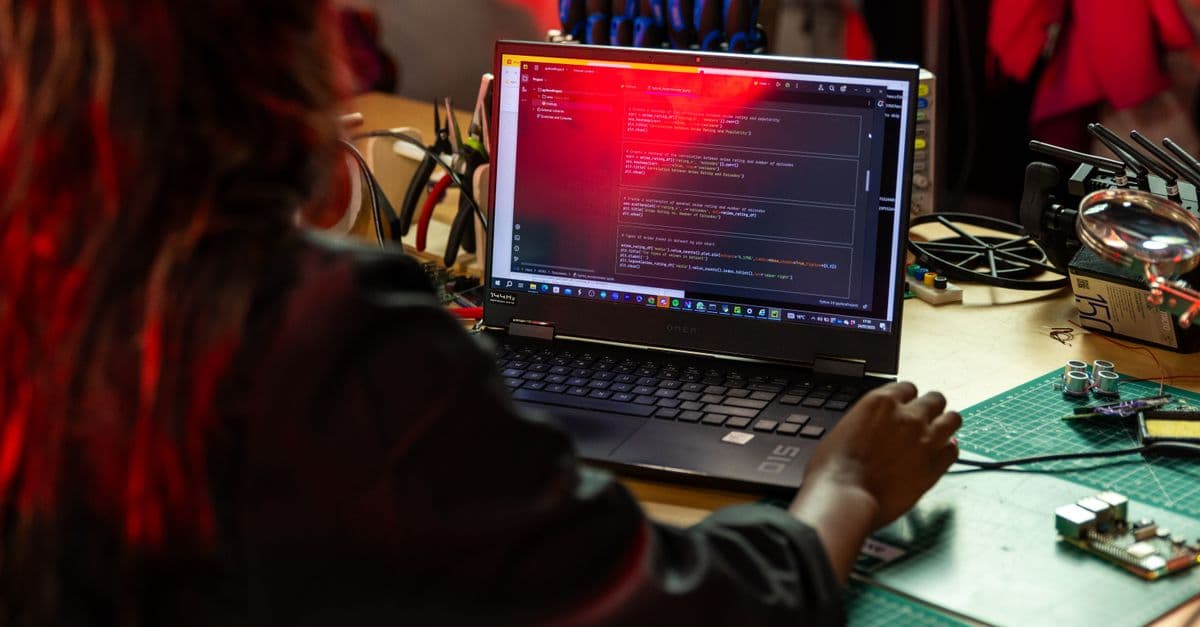
How to Choose the Right Laptop in 2026: A Practical Buyer's Guide
A laptop purchase is a $1,000-$3,000 decision that you will live with for 4-5 years. The specifications that matter depend entirely on your use case: a student writing essays needs different hardware than a software developer compiling code or a video editor rendering footage. CPU, GPU, RAM, and storage determine performance; display quality and battery life determine daily usability. The trap is specification obsession—comparing gigahertz and cores without understanding actual workload demands. This guide breaks down what each component means, the realistic use-case tiers (student, creator, developer, gamer), the hardware tradeoffs, and the mistakes that lead to wrong purchases. A $600 laptop perfectly suited to your needs serves you better than a $2,500 laptop that is over-specified for your work.
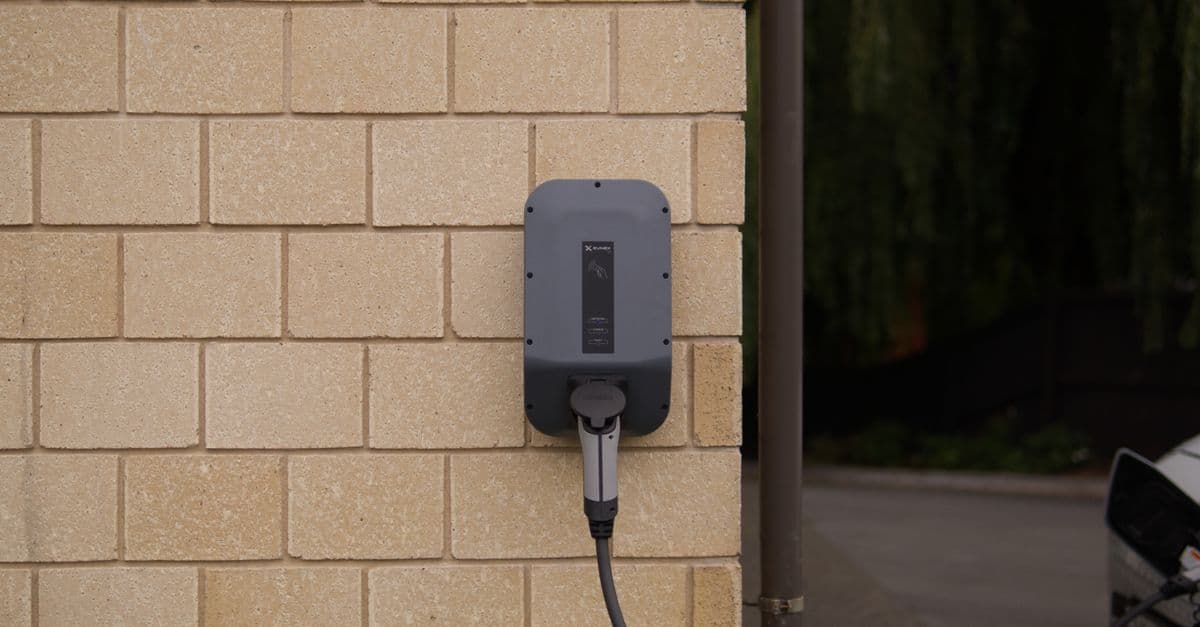
How to Choose the Best Electric Vehicle in 2026: A Practical Guide to Range, Charging, Battery, Cost, and Use Cases
Choosing an electric vehicle in 2026 requires evaluating six factors: daily driving distance versus battery range (a mismatch makes ownership difficult), charging infrastructure availability in your region (home charging access is critical), total cost of ownership over five years (including electricity, maintenance, and depreciation), vehicle type and use case (SUV vs. sedan vs. truck), battery warranty and degradation expectations, and BEV (battery electric) versus PHEV (plug-in hybrid) tradeoffs. A 200-mile-range EV costs $35,000–$55,000 and can operate in virtually any climate with proper charging planning; a 300+ mile range vehicle adds $5,000–$15,000 but eliminates range anxiety. This guide walks through the practical evaluation framework and provides a comparison table of 2026 models across five vehicle categories.

Web Accessibility Guide 2026 — WCAG, ARIA, Testing Tools
Web accessibility for developers: what WCAG 2.2 AA requires, how to use semantic HTML and ARIA, keyboard support, and a testing workflow that catches bugs.