How to Learn Python: A Complete Guide for Beginners in 2026
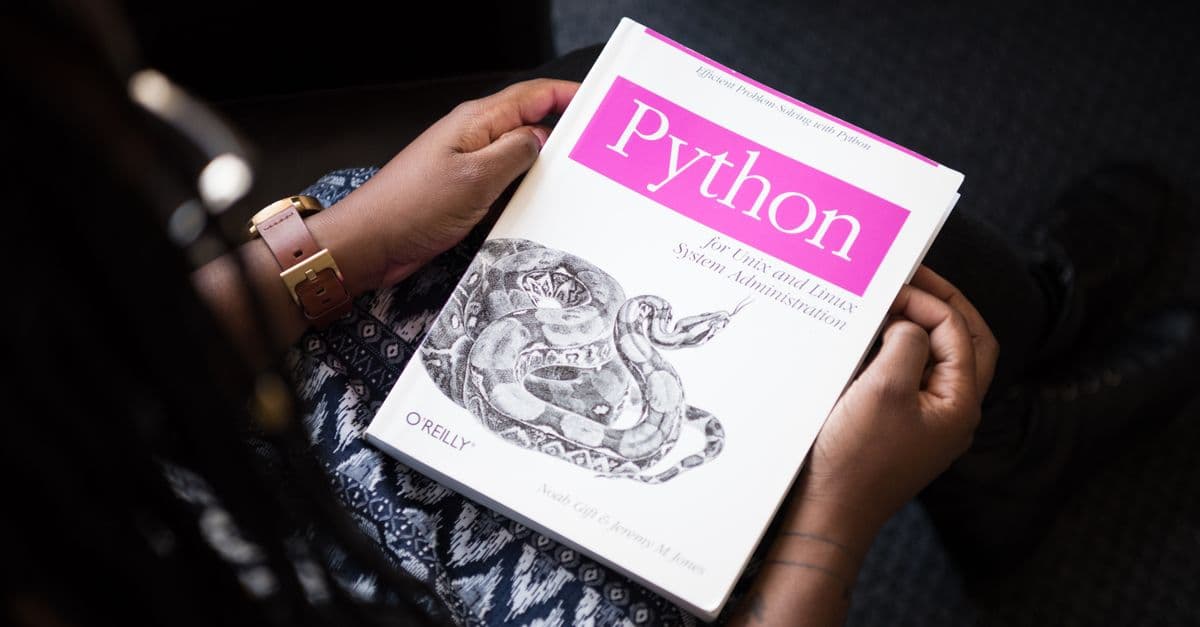
Photo: Stanislav Kondratiev / Pexels
Python is not the fastest language, the most powerful language, or the most elegant. It is, in 2026, the most useful language for someone learning to code. The syntax is readable (it looks like English, not cryptic symbols). The community is enormous (17 million developers, countless tutorials). The job market is strong (data science, AI, web development, automation all need Python). The tooling is free (no expensive IDEs or licenses).
You can learn Python basics in 2–3 weeks, reach a level where you can automate boring work in 2–3 months, and build useful applications in 3–6 months. This guide covers the journey: why Python, how to set it up, what to learn and in what order, where to find free resources, which mistakes kill momentum, realistic timelines, and what to build to turn learning into competence.
Why Python in 2026
Python is easy. Code is readable. if x > 5: is clearer than if (x > 5) { (which you would see in Java or JavaScript). Indentation is not optional; it is required. This forces clean code from the start.
Python has immediate utility. You can write useful programs in your first week. A scraper (downloading web data), a data analyzer (reading a CSV, finding patterns), a file organizer (batch-rename photos). Other languages require weeks of setup before anything useful happens.
Python's library ecosystem is unmatched. Need to analyze data? Use pandas. Build a web app? Use Django or Flask. Do machine learning? Use scikit-learn. Process images? Use pillow. Most useful programming tasks have a library that does 80% of the work.
The Python community is generous. Tutorials, Stack Overflow answers, and open-source projects are plentiful. You are rarely the first person to face a problem.
Python jobs are everywhere. Data scientist, ML engineer, web developer, automation engineer, systems administrator, and security analyst all use Python. Learning Python is not just learning a language; you are learning a tool used across every sector.
Installation and Setup (5 Minutes)
Python is available for Windows, macOS, and Linux.
On Windows
- Go to https://www.python.org/downloads/
- Click "Download Python 3.12" (or the latest version).
- Run the installer. Check "Add Python to PATH" (important).
- Click Install Now.
Verify: Open Command Prompt (cmd). Type python --version. You should see "Python 3.12.x" or similar.
On macOS
macOS comes with Python, but it is often outdated. Use Homebrew:
- Install Homebrew if you do not have it: https://brew.sh/
- Open Terminal. Run:
brew install python3 - Verify: Type
python3 --versionin Terminal.
On Linux
Most Linux distributions come with Python. Verify: Open a terminal, run python3 --version. If not installed, run:
- Ubuntu/Debian:
sudo apt install python3 - Fedora:
sudo dnf install python3
Your First Python Program
- Open a text editor (VS Code, Notepad++, or even Notepad).
- Write:
print("Hello, Python") - Save as
hello.py - Open Command Prompt or Terminal in the folder where you saved the file.
- Run:
python hello.py
If you see "Hello, Python" printed, Python is working. That is all you need to start.
Source: Python Software Foundation, Official Python Docs (2025) — installation and setup guide for all platforms.
The Learning Path: What to Learn and When
Phase 1: Syntax Basics (Weeks 1–2)
Learn to read and write Python code. You are not writing useful programs yet; you are learning the building blocks.
Topics:
- Variables and data types (strings, integers, floats, booleans)
- Print and input (displaying output, reading user input)
- Basic math operators
- Conditionals (if, elif, else)
- Loops (for, while)
- Functions (defining, calling, arguments, return values)
Example program (end of week 2): Write a program that asks the user for their birth year, calculates their age, and prints a personalized message.
Time: 10–15 hours of learning and practice.
Key resource: freeCodeCamp's "Python for Everybody" (YouTube, free, 4 hours) covers all of these topics clearly.
Phase 2: Data Structures (Week 3)
Now that you understand the basics, learn how to organize data.
Topics:
- Lists (ordered collections)
- Dictionaries (key-value pairs)
- Tuples (immutable lists)
- List comprehensions (advanced syntax for creating lists)
Example program: Read a list of names and ages from a file. Find the oldest and youngest. Print a summary.
Time: 5–8 hours.
Key resource: Python.org's official tutorial (https://docs.python.org/3/tutorial/) has excellent explanations.
Phase 3: File I/O and Libraries (Week 4)
Programs that only live in memory are limited. Learn to read and write files. Learn to use existing libraries (other people's code) so you do not rewrite everything.
Topics:
- Reading and writing files
- Working with CSV files (spreadsheet data)
- Importing libraries (
import os,import json) - Using the
requestslibrary to fetch web data - Parsing JSON and HTML
Example program: Download weather data from a free API. Save it to a file. Analyze it.
Time: 8–10 hours.
Key resources:
- Real Python tutorials (https://realpython.com/)
- The
requestslibrary documentation (https://requests.readthedocs.io/)
Phase 4: Building Projects (Weeks 5–24+)
Now you are writing real programs. Projects solidify learning and show you what you actually need to know.
Simple projects (Weeks 5–8):
- To-do list (store tasks in a file, add/remove items)
- File organizer (move files into folders by type)
- Personal finance tracker (track spending, calculate totals)
- Web scraper (download book titles from a website)
Medium projects (Weeks 8–16):
- Web app (Flask, a lightweight framework)
- Data analyzer (use pandas to analyze a CSV file)
- Quiz game
- Chat bot (rule-based, not AI)
Advanced projects (Months 3–6):
- Web scraper with scheduling (runs daily)
- REST API (write your own web service)
- Machine learning model (predict house prices or classify images using scikit-learn)
Time: 3–6 months to reach project competency.
Source: Schreib, J. (2025), "The Pragmatic Programmer's Guide to Python" — project-based learning approach for Python.
The Python Ecosystem: Libraries and Packages
Python's power comes not from the language itself but from its ecosystem of libraries — code written by others that you can use.
Library (or package or module) — pre-written code that someone published. Instead of writing your own HTTP request handler, use the requests library. Instead of building a database driver, use sqlite3.
Core Libraries You Will Use
Standard library (included with Python):
os— interact with the operating system (create folders, list files)json— read and write JSON datacsv— read and write spreadsheet filesdatetime— work with dates and timesrandom— generate random numbersmath— math functions (sin, cos, sqrt)
These are built-in; no installation needed.
Third-Party Libraries (Installation Required)
Popular third-party libraries:
requests— fetch data from websites and APIsbeautifulsoup4— parse HTML and extract data from web pagespandas— work with spreadsheets and data analysismatplotlib— create charts and graphsflask— build web applicationsdjango— larger web frameworknumpy— numerical computingscikit-learn— machine learning
To install a library, use pip (Python's package manager):
pip install requests
Then use it in your code:
import requests
response = requests.get("https://api.example.com/data")
print(response.json())
How to Find Libraries
PyPI (Python Package Index) at https://pypi.org/ is the official repository. Search for what you want to do ("web scraping", "data analysis", "graphics") and see what packages exist.
GitHub is where developers publish source code. Many libraries are on GitHub before they are on PyPI.
Why Libraries Matter
Using libraries is not cheating; it is professional. A library represents thousands of hours of engineering by experienced developers. If a library exists that solves 80% of your problem, use it. Spend your effort on the 20% that is unique to your project.
Beginners sometimes avoid libraries because they feel like "not writing real code." The opposite is true. Writing code that uses good libraries is more professional than rewriting everything from scratch.
Source: The Python Package Index (2025), "A Beginner's Guide to PyPI" — overview of finding and using Python libraries.
Best Free Resources in 2026
| Resource | Type | Best For | Cost |
|---|---|---|---|
| freeCodeCamp (YouTube) | Video course | Learning fundamentals, 4-hour comprehensive course | Free |
| Python.org Tutorials | Official docs | Reference, deep explanations | Free |
| Real Python | Tutorials + articles | Intermediate topics, solving specific problems | Free tier available |
| LeetCode | Coding challenges | Practice and problem-solving | Free tier available |
| 100 Days of Code | Community challenge | Motivation and accountability | Free |
| Codecademy | Interactive course | Hands-on learning | Free tier available |
| Automate the Boring Stuff | Book + videos | Practical automation projects | Free online |
Recommended learning path:
- Start with freeCodeCamp's Python course (YouTube, 4 hours). This covers everything in Phases 1–2.
- Work through Python.org tutorials for deeper understanding (Phases 1–3).
- Build projects from "Automate the Boring Stuff" or "Real Python" (Phase 4).
- Use LeetCode for practice problems (ongoing).
You do not need expensive courses. These free resources are better than most paid courses.
Source: The Community (2026), "Best Free Python Learning Resources 2026 Edition" — crowdsourced ranking of Python tutorials and courses.
Debugging: The Hidden Skill
Debugging — finding and fixing errors — is more important than writing code. Beginners often think programmers spend time writing perfect code the first time. In reality, programmers spend most time reading their own broken code, understanding what went wrong, and fixing it.
Python makes debugging easier than most languages because error messages are clear. When you get a NameError: name 'x' is not defined, Python is telling you the exact problem: you used a variable named x that does not exist. The error message includes the line number.
How to Debug Like a Programmer
Read the error message completely. Do not panic at the red text. Read it. The format is usually:
Traceback (most recent call last):
  File "script.py", line 10, in <module>
    result = add(a, b)
TypeError: unsupported operand type(s) for +: 'int' and 'str'
This says: on line 10, you tried to add an integer and a string. The error is not mysterious; it is literal. Integers + strings do not work.
Add print statements. Before an error, insert print(variable_name) to see what the value is. Print the inputs, the intermediate results, and the outputs. This is the simplest debugging tool, and it works. Professional debuggers use breakpoints; beginners should use print.
Test small pieces independently. If a function is broken, test it with simple inputs first. If it works for simple inputs but fails for real data, the bug is in your assumptions about the data, not the function.
Google the error. Copy the error message (without the specific variable names or file paths) into Google. Someone else has hit this error and solved it. Stack Overflow usually has an answer.
Example Debugging Session
You write a function to calculate the average of a list:
def average(numbers):
    total = sum(numbers)
    count = len(numbers)
    return total / count
You test it:
result = average([1, 2, 3, 4, 5])
print(result)  # Prints 3.0 — correct
Later, someone calls it with an empty list:
result = average([])
print(result)  # Error: ZeroDivisionError: division by zero
The error is clear: you divided by zero. But why? The list is empty; len([]) is 0. You divide total / 0.
Fix: check if the list is empty before dividing:
def average(numbers):
    if len(numbers) == 0:
        return 0  # or raise an error, depending on your needs
    total = sum(numbers)
    count = len(numbers)
    return total / count
This is debugging: identify the case your code did not handle, add a check, test again.
Source: McDowell, G. (2015), Cracking the Coding Interview, Prentice Hall — includes sections on debugging strategies and common programming pitfalls.
Common Beginner Mistakes (and How to Avoid Them)
Mistake 1: Learning Too Much Before Building Anything
Many beginners watch 20 hours of tutorials before writing a real program. By then, they forget the syntax and lose motivation.
Fix: Build something in week 1. It does not need to be useful; it needs to be real. Even a calculator or a password strength checker forces you to use syntax, encounter errors, and debug. You learn more from one broken program than from 10 hours of passive watching.
Mistake 2: Memorizing Instead of Understanding
You do not need to memorize the syntax. You need to understand the concept (what a loop does, why a function is useful) and know how to look up the syntax.
Fix: When learning a topic, write out code by hand (or type it, not copy-paste). Run it. Change it. Break it. See what happens. The muscle memory and understanding will come.
Mistake 3: Skipping Data Structures
Many beginners jump from syntax to projects without solidifying lists and dictionaries. Then projects feel impossible.
Fix: Spend one focused week on data structures. Write 10 small programs using lists and dictionaries. This week feels slow but saves 10 weeks of confusion later.
Mistake 4: Trying Advanced Topics Too Early
You do not need decorators, metaclasses, async/await, or type hints to write useful programs. These are advanced. Beginners who see them in tutorials and think they need to learn them get discouraged.
Fix: Ignore advanced syntax. Focus on what works. Once you can write projects fluently, advanced topics become interesting, not overwhelming.
Mistake 5: Not Using the Error Messages
When your code breaks, Python prints an error message. Many beginners see "IndentationError" or "TypeError" and panic, then restart rather than reading the message.
Fix: Read the error. It tells you the line number and the problem. Google the error if you do not understand. Nine out of ten times, the error message solves the problem.
Mistake 6: Treating Programming as Solo
Programming is collaborative. You will get stuck. Stack Overflow, Discord communities, and GitHub are resources. Asking for help is not weakness.
Fix: Join a community. r/learnprogramming, Python Discord, local Python meetups. Seeing others struggle with the same problem normalizes it.
Realistic Timelines
| Milestone | Timeline | What You Can Do |
|---|---|---|
| Syntax basics | 2–3 weeks | Write simple programs: calculators, input/output, loops |
| Data structures | 3–4 weeks | Organize data in lists and dictionaries |
| File I/O + libraries | 4–5 weeks | Read files, use APIs, fetch web data |
| First useful automation | 2–3 months | Write a script that saves you 1+ hour weekly |
| Build small projects | 3–4 months | Todo lists, games, file organizers |
| Intermediate projects | 5–6 months | Web apps, data analysis, simple APIs |
| Job-ready projects | 8–12 months | Complex apps, open-source contributions, portfolio-worthy work |
The timeline assumes 10–15 hours per week. With 5 hours per week, double the timelines. With 20 hours per week, halve them (but burnout risk increases).
What to Build: Your Learning Checklist
Month 1 (Weeks 1–4):
- A madlibs game (user input → string manipulation)
- A tip calculator (variables → math)
- A number guesser (random numbers → loops)
Month 2–3 (Weeks 5–12):
- A to-do list that saves to a file (file I/O)
- A weather fetcher (using the requests library and an API)
- A file organizer that sorts files by type (os library)
- A quiz game stored in a dictionary
Month 4–6 (Weeks 13–24):
- A web scraper that downloads data from a website
- A simple web app (Flask: a personal portfolio or blog)
- A data analyzer (pandas: analyze your own data)
- A project that combines everything: scrape data → save it → analyze it → display results
Frequently Asked Questions
Q: Should I learn Python 3 or Python 2?
A: Only Python 3 (Python 2 ended in 2020). Always learn Python 3.
Q: Do I need to buy an IDE or paid tools?
A: No. VS Code (free, open-source) is better than most paid IDEs. Sublime Text (free to use, optional $80 license) is also excellent. You do not need paid tools.
Q: Should I learn another language after Python?
A: Not necessary for most people. Python can do almost everything. If you need frontend web development, learn JavaScript. If you need performance-critical software, learn Rust or C++. But most of the time, Python is enough.
Q: How long until I can get a job?
A: With focused learning and projects, 6–8 months to junior positions. Data science and ML roles need 8–12 months. Companies hire for potential, not just experience; a strong portfolio of projects matters more than years of experience.
Q: What if I get stuck on a topic?
A: Move on. You do not need to master everything sequentially. If loops confuse you, write a few loop programs, then move to functions. Come back to loops when you need them. Confusion often resolves with time and context.
Q: Is it too late to learn to code?
A: No. Coding is not about age or talent; it is about persistence. You will hit walls. Everyone does. The difference between people who learn and those who quit is that learners push through.
Q: Do I need a computer science degree?
A: No. A degree teaches theory (useful for senior roles); projects teach practice (useful for entry-level jobs). A portfolio of 3–5 projects is often more valuable than a degree.
Read next:
Follow new articles
Add SciHub101 to your feed reader to see new science and technology stories.
About the Author
SciHub101 is an independent science and technology publication founded and edited by Buğra Sözeri, a software engineer and app developer based in Türkiye. AI tools assist with drafting and research. Source documentation in the existing archive is uneven, and articles are being reviewed and corrected. The Editorial Team byline identifies editorial responsibility; it does not certify specialist or independent human review. Where we compare products, anything built by our own team is labelled as such — see the editorial guidelines and About page for how corrections and disclosures work.
Related Articles
How to Optimize Your iPhone Battery Life in 2026: Science-Based Tactics
iPhone batteries degrade through cyclical charging—the repeated charge and discharge cycle that every rechargeable lithium battery experiences. After 500 full charge cycles, most iPhone batteries retain 80 percent capacity; after 1,000 cycles, 60 percent. Battery degradation is not a defect; it is the thermodynamic cost of using electrochemical energy storage. However, specific charging habits and software settings can extend battery lifespan and maximize daily runtime. The tactics are science-based: keeping batteries cool, charging to 80 percent rather than 100 percent, avoiding deep discharges, and managing background processes. Most battery drain myths are false (closing apps does not help; wi-fi does not drain faster than LTE). This guide separates fact from myth, explains the science of lithium-ion batteries, and provides specific settings and habits that work.
How to Grow a YouTube Channel from Zero in 2026: Niche, Packaging, Retention, and the Consistency Principle
YouTube growth is determined by niche selection (underserved, not saturated), content packaging (title + thumbnail dictate click-through rate), and retention (first 30 seconds are critical). Most channels fail because they treat YouTube like a vlog — posting without understanding that recommendations are driven by watch time, not subscriber count. A channel in a saturated niche with weak thumbnails will accumulate 1,000 subscribers in three years. A channel in an underserved niche with optimized packaging will reach 10,000 in eight months. Consistency (weekly posting) matters but is secondary to these three factors. Realistic growth: 10,000 subscribers in 8–18 months with proper niche selection and packaging; 50,000 in 18–36 months if content remains relevant and retention stays above 50%.
Python for Data Science: Complete Guide 2026
Master Python for data science in 2026. Covers essential libraries, workflows, career paths, and learning roadmap with real examples.
NumPy Guide — Python's Foundation for Data Science
Learn NumPy from scratch — arrays, broadcasting, vectorization, indexing, and linear algebra. The bedrock library behind pandas, scikit-learn, and PyTorch.

Pandas Python Guide — Data Analysis for Beginners
Learn pandas from scratch: DataFrames, data cleaning, groupby, merging, and visualisation. Complete Python data analysis guide with code examples and a full.

Python Data Libraries Cheat Sheet 2026 — Quick Reference
Quick reference for Python data libraries 2026: Pandas, Polars, DuckDB, NumPy, Plotly. Common operations side-by-side. Bookmark for daily work.