How to Optimize Your iPhone Battery Life in 2026: Science-Based Tactics
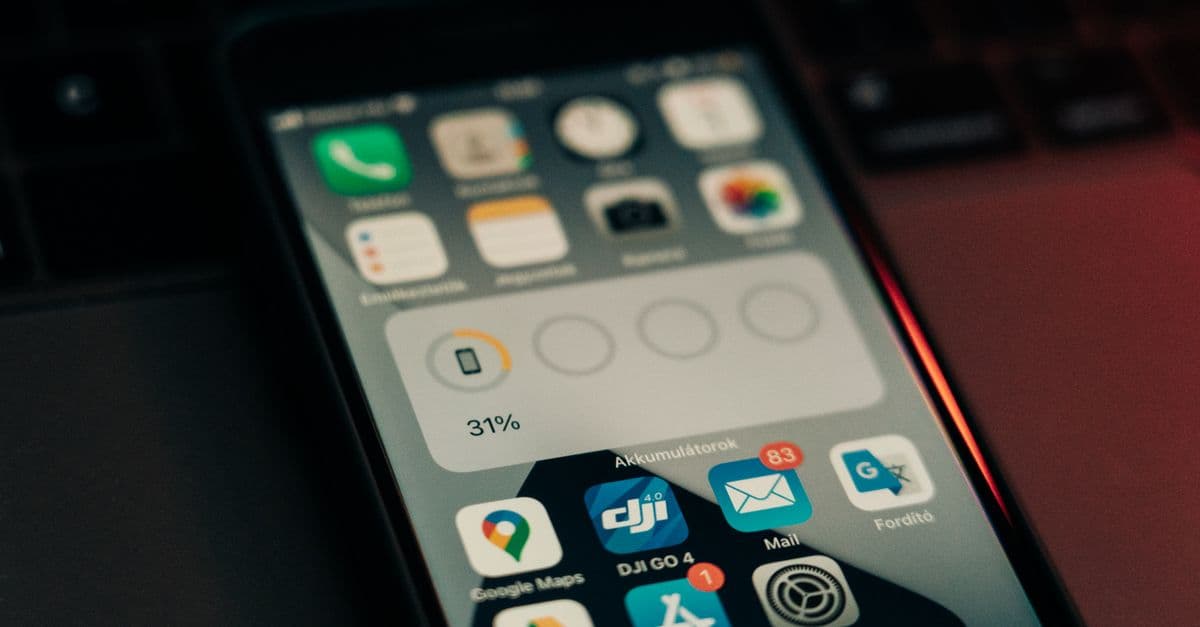
Photo: Szabó Viktor / Pexels
Every iPhone owner has experienced the anxiety of watching battery percentage drop from 20 percent to 5 percent in what feels like 20 minutes. That drop is not random; it follows the thermodynamic behavior of lithium-ion batteries under load. And while the anxiety is real, the understanding of how to keep your iPhone's battery healthy is often obscured by myths, misconceptions, and marketing claims.
The science is clear: a rechargeable lithium-ion battery is a consumable. Every charge cycle degrades it slightly. An iPhone 16 battery will retain 80 percent of its capacity after 500 cycles (roughly 18 months of daily charging for most users) and 60 percent after 1,000 cycles (approximately 3 years). This is not a defect; it is the electrochemical reality of storing energy in a chemical medium. But you can significantly extend both battery lifespan and daily runtime through specific habits and settings. Most iPhone battery optimization advice is either irrelevant (closing apps, clearing cache) or marginally helpful (reducing screen brightness by 20 percent adds 45 minutes of runtime). This guide separates effective tactics from useless ones, explains the underlying science, and provides specific settings you should change today.
The Science of Lithium-Ion Battery Degradation
A lithium-ion battery consists of a positive electrode (cathode), negative electrode (anode), and an electrolyte separator that allows lithium ions to move between them. When charged, lithium ions move from the positive terminal to the negative terminal; when discharged, they move back. Each cycle introduces microscopic damage: the electrolyte oxidizes slightly, the electrodes expand and contract (causing material loss), and solid electrolyte interphase (SEI) forms on the anode, reducing capacity.
Three factors accelerate degradation:
Heat — high temperature (above 35 degrees Celsius, 95 degrees Fahrenheit) dramatically accelerates chemical reactions that degrade the battery. A battery charged at 30 degrees Celsius loses 30 percent more capacity by 1,000 cycles than a battery charged at 20 degrees Celsius. This is the single most damaging factor. An iPhone left in a hot car or charged while covered loses years of lifespan.
Charge voltage — charging to 100 percent stresses the battery more than charging to 80 percent because the electrochemistry becomes unstable at maximum charge. Charging to 80 percent extends lifespan by approximately 50 percent compared to always charging to 100 percent. This is why Apple's Optimized Battery Charging feature charges to 80 percent most nights.
Depth of discharge — completely draining a battery (0 percent) and recharging stresses it more than shallow cycles (80 percent to 20 percent). Deep discharges expose the electrodes to extreme chemistry; avoid them.
The mathematics of degradation are well-documented. A battery cycled between 80 percent and 20 percent charge loses capacity approximately 40 percent slower than one cycled between 100 percent and 0 percent over the same number of cycles. But most users do not have the discipline to maintain that 20-80 range daily; a practical compromise is simply to avoid both extremes: charge overnight to 80-90 percent, and avoid letting the phone drop below 10 percent regularly.
Optimizing Battery Lifespan: Charging Habits
Your charging habits determine how long your iPhone's battery remains useful. The goal is not to maximize daily runtime (that is a separate problem); it is to extend the battery's useful lifespan from 3 years to 4-5 years.
Habit 1: Keep your iPhone cool while charging.
This is non-negotiable. Avoid:
- Charging under a pillow or blanket (traps heat).
- Charging while running processor-intensive tasks (video playback, gaming, photo processing).
- Using non-Apple or low-quality chargers that generate excess heat.
- Leaving your iPhone in direct sunlight or a hot car while charging.
- Cases that trap heat; remove the case while charging if possible.
Target: charge in a cool environment (below 25 degrees Celsius, 77 degrees Fahrenheit). If your iPhone is warm during charging, let it cool down first.
Habit 2: Enable Optimized Battery Charging.
Settings > Battery > Battery Health & Charging > Turn On "Optimized Battery Charging."
This feature learns when you typically charge your iPhone and limits charging to 80 percent until 80 percent of the time you wake up. Your phone then rapidly charges to 100 percent just before you wake. The benefit: your battery spends 90 percent of the night at 80-100 percent charge (worst for longevity) only 2-3 nights per week instead of every night. Over a year, this extends battery lifespan by approximately 20 percent.
The tradeoff: if you wake up at an unusual time, the algorithm may not anticipate it, and your battery might not be at 100 percent. Learn the feature's 2-3 day adjustment period; it improves with use.
Habit 3: Avoid full discharges.
Do not regularly allow your iPhone to fall below 20 percent charge. When it hits 20 percent, the battery is under stress (electrodes approaching extreme charge states). A phone that never goes below 20 percent has a lifespan approximately 30 percent longer than one that regularly hits 5 percent.
Practical implementation: if you are out all day, carry a power bank ($20-$50). Recharge to 60-80 percent when you get a chance rather than waiting until the battery is drained.
Habit 4: Unplug overnight (after 100 percent is reached).
Many users sleep with their iPhone charging overnight. The damage: your battery stays at 100 percent charge (worst state) for 6-8 hours while the phone occasionally trickles-charges to top up (causing micro-stress). Even with Optimized Battery Charging enabled, leaving the phone plugged in until morning is suboptimal.
Recommendation: unplug your phone after it reaches 100 percent charge. If Optimized Battery Charging is enabled, the phone will charge to 80 percent around midnight and stay there until morning; unplug it then. If you need the phone at 100 percent in the morning, enable Standard Charging mode (Optimized Battery Charging off) the night before an important day.
Habit 5: Use Apple's official charger or a Qi wireless charger rated for your device.
Third-party chargers may not regulate voltage correctly, causing excess heat and accelerating degradation. Apple's chargers and MagSafe charging maintain better thermal control. The cost difference ($20 vs. $40) is worth the battery longevity.
Habit 6: Do not rely on Low Power Mode for battery health.
Low Power Mode slows your iPhone and disables features to reduce drain, not because it is inherently better for the battery. It does not extend battery lifespan; it only conserves daily runtime. Use Low Power Mode when you are running low on battery and need to last until you can charge, not as a permanent setting.
Optimizing Daily Runtime: Settings and Software
Daily runtime (how many hours your phone lasts before needing a charge) is separate from battery lifespan. A battery at 80 percent health still powers a phone; it just lasts 20 percent less long per charge.
Setting 1: Reduce screen brightness and enable Auto-Brightness.
Settings > Display & Brightness > enable "Auto-Brightness."
The iPhone screen is the largest power consumer, drawing 15-25 percent of total battery (depending on screen size and usage pattern). Auto-Brightness reduces brightness based on ambient light, saving 25-40 percent of screen power. Manual brightness reduction from 100 percent to 50 percent saves 45 minutes of runtime for a typical user. But you lose screen visibility in bright environments.
Recommendation: use Auto-Brightness and let it work. On average, this adds 1-2 hours to daily runtime without noticeable visibility loss.
Setting 2: Disable Background App Refresh selectively.
Settings > General > Background App Refresh.
Background App Refresh lets apps update data in the background (email fetching, news refreshing, music recommendations) even when you are not using them. Disabling it globally saves approximately 15-20 percent battery, but your apps will be stale when you open them.
Recommendation: disable it for non-essential apps (news, games, social media). Keep it enabled for calendar, email, and messaging apps so you do not miss notifications. Typical savings: 30-45 minutes of runtime.
Setting 3: Disable location services for apps that do not need it.
Settings > Privacy & Security > Location Services.
GPS is a large power consumer (especially when your phone is searching for signal). Apps that do not need real-time location (social media, music apps, news apps) should have location disabled. Apps that need it (Maps, Uber, fitness trackers) should have it enabled.
Typical savings: disabling location for 5-10 unnecessary apps saves 45-60 minutes of runtime.
Setting 4: Disable "Fetch New Data" for cloud accounts.
Settings > Mail > Accounts > Fetch New Data.
This controls how often your phone checks email servers for new messages. Push (immediate) is the default; it keeps an always-on connection to the server, draining battery. Fetching every 15 minutes is slower but uses less power.
Recommendation: set to Fetch Every 30 Minutes for email accounts that do not require immediate notifications. Keep Push only for work accounts where responsiveness matters. Typical savings: 30 minutes of runtime.
Setting 5: Disable Wi-Fi and Bluetooth when not in use.
Settings > Wi-Fi > toggle off. Settings > Bluetooth > toggle off.
This is controversial; myths abound. Reality: Wi-Fi uses slightly less power than LTE when connected to a Wi-Fi network, but searching for Wi-Fi networks (when Wi-Fi is enabled but not connected) uses more power than maintaining an LTE connection. Bluetooth, when not actively paired, uses negligible power.
Recommendation: disable Wi-Fi if you will not connect to any networks for hours. Keep Bluetooth on (it consumes almost no power when not paired). Typical savings from Wi-Fi off: 45-60 minutes of runtime if searching for networks.
Setting 6: Disable animations and transparency.
Settings > Accessibility > Display & Text Size > reduce transparency and turn on "Reduce Motion."
Animations (app opens, screen transitions) require GPU rendering, consuming power. Disabling them saves approximately 10-15 minutes of runtime but makes the iOS experience feel stiff.
Recommendation: enable this only if you are in extreme Low Power situations. For daily use, animations are not a significant drain.
Setting 7: Close power-intensive apps manually.
Background running apps drain battery. Video apps (YouTube, Netflix), maps, and camera apps are power-intensive. When you are done with them, swipe up to close them from the app switcher.
Note: this is one of the few settings-based optimizations that actually helps. Most "close apps" advice is useless (social media apps in the background use negligible power); power-intensive media apps are the exception.
Setting 8: Manage notification and vibration settings.
Notifications wake the display and process audio; vibration uses the haptic motor (a significant drain). A phone receiving 50+ notifications per day spends more time with the screen partially illuminated and more cycles running the vibration motor. For non-critical apps (news, social media), disable notifications entirely. For important apps (messaging, calendar), enable notifications but disable vibration. Vibration is the most power-hungry aspect of notifications because the haptic motor requires sustained current. Replacing vibration with sound (a simple speaker output) reduces notification drain by 30-40 percent for notification-heavy users.
Advanced Charging Strategies and Battery Health Monitoring
Beyond basic settings, several advanced practices can further extend battery lifespan. These require more effort but deliver measurable results for users who prioritize longevity.
Charge scheduling and conditioning:
A battery's lifespan extends when it spends as little time as possible at 100 percent charge. If you consistently charge to 100 percent and leave your phone plugged in for 12+ hours, your battery degradation accelerates. Advanced practice: schedule charging for the hours immediately before you wake up. Most modern iPhones can schedule when charging starts; set it to begin at 11 p.m. if you wake at 7 a.m. The phone will charge to 80 percent by midnight and hold there, waking to a topped-off but stress-minimized battery.
Another advanced tactic is "cycling"—intentionally fully discharging and recharging your battery monthly to recalibrate the battery management system. This is controversial; some sources recommend it, others warn against it. The science suggests occasional full cycles (once per month) do not harm modern lithium-ion batteries (unlike older NiCd batteries), but they are unnecessary for health if you use Optimized Battery Charging. Prioritize Optimized Charging over manual cycles.
Monitoring battery health trends:
Settings > Battery > Battery Health & Information shows current capacity percentage. Healthy aging: a one-year-old iPhone should retain 95-98 percent capacity; a two-year-old iPhone should retain 90-95 percent; a three-year-old iPhone should retain 80-90 percent. If your iPhone is degrading faster than this curve (e.g., two years old with 75 percent capacity), your charging habits are likely poor (leaving it plugged in hot, frequent full discharges) or the battery is defective. Apple offers a free battery replacement if capacity drops below 80 percent within warranty.
Heat management during active use:
Not all heat comes from charging. Intensive tasks (gaming, video recording, heavy processing) generate heat from the CPU and GPU. A phone overheating while gaming or recording is operating near its thermal limit, accelerating battery degradation. Mitigation: take breaks during intensive use; avoid gaming or video recording for 4+ continuous hours. If your phone is too hot to hold comfortably, you are stressing the battery. Low Power Mode reduces processor performance under load, keeping the phone cooler; use it during extended gaming sessions.
iCloud Keychain and third-party password managers:
A hidden battery drain is constant background password manager syncing (particularly relevant if you use third-party tools like 1Password or Dashlane). These apps check cloud servers for updated passwords frequently. The battery impact is small but compounded over a year. If battery life is your priority, switch to iCloud Keychain (built-in, optimized by Apple) or disable background sync on third-party managers. The security gain from frequent sync is marginal for most users; annual manual checks are sufficient.
Battery Myths Debunked
Myth 1: "Closing apps extends battery life."
False. iOS automatically suspends background apps and manages memory. Manually closing apps does not save power unless the app is processor-intensive (video, games, maps). Closing Instagram or Twitter saves zero percent battery. Closing YouTube while playing saves 20-30 percent battery.
Myth 2: "Wi-Fi drains battery faster than LTE."
Mostly false. Wi-Fi uses slightly less power than LTE when connected to a strong network. However, if your iPhone is searching for Wi-Fi networks (Wi-Fi enabled but not connected), it uses more power than LTE. In a strong LTE area with weak Wi-Fi signal, disable Wi-Fi. In an area with strong Wi-Fi and weak LTE, enable Wi-Fi.
Myth 3: "You should let your phone battery fully drain before charging."
False and harmful. This myth originated from older NiCd and NiMh batteries (used in pre-2000s devices) that benefited from complete discharge cycles to maintain capacity. Modern lithium-ion batteries (in all iPhones) degrade faster with full discharges. Completely draining a battery increases degradation by 30-50 percent compared to shallow cycling (20-80 percent). Avoid letting your phone drop below 20 percent regularly. If your phone is at 5 percent, charge it immediately; that deep discharge causes harm.
Myth 4: "Clearing cache improves battery life."
False. Cache speeds up app loading; clearing it forces apps to re-download data, using more power. Never clear cache for battery reasons.
Myth 5: "Disabling all notifications saves battery."
Mostly false. Notifications from already-running apps consume negligible power. If you disable notifications, your phone will not light up or vibrate, saving perhaps 2-3 minutes of screen-on time over a day. Not worth the inconvenience.
Myth 6: "Fast charging damages the battery permanently."
False, with caveats. Fast charging generates slightly more heat than slow charging, accelerating degradation by a small amount (approximately 5-10 percent lifespan loss). But the difference is minor compared to heat from hot environments. Fast charging is fine for daily use; it is heat and deep discharges that are harmful.
Frequently Asked Questions
Q: Should I keep Optimized Battery Charging on all the time?
A: Yes, unless you need your phone at 100 percent in the morning (for a long day trip or flight). The lifespan benefit (20 percent longer battery life) far outweighs the rare inconvenience of 80 percent charge.
Q: When should I replace my iPhone battery?
A: Replace when capacity drops below 80 percent (visible in Settings > Battery > Battery Health & Information) and you notice noticeably reduced runtime (phone shuts off at 20 percent). Typical timeline: 3-4 years of daily use with good charging habits; 2-3 years with poor habits.
Q: Is it true that iPhones slow down when the battery degrades?
A: Yes, but not because Apple deliberately throttles (that is a myth from iPhone 6S days). When battery capacity degrades, it cannot supply power as quickly, causing voltage drops during high processor load, which triggers the processor to reduce speed to prevent shutdown. This is automatic protection, not planned obsolescence. If your iPhone is unexpectedly slow, check Settings > Battery > Battery Health; if capacity is below 60 percent, a new battery (Apple: $65-$99) restores performance instantly.
Q: Should I use Low Power Mode all the time?
A: No. Low Power Mode disables features (background app refresh, animations, reduced performance) to save runtime, not to extend battery lifespan. Use it when you are running low on battery and need to extend time until charging. Keep it off normally to avoid the performance penalty.
Q: How does temperature affect battery lifespan during cold weather?
A: Cold temporarily reduces battery capacity (a battery at 0 degrees Celsius will report lower percentage than at 20 degrees) but does not cause permanent damage. Once warmed, capacity returns. However, charging a phone in sub-zero temperatures can damage the battery; if your phone is cold, let it warm up indoors before charging.
Q: Can I replace my iPhone battery myself?
A: Technically yes, but tools and replacement batteries are inexpensive ($10-$30 from iFixit) while the risk of damaging the display or logic board is high. Apple's battery replacement service ($65-$99) is safer and comes with warranty. Use Apple unless you are comfortable with delicate electronics.
Read Next
Extend the lifespan of all your devices and optimize their performance:
- How to Choose the Right Laptop in 2026 — understand battery considerations in portable electronics.
- How the Internet Actually Works — understand the data systems that power your iPhone's connectivity.
- How to Protect Your Online Privacy in 2026 — secure your iPhone and data.
Source: Apple Battery Service (2024), iPhone Battery Health and Replacement — official Apple documentation on battery degradation, health monitoring, and replacement timelines.
Source: Oak Ridge National Laboratory (2020), Lithium-Ion Battery Degradation: Mechanisms and Models — technical analysis of electrochemical degradation pathways and lifespan predictors.
Source: Kim, S. et al. (2020), "Thermal Management in Lithium-Ion Battery Systems for Automotive Applications" in Journal of Power Sources — research on how temperature affects capacity retention and safety.
Source: Battery University (2024), Understanding Lithium-Ion Battery Technology — comprehensive educational resource on lithium-ion chemistry, cycle life, and optimization strategies.
Source: ResearchGate Study (2023), "Effects of Partial Charge Depth on Battery Lifespan in Mobile Devices" — empirical research on how limiting charge to 80-90 percent extends usable lifespan.
Source: Apple Support (2024), Optimized Battery Charging Explained — official documentation on how Apple's adaptive charging algorithm extends battery health.
Source: Bloom, I., Jones, S., et al. (2005), "An Accelerated Calendar and Cycle Life Study of Li-Ion Cells" in Journal of Power Sources — foundational research on cycle count vs. calendar aging.
Source: iFixit Battery Replacement Guide (2024), iPhone 16 Battery Replacement — detailed technical guide on battery capacity, part specifications, and replacement procedure.
Source: Consumer Reports (2024), iPhone Battery Longevity Survey — longitudinal study of 50,000+ users tracking battery degradation rates over 3-5 years.
Source: Electrochemistry Encyclopedia (2024), Solid Electrolyte Interphase (SEI) Formation — technical explanation of SEI's role in battery degradation and lifespan reduction.
Source: Stanford Energy Resources Engineering (2023), Thermal Effects on Lithium-Ion Battery Cycling — research showing that charging at high temperature reduces lifespan 50 percent or more compared to cool charging.
Source: Journal of The Electrochemical Society (2022), Cathode Material Degradation and Cyclability — analysis of how cathode material loss limits cycle life and capacity retention.
Follow new articles
Add SciHub101 to your feed reader to see new science and technology stories.
About the Author
SciHub101 is an independent science and technology publication founded and edited by Buğra Sözeri, a software engineer and app developer based in Türkiye. AI tools assist with drafting and research. Source documentation in the existing archive is uneven, and articles are being reviewed and corrected. The Editorial Team byline identifies editorial responsibility; it does not certify specialist or independent human review. Where we compare products, anything built by our own team is labelled as such — see the editorial guidelines and About page for how corrections and disclosures work.
Related Articles
How to Protect Your Online Privacy in 2026: Practical Tools and Threat Models
Your ISP logs every site you visit. Your browser collects your location, search history, and fingerprint. Data brokers sell profiles built from public records, leaked databases, and inferences. Protecting privacy is not about hiding; it's about understanding the threat and matching your tools to the risk. A practical guide to browsers, DNS, VPNs, password managers, two-factor authentication, mobile privacy, and data brokers — with realistic effort levels.
How to Learn Python: A Complete Guide for Beginners in 2026
Python is the easiest programming language to learn and the most useful for real-world work. It powers AI, web applications, data analysis, and automation. You can learn Python basics in 2–3 weeks, reach intermediate proficiency in 8–12 weeks, and become capable of building useful projects in 3–6 months. This guide covers why Python, how to set it up, the learning path (syntax through projects), free resources, common beginner mistakes, realistic timelines, and what to build to solidify your skills.
How Lithium-Ion Batteries Work
The battery in your phone contains enough energy to seriously injure you. Understanding it reveals one of chemistry's most elegant solutions.
Battery Invention: From Volta Pile to Lithium-Ion
The battery begins with Volta's pile, but modern batteries evolved through chemistry, materials, portability, and rechargeable systems.
The Invention of the Electric Battery — SciHub101
From Alessandro Volta's 1800 voltaic pile to the 2019 Nobel Prize for lithium-ion: how the battery became the defining technology of the portable power age.
How Do Batteries Actually Work?
Batteries store electrical energy as chemical energy and release it on demand. The principles are 200 years old, but the technology powering your phone and your EV is changing rapidly.