How the Internet Actually Works
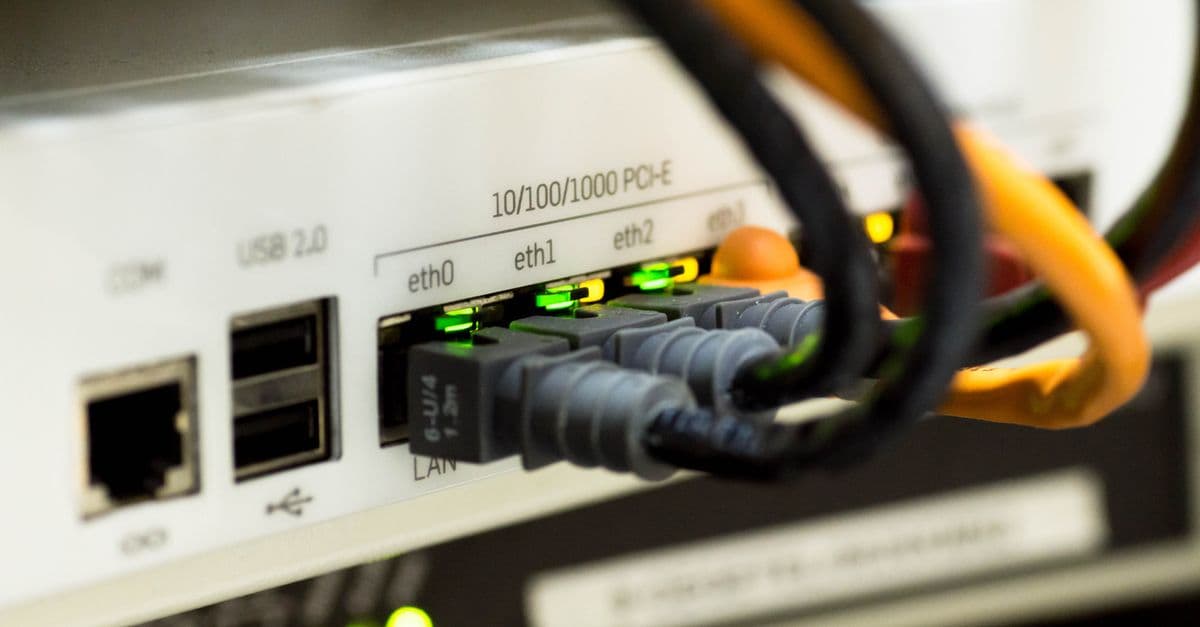
Photo: Sanket Mishra / Pexels
Right now, hundreds of fibre-optic cables are lying on the ocean floor, carrying the internet between continents. The research firm TeleGeography tracks more than 600 active and planned submarine cable systems as of 2026, and notes that satellites carry only a tiny fraction of international traffic. Satellites get the attention, but the video you stream and the page you are reading almost certainly crossed an ocean, if it crossed one at all, as pulses of laser light inside strands of glass thinner than a human hair.
That is the first surprise in the engineering of the internet. Most people use it for hours every day with no picture of what happens after they tap a link. This article builds that picture layer by layer: the physical cables, the packets, the addressing and reliability rules of TCP/IP, the routers and the agreements between networks, DNS, encryption, and the content delivery networks that make it all fast.
Key takeaways
- The internet is not a cloud. It is a physical network of cables, routers and servers spread across every continent and the ocean floor.
- Data travels in small packets, not continuous streams, and packets from the same file can take different paths.
- TCP/IP is the shared set of rules that lets billions of different devices communicate without a central controller.
- Tens of thousands of independent networks connect to each other and exchange routes using a protocol called BGP; there is no master map.
- DNS translates names like "wikipedia.org" into numerical IP addresses, and TLS encrypts most traffic so that the networks in between cannot read it.
A short history: from four computers to a global network
The internet grew out of a specific problem: how to connect different computers over unreliable links without a single point of failure.
| Year | Milestone | What it added |
|---|---|---|
| 1964 | Paul Baran's RAND papers on distributed networks | The idea of splitting messages into blocks and routing them independently |
| 1964–1967 | Donald Davies and Roger Scantlebury at the UK National Physical Laboratory | Independent invention of "packet switching" and the word "packet" |
| 1969 | ARPANET's first node installed at UCLA; second at SRI | The first host-to-host message, UCLA to SRI; four hosts by the end of 1969 |
| 1974 | Vint Cerf and Bob Kahn publish "A Protocol for Packet Network Intercommunication" | A design for connecting different networks: the basis of TCP/IP |
| 1981 | RFC 791 (IP) and RFC 793 (TCP) published | Formal specifications still recognisable today |
| 1 Jan 1983 | ARPANET "flag day" switch from NCP to TCP/IP | TCP/IP becomes the operating language of the network |
| 1983–1987 | Paul Mockapetris's Domain Name System (RFC 882/883, then RFC 1034/1035 in 1987) | Human-readable names instead of host tables |
| 1989–1991 | Tim Berners-Lee's World Wide Web at CERN | Hypertext pages, URLs and HTTP running on top of the internet |
| 3 Feb 2011 | IANA hands out its last blocks of IPv4 addresses | The pressure to move to IPv6 becomes real |
Sources: Internet Society, "Brief History of the Internet"; RFC 791 and RFC 1034 (RFC Editor); ARIN announcement of 3 February 2011.
The story of the people behind these steps is told in more depth in our history of the invention of the internet and in the profile of Tim Berners-Lee, whose web is the most visible application running on this infrastructure but not the infrastructure itself.
The physical layer: cables, not magic
The internet is fundamentally a postal system for tiny chunks of data, and like any postal system it needs roads. When you load a web page hosted in another country, your request typically travels through:
- Your device's Wi-Fi or cellular radio to your home router or a nearby cell tower.
- Your router, over copper, coaxial cable or fibre, to your internet service provider's local equipment.
- Your ISP's backbone, almost always fibre, to a data centre or internet exchange point (IXP).
- If needed, a long-haul terrestrial or submarine fibre cable.
- The destination network's own routers and the data centre hosting the site.
The first hop is the only wireless one for most home users. Our guide to how Wi-Fi works covers that short radio link; everything after it is mostly glass.
Submarine and long-haul cables are engineering marvels. Each contains a small number of optical fibres protected by steel wire, copper and polyethylene, with powered repeaters every several tens of kilometres to re-amplify the light. Capacity comes from dense wavelength-division multiplexing (DWDM): dozens of separate laser wavelengths, essentially different colours, share one fibre, and each carries its own independent data stream. The history of how glass replaced copper is told in the fibre optic cable.
Cables do break. According to TeleGeography, citing International Cable Protection Committee data, there are roughly 200 cable faults a year worldwide, and fishing vessels and ships dragging anchors cause about two-thirds of them. Sabotage and shark bites, the causes that make headlines, are rare. Most faults are invisible to users because traffic shifts to other cables while a repair ship is dispatched.
Why satellites are not the backbone
Satellites matter for remote areas, ships and aircraft, but fibre wins on capacity and cost per bit. A single modern submarine cable carries far more than any satellite constellation's international capacity. TeleGeography cites a US Federal Communications Commission figure that satellites account for just 0.37% of US international capacity. Low-Earth-orbit constellations have narrowed the latency gap, as explained in how satellite internet reduces latency, but they extend the internet rather than replace its core.
Packets: breaking data into pieces
The internet does not send a file the way a pneumatic tube sends a capsule, all at once along a reserved path. It breaks everything into small chunks called packets. On most Ethernet and Wi-Fi links the largest packet is about 1,500 bytes, so a 3-megabyte photo becomes roughly 2,000 packets.
Each packet carries a header in front of its data. The IPv4 header, defined in RFC 791 (September 1981), is at least 20 bytes long and includes:
- Source and destination addresses, so every router knows where the packet is going and where replies should be sent.
- Time to live (TTL), which RFC 791 describes as the maximum time the datagram may remain in the internet system. In practice, each router decrements it by one and discards the packet at zero, so a packet caught in a routing loop does not circulate forever.
- Protocol number, saying whether the payload is TCP, UDP or something else.
- A header checksum, so a router can detect corrupted headers.
Packets from the same file do not have to follow the same route. One might go New York to London to Amsterdam, another New York to Paris to Amsterdam. The receiving computer puts them back in order using sequence numbers from TCP, described below.
This approach is called packet switching. The alternative, circuit switching, was how traditional telephone networks worked: a call reserved a dedicated path for its whole duration, even during silence. Packet switching is far more efficient because the same links are shared moment by moment among millions of conversations. Its cost is unpredictability. Packets can be delayed, reordered or dropped when links are congested, and the rest of the protocol stack exists largely to cope with that.
The layers: how the jobs are divided
Engineers describe the internet as a stack of layers, each solving one problem and relying on the one beneath. The common four-layer TCP/IP model looks like this:
| Layer | Job | Examples | Unit of data |
|---|---|---|---|
| Application | What the user actually wants: pages, mail, video | HTTP, DNS, SMTP, TLS-protected HTTPS | Message |
| Transport | End-to-end delivery between programs | TCP, UDP, QUIC | Segment / datagram |
| Internet | Addressing and routing across networks | IPv4, IPv6, BGP decisions | Packet |
| Link | Moving bits over one physical hop | Ethernet, Wi-Fi, fibre, cellular | Frame |
The power of the design is that layers are independent. Your browser does not care whether the link is Wi-Fi or fibre, and a fibre link does not care whether the bits belong to a video call or an email. New link technologies such as 5G and new applications such as streaming slot in without redesigning the rest.
TCP/IP: the rules everyone agreed on
The internet works because every connected device follows the same core rules, known together as TCP/IP.
IP (Internet Protocol) handles addressing and forwarding. Every device on the public internet is reachable at an IP address. IPv4 addresses are 32 bits long, written like 192.0.2.1, which allows 2³² or about 4.3 billion addresses. That turned out to be far too few for a world of phones, laptops, servers and smart devices. The Internet Assigned Numbers Authority (IANA) distributed its last free IPv4 blocks to the five regional internet registries on 3 February 2011, according to ARIN's announcement that day.
The long-term fix is IPv6, whose 128-bit addresses allow 2¹²⁸, about 3.4 × 10³⁸ combinations. Adoption has been slow because IPv4 and IPv6 cannot talk to each other directly, so networks must run both for years. In the meantime, most homes use network address translation (NAT): your router has one public IPv4 address and gives every device inside the home a private address, rewriting packets as they leave and return.
TCP (Transmission Control Protocol) handles reliability on top of IP's best-effort delivery. Originally specified in RFC 793 (1981) and now consolidated in RFC 9293 (2022), it does four main jobs:
- Connection set-up with a three-way handshake. The client sends a SYN with its starting sequence number, the server replies with its own SYN plus an acknowledgement, and the client acknowledges that. Only then does data flow.
- Ordering, by numbering every byte so that out-of-order packets can be reassembled correctly.
- Retransmission, by resending data that is not acknowledged in time.
- Congestion control, by slowing down when packet loss suggests the network is overloaded, which keeps the shared links from collapsing under everyone's traffic at once.
For real-time applications such as voice calls and online games, a late packet is as useless as a lost one. These usually run over UDP (User Datagram Protocol), which sends packets with no handshake and no retransmission. A dropped audio fragment is better than a freeze while the call waits for a resend. Newer transport protocols such as QUIC, which underlies HTTP/3, run on UDP and rebuild reliability and encryption in their own way to cut set-up delay.
Routers and autonomous systems: how packets find their way
If packets are letters, routers are sorting offices. Every router keeps a forwarding table that maps ranges of IP addresses to the next hop, the neighbouring router that is closer to the destination. When a packet arrives, the router reads the destination address, finds the most specific matching range, and sends it on. Large backbone routers do this for hundreds of millions of packets per second in dedicated hardware.
No router knows the whole path. Each only needs to know the next step, and each makes its decision independently. This is why packets can take different routes and why the network can route around damage: if a link fails, routers learn within seconds to minutes and choose another path.
Networks of networks
The "inter" in internet is literal. The internet is a federation of independently run networks called autonomous systems (ASes): ISPs, mobile carriers, universities, cloud providers, content companies. Each is identified by an AS number. They exchange information about which address ranges they can reach using the Border Gateway Protocol (BGP).
BGP is less about finding the shortest path and more about policy. Networks connect in two main ways:
- Transit: a smaller network pays a larger one to carry its traffic to the rest of the internet.
- Peering: two networks agree to exchange traffic between their own customers directly, often without payment, because both benefit.
Much peering happens at internet exchange points, buildings where dozens or hundreds of networks plug into a shared switch. Exchanging traffic locally keeps it from taking expensive detours through other countries.
BGP also explains some dramatic outages. Because networks largely trust the routes their neighbours announce, a misconfigured or malicious announcement can pull traffic toward the wrong network until it is corrected. Route-origin validation using RPKI, a cryptographic system for proving which network may announce which addresses, is gradually reducing this risk.
DNS: the internet's phonebook
Humans remember names; routers use numbers. The Domain Name System is the translation layer between them. Paul Mockapetris of USC's Information Sciences Institute designed it in 1983 (RFCs 882 and 883), and the core specifications were revised as RFCs 1034 and 1035 in November 1987.
When you type "wikipedia.org", your device asks a recursive resolver, usually run by your ISP or a public service such as Google's 8.8.8.8 or Cloudflare's 1.1.1.1. If the resolver does not already have the answer cached, it walks a hierarchy:
- A root server says which servers handle the ".org" top-level domain.
- A top-level domain server for .org says which servers are authoritative for wikipedia.org.
- The authoritative server returns the actual IP address.
Each answer comes with a time-to-live telling the resolver how long it may cache it, so most lookups are answered from cache in a few milliseconds. The root itself is far more robust than "13 servers" suggests: according to root-servers.org, the 13 root server identities (A to M) are run by 12 independent operators through 2,047 server instances worldwide as of October 2026, using a technique called anycast in which many machines share one address and your query goes to the nearest.
DNS failures are among the most visible internet failures. When a large managed DNS provider is knocked offline, as happened to Dyn in a botnet attack in October 2016, websites that depend on it become unreachable by name even though their servers are running perfectly.
Encryption: why the networks in between cannot read your traffic
A packet on its way to a website passes through equipment owned by several companies, often in several countries. Without encryption, any of them could read or alter it. Today most web traffic is protected by TLS (Transport Layer Security), the protocol behind the padlock and the "https" in your address bar.
A TLS connection does three things:
- Authentication: the server presents a certificate, signed by a certificate authority your device trusts, proving it really is the site you asked for.
- Key agreement: client and server use public-key cryptography to agree on fresh secret keys that an eavesdropper cannot work out, even if they record the whole exchange.
- Encryption and integrity: all following data is encrypted and tagged so that tampering is detected.
TLS hides the content of your traffic, but not everything. The networks in between still see which IP addresses you connect to, how much data flows and when. Tools such as a VPN move that visibility from your ISP to the VPN provider, as explained in how VPNs work. Longer term, cryptographers are moving TLS toward algorithms that resist quantum computers, a different project from the quantum internet that physicists are building for entanglement-based networking.
From your device to the data centre: tracing one request
Here is what happens, roughly, when you type "nytimes.com" and press Enter. On a good connection the whole sequence can take a few hundred milliseconds.
- Cache check. The browser checks whether it already has fresh copies of the page or its address.
- DNS lookup. If not, it asks the resolver for the IP address, which is often already cached.
- Connection set-up. The browser opens a TCP connection (three-way handshake) or, if the site supports HTTP/3, a QUIC connection over UDP.
- TLS handshake. The browser checks the site's certificate and agrees encryption keys.
- HTTP request. The browser sends a GET request for the home page.
- Response. The server, or more likely a nearby cache, sends back HTML, which references dozens of other files: stylesheets, scripts, images and fonts. The browser requests those in parallel.
- Rendering. The browser assembles the page from those pieces and keeps loading content as you scroll.
Each network round trip adds delay, which is why so much engineering effort goes into cutting them: caching DNS answers, reusing connections, combining the transport and encryption handshakes, and moving content closer to users.
CDNs and the cloud: why the internet feels local
Very few large websites are served from one place. Content delivery networks (CDNs) such as Akamai, Cloudflare and Amazon CloudFront keep copies of images, video and code on servers in hundreds of cities. When you request a page from Tokyo, much of it comes from a server in or near Tokyo, not from the publisher's origin server on another continent.
This matters because distance costs time. Light in optical fibre travels at about two-thirds of its speed in a vacuum, roughly 200,000 kilometres per second, because glass has a refractive index of around 1.5. A New York to London round trip therefore takes something like 60–80 milliseconds even on a direct route (physics alone sets a floor of roughly 55 ms), before any processing. Bringing content closer is the only way to beat that limit.
Behind the CDNs sit the large cloud data centres that run applications, databases and increasingly AI models. Our explainer on how cloud computing actually works covers what happens inside those buildings once a request arrives.
Who runs the internet?
Nobody runs the whole thing, which is both its strength and the source of most confusion.
| Function | Who does it |
|---|---|
| Physical cables and routers | Thousands of ISPs, carriers, cloud and content companies, often in consortia for submarine cables |
| Protocol standards (TCP, IP, HTTP, TLS) | Internet Engineering Task Force (IETF), published as RFCs |
| Web standards (HTML, CSS) | World Wide Web Consortium (W3C) and WHATWG |
| IP address and AS number allocation | IANA, then five regional internet registries (ARIN, RIPE NCC, APNIC, LACNIC, AFRINIC) |
| Top-level domain coordination | ICANN, with registries for each TLD |
| Root DNS servers | 12 independent operators |
Governments regulate ISPs within their borders and can block or slow traffic, but no single government or company can switch off the global network. Connection quality still varies hugely by country, as our ranking of countries with the fastest internet speeds shows.
Common misconceptions
"The internet and the web are the same thing." The web is one application that runs over the internet using HTTP. Email, video calls, online games and app traffic also use the internet without being "the web".
"Wireless means the data flies through the air the whole way." Usually only the first few metres are radio. After your router or cell tower, data almost always travels through fibre.
"Satellites carry most international traffic." Submarine cables carry the overwhelming majority; satellites serve places cables do not reach.
"Deleting something removes it from the internet." Copies may exist in caches, backups, archives and other people's devices. The network was designed to copy data widely.
"There is a central off switch." There is no single control point. Outages happen when widely shared services, such as a large DNS provider, CDN or cloud region, fail.
FAQ
Q: What is the difference between the internet and the World Wide Web? A: The internet is the physical and logical infrastructure: cables, routers and protocols such as TCP/IP. The World Wide Web is one application that runs on top of it, using HTTP to fetch linked pages. Email, video calls and online gaming are also internet applications but are not the web.
Q: Who owns the internet? A: No single entity. Physical cables and routers belong to thousands of ISPs, carriers and companies. Protocol standards are developed by the IETF, addresses are allocated by IANA and the regional internet registries, and domain names are coordinated by ICANN.
Q: How fast does data travel across the internet? A: Light in optical fibre travels at roughly 200,000 kilometres per second, about two-thirds of its speed in a vacuum. A round trip between New York and London takes around 60–80 milliseconds under good conditions, plus processing delays in routers and servers.
Q: What happens when an undersea cable breaks? A: Traffic is rerouted over other cables, sometimes with higher latency or less capacity, while a repair ship is sent. TeleGeography, citing International Cable Protection Committee data, reports about 200 faults a year, roughly two-thirds caused by fishing and ship anchors.
Q: Do I always have the same IP address? A: Usually not. Your home router's public address is assigned by your ISP and may change from time to time. Devices inside your home get private addresses from your router, which translates between them and the public address. Businesses can pay for static addresses.
Q: Why do we need IPv6? A: IPv4 allows only about 4.3 billion addresses, and IANA's free pool ran out on 3 February 2011. IPv6 uses 128-bit addresses, about 3.4 × 10³⁸ of them, so every device can have a globally unique address without translation tricks.
Q: Is my internet traffic private? A: Most web traffic is encrypted with TLS, so networks in between cannot read page contents or passwords. They can still see which servers you connect to, when, and how much data flows.
Sources
- TeleGeography, Submarine Cable FAQs: https://www2.telegeography.com/submarine-cable-faqs-frequently-asked-questions
- Internet Society, Brief History of the Internet: https://www.internetsociety.org/internet/history-internet/brief-history-internet/
- RFC 791, Internet Protocol (1981): https://www.rfc-editor.org/rfc/rfc791
- RFC 9293, Transmission Control Protocol (2022): https://www.rfc-editor.org/rfc/rfc9293
- RFC 1034, Domain Names: Concepts and Facilities (1987): https://www.rfc-editor.org/rfc/rfc1034
- Root Server Technical Operations: https://root-servers.org/
- ARIN, "The IANA IPv4 Free Pool has Depleted" (3 February 2011): https://www.arin.net/blog/2011/02/03/iana-ipv4-free-pool-depletion
Read next:
Follow new articles
Add SciHub101 to your feed reader to see new science and technology stories.
About the Author
SciHub101 is an independent science and technology publication founded and edited by Buğra Sözeri, a software engineer and app developer based in Türkiye. AI tools assist with drafting and research. Source documentation in the existing archive is uneven, and articles are being reviewed and corrected. The Editorial Team byline identifies editorial responsibility; it does not certify specialist or independent human review. Where we compare products, anything built by our own team is labelled as such — see the editorial guidelines and About page for how corrections and disclosures work.
Related Articles

Countries with the Most Video Game Players (Ranked, 2024 Data)
China has the most video game players, then India and the United States. But national surveys disagree with global trackers by tens of millions, and the country with the most players is not the one that spends the most.
How Bridges Are Engineered to Not Fall Down
Bridges carry millions of people safely every day. Here's the remarkable engineering behind why they hold.
How Does the Internet Actually Work? From Your Click to a Server and Back
When you load a web page, dozens of systems coordinate across continents in milliseconds. Here's exactly what happens — DNS, TCP/IP, routers, packets, and the cables under the ocean.
How Fiber Optic Cables Transmit Data
A strand of glass thinner than a human hair can carry more information than all the copper wires ever made. Here's the physics behind it.
Countries with the Fastest Internet Speeds (Fixed Broadband Ranked)
The United Arab Emirates leads the world with a median fixed broadband download speed of 413.2 Mbps — more than four times the global average of roughly 90 Mbps. High urbanization rates, state-backed fiber rollout programs, and competitive telecoms markets are the common threads running through every country at the top of the Ookla Speedtest Global Index 2024.
Countries with the Most Data Centers (2025 Ranked)
The United States hosts more data centers than any other country by every count, but the totals vary from about 3,800 to 5,400 depending on the database. Here is the ranking, why facility counts and megawatts tell different stories, and what the IEA says about data centre electricity.