How WiFi Works — Radio Waves to Internet
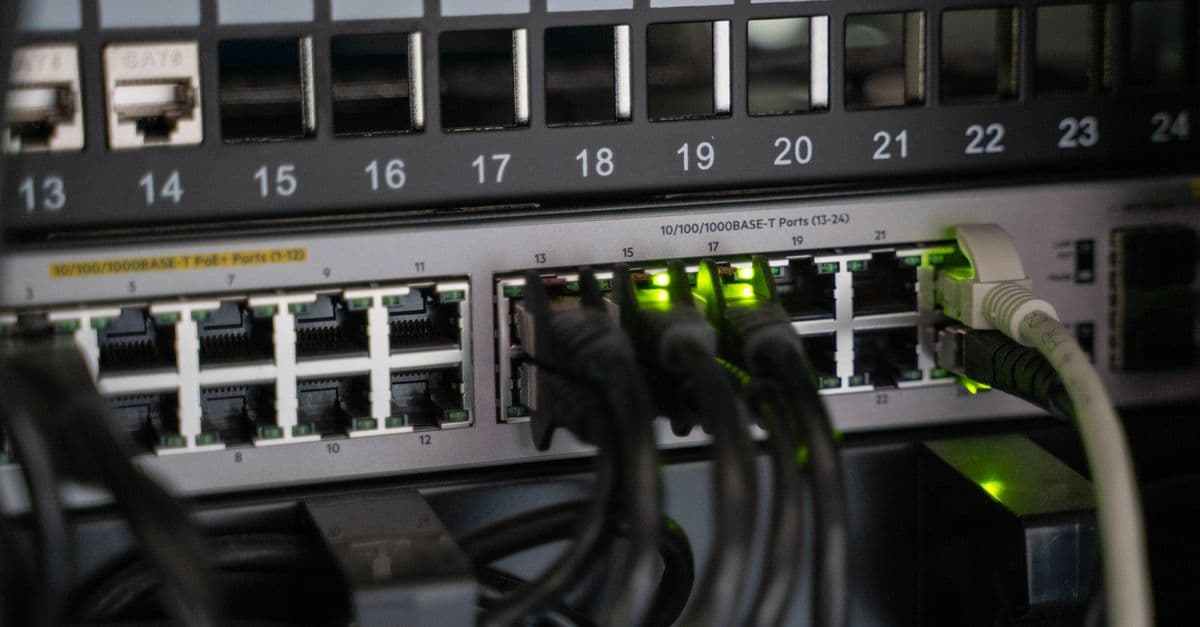
Photo: Vladimir Srajber / Pexels
You open your laptop, click a link, and within milliseconds a webpage appears. In that brief moment, your device exchanged dozens of radio-wave packets with a plastic box on the wall, which spoke to another box, which spoke over copper or fiber to a server thousands of kilometers away. The miracle is not the internet itself — it is that the last few meters happen invisibly, through air, using a technology most people have never actually stopped to understand.
WiFi is the wireless link that makes this convenient. Despite the name, "WiFi" is not technically an acronym — it is a brand chosen by the Wi-Fi Alliance to market a family of standards known formally as IEEE 802.11. Here is how it actually works, from the physics of the radio wave to the security handshake that keeps your neighbor out of your network.
What WiFi actually is: a radio, not magic
Strip away the branding and a WiFi router is a two-way radio, not unlike a walkie-talkie, tuned to specific frequency bands that governments have set aside for unlicensed use. "Unlicensed" is the key word: unlike the spectrum a cell carrier pays billions of dollars to lease from the government, the 2.4 GHz, 5 GHz, and 6 GHz bands are free for anyone to transmit on, as long as devices stay under strict power limits set by regulators like the US Federal Communications Commission (FCC) and Europe's ETSI. That is why your router, your neighbor's router, your microwave, and your Bluetooth earbuds can all legally share the same slice of spectrum without a license fee changing hands.
The IEEE 802.11 working group, part of the Institute of Electrical and Electronics Engineers, has been refining this radio protocol since the first version shipped in 1997 at a glacial 2 megabits per second (Mbps) — slower than a single modern photo takes to load. Each subsequent amendment to the standard added speed, spectral efficiency, or new features, and each amendment got its own letter suffix.
| Generation | IEEE name | Year | Bands | Peak theoretical speed |
|---|---|---|---|---|
| First WiFi | 802.11 | 1997 | 2.4 GHz | 2 Mbps |
| 802.11b | 802.11b | 1999 | 2.4 GHz | 11 Mbps |
| 802.11a | 802.11a | 1999 | 5 GHz | 54 Mbps |
| 802.11g | 802.11g | 2003 | 2.4 GHz | 54 Mbps |
| WiFi 4 | 802.11n | 2009 | 2.4 / 5 GHz | 600 Mbps |
| WiFi 5 | 802.11ac | 2014 | 5 GHz | 6.9 Gbps |
| WiFi 6 / 6E | 802.11ax | 2019 / 2021 | 2.4 / 5 / 6 GHz | 9.6 Gbps |
| WiFi 7 | 802.11be | 2024 | 2.4 / 5 / 6 GHz | 46 Gbps |
| WiFi 8 (in development) | 802.11bn | Expected 2028 | 2.4 / 5 / 6 GHz | ~23 Gbps, focused on reliability, not peak speed |
Table: The 802.11 standards family, from the first 2-Mbps release in 1997 through the WiFi 8 draft targeted for completion in the first half of 2028.
Those theoretical peak numbers are lab conditions with the newest antennas, wide channels, and zero interference — nobody's living room reaches 46 Gbps. What matters for your daily browsing is not the marketing number on the router's box but the mechanics underneath it, which is what the rest of this article unpacks.
The Wi-Fi Alliance, the industry consortium that certifies interoperability between vendors, introduced the simplified "WiFi 4/5/6/7" naming scheme in 2018 specifically because "802.11ac" and "802.11ax" meant nothing to ordinary shoppers standing in front of a router display.
Riding radio waves: how bits become airwaves
WiFi uses unlicensed radio bands at 2.4 GHz, 5 GHz, and, since WiFi 6E, 6 GHz. To send data, the radio has to encode 1s and 0s onto a continuous carrier wave — a process called modulation. Think of the carrier wave as a blank sheet of paper and modulation as the alphabet you write on it: the wave itself carries no information until you vary some property of it in a pattern the receiver can decode.
Modern WiFi layers two techniques on top of each other.
Quadrature Amplitude Modulation (QAM) varies both the amplitude (height) and phase (timing offset) of the wave to pack more bits into each transmitted "symbol." It works like Morse code that graduated from two symbols (dot and dash) to a much richer alphabet: WiFi 5 uses 256-QAM, squeezing 8 bits into each symbol; WiFi 6 uses 1024-QAM for 10 bits; WiFi 7 pushes to 4096-QAM for 12 bits per symbol. Each jump requires the receiver to distinguish increasingly subtle differences in the wave, which is why higher QAM levels only work when the signal is strong and clean — stand too far from the router and your connection quietly falls back to a lower, more forgiving QAM level.
Orthogonal Frequency-Division Multiplexing (OFDM) splits a single WiFi channel into dozens of narrow subcarriers and transmits data on all of them at once, rather than sending one continuous stream. The "orthogonal" part means the subcarriers are mathematically spaced so they do not interfere with each other even though they overlap in frequency — a trick borrowed from digital television and 4G LTE. This matters because indoor environments bounce radio waves off walls and furniture, creating echoes (multipath interference) that would garble a single wideband signal. Splitting the data across many narrow subcarriers makes the transmission far more resistant to those echoes.
OFDMA (Orthogonal Frequency-Division Multiple Access), introduced with WiFi 6, takes OFDM a step further by letting the access point assign different subcarriers to different devices within the same transmission window. Picture a delivery company that used to send one truck per customer, even for a single small package — that is old WiFi, where each device waits its turn for the whole channel. OFDMA is that same company switching to one truck carrying labeled crates for a dozen customers on the same trip. In a crowded apartment with 20 smart-home devices, OFDMA is the single biggest reason WiFi 6 feels snappier than WiFi 5, even at the same headline "Mbps" rating.
MIMO and beamforming: more antennas, more data
A second physical trick, independent of modulation, is Multiple-Input Multiple-Output (MIMO), introduced with WiFi 4 in 2009. Instead of one antenna sending one stream of data, a MIMO router uses multiple antennas to send several spatial streams simultaneously, each bouncing off the room's walls and furniture along a slightly different path. The receiver's antennas untangle the overlapping signals using the mathematics of how each path distorted them.
MU-MIMO (multi-user MIMO), added in WiFi 5, lets the router serve several different devices with separate spatial streams at the same time instead of one device at a time. Beamforming, meanwhile, is the router steering its signal energy toward a specific device's location rather than broadcasting evenly in all directions, the radio equivalent of a directional flashlight instead of a bare bulb.
The journey of a packet: from your click to the server and back
When you load a webpage, the wireless hop is only the first leg of a much longer relay race. Here is the full path a request takes:
- Association and authentication. Before any data moves, your device and the access point complete a handshake: the device scans for the network's name (SSID), authenticates using the WPA3 password, and negotiates encryption keys.
- Device → Router (WiFi link). Your laptop sends an encrypted packet via radio waves to the wireless access point, using the modulation and OFDM/OFDMA techniques described above.
- Router → Modem. The router forwards the packet through Ethernet (often inside the same physical box) to the modem, which is the device that actually talks to your internet service provider's network.
- Modem → ISP. The modem converts the signal to whatever physical medium your provider uses — coaxial cable, DSL copper, or fiber-optic glass — and sends it toward the ISP's local network.
- ISP → Internet backbone. Routers across multiple interconnected networks forward the packet toward its destination using Border Gateway Protocol (BGP), the routing protocol that decides which path across the internet's many networks a packet should take.
- Server response. The destination server processes the request and sends its response back, retracing a similar (though not always identical) path.
The wireless hop is usually the slowest and least reliable link in that entire chain, not because radio is inherently slow, but because it is shared, unshielded spectrum competing with every other device in range. For a deeper look at what happens once your packet leaves the router, see our internet explained article, which covers undersea cables, BGP routing, and the physical backbone that carries traffic between continents.
What does "Mbps" actually measure on my router?
Mbps stands for megabits per second, a measure of the maximum data throughput a link can theoretically sustain. It is not the same as megabytes per second (there are 8 bits in a byte), and it is a ceiling, not a guarantee — actual speed depends on distance, interference, how many devices share the channel, and your ISP's plan.
Channels and interference: why WiFi slows down in apartment buildings
Every WiFi band is divided into channels, and understanding channel math explains most real-world WiFi complaints. The 2.4 GHz band spans roughly 2.4 to 2.5 GHz and is carved into channels that are only 20 MHz wide but spaced just 5 MHz apart, which means adjacent channels overlap. In the United States, this leaves only three non-overlapping channels — 1, 6, and 11. If your router is on channel 6 and your neighbor's is on channel 8, the overlap causes real interference and measurable slowdown, because both routers are effectively shouting over each other on shared frequency.
The 5 GHz band offers far more room: up to 25 channels depending on region and regulatory restrictions around radar-sharing requirements (Dynamic Frequency Selection, required because some 5 GHz channels overlap with weather radar). WiFi 6E and WiFi 7 open an entirely new 6 GHz band, following the FCC's unanimous 2020 decision to allocate 1,200 megahertz of that spectrum for unlicensed use — the largest block of new WiFi spectrum released in over two decades. That 6 GHz band supports up to seven non-overlapping 160 MHz channels or fourteen 80 MHz channels, dramatically reducing congestion in dense apartment buildings where dozens of routers used to fight over the same three 2.4 GHz channels.
Band choice is also a physics trade-off, not just a capacity one. Lower frequencies travel farther and penetrate walls better because longer wavelengths diffract (bend) around obstacles more easily — think of how bass notes from a neighbor's stereo carry through walls while the treble disappears. That is exactly why 2.4 GHz reaches farther through your house than 5 GHz or 6 GHz, but is more crowded, since it also has to share space with microwave ovens, Bluetooth devices, baby monitors, and older cordless phones. 5 GHz and 6 GHz are faster and cleaner but attenuate faster through walls and floors, so a router in the basement may struggle to reach an upstairs bedroom on 6 GHz even though the same signal would easily make it on 2.4 GHz.
Channel width compounds this trade-off. A router set to a wide 160 MHz channel moves more data per second but is more likely to overlap with a neighbor's channel and more susceptible to interference; a narrow 20 MHz channel is slower per device but far more robust in a crowded building. Most modern routers handle this automatically, but manually narrowing your channel width is a genuinely useful fix in dense apartment complexes where automatic channel selection keeps landing on a congested frequency.
Security: WEP to WPA to WPA2 to WPA3
WiFi security has been a long, occasionally embarrassing evolution, and understanding why each generation failed explains why WPA3 matters today.
- WEP (Wired Equivalent Privacy, 1997) used a fundamentally flawed encryption scheme that reused short initialization vectors, making it crackable with widely available tools in minutes on period hardware. It should never be used today; most routers no longer even offer it as an option.
- WPA (WiFi Protected Access, 2003) was a stopgap the Wi-Fi Alliance rushed out once WEP's flaws became public, layering the Temporal Key Integrity Protocol (TKIP) on top of the same hardware. It closed WEP's worst holes but was also eventually broken.
- WPA2 (2004) introduced AES-CCMP encryption, a genuinely strong cipher, and served as the industry standard for roughly 14 years. That run ended in October 2017 when Mathy Vanhoef and Frank Piessens of KU Leuven published the KRACK (Key Reinstallation Attack), which exploited a flaw in WPA2's four-way handshake — the process a device and router use to confirm they both hold the correct password-derived key. By repeatedly forcing a retransmission of the handshake's third message, an attacker could trick a device into reinstalling an already-used encryption key, in the worst cases (particularly on Android 6.0 and Linux) an all-zero key, effectively stripping encryption entirely. The flaw affected the protocol itself, not any single vendor's implementation, meaning essentially every WPA2 device on the planet needed a patch.
- WPA3 (2018) is the current standard and directly answers KRACK's underlying weakness. It replaces the vulnerable pre-shared-key handshake with SAE (Simultaneous Authentication of Equals), a password-authenticated key exchange that resists offline dictionary attacks — even if an attacker records your encrypted handshake, they cannot feed it to a password-cracking rig later, because SAE requires live interaction with the network for each guess. WPA3 also adds forward secrecy, meaning a compromised password cannot be used to decrypt traffic that was captured in the past.
Always use WPA3 if your router and every device on your network support it; mixed WPA2/WPA3 "transition mode" exists for backward compatibility but re-opens some of WPA2's weaknesses, so treat it as a temporary bridge, not a destination.
Does a strong WiFi password alone keep me safe?
No. WPA3 secures the radio link itself, but a weak or reused password, an outdated router firmware, or a compromised device already on your network can all undermine that protection. Router firmware updates matter as much as the password — vendors regularly patch newly discovered flaws in the router's own software, separate from the WPA3 protocol.
Mesh networks: solving the dead-zone problem
Traditional WiFi puts all the work on a single router, which means signal strength fades with distance and walls, leaving weak spots or total dead zones in far bedrooms, garages, and basements. Mesh systems — commercially sold under names like eero, Google Nest WiFi, and ASUS ZenWiFi — solve this with multiple coordinated nodes placed throughout a home, each acting as a mini access point that relays traffic to its neighbors until it reaches the node wired to the internet connection.
The mechanism that makes mesh feel seamless, rather than like three separate WiFi networks you manually switch between, relies on three IEEE amendments published specifically for this purpose: 802.11k helps a device discover which nearby access point has the strongest signal before it needs to switch, 802.11v lets the network suggest a better access point to a device that is lingering on a weakening signal, and 802.11r speeds up the re-authentication process during that handoff so a video call or game connection does not stutter. Devices roam between nodes under a single shared network name and password, and better mesh systems dedicate one radio band entirely to node-to-node "backhaul" traffic, keeping the user-facing bands free for actual devices rather than splitting bandwidth between backhaul and client traffic on the same channel.
Mesh is not free performance, though — every hop a packet takes between nodes before reaching the wired connection adds a small amount of latency, which is why placement (minimizing hops to the internet-connected node) matters more in mesh systems than in a single-router setup.
WiFi vs. 5G cellular: when does each win?
WiFi and 5G cellular solve overlapping but distinct problems, and the two increasingly complement each other rather than compete, particularly as carriers deploy 5G-WiFi offload to reduce congestion on their own licensed spectrum.
| Feature | WiFi 6/7 | 5G cellular |
|---|---|---|
| Typical peak speed | 1–10 Gbps | 100 Mbps – 4 Gbps |
| Range | 30–100 m indoors | Hundreds of meters to kilometers |
| Latency | 1–5 ms | 5–30 ms (sub-1 ms in URLLC network slices) |
| Spectrum | Unlicensed, free to use | Licensed, carrier-owned |
| Cost model | One-time hardware purchase | Recurring monthly data plan |
| Best use case | Home, office, fixed indoor locations | Mobility, outdoor coverage, no WiFi available |
| Devices per access point / cell | Roughly 50–250 | Thousands |
| Setup and management | User installs and configures router | Carrier-managed infrastructure |
Table: Practical differences between home/office WiFi and 5G cellular networks — the two are complementary, not competing, technologies for most users.
For stationary, high-bandwidth use inside a building you control, WiFi wins decisively on both cost and raw speed, since you are not paying for gigabytes and can install more access points as needed. For mobility, outdoor coverage, or areas without installed WiFi infrastructure, 5G wins because it does not require you to be within range of a router you own.
WiFi 7 and what comes after it
802.11be, branded WiFi 7, received Wi-Fi Alliance certification for its first devices in early 2024 and brings three genuinely significant architectural changes rather than just another speed bump.
320 MHz channels double the maximum channel width available in the 6 GHz band compared to WiFi 6E's 160 MHz ceiling, directly doubling raw throughput potential for devices close enough to sustain it. 4096-QAM encodes 12 bits per symbol versus WiFi 6's 10 bits, a roughly 20% density improvement, though it demands an even cleaner signal to actually achieve.
The most architecturally important change is Multi-Link Operation (MLO), which breaks an assumption that has held since the very first 802.11a amendment in 1999: that a device talks to an access point on one band at a time. MLO lets a WiFi 7 device transmit and receive simultaneously across 2.4 GHz, 5 GHz, and 6 GHz, aggregating bandwidth across bands and, more importantly, using the other bands as instant failover if one gets a burst of interference. That failover behavior is what actually improves the experience for latency-sensitive use cases like video calls, cloud gaming, and virtual reality headsets — not the theoretical 46 Gbps peak that almost no home network will ever sustain in real conditions.
Looking further out, WiFi 8 (802.11bn) is currently in development with completion targeted for the first half of 2028 and certification expected shortly after. Unlike every prior generation, WiFi 8's stated design goal is not higher peak speed — its theoretical ceiling of roughly 23 Gbps is actually lower than WiFi 7's 46 Gbps figure — but consistency: reducing dropped connections, smoothing handoffs between access points through multi-AP coordination, and maintaining stable throughput in crowded environments rather than chasing a bigger headline number. That shift in priority reflects an honest admission from the industry that most homes and offices were never bandwidth-starved by WiFi 6 or 7 in the first place; the actual pain point has been reliability.
Common mistakes and misconceptions about WiFi
"5 GHz is always faster than 2.4 GHz." Usually true when the signal is strong, but 5 GHz attenuates faster through walls and floors, so at long range or through multiple obstacles, 2.4 GHz frequently delivers a faster, more stable connection despite its lower ceiling. The right band depends on the device's distance from the router, not a fixed rule.
"More bars means more speed." Signal strength bars measure how strong the connection is, not how fast it is. A device can show full bars on a congested channel shared with 15 neighbors and still transfer data slower than a device with fewer bars on a clean, uncontested channel.
"Router placement doesn't matter much." It matters enormously. Radio waves lose intensity with the square of distance and lose additional energy passing through each wall, especially concrete, brick, and anything containing metal or water (aquariums and mirrors are surprisingly effective WiFi blockers). Central, elevated placement away from large appliances typically outperforms an expensive router placed in a bad spot.
"Every device benefits from WiFi 7." Only devices with a WiFi 7 radio can use WiFi 7's features; an older phone connecting to a WiFi 7 router still negotiates down to whatever standard it supports. Buying a new router upgrades the ceiling, not the floor.
"WiFi radiation is dangerous." WiFi transmits using non-ionizing radio waves, the same broad category as FM radio and visible light, at power levels far below the thresholds associated with tissue heating or DNA damage. Major health authorities, including the World Health Organization, do not classify WiFi exposure at typical consumer power levels as a known health risk.
FAQs
Q: Is 5 GHz always faster than 2.4 GHz? A: Usually yes, when signal is strong. But 5 GHz attenuates faster through walls, so 2.4 GHz can be faster at long range or through multiple obstacles.
Q: Why is WiFi sometimes slower than my internet plan? A: Your WiFi link is a separate bottleneck. Old standards, weak signal, channel interference, or older device radios can cap throughput well below your ISP's speed, even on a fast fiber connection.
Q: Do I need WiFi 7 right now? A: Only if you already own WiFi 7 client devices, such as the newest flagship phones and laptops. Otherwise, WiFi 6 or 6E delivers excellent real-world performance for years to come, and the router upgrade alone will not speed up an older device.
Q: Is WiFi radiation dangerous? A: No. WiFi uses non-ionizing radio waves at power levels far below thresholds associated with biological damage, and the World Health Organization does not classify typical WiFi exposure as a known health risk.
Q: Why does my WiFi disconnect when I open the microwave? A: Microwave ovens operate near 2.45 GHz and leak a small amount of energy from imperfect shielding, which interferes directly with 2.4 GHz WiFi. Switching your device to the 5 GHz band avoids this entirely.
Q: Can someone hack my WiFi if I use WPA3? A: WPA3's SAE handshake is currently very strong against remote and offline dictionary attacks. The realistic risks left on a WPA3 network are weak or reused passwords, outdated router firmware, and already-compromised devices on the network, not the WPA3 protocol itself.
Q: What is the difference between my router and my modem? A: The modem is the device that translates your ISP's physical signal (cable, DSL, or fiber) into data your home network can use; the router creates the local WiFi network and directs traffic between your devices and the modem. Many ISP-provided boxes combine both functions into a single unit.
Q: Why do some smart home devices only support 2.4 GHz? A: Cheap, low-power chips built for smart plugs, bulbs, and sensors are often designed only for 2.4 GHz because it is a mature, inexpensive radio standard with better range through walls, which matters more for a stationary device than raw speed does.
Q: Does a VPN slow down my WiFi? A: A VPN adds encryption and routing overhead and typically sends your traffic to a more distant server, both of which can reduce measured speed, but this happens after your data leaves the WiFi link itself, not because of the WiFi connection.
Q: How many devices can realistically share one router before it slows down? A: There is no fixed number, since it depends on how much bandwidth each device demands simultaneously, but a typical consumer access point begins showing real congestion once 20 to 30 active devices compete for the same channel at once, well before hitting the theoretical hardware limit.
The takeaway
WiFi feels like magic because the engineering that makes it work — modulation, OFDM, MIMO, channel management, and a security handshake refined over three decades — is designed to disappear into the background. Every generation since 1997 has chased the same underlying goal: pack more bits into the same slice of shared, license-free spectrum without making the connection less reliable. WiFi 7's Multi-Link Operation and WiFi 8's coming focus on consistency over peak speed both signal the same lesson the industry has learned the hard way: most people were never actually starved for bandwidth, they were starved for a connection that just works.
Read next:
Sources
- IEEE 802.11 Working Group — official standards specifications and amendment history.
- Intel: Wi-Fi 7 Series Products and Solutions — WiFi 7 (802.11be) technical specifications, including 320 MHz channels, 4096-QAM, and MLO.
- Wi-Fi NOW Global: Wi-Fi 8 standard on track for completion in 1H2028 — 802.11bn timeline and reliability-focused design goals.
- KRACK Attacks: Breaking WPA2 (Vanhoef & Piessens, KU Leuven, 2017) — original disclosure of the Key Reinstallation Attack against WPA2's four-way handshake.
- FCC: Unlicensed Use of the 6 GHz Band (2020 ruling) — the decision opening 1,200 MHz of 6 GHz spectrum for unlicensed WiFi use.
- Wi-Fi Alliance — WiFi 4/5/6/7 consumer naming scheme and device certification program.
- World Health Organization — electromagnetic fields and public health fact sheets on radiofrequency exposure.
Follow new articles
Add SciHub101 to your feed reader to see new science and technology stories.
About the Author
SciHub101 is an independent science and technology publication founded and edited by Buğra Sözeri, a software engineer and app developer based in Türkiye. AI tools assist with drafting and research. Source documentation in the existing archive is uneven, and articles are being reviewed and corrected. The Editorial Team byline identifies editorial responsibility; it does not certify specialist or independent human review. Where we compare products, anything built by our own team is labelled as such — see the editorial guidelines and About page for how corrections and disclosures work.
Related Articles

How Touchscreens Work — Resistive to Capacitive
The physics behind resistive, capacitive, infrared, and acoustic touchscreens — plus stylus tech, force touch, and foldable displays.

Cloud Computing Explained — AWS, Azure, GCP
What cloud computing actually is, the IaaS/PaaS/SaaS service models, and how AWS, Azure, and GCP compare on services, pricing, and strengths.

How Wi-Fi and 5G Actually Work
Wireless data is invisible, but the engineering behind it is surprisingly concrete — radio waves, spectral efficiency, and antenna tricks.
Hedy Lamarr: The Hollywood Star Who Invented the Technology Behind WiFi and Bluetooth — SciHub101
Hedy Lamarr's life and verified quirks: Hollywood's most glamorous star invented frequency hopping during WWII, studied technical manuals between takes, and never received patent royalties.
What If WiFi Signals Were Secretly Damaging Your Brain? What Science Actually Shows
WiFi has been blamed for headaches, sleep problems, even cancer. Here's the actual physics and biology — and why decades of evidence don't support the dramatic claims.
Best Free E-Signature Tools in 2026 (No Signer Account)
Best free e-signature tools in 2026 where signers need no account: eSignSimple, Zoho Sign, SignWell, Dropbox Sign, DocuSign and Adobe compared on limits and audit trails.