How Touchscreens Work — Resistive to Capacitive
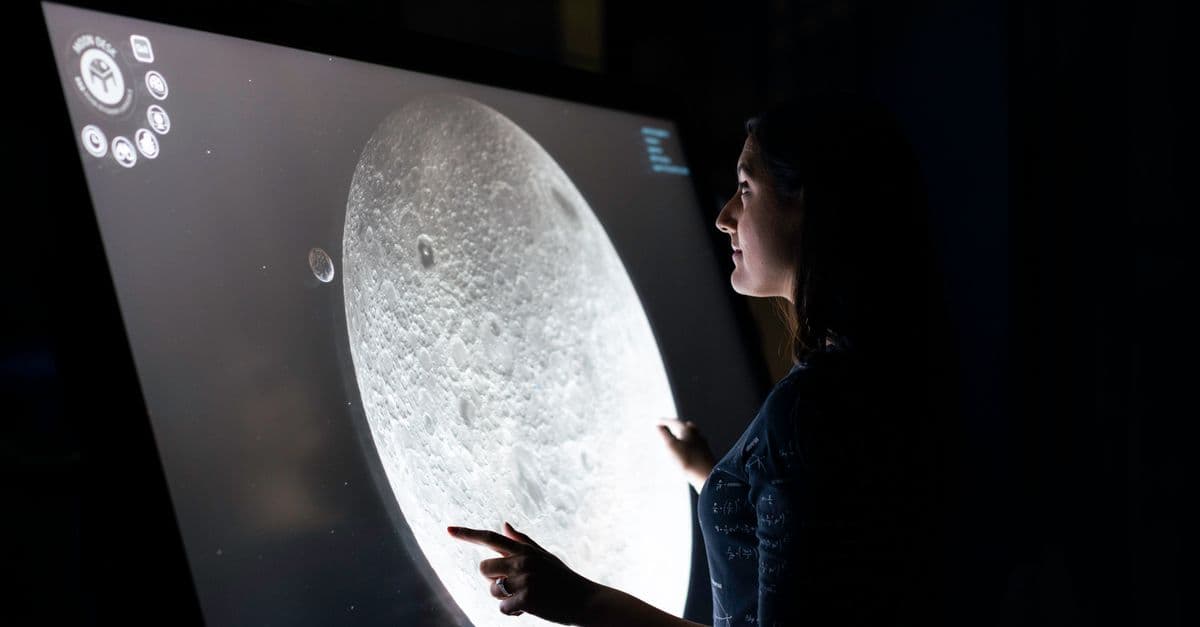
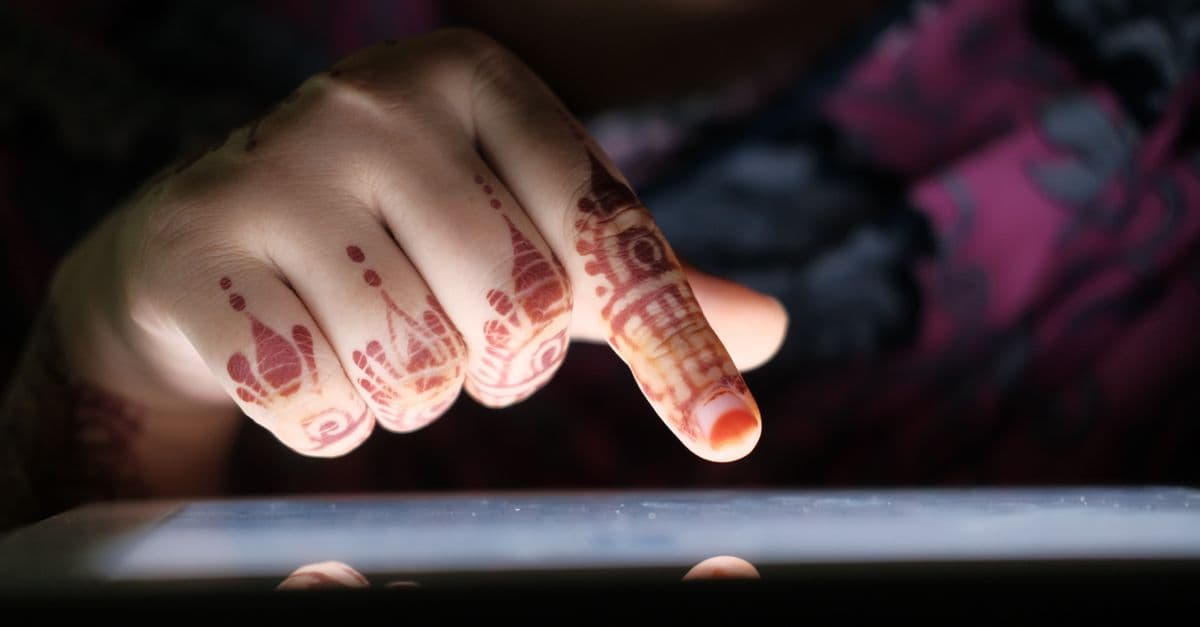
Photo: ThisIsEngineering / Pexels
Touch a phone screen and it responds in under a tenth of a second, tracking two, five, or ten fingers at once without a single moving part. That responsiveness hides real engineering: a grid of invisible electrodes, a controller chip doing thousands of measurements a second, and decades of trial and error across at least six competing sensing technologies. This article walks through how resistive, capacitive, infrared, and acoustic touchscreens actually detect a touch, why your phone ignores gloves but not water, and how the same physics scales down into a foldable phone's flexible screen.
The problem every touchscreen has to solve
A touchscreen has one job that sounds simple and isn't: figure out the X and Y coordinates of contact on a flat surface, in real time, without adding meaningful thickness or blocking light from the display underneath. Every touch technology on the market is a different answer to that same constraint.
The earliest attempt predates the smartphone by decades. E.A. Johnson, working at the UK's Royal Radar Establishment, described a capacitive touch-sensing method in a 1965 paper in Electronics Letters, and the resulting system controlled UK air-traffic control displays into the late 1990s. Johnson filed a UK patent in 1965 and received US patent 3,482,241 in 1969 — the foundational patent for the capacitive sensing every modern phone still uses (Stanford large.stanford.edu overview).
What changed between that air-traffic-control prototype and a $1,000 smartphone is not the core physics. It's manufacturing precision, controller chip speed, and the ability to etch a grid of electrodes fine enough and fast enough to track ten fingers moving at once. That gap took roughly 45 years to close.
Resistive touchscreens: pressure, not electricity
Resistive screens are the mechanical answer to the touch-sensing problem, and they were the dominant consumer touch technology through the 1990s and early 2000s — think PalmPilots, early Nintendo DS units, and the first-generation smartphone styluses. You'll still find them today in point-of-sale terminals, industrial control panels, ATMs, and budget e-readers, because they're cheap and nearly indestructible.
The construction is straightforward. Two flexible layers, each coated with a transparent conductive material — almost always indium tin oxide (ITO) — sit a fraction of a millimeter apart, separated by a grid of microscopic insulating spacer dots. A glass or rigid plastic substrate sits behind the whole stack for support.
When you press the screen, the top flexible layer bends down and physically touches the bottom layer at that exact point, completing an electrical circuit. The controller chip applies a voltage across one layer and measures the voltage gradient at the point of contact on the other layer, first for the X-axis, then it swaps and measures Y. Because the trigger is mechanical deformation, not an electrical field, resistive screens respond to anything that can apply localized pressure: bare fingers, gloved hands, fingernails, a stylus, even a pen cap.
That universality is the whole appeal, and it's why resistive touch survives in environments where gloves are mandatory — food service kiosks, warehouse scanners, medical devices that need to tolerate latex gloves and sanitizer. The trade-offs are equally real. Two extra plastic layers between your eye and the display reduce optical transmission, so resistive screens look duller than capacitive ones under the same backlight. The flexible top layer is soft and scratches easily. Standard four-wire and five-wire resistive designs only register one contact point reliably, so true multi-touch gestures like pinch-to-zoom are either absent or clumsily simulated. And the screen has actual physical give, which feels mushy compared to the instant, layer-free response of a capacitive display.
Q: Do resistive touchscreens work with gloves?
A: Yes. Because resistive screens detect mechanical pressure rather than an electrical field, any object that can flex the top layer down onto the bottom layer registers a touch — bare fingers, gloved hands, styluses, or fingernails all work identically.
Capacitive touchscreens: reading the electric field
Capacitive screens are what almost every phone, tablet, and touch laptop sold since 2010 uses, and the mechanism is fundamentally different from resistive: instead of detecting pressure, the screen detects a disturbance in an electric field.
The cover glass carries a thin, transparent conductive layer held at a known, low voltage — invisible to the eye because ITO is optically clear at the thicknesses used in displays. Human skin is mostly saltwater, which is electrically conductive, and your body at rest holds a small amount of stored charge relative to that field. When a finger approaches or touches the glass, it draws a tiny amount of charge from the field at that location. The controller chip is watching for exactly that disturbance, continuously, across a grid.
There are two capacitive sensing approaches, and understanding the difference explains why some large touchscreens still can't do real multi-touch:
- Self-capacitance measures the capacitance of each individual electrode pad relative to ground. A known voltage is applied to an electrode, and the circuit measures how much charge flows back — Q = CV, in the same relation physics students learn for any capacitor. Self-capacitance produces a strong, easy-to-read signal, but with more than one finger down it can generate "ghost points" — phantom coordinates the controller can't distinguish from real touches.
- Mutual capacitance uses a grid where rows carry a driving current and columns sense the capacitance formed at each row-column intersection. Because every intersection is measured independently, mutual capacitance handles true multi-touch cleanly — this is the scheme behind pinch-to-zoom, two-finger scroll, and five-finger gestures on virtually every modern smartphone (Stanford summary of self- vs. mutual-capacitance sensing).
Within capacitive technology, there are two implementations that matter for the consumer market:
- Surface capacitive. A single conductive layer with voltage applied at the four corners of the panel. The controller measures how much current is drawn from each corner to triangulate a single touch point. It's cheap and rugged, but single-touch only, which is why it survives mostly in older retail kiosks and is functionally obsolete for anything you'd buy today.
- Projected capacitive (PCAP). A fine grid of transparent X and Y electrodes sits underneath the cover glass, and the controller scans every intersection for capacitance change. This is the scheme in every current iPhone, Android phone, iPad, and touch-enabled laptop, because it delivers precise, low-latency multi-touch tracking across the whole panel.
Because PCAP relies on a conductive object completing part of the circuit, it fails with ordinary winter gloves — fabric and leather are insulators, so no charge transfer happens and the controller sees nothing. "Touchscreen gloves" solve this with conductive silver or copper thread woven into the fingertips, restoring the electrical path your bare finger would otherwise provide.
Where the touch sensor actually sits: out-of-cell, on-cell, and in-cell
Smartphone makers obsess over shaving fractions of a millimeter off total display thickness, and where the touch sensor sits relative to the display panel is one of the biggest levers they have.
Out-of-cell designs bond a completely separate touch-sensor layer on top of the finished display module, sandwiched under the cover glass. It's the oldest, simplest, and thickest approach, and it adds an extra air gap or optical adhesive layer that can introduce a faint visual gap between the glass and the pixels underneath.
On-cell designs move the touch electrodes to sit directly on top of the display panel itself — specifically between the display's encapsulation layer and the cover glass — eliminating one lamination step and one layer of thickness.
In-cell designs go a step further and build the touch-sensing electrodes directly into the display's own thin-film-transistor (TFT) or OLED backplane structure, so touch sensing and pixel driving share the same manufacturing layer. This is standard in modern OLED flagship phones because it produces the thinnest possible stack, the best optical clarity (no extra layer to reflect or scatter light), and the "single sheet of glass" feel that high-end phones are marketed on.
The trade-off is repairability and cost: because the touch layer is fused into the display panel itself, in-cell designs mean a cracked screen and a dead touch sensor usually fail together, and independent screen repair shops have less ability to service just one component.
Infrared, acoustic wave, and optical touch — the technologies built for scale
Capacitive and resistive dominate consumer devices, but neither scales well to a 75-inch interactive whiteboard or an outdoor kiosk that has to survive direct sun and rain. Three other technologies fill that gap, each solving the size and durability problem differently.
Infrared (IR) touch places a grid of infrared LEDs and photodetectors around the bezel, forming an invisible lattice of light beams just above the screen's surface. Anything that physically breaks two or more beams — a finger, a stylus, a gloved hand, a pointer — gets localized by which beams were interrupted. Because there's no overlay material on the display at all, IR touch has the best possible optical clarity and works with literally any opaque object. It shows up in large interactive kiosks, digital whiteboards used in classrooms, some older e-readers like early Kindles, and industrial control screens. Its weak point is environmental: dust accumulation and strong direct sunlight can both interfere with the IR beam detection.
Surface acoustic wave (SAW) sends ultrasonic sound waves traveling across the glass surface from transducers at the edges. A finger touching the glass absorbs a small, measurable amount of that wave's energy at that location, and the controller calculates position from the change in the wave pattern reaching the receiving transducers. Like IR, SAW has no overlay layer, so image quality is excellent, but water droplets or heavy dirt on the surface can absorb wave energy the same way a finger does, causing false or missed touches — a real problem for outdoor ATMs and kiosks in wet climates.
Optical (camera-based) touch places small infrared cameras in the corners of a large display and triangulates the position of any object that enters the camera's field of view near the surface. It scales well to very large formats — some interactive video walls exceed 100 inches — where a fine electrode grid would be prohibitively expensive to manufacture.
| Technology | Multi-touch | Works with gloves | Optical clarity | Relative cost | Typical use case |
|---|---|---|---|---|---|
| Resistive | No (standard 4/5-wire) | Yes | Lower | Low | POS terminals, industrial panels, budget e-readers |
| Surface capacitive | No | No | High | Low | Legacy retail kiosks |
| Projected capacitive (PCAP) | Yes | Only with conductive-thread gloves | High | Medium | Smartphones, tablets, touch laptops |
| Infrared (IR) | Yes | Yes | Very high | High | Large kiosks, interactive whiteboards |
| Surface acoustic wave (SAW) | Limited | Yes | Very high | Medium-high | Outdoor kiosks, ATMs |
| Optical (camera-based) | Yes | Yes | High | Medium | Large interactive video walls, digital signage |
Table: Comparative overview of the six major touchscreen sensing technologies in commercial use.
Q: Which touch technology is most durable?
A: Resistive and infrared touchscreens have no delicate electrode grid exposed at the surface and tolerate abrasive environments well, which is why both remain common in industrial and outdoor kiosk settings despite losing the consumer market to capacitive touch decades ago.
What ITO is, and why the industry is trying to replace it
Almost every touchscreen technology described above — resistive, capacitive, even the transparent electrode layers used in some optical designs — depends on one unglamorous material: indium tin oxide (ITO), a compound that is both electrically conductive and optically transparent, a combination almost nothing else offers cheaply.
That dependence is becoming a supply-chain liability. Indium is classified as a critical raw material, with global reserves estimated at 50,000 to 80,000 metric tons and more than half of global production concentrated in China (PatSnap Eureka materials analysis). ITO is also mechanically brittle — it needs high-temperature vacuum deposition to form properly, and it cracks under the kind of repeated bending a foldable phone screen demands, which is precisely the market segment growing fastest.
The leading replacement candidate is silver nanowire (AgNW) mesh: silver is roughly 100 times more electrically conductive than ITO, and a touchscreen-sized electrode needs far less silver by mass than the equivalent ITO layer needs indium (Electronic Design comparison of AgNW vs. ITO). Silver nanowire films flex without cracking the way rigid ITO does, which is why they've already gained meaningful market share in large-format displays and are a leading candidate for future foldable-device touch layers. As of the most recent industry analyses, though, no substitute yet matches ITO's exact combination of transparency, conductivity, and manufacturing cost at full commercial scale, so ITO remains the default even as researchers actively work around its limits.
Stylus technology: passive tips versus active digitizers
Not every stylus talks to the screen the same way, and the split between "passive" and "active" styluses explains a lot of price variation on Amazon.
Passive styluses are, electrically, just a rubber or fiber-mesh tip shaped to mimic the conductivity and contact area of a fingertip. They work on any PCAP capacitive screen without pairing, batteries, or drivers, because as far as the touch controller is concerned, they are a finger. What they can't do is report pressure, tilt, or any data beyond an X-Y coordinate — the screen has no way to know a passive stylus isn't a finger.
Active styluses — the Apple Pencil, Microsoft Surface Pen, Samsung's S Pen — contain real electronics that communicate directly with a dedicated digitizer layer built into the display, and they support pressure sensitivity, tilt detection, palm rejection, and dramatically lower input latency than a finger touch achieves.
There are two competing active-stylus architectures worth knowing:
- Electromagnetic resonance (EMR), used by Wacom-licensed devices and Samsung's S Pen line, is battery-free. The display houses a fine grid of coils that generates an oscillating magnetic field, typically in the 150–200 kHz range. When the pen tip enters that field, a coil inside the stylus absorbs the energy — the same physical principle as wireless phone charging — and uses it to power a tiny internal circuit that modulates the field back. The display's sensor array reads phase and amplitude shifts across multiple coils to compute position, and reads variation in that returned signal to compute pressure and tilt, all without the pen ever needing a battery or charging port (Wacom's own explanation of EMR).
- Active capacitive coupling, used by Apple Pencil, requires an onboard battery and Bluetooth radio. The pen actively generates its own signal rather than passively reflecting the display's field, uses internal tilt and pressure sensors, and reports the results wirelessly. The Apple Pencil (2nd generation) is specified with sub-9 millisecond latency and detects more than 2,000 levels of pressure force, according to Apple's own technical specifications (Apple Pencil 2nd generation tech specs).
The practical difference shows up in responsiveness and maintenance. EMR pens need no charging, ever, but typically run 20–30 milliseconds of latency, noticeable during fast sketching but unimportant for note-taking. Active capacitive pens like the Apple Pencil trade a battery and charging cycle for latency low enough to feel closer to real ink.
Q: Why can't a pencil eraser trigger a capacitive touchscreen?
A: A capacitive screen only responds to objects that can conduct or store electrical charge. A pencil eraser, a wooden stylus, or a gloved fingertip is electrically insulating, so it can't draw charge from the screen's electric field and the controller never registers a touch.
Force-sensitive touch: measuring how hard, not just where
A fourth dimension beyond X, Y, and multi-touch is force: how hard a finger presses, not just where it lands. Apple shipped this as "3D Touch" on the iPhone 6s through the iPhone XS, using a combination of capacitive distance sensing and strain gauges positioned behind the display to measure how much the whole display assembly flexed under pressure, then mapping that flex to a pressure value the OS could act on — a firmer press could trigger a preview menu instead of opening an app.
Apple removed 3D Touch starting with the iPhone 11 generation and replaced it in software with "Haptic Touch," which simulates the same shortcut behavior using a long press paired with a haptic vibration, rather than true pressure measurement. The removal reflected cost, mechanical complexity, and — by Apple's own admission in developer guidance at the time — limited user discovery of the feature in the first place.
Force-sensing hardware didn't disappear entirely, though. Apple's MacBook trackpads still use a "Force Touch" mechanism: there's no physical click at all, just a rigid glass surface, strain gauges that detect how hard you're pressing, and a Taptic Engine that simulates the feel of a mechanical click through vibration. Because there's no moving button, the trackpad can register a "click" anywhere on its surface with identical force feedback, and can distinguish a light tap from a firm press for features like Force Click previews.
Foldable and flexible displays: bending the same physics
Foldable phones — the Samsung Galaxy Z Fold and Z Flip lines, the Google Pixel Fold — force every layer of the touchscreen stack, including the touch sensor itself, to survive hundreds of thousands of fold cycles without cracking. That rules out rigid ITO-on-glass in its traditional form and requires an in-cell or on-cell touch sensor built on a flexible plastic OLED substrate that can bend along with the display.
The cover material is the harder problem. Samsung markets its foldable cover layer as "Ultra Thin Glass" (UTG), genuine glass thinned down to fractions of a millimeter so it can flex at the crease. But independent durability testing has repeatedly found that the UTG layer itself scratches at roughly Mohs hardness 2, comparable to plastic, because every current foldable ships with a soft polymer (TPU or CPI) protective film bonded on top of the glass to cushion the fold point — and that polymer film, not the glass underneath, is what your finger actually touches and what accumulates scratches over time (XDA-Developers durability test coverage; SamMobile coverage of the same tests). Later generations, including the Galaxy Z Fold 6 and Flip 6, thickened the UTG layer and introduced uneven-thickness "Ultra Flexible Glass" — thinner exactly at the crease, thicker everywhere else — specifically to improve scratch resistance without sacrificing fold flexibility (Notebookcheck reporting on Z Fold 6 UTG hardness).
That protective polymer layer is exactly the kind of trade-off that runs through the entire history of touchscreen technology: every layer added to protect or enable touch sensing costs something in optical clarity, thickness, or durability, and foldable displays are simply where that trade-off is most visible to the end user.
Why your touchscreen sometimes misbehaves
A handful of real-world nuisances trace directly back to the physics described above, rather than being random software bugs.
- Cold, dry fingers carry less stored charge and have higher skin resistance than warm, slightly damp fingers, which weakens the capacitive signal a touch produces — this is the actual mechanism behind "my phone doesn't work well in winter," not a myth.
- Wet screens produce false or erratic touches because water itself is mildly conductive and can bridge multiple electrodes in the mutual-capacitance grid simultaneously, which the controller can misread as several simultaneous touches or a dragging gesture.
- Cheap or unshielded chargers can inject electrical noise into the phone's internal ground plane, which interferes with the touch controller's ability to distinguish a real capacitance change from electrical noise — a documented, reproducible cause of so-called "ghost touches," and part of why phone manufacturers specify shielded charging cables and certified chargers.
- Thick or poorly applied screen protectors add distance between a finger and the sensing electrode grid, which can measurably reduce capacitive sensitivity, particularly for cheaper tempered-glass protectors applied without proper adhesive contact.
What people get wrong about touchscreens
The most common misconception is that a touchscreen "sees" a finger the way a camera would. It doesn't — a capacitive screen has no idea what shape is touching it, only that something capable of drawing charge from its electric field made contact at a specific coordinate. That's why a moist orange peel, a sausage, or a bare toe can all register as valid touches, while a gloved hand or a dry pencil eraser cannot.
A second common assumption is that more expensive touch technology is always more accurate. It isn't — resistive touch, despite its lower cost and dated feel, can actually be more precise for stylus-based tasks like signature capture, because it responds to a hard, narrow point of pressure rather than needing a minimum contact area to register a capacitance change the way capacitive screens do.
A third misconception concerns in-cell displays specifically: people often assume "thinner touch layer" means "more fragile," but the opposite is generally true for impact resistance, since eliminating an air gap or adhesive bonding layer actually removes a point where delamination and internal cracking can start. What in-cell designs sacrifice is repairability, not durability — a cracked in-cell screen usually means replacing the whole display-and-touch assembly as one unit, which is why third-party phone screen repairs got noticeably more expensive as the industry shifted from on-cell to in-cell construction.
The takeaway
Every touchscreen on the market is answering the same question — where did you touch, and how many places at once — using one of a handful of physical principles: pressure, capacitance, broken light beams, or absorbed sound waves. Capacitive touch won the consumer market not because it's simpler than the alternatives, but because projected capacitive sensing scales to true multi-touch with a thin, durable, optically clear stack that fits inside a phone a few millimeters thick. The technology's real constraint going forward isn't sensing precision, it's materials science: indium supply limits and glass brittleness are already reshaping how foldable and next-generation displays get built, and the humble transparent electrode is quietly one of the more contested pieces of real estate in consumer electronics.
Read next:
FAQs
Q: Why don't capacitive screens work with regular gloves? A: Gloves made of fabric or leather are electrical insulators, so they block the conductive path between your finger and the screen's electric field, and the controller never registers a charge disturbance. Touchscreen-compatible gloves solve this with conductive silver or copper thread woven into the fingertips.
Q: Can capacitive screens detect non-finger objects? A: Only objects that conduct electricity or can store charge. A wooden stylus or pencil eraser won't register a touch; a passive capacitive stylus, a knuckle, or even a moist piece of fruit will, because all three can draw charge from the screen's electric field the same way a finger does.
Q: Why does my screen go crazy when it's wet? A: Water is conductive enough to bridge multiple electrodes in the touch grid simultaneously, which the controller can misinterpret as several real touches happening at once or a continuous drag gesture, producing the erratic, jumpy behavior known as ghost touching.
Q: What killed 3D Touch on the iPhone? A: Apple discontinued 3D Touch starting with the iPhone 11 lineup, citing the hardware's cost and mechanical complexity relative to how many users actually discovered and used the feature. It was replaced in software with Haptic Touch, a long-press-plus-vibration substitute that doesn't measure true pressure.
Q: Is in-cell touch technology better than on-cell? A: In-cell integration produces a thinner stack and better optical clarity because it removes an entire bonding layer, but it's more expensive to manufacture and, because touch sensing and the display panel are fused, harder and pricier to repair independently. Most current OLED flagship phones use in-cell or closely related integrated designs despite the repair trade-off.
Q: How does the Apple Pencil detect tilt and pressure without touching a special layer the way EMR pens do? A: The Apple Pencil (2nd generation) uses onboard tilt and pressure sensors combined with a Bluetooth radio to report orientation, force, and position data directly to the iPad many times per second, rather than relying on a passive electromagnetic exchange with the screen the way Wacom-style EMR styluses do. Apple specifies over 2,000 pressure levels and sub-9 millisecond latency for the design.
Q: What is the difference between self-capacitance and mutual capacitance sensing? A: Self-capacitance measures each electrode's capacitance relative to ground and produces a strong signal but can generate false "ghost" coordinates with more than one finger down. Mutual capacitance measures the capacitance formed at every intersection of a row-and-column electrode grid independently, which is what makes accurate, glitch-free multi-touch gestures like pinch-to-zoom possible on modern phones.
Q: Why is indium tin oxide (ITO) still used if it's a scarce material? A: No commercially available alternative yet matches ITO's specific combination of high transparency, sufficient electrical conductivity, and low manufacturing cost at full production scale. Silver nanowire mesh is the leading substitute, especially for flexible and foldable displays where rigid ITO tends to crack, but it hasn't fully displaced ITO across the broader touchscreen market.
Q: Does a thicker screen protector actually reduce touch sensitivity? A: Yes, measurably. Capacitive sensing depends on how much charge a finger can draw from the electric field at the cover glass surface, and adding a thick tempered-glass or plastic layer on top increases the physical distance between your finger and the sensing electrodes, which weakens that signal and can require firmer presses to register.
Q: Why do foldable phone screens scratch more easily than a normal phone's screen? A: Foldable phones use a soft protective polymer film (TPU or CPI) bonded over their ultra-thin glass layer to let the display bend at the crease without shattering, and that polymer is what your finger actually contacts. It scratches at roughly Mohs hardness 2, comparable to plastic, versus Mohs 5 to 6 for the rigid, chemically strengthened glass used on non-folding phone screens.
Sources
- E.A. Johnson (1965), capacitive touch-sensing method described in Electronics Letters; UK patent filed 1965, US Patent 3,482,241 granted 1969 — summarized in Stanford University, Physics 250 course notes
- PatSnap Eureka: ITO Touch Screen Electrode — Materials, Manufacturing, and Emerging Alternatives
- Electronic Design: What's the Difference Between Silver Nanowire and ITO for Touchscreens?
- Wacom Support: What Is the EMR (Electro-Magnetic Resonance) Method Incorporated in a Pen Tablet?
- Apple: Apple Pencil (2nd generation) Technical Specifications
- XDA-Developers: Samsung's Ultra Thin Glass Scratches as Easily as Plastic in Galaxy Z Flip Durability Test
- SamMobile: Is Samsung Galaxy Z Flip's "Ultra Thin Glass" Really Glass?
- Notebookcheck: Samsung Galaxy Z Fold 6 and Z Flip 6 UTG as Hard as Classic Glass
Follow new articles
Add SciHub101 to your feed reader to see new science and technology stories.
About the Author
SciHub101 is an independent science and technology publication founded and edited by Buğra Sözeri, a software engineer and app developer based in Türkiye. AI tools assist with drafting and research. Source documentation in the existing archive is uneven, and articles are being reviewed and corrected. The Editorial Team byline identifies editorial responsibility; it does not certify specialist or independent human review. Where we compare products, anything built by our own team is labelled as such — see the editorial guidelines and About page for how corrections and disclosures work.
Related Articles
How GPUs Work — Why AI Needs Them
How GPUs run thousands of threads at once, what tensor cores and HBM memory do, and why neural network training maps so well onto GPU architecture.
How WiFi Works — Radio Waves to Internet
WiFi explained from 802.11 standards to OFDMA, channels, WPA3 security, and WiFi 7 — how data rides radio waves. Discover how it works, why it matters,...

How Microphones Work — From Sound Waves to Electrical Signals
A microphone is a transducer that converts pressure waves in air into electrical signals, and there are at least six fundamentally different ways to accomplish that conversion, each with trade-offs in sensitivity, ruggedness, and frequency response.
How Fingerprint Sensors Work — Tech Explained
Optical, capacitive, and ultrasonic fingerprint sensors explained — how phones authenticate you in milliseconds without storing your print.
How Touchscreens Work: The Physics of Capacitive Technology
Your finger never actually touches the glass. Touchscreens sense the electrical field your body distorts, not physical pressure.
How to Choose the Right Laptop in 2026: A Practical Buyer's Guide
A laptop purchase is a $1,000-$3,000 decision that you will live with for 4-5 years. The specifications that matter depend entirely on your use case: a student writing essays needs different hardware than a software developer compiling code or a video editor rendering footage. CPU, GPU, RAM, and storage determine performance; display quality and battery life determine daily usability. The trap is specification obsession—comparing gigahertz and cores without understanding actual workload demands. This guide breaks down what each component means, the realistic use-case tiers (student, creator, developer, gamer), the hardware tradeoffs, and the mistakes that lead to wrong purchases. A $600 laptop perfectly suited to your needs serves you better than a $2,500 laptop that is over-specified for your work.