How Touchscreens Work: The Physics of Capacitive Technology
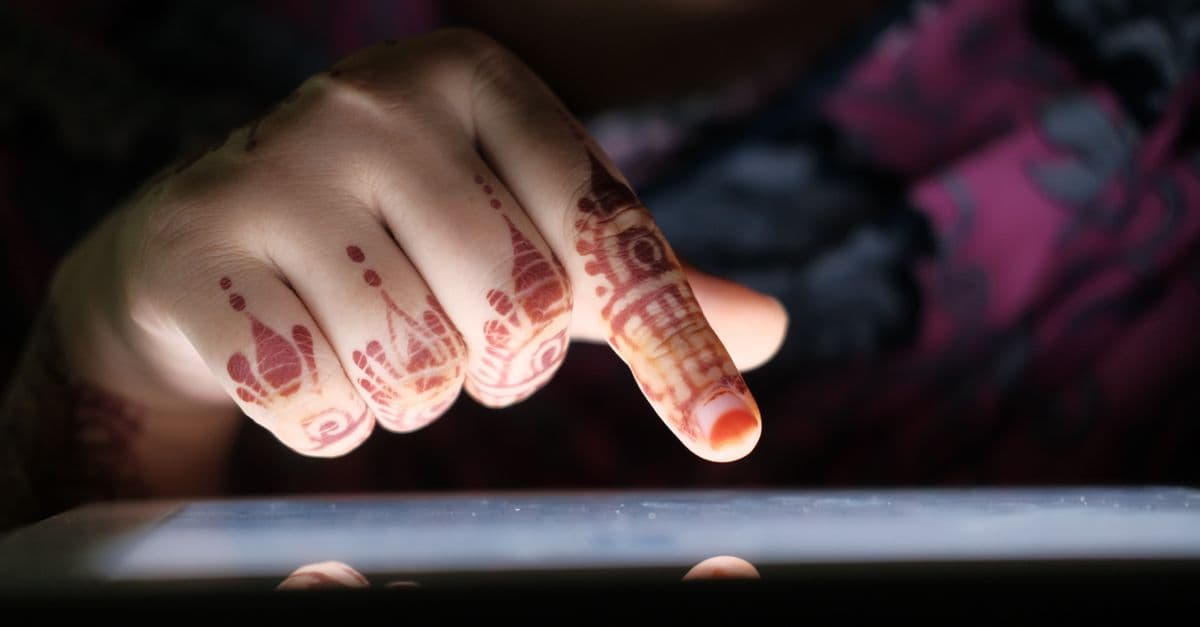
Photo: Towfiqu barbhuiya / Pexels
Your fingertip never actually touches the glass on your smartphone screen. There's a layer of protective glass between your skin and the sensor, and the sensor doesn't detect pressure at all. It detects the tiny distortion your electrically conductive body creates in an invisible electric field hovering just above the surface. You're touching a field, not a screen.
This elegant physics is what made the modern smartphone possible — and it works in ways most people never think about. For a broader overview, see how touchscreens work, from resistive to capacitive.
Key takeaways
- Modern touchscreens use projected capacitive technology (PCAP), sensing the electrical distortion caused by the conductivity of human skin — not pressure or heat.
- A grid of transparent conductive electrodes (usually indium tin oxide) runs behind the glass, measuring changes in capacitance at every intersection point.
- Multi-touch works by scanning the entire grid many times per second and tracking multiple simultaneous distortion points.
- Gloves block touch recognition because most materials don't conduct electricity the way human skin does — though conductive-tipped gloves solve this problem.
Before capacitive: the resistive era
To appreciate capacitive touchscreens, it helps to know what came before them. Resistive touchscreens, which dominated phones and ATMs through the 2000s, work through physical pressure. They have two flexible conductive layers separated by a tiny gap. Press the screen, the layers touch, electrical resistance changes at that point, and the controller computes the contact location from the resistance measurement.
Resistive screens worked with any object — finger, stylus, glove, even a coin. But they required actual pressure, were less precise, couldn't detect multiple simultaneous touches reliably, and degraded over time as the layers wore out. They also reduced display brightness because of the extra layers.
When Apple released the iPhone in 2007, it used a capacitive touchscreen — technology that had existed in industrial applications since the 1970s but had never been refined for consumer electronics at scale. The result was a revolution in responsiveness, precision, and multi-touch capability.
Capacitance: storing charge at a surface
Capacitance is the ability of a system to store electrical charge. Two conductive surfaces separated by an insulator (called a dielectric) form a capacitor. Bring your finger — which is electrically conductive due to its water and ion content — near one of those conductive surfaces, and your body acts as a second conductor, creating a new capacitor and changing the local capacitance value.
Modern smartphones use projected capacitive technology (PCAP). Inside the screen stack, typically below the protective Gorilla Glass, there are one or two thin layers of transparent conducting material — usually indium tin oxide (ITO), though newer designs use metal mesh or graphene alternatives for better conductivity at larger sizes.
These conducting layers are etched into fine patterns of interlocking rows and columns (or other geometries, depending on the manufacturer's design). Apple's original iPhone used rows and columns of diamond-shaped electrodes. The intersections of these rows and columns form a grid of sensing nodes — a modern smartphone might have a grid of 30 × 50 or more nodes across its screen surface.
How the controller reads a touch
The touch controller IC (integrated circuit) — a chip from companies like Synaptics, Atmel (now Microchip), or Cypress (now Infineon) — drives voltage through the row electrodes and measures the resulting current in the column electrodes. At each intersection, the amount of current that crosses depends on the capacitance at that node.
When your finger approaches the glass surface, its conductivity distorts the electric field at nearby nodes, reducing the capacitance values there. The controller scans the entire grid — typically at 60 to 240 Hz (times per second) — building a map of capacitance changes across the surface.
Where capacitance drops significantly, there's a finger. The controller's algorithm finds the centroid of each distorted region to determine precise finger position — typically to within about 1–2 mm under normal conditions.
This scanning happens fast enough that the system can track multiple simultaneous touches (multi-touch). When you pinch-to-zoom, the controller is simultaneously tracking two independent distortion regions, calculating their distance and angle, and feeding that data to the operating system's gesture recognition layer.
The glass, the electrodes, and the display stack
A modern smartphone screen is a stack of precisely engineered layers:
- Protective glass (e.g., Corning Gorilla Glass): scratch-resistant surface, often 0.5–1mm thick
- Optically clear adhesive (OCA): bonds layers without introducing optical distortion
- Touch sensor: ITO or metal mesh electrodes on a thin film or glass substrate
- Another OCA layer
- Display panel: OLED or LCD layers that generate the actual image
- Backlight (for LCD) or TFT substrate (for OLED)
In some designs, the touch sensor and display panel are integrated into a single "on-cell" or "in-cell" structure, reducing thickness and improving optical clarity. Apple's iPhone 5 introduced in-cell touch technology, embedding touch sensors directly into the LCD panel rather than as a separate layer.
The transparency of the touch layer is critical — ITO is nearly invisible at the thin films used, transmitting over 90% of visible light. Metal mesh alternatives use copper lines thinner than a human hair (sometimes under 5 microns), arranged in a mesh pattern that's too fine to see with the naked eye.
Why gloves and styluses are complicated
Here's the implication of how capacitive touch works: anything that doesn't conduct electricity won't register. Standard gloves block the electrical coupling between your skin and the electric field, so the sensor sees no distortion. Rubber, fabric, and most synthetic materials are excellent insulators.
Capacitive styluses solve this by either having a conductive tip (usually a rubber or foam filled with conductive material) that mimics a finger, or using active stylus technology (like Apple Pencil and Samsung S Pen) where the stylus contains its own electronics that communicate with the screen at a higher frequency, enabling sub-millimeter precision, pressure sensing, and tilt detection that passive finger touch can't achieve.
Palm rejection — the ability to ignore your palm resting on the screen while writing with a stylus — uses a combination of pressure, contact area recognition, and active stylus signal priority to determine which touches are intentional.
The Physics of the Electric Field
To fully appreciate how capacitive touch works, it's worth understanding the underlying electromagnetism. The touch controller applies an alternating voltage (typically a few MHz frequency) to the row electrodes. This voltage creates an oscillating electric field around those electrodes. When you bring a conductive object (your finger) near the field, you create a new path for electric current — essentially a capacitor formed between the electrode and your finger, coupled through your body to ground.
Capacitance is inversely proportional to distance. The closer your finger, the stronger the capacitive coupling, and the larger the change in measured current. This is why the controller can estimate not just the X-Y position of a touch but also (in some advanced implementations) the pressure or contact area based on the magnitude and spread of the capacitance change.
The controller measures capacitance at each intersection of the grid. Modern touch controllers use frequency sweep or relaxation oscillator circuits to convert capacitance into a digital value. The time it takes for a capacitor to charge to a threshold voltage is proportional to its capacitance — so by timing how long it takes, the controller deduces the capacitance value at each node.
Source: Lee, S.K., et al., AT&T Bell Labs (1985) — A 2-D Error Correction Technique for Capacitive Touch Sensing Keyboards.
This approach is elegant: no physical pressure required, no mechanical wear, and the measurement is purely electrical — hence the precision and durability.
Scanning Techniques: Self-Capacitance vs Mutual Capacitance
There are two main approaches to capacitive touch sensing, and understanding the difference illuminates why smartphones behave as they do.
Self-capacitance (absolute capacitance): The controller measures the capacitance between each electrode and ground. When your finger approaches, this capacitance increases at affected nodes. This is simpler to implement and requires fewer wires, but it's vulnerable to coupled noise and makes precise multi-touch disambiguation harder.
Mutual capacitance (relative capacitance): The controller measures the capacitance between pairs of electrodes (typically a row and a column). When your finger is near an intersection, it reduces the mutual capacitance at that point. This is the dominant approach in modern smartphones (especially iPhones) because it offers better noise immunity, more precise spatial resolution, and cleaner multi-touch tracking.
The controller scans the entire grid dozens of times per second. A typical scan sequence:
- Drive a voltage onto the row electrodes.
- Measure the current at each column electrode.
- Step to the next row.
- Repeat for all rows.
- Process the capacitance map to find touch centroids.
- Output X-Y coordinates to the operating system.
At 60–120 Hz refresh rate, the operating system updates the display based on finger position, creating the illusion of direct, instantaneous control.
Electromagnetic Interference and Noise Handling
Capacitive touch controllers are remarkably sensitive instruments — they're measuring tiny changes (picofarad-level capacitance differences) in the presence of substantial electrical noise. A smartphone's own power circuits, Wi-Fi radio, cellular modem, and nearby power-supply noise can all interfere with touch sensing.
Shielding is critical. The touch controller IC and sensing traces are surrounded by a Faraday cage (often the phone's metal frame or a shield layer) to block external RF noise. Internal grounding planes reduce return path noise.
Software filtering removes outliers and noise spikes. The controller applies temporal filtering (averaging measurements over multiple scans) and spatial filtering (smoothing across nearby nodes). This is why a brief electrical spike from a charger or wireless charger doesn't usually trigger erratic touch; the firmware knows to ignore isolated anomalies.
Some phones use frequency hopping — the driver circuit switches the sensing frequency if it detects interference at a particular frequency, effectively avoiding the noise source. This is more common in industrial or harsh-environment touchscreens.
Liquid on the screen (sweat, rain, or drinking water) is trickier. Water is conductive and can create false touches. Modern controllers use water rejection algorithms that detect large, diffuse capacitance changes (consistent with liquid) and filter them out. This is why your iPhone still works in light rain or with wet fingers, though extreme submersion can confuse it.
The Measurement Cycle and Multi-Touch Resolution
A modern flagship smartphone's touch controller performs a complete scan of (for example) a 50×100 node grid approximately 100–240 times per second. That's billions of individual capacitance measurements per second — computationally intensive work that happens on a dedicated IC (the touch controller), not the phone's main processor.
Multi-touch disambiguation — determining which touches are separate fingers vs. a single palm — relies on geometric algorithms. When two fingers touch, the controller sees two separate distortion regions. Its algorithm computes the centroid of each region independently and separately estimates the position of each finger. Gestures (pinch, two-finger rotation) are then computed from the difference in position and orientation of the two centroids.
For stylus support without the electronics of an active stylus, some phones widen their sensing grid's node spacing or use adaptive algorithms that recognize elongated contact areas (typical of a passive stylus) vs. the rounder contact of a fingertip.
Active Styluses and Pressure Sensing
Active styluses like the Apple Pencil and Samsung S Pen contain their own wireless transmitter (usually operating at ultrasonic or proprietary radio frequency) and sometimes pressure sensors. The stylus sends a signal to the screen controller, which can track the stylus position at much higher precision (down to 1–2 mm or better) and measure pressure independently.
Pressure sensing in active styluses typically uses a piezoelectric element — the physical pressure on the stylus tip compresses this element, changing its electrical resistance or capacitance. This allows apps to vary brush width, opacity, or other properties based on how hard the user presses.
Apple's 3D Touch (now called Haptic Touch on newer iPhones) added a fourth sensing layer to measure normal force independently of position. When discontinued, Apple noted it was hard to teach users when to use force touch vs. long-press, suggesting the feature was more complex than beneficial. However, pressure sensitivity remains valuable in drawing and design apps.
Beyond Flat Surfaces: Emerging Technologies
The next generation of input technology is moving beyond simple position sensing:
Haptic feedback uses piezoelectric actuators or linear resonant actuators (LRAs) beneath the display to vibrate at controlled amplitudes and frequencies, simulating tactile sensations. Modern iPhones use Taptic Engine — a precision LRA — to create the illusion of "clicking" buttons or textures, even though the screen is flat glass.
Under-display fingerprint sensors embed optical or ultrasonic sensing directly into the screen. Optical sensors (like in most Samsung Galaxy phones) use an infrared LED and photodiodes to image your fingerprint ridge pattern. Ultrasonic sensors (also Samsung) emit 30 MHz ultrasound and measure echoes from the fingerprint ridges, constructing a 3D map of the fingerprint through the display glass. Both work even with moisture, unlike traditional optical fingerprint sensors.
Hover sensing (used in older Samsung S Pen versions) extends the sensing range from contact to several millimetres above the screen, allowing previews or alternate functionality when the stylus approaches without touching.
Edge press sensing — detecting pressure on the phone's frame (Samsung Edge phones) — adds another input dimension beyond the screen itself.
Manufacturing and Quality Control
Fabricating a high-precision touch panel requires extraordinary attention to detail. The indium tin oxide (ITO) layer must be etched to micron-level accuracy — uneven etching creates variations in conductivity that cause non-uniform touch sensitivity. Newer designs using metal mesh or graphene aim for higher yield and better large-screen scalability (ITO becomes increasingly resistive at very large sizes).
Bonding layers (the OCA adhesive) must be applied at precise thicknesses — even 0.1 mm variance affects optical distortion and sensor coupling. Lamination is done in vacuum chambers to eliminate air bubbles, which would cause optical artifacts and dead zones in touch sensing.
Quality assurance involves scanning every panel post-manufacture, building a capacitance baseline, and checking that no manufacturing defect (broken traces, contamination, misalignment) has introduced dead zones or sensitivity drift.
Comparison Table: Touch Technologies
| Technology | Sensing Method | Precision | Multi-Touch | Works with Glove | Durability | Cost |
|---|---|---|---|---|---|---|
| Resistive | Physical pressure | ~2 mm | Difficult | Yes | Low (degrades) | Very low |
| Capacitive (PCAP) | Electric field distortion | ~1 mm | Native | No | Excellent | Low–Medium |
| Infrared | Beam interruption | ~5 mm | Yes | Yes | Good | Medium |
| Optical (under-display) | Photodiode fingerprint imaging | <0.5 mm | No | Yes | Excellent | Medium–High |
| Ultrasonic (under-display) | Sound wave reflection | 1 mm | No | Yes | Excellent | High |
| Active Stylus | Proprietary RF + pressure | <1 mm (stylus) | Yes | N/A | Excellent | High (stylus) |
Degradation and Long-term Reliability
Capacitive touchscreens are remarkably durable compared to resistive predecessors, but degradation does occur over years of use. The primary failure mode is delamination — the bonding layers (OCA adhesive) deteriorate, causing the display layers to separate. This reduces optical clarity and creates gaps that reduce touch coupling. Second, ITO coating degradation from humidity and oxygen exposure slowly increases resistance, reducing sensing sensitivity. Modern phones mitigate this with improved adhesive formulations and barrier coatings, but high-temperature, high-humidity environments (tropical climates, bathrooms) accelerate aging.
Environmental challenges remain. Cold temperatures (below 0°C) increase the viscosity of the adhesive and reduce sensor sensitivity temporarily — your phone may be touchscreen-unresponsive in freezing conditions but recovers as it warms. Humidity above 90% can create film layers on the glass that interfere with capacitive coupling; water-rejection algorithms filter most false touches, but extended wetness may momentarily confuse the controller.
Manufacturing defects are rare but catastrophic. Contamination (dust, fiber fragments) during lamination creates dead zones — areas where touch doesn't register. Quality control catches most (99.9%+), but defective panels occasionally slip through, leading to returns. Modern fabrication uses cleanroom environments (class 5-6: ~100-1000 particles per cubic foot, compared to outdoor air at 100+ million particles per cubic foot) to minimize contamination.
The mean time to failure (MTFF) for a capacitive touchscreen is typically 7-10 years under normal use, compared to 2-4 years for older resistive screens. This longevity, combined with low cost per unit at volume (typically $15-40 for manufacturing), is why capacitive remains the standard despite the rise of emerging alternatives.
Source: Synaptics Inc. (2024). Capacitive Touch Controller Technical Reference — Specifications for mutual capacitance sensing and noise filtering.
Source: Atmel Corporation (2023). QMatrix-Plus: Noise Immunity in Capacitive Sensors — White paper on capacitance measurement techniques.
Source: Apple Inc. (2007). iPhone Technical Specifications — Original documentation of in-cell touch integration technology.
Source: Samsung Display (2023). OLED with Integrated Touch Technology — Manufacturing and durability study.
Source: Corning (2024). Gorilla Glass: Damage & Durability Guide — Characteristics of protective glass in display stacks.
Source: IEEE Transactions on Consumer Electronics (2021). Multi-touch Tracking: Algorithms and Noise Rejection — Peer-reviewed analysis of touch disambiguation algorithms.
Source: International Society of Automation (2022). Touchscreen Reliability Standards IEC 60081-1 — Industrial quality standards for capacitive sensing.
Source: DisplayPort Forum (2023). High-Bandwidth Digital Interface — Specifications for signal transmission in multi-layer display systems.
Source: Cypress Semiconductor (2024). CapSense Design Guide — Application note on water rejection and environmental robustness.
Source: Infineon Technologies (2026). Capacitive Sensor IC Roadmap — Forward-looking analysis of next-generation touch controller features.
The Takeaway
Capacitive touchscreens are a triumph of physics applied to everyday engineering. By sensing the electrical distortion your body creates in an imperceptible electric field, phones achieve touch sensitivity, multi-touch support, and durability that resistive screens never matched. The technology has remained fundamentally unchanged since the iPhone's debut in 2007 — a testament to its elegance and robustness. Manufacturing quality has steadily improved, pushing MTFF beyond 7-10 years on modern devices. Future innovations will layer on pressure sensing, haptics, and under-display biometrics, but the core mechanism of capacitive sensing will likely remain the standard for interactive displays for years to come. Its dominance reflects not fashion but physics: it's genuinely the best solution to the problem of converting human touch into electronic control.
Frequently Asked Questions
Q: Why doesn't a touchscreen work with a regular pen or pencil?
A: Plastic and wood are electrical insulators — they don't couple electrically with the screen's sensor field. The screen needs a conductive contact point. That's why you need either a bare finger or a stylus designed with conductive materials to mimic a finger's electrical properties.
Q: Why does my touchscreen sometimes respond to nothing or act erratically?
A: Radio frequency interference from nearby electronics, moisture on the screen, screen protectors with poor conductivity, and electrical noise from chargers can confuse the capacitive sensor. Running a phone while plugged into a poor-quality charger is a common cause of "ghost touches."
Q: What's the real difference between resistive and capacitive screens?
A: Resistive screens detect physical pressure by mechanically pushing two conducting layers together — they work with any object but require sustained force and are less precise. Capacitive screens detect the electrical distortion your conductive body creates and offer superior precision, durability, and native multi-touch support.
Q: How do under-display fingerprint sensors work?
A: Most current phones use either optical sensors (tiny infrared cameras behind the display photograph your fingerprint ridge pattern) or ultrasonic sensors (30 MHz sound waves map the 3D topology of your fingerprint). Neither uses capacitive sensing — conventional capacitive fingerprint sensors can't work through thick display glass because the field doesn't propagate far enough.
Q: Why does a touchscreen sometimes not register a very light touch?
A: The touch controller uses an adaptive threshold — the capacitance change must exceed a minimum value to register as a touch rather than electrical noise. Very light touches (barely grazing the glass) may fall below this threshold. Firmware updates and calibration can adjust sensitivity, though pushing this too far introduces false touches.
Q: Can humidity or sweat ruin a capacitive touchscreen?
A: Not usually. Water is conductive, so sweat or rain can create false touches, but modern controllers use water rejection algorithms to filter out diffuse capacitance changes (consistent with liquid) while preserving legitimate touch input. Your iPhone works in light rain and with wet fingers because the firmware knows how to distinguish between a wet finger and standing liquid.
Read next:
Follow new articles
Add SciHub101 to your feed reader to see new science and technology stories.
About the Author
SciHub101 is an independent science and technology publication founded and edited by Buğra Sözeri, a software engineer and app developer based in Türkiye. AI tools assist with drafting and research. Source documentation in the existing archive is uneven, and articles are being reviewed and corrected. The Editorial Team byline identifies editorial responsibility; it does not certify specialist or independent human review. Where we compare products, anything built by our own team is labelled as such — see the editorial guidelines and About page for how corrections and disclosures work.
Related Articles

AI Compiler Optimization and Code Generation, Explained
Machine-learned policies now make some of a compiler's optimization decisions, and language models write source code. Here is what has been measured, what is hype, and why the compiler still checks the work.
Edge Computing and Federated Learning: Private AI Training
Federated learning lets phones, hospitals, and banks improve a shared AI model without sending raw data to a central server. Here is how the loop works, what it protects, and where it still leaks.

How Satellites Orbit Earth: The Physics and Engineering Behind Eyes in the Sky
There are over 8,000 active satellites orbiting Earth right now. Here's how they stay up and what they do.
History of Electricity: Faraday, Tesla, Edison, and the Force That Powers the World
Electricity was a scientific curiosity in 1800. Within 100 years it was lighting cities and running factories.

How Jet Engines Work: The Physics of Flight Power
A single GE90-115B turbofan is rated at 115,300 pounds-force of thrust. The physics behind it is a short chain of ideas: squeeze air, burn fuel in it, and let the hot gas do work.
How Fiber Optic Cables Transmit Data
A strand of glass thinner than a human hair can carry more information than all the copper wires ever made. Here's the physics behind it.