How Does Cloud Computing Actually Work?

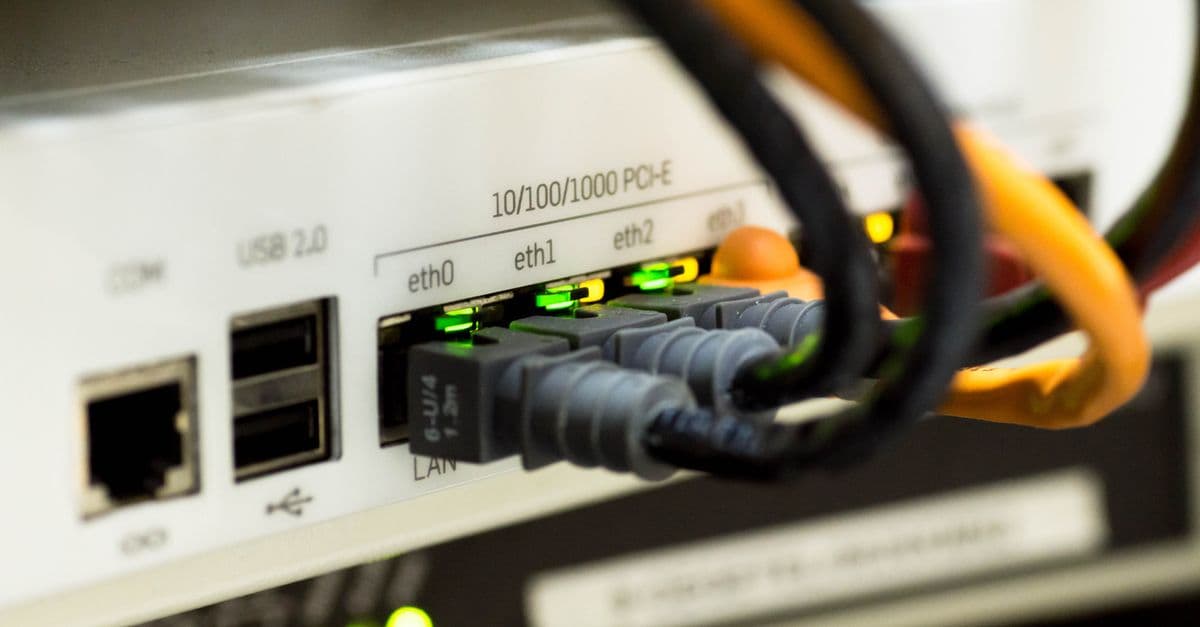
Photo: Christina Morillo / Pexels
"The cloud" is computing as a utility — like electricity. You plug in, use as much as you need, and pay for what you use. The companies running it (Amazon, Microsoft, Google, mostly) operate vast networks of datacentres holding millions of computers connected by global fibre. Underneath the marketing, cloud computing is a profound technical and economic transformation. Here's how it actually works.
Key takeaways
- "The cloud" is large datacentres of computers leased on demand by users worldwide.
- Three main service levels: IaaS (raw infrastructure), PaaS (platforms), SaaS (full applications).
- Top providers: AWS (Amazon), Azure (Microsoft), GCP (Google) — together ~65% of market.
- Cloud changed economics from large upfront infrastructure costs to flexible operational costs.
- Underneath: virtualisation, networking, automation, and operations at extraordinary scale.
What "the cloud" actually is
Physically, the cloud is buildings full of computers. A typical hyperscale datacentre contains hundreds of thousands of servers, located in industrial zones near reliable power and connectivity. Major providers operate dozens to hundreds of these around the world.
What makes the "cloud" different from "just servers in a building":
- Virtualisation — many virtual computers run on each physical machine.
- Automation — provisioning, scaling, billing happen without human intervention.
- Network — global fibre and edge networks deliver close-to-user performance.
- API access — anyone can rent capacity programmatically.
- Pay-per-use — billed by the second or hour, rather than yearly leases.
The three service levels
IaaS — Infrastructure as a Service
Raw virtual computers, storage, and networking. You manage the operating system and everything above. Examples: AWS EC2, Azure VMs, Google Compute Engine.
Use case: Replace owning physical servers. You still configure software but don't own hardware.
PaaS — Platform as a Service
Pre-built environments for running applications. The platform handles OS, runtime, scaling. You provide code. Examples: AWS Lambda, Heroku, Google App Engine.
Use case: Focus on application logic, not infrastructure.
SaaS — Software as a Service
Complete applications you just use. No infrastructure or platform to manage. Examples: Gmail, Salesforce, Slack, Google Docs.
Use case: Most everyday business and consumer applications.
There are also others: CaaS (containers), FaaS (functions), DBaaS (databases). The patterns continue evolving.
How a cloud request works
When you visit a website hosted on AWS:
Your request arrives
Your browser makes an HTTPS request. DNS routes you to the closest AWS region's load balancer.
Load balancer distributes
The load balancer (a cloud-managed service) picks a healthy server to handle your request.
Server processes
A virtual machine (EC2 instance) — physically on shared hardware with other tenants — runs the application code.
Database fetches data
The application queries a database, often a managed cloud service (RDS, DynamoDB, etc.).
Response returns
The result travels back through the load balancer, edge servers, and the internet to your browser.
All of this happens in milliseconds. Underneath, the cloud provider is automatically scaling, monitoring, and maintaining everything.
Why cloud is different from "owning servers"
Capital vs operational cost
Buying servers requires upfront purchase, maintenance, depreciation. Cloud is a monthly bill that scales with usage.
Speed of deployment
Spinning up a server takes minutes (or seconds) on the cloud, vs. weeks/months for procurement and installation.
Scalability
Need 100 more servers for an hour? Cloud can. Need 1,000 more for a Black Friday spike? Possible. Owning physical hardware doesn't allow this flexibility.
Geographic distribution
Cloud provides infrastructure in dozens of regions globally, with services that can serve users near them.
Operational burden
Cloud providers handle hardware failures, OS patches, network outages. You focus on your application.
The major providers
Amazon Web Services (AWS)
The original. Started in 2006. Largest market share (~30%). Most diverse service catalogue. Generally most expensive at list prices but also most discounted at scale.
Microsoft Azure
~25% of market. Strong in enterprise (existing Microsoft customers). Tightly integrated with Office, Active Directory, etc.
Google Cloud Platform (GCP)
~10% of market. Strong in data analytics, AI, containers (Kubernetes was created at Google).
Others
Alibaba (largest in China), Oracle Cloud, IBM Cloud — significant in specific regions or sectors.
Smaller specialised
Cloudflare for edge, DigitalOcean for developers, Linode/Akamai for simpler services.
Where cloud lives physically
Hyperscale datacentres are clustered in:
Northern Virginia (US)
The largest concentration in the world — ~70% of internet traffic passes through. Cool temperatures, cheap electricity, dense fibre.
Other US hubs
Oregon, North Carolina, Iowa, Texas.
Europe
Ireland, Germany (Frankfurt), Netherlands.
Asia
Singapore, Tokyo, Hong Kong, Mumbai.
Latin America, Africa, Middle East
Smaller but growing.
Each region typically has multiple datacentres ("availability zones") for redundancy.
The economics
For startups
Pay-per-use eliminates capital barriers. A startup can launch with $20/month rather than $50,000 of server purchases.
For enterprises
Mixed. Cloud can be cheaper at moderate scale. At very large scale, owning some infrastructure can save money — leading to "hybrid cloud" strategies.
Hidden costs
Cloud bills can spiral. Bandwidth between services, storage growth, and forgotten services (running but unused) all add up. FinOps (cost optimisation) is now a discipline.
Lock-in
Each provider has unique services and APIs. Moving between them is non-trivial. Some applications use multiple providers ("multi-cloud") to reduce dependency.
What's distinctive about cloud at scale
Failure as normal
At hyperscale, hardware failures happen constantly. Cloud architectures assume failure and route around it automatically.
Massive parallelism
Tasks split across thousands of cores. Operations that would take days on a laptop finish in minutes.
Auto-scaling
Web applications grow and shrink based on traffic without operator intervention.
Edge computing
Code runs near users (Cloudflare Workers, AWS Lambda@Edge) for low-latency response.
AI integration
Cloud providers offer pre-built AI services — speech-to-text, image recognition, generative AI — accessed via API.
Common misconceptions
"The cloud is just someone else's computer"
Technically true, but underestimates the scale, automation, and management that make cloud different.
"Cloud is always cheaper"
Not at very large scale, or for stable predictable workloads. Cloud's flexibility is best for variable demand.
"My data is safer in the cloud"
Generally yes — cloud providers have better security than most companies could afford. But cloud security misconfigurations cause major breaches.
"Cloud means I don't need IT staff"
You need fewer hardware-focused staff but more cloud-architecture and devops people.
"Cloud is unreliable"
Hyperscale clouds have very high availability — typically 99.99%+ for major services. Outages happen but are rare relative to small in-house operations.
Where cloud is going
AI-first cloud services
Cloud providers building specialised infrastructure for training and serving large AI models.
Serverless and edge
Increasing portion of computing moves to event-driven, edge-deployed functions.
Specialised silicon
Cloud providers designing custom chips (AWS Graviton, Google TPU, Azure custom) for better cost-performance.
Sustainability
Major investments in renewable-powered datacentres. Cloud providers among the largest renewable energy buyers globally.
Multi-cloud and hybrid
Most large enterprises use multiple clouds and some on-premises infrastructure.
Sovereign clouds
Governments demanding data stay in country, leading to region-specific cloud offerings.
Virtualisation and multi-tenancy: how isolation works
The magic of cloud is virtualisation — running dozens or hundreds of virtual machines (VMs) on a single physical computer. Each tenant's VM is isolated from others, sharing CPU, memory, and storage but unable to access each other's data or resources.
Hypervisors (software like KVM, Xen, Hyper-V) manage this. When you rent a cloud instance, you're renting a VM — a fraction of a physical computer's resources that the hypervisor allocates to you.
Multi-tenancy concerns:
- Performance isolation: If a neighbouring tenant spikes their workload, can it affect your performance? Cloud providers use rate limiting and priority scheduling to prevent this, but imperfect isolation is a risk.
- Security isolation: Can a rogue tenant break out of their VM and access others? Theoretically possible but extremely rare due to defensive design.
- Noisy neighbour problem: In practice, unpredictable performance from shared infrastructure is the main issue, especially on older cloud instances.
This is why cloud providers charge less for "shared" instances than dedicated hardware — you're accepting lower performance isolation for lower cost.
Containers (Docker, Kubernetes) are lighter-weight than VMs. They share the OS kernel but isolate filesystems and processes. Running 100 containers on hardware that supports 20 VMs allows denser resource utilization — lower cost for providers, lower bills for customers.
Source: Amazon Web Services (2024) — EC2 instance isolation and performance documentation.
Cloud storage and databases: beyond simple file storage
When you provision storage on the cloud, you're not simply getting a hard drive. Cloud storage abstracts away physical location and management.
Object storage (S3, GCS, Azure Blob) stores files with unlimited scalability. You pay per GB stored and per request. Underneath, the cloud provider replicates data across datacentres for durability. Corruption or loss is extremely rare.
Databases as a service (RDS, DynamoDB, Firestore) manage the entire database — backups, replication, failover, patching — without your team needing to manage database software. You just issue queries.
This dramatically reduces operational burden but comes with vendor lock-in: migrating a database from one provider to another is non-trivial.
Data warehouses (Redshift, BigQuery, Synapse) are optimized for analytical queries over massive datasets. They can scan terabytes of data in seconds, enabling AI/ML analysis at scale that was impossible on traditional on-premises infrastructure.
Container orchestration and Kubernetes
Modern cloud applications rarely run as single monolithic programs on one VM. Instead, they're split into microservices — small, focused programs that communicate via APIs.
Kubernetes (originally created at Google) orchestrates thousands of containers across a cluster, handling deployment, scaling, networking, and failure recovery automatically.
Kubernetes is now the standard in enterprise cloud deployments. It enables:
- Declarative configuration: You describe desired state; Kubernetes makes it so
- Automatic scaling: Pods (container groups) spin up and down based on demand
- Rolling updates: Deploy new code without downtime
- Self-healing: Restart failed containers automatically
All major cloud providers offer Kubernetes services (AKS, EKS, GKE), and you can run Kubernetes anywhere — even on-premises.
This abstraction — defining infrastructure as code, letting an orchestration system provision and manage it — is transformative. It enables smaller teams to operate complex distributed systems.
Cost modelling and the hidden expenses
Cloud bills often surprise teams. Costs scale with data transfer, storage growth, database queries, and forgotten idle services.
Key cost drivers:
- Compute: VMs and functions, billed by the second
- Storage: Persistent data, billed per GB per month
- Data transfer: Moving data out of cloud regions (often 0.05–0.10 USD per GB), within regions (free)
- Requests: API calls, database queries; can be surprisingly expensive at scale
- Licenses: Some software licenses carry per-core costs on cloud instances
FinOps (cloud financial operations) is now a discipline. Teams appoint FinOps engineers to track cloud spending, identify waste, and negotiate discounts (volume commitments can save 30–50%).
Reserved instances lock you into using specific instance types for 1–3 years at a discount (often 40% off on-demand prices). For predictable workloads, worthwhile. For variable workloads, riskier.
Misconfiguring storage retention policies or leaving development instances running accidentally can easily inflate bills by orders of magnitude.
Source: Linux Foundation (2024) — FinOps Foundation cost optimization best practices.
Security and compliance at cloud scale
Cloud security is often excellent but requires conscious configuration. Major breaches typically arise from misconfiguration, not provider failures.
Common issues:
- Public storage buckets: AWS S3 buckets accidentally set to world-readable have leaked billions of files
- Weak access controls: Default permissions are often too permissive
- Unencrypted data: Data in transit or at rest can be unencrypted by default
- Lack of monitoring: Attackers can access resources undetected for months
What cloud providers handle:
- Physical security (guards, cameras, biometric access)
- Network security (DDoS protection, firewall rules)
- Encryption of infrastructure links
- Regular patching of physical infrastructure
What you must handle:
- Identity and access (IAM policies, keys, credentials)
- Encryption of your data (if provider-managed, you trust their key handling)
- Compliance (data residency, privacy regulations like GDPR)
- Monitoring and logging
- Application-level security
Cloud providers offer compliance certifications (SOC 2, ISO 27001, HIPAA, GDPR) proving they follow security standards. But your usage must also meet standards — a cloud provider's HIPAA certification doesn't make your application HIPAA-compliant if you misconfigure it.
Regions, availability zones, and disaster recovery
A cloud "region" is a geographic area (us-east-1, eu-west-1). Within each region are multiple "availability zones" — physically separate datacentres connected by high-speed fibre.
Redundancy across availability zones protects against datacentre failures. If one availability zone goes down, others continue serving traffic.
Redundancy across regions (multi-region deployment) protects against regional disasters. But it's expensive and complex — most applications don't justify this unless business continuity is critical.
RTO (recovery time objective) and RPO (recovery point objective) are key metrics:
- RTO: How quickly can you restore service after failure?
- RPO: How much data can you afford to lose? (Last hour? Last day?)
Cloud infrastructure helps with both, but you must architect for it.
Serverless Computing: Functions as a Service
Serverless computing (also called Functions-as-a-Service, or FaaS) abstracts away all infrastructure concerns. You write a function, upload it, set a trigger (HTTP request, database change, timer), and the cloud runs it. You don't think about servers, scaling, or OS patches — just business logic.
AWS Lambda popularized this in 2014. You write a function in Python, Node.js, Go, etc., and Amazon runs it on your behalf. You pay only for the milliseconds the function executes — if your function runs for 100 ms once per day, you pay microscopically. A traditional server running 24/7 would be enormously wasteful by comparison.
Event-driven architecture is the programming model common in cloud-native and serverless design. Rather than monolithic applications constantly polling for work, serverless functions react to events:
- HTTP requests — API Gateway triggers a function
- Database changes — A change in DynamoDB triggers a function
- File uploads — New S3 object triggers a function
- Message queues — Message in SNS/SQS triggers a function
- Scheduled timers — Cron triggers a function
This decoupling enables elastic, cost-efficient applications. During quiet periods, you run no code (zero cost). During spikes, cloud providers automatically scale functions across thousands of containers. This would be impossible to architect on your own.
Challenges:
- Cold starts: First invocation has ~100–500 ms latency as the cloud provider boots your function. Not acceptable for real-time trading or voice calls.
- Statelessness: Each function invocation is independent; persistent state requires external storage (databases), adding latency.
- Complexity: Debugging is harder; logs and traces are distributed across providers' dashboards.
Serverless is ideal for asynchronous workloads — background processing, webhooks, scheduled jobs, data transformation. Less ideal for latency-sensitive services. Major platforms: AWS Lambda, Google Cloud Functions, Azure Functions, Cloudflare Workers (edge serverless).
Source: Baldini, I., et al. (2017) "Serverless Computing: One Step Closer to an Architecture of the Internet of Everything" IEEE ICLOUD.
Machine Learning at Cloud Scale: GPUs, TPUs, and Model Serving
Cloud providers now offer specialized hardware for AI/ML workloads — GPUs (NVIDIA A100, H100) and TPUs (Google's custom tensor processors) — alongside standard CPU instances. Training large language models (billions of parameters) requires this specialized hardware.
Training infrastructure: To train a model like GPT-4 scale, you need thousands of GPUs connected by high-speed networking (NVIDIA's NVLink, Infiniband). A single GPU costs ~$10,000–15,000; a training cluster might cost millions per month. Only cloud providers can economically offer this. Companies rent time on these clusters — paying ~$1–3 per GPU-hour.
Model serving: Once trained, models need to run inference at scale. Cloud providers offer model serving platforms (AWS SageMaker, Google Vertex AI, Azure ML) that auto-scale. During peak traffic, hundreds of GPU instances run in parallel, each handling a few inference requests per second. During quiet periods, most shut down.
Vector databases and retrieval: Modern AI applications (RAG systems, retrieval-augmented generation) embed documents and user queries into high-dimensional vectors, then search for similar documents. Cloud providers offer vector databases (Pinecone, Weaviate, Milvus) to make this efficient. Without cloud-scale infrastructure, RAG wouldn't be practical for production.
Cost dynamics: A single inference on a large model might cost $0.001–0.01. A startup query-serving millions of users can spend $1–10 million per month on inference. Optimizing model size, latency, and inference hardware is now a critical business problem. Smaller models (7B, 13B parameter) running on CPUs are viable for cost-sensitive applications. Larger models (70B, 175B) need GPUs but are more capable.
Cloud changed AI from a research domain (academia with expensive GPU clusters) to a production domain (any startup can access trillion-parameter models via API). This accelerated AI adoption enormously.
Source: OpenAI (2023) — GPU utilization and cost modeling for large language models.
Source: Lepikhin, D., et al. (2021) "GShard: Scaling Giant Models with Conditional Computation and Automatic Sharding" ICLR.
Frequently Asked Questions
Q: Where is my data physically stored?
A: Cloud providers store data in specific regions you can choose — but within a region, datacentres automatically replicate your data across multiple physical locations for redundancy. You can't control down to the individual datacentre, but you can choose the geographic region (e.g., US East, Europe, Asia Pacific).
Q: Can the government or cloud provider access my data?
A: Cloud providers comply with legal requests in their jurisdictions. If you store unencrypted data, the provider theoretically can access it. End-to-end encryption (where you control keys) prevents even the provider from reading data, but comes with operational complexity (you lose the ability to search unencrypted content).
Q: What happens if my cloud provider goes down?
A: If the provider's service you depend on goes down, your app goes down. Most outages are regional, not global. Google Cloud's 2023 outage affected Google Maps and YouTube for 45 minutes in some regions. Multi-region or multi-cloud architectures provide redundancy but add cost and complexity.
Q: Is cloud infrastructure inherently more secure than on-premises servers?
A: Cloud providers' physical infrastructure security is generally superior to what individual companies can build. But security depends on configuration: improperly configured cloud resources are often less secure than on-premises systems. Most cloud breaches result from user misconfiguration, not provider failures.
Q: Will cloud infrastructure eliminate the need for IT staff?
A: No, but it changes the roles. Demand for datacenter hardware technicians and systems administrators declines. Demand for cloud architects, DevOps engineers, and cloud security specialists grows. Smaller companies can operate with fewer total IT staff because cloud providers handle infrastructure maintenance.
Q: How much does cloud computing actually cost compared to owning servers?
A: At small scale (tens of servers), cloud is almost always cheaper because you avoid capital costs and management overhead. At large scale with predictable demand, owning hardware can be cheaper — which is why tech giants Google, Microsoft, and Amazon run on their own infrastructure for their own services. Most businesses fall somewhere in between, where hybrid approaches (cloud for variable workloads, owned infrastructure for stable core) are optimal.
The bottom line
Cloud computing turned computing from a capital-intensive, slow-to-deploy, owned thing into a metered, instant, rented service. The economics, speed, and scalability changed how technology gets built. The "cloud" is real datacentres run by a few major providers — but the abstraction over them, with global APIs and pay-per-use pricing, made it one of the most consequential shifts in modern industry. Understanding cloud computing is now part of understanding how modern software, internet services, and AI applications actually exist.
Related Reading
Follow new articles
Add SciHub101 to your feed reader to see new science and technology stories.
About the Author
SciHub101 is an independent science and technology publication founded and edited by Buğra Sözeri, a software engineer and app developer based in Türkiye. AI tools assist with drafting and research. Source documentation in the existing archive is uneven, and articles are being reviewed and corrected. The Editorial Team byline identifies editorial responsibility; it does not certify specialist or independent human review. Where we compare products, anything built by our own team is labelled as such — see the editorial guidelines and About page for how corrections and disclosures work.
Related Articles

What Is 5G — and How Is It Really Different from 4G?
5G is faster, lower-latency, and more efficient than 4G. It also enables connected cars, remote surgery, and smart factories. Here's how it actually works and what's hype.

How to Actually Secure Your Digital Life
Most people are one weak password away from a major breach. Here's a no-nonsense guide to actually securing your digital life — what works, what's theatre, and what to prioritise.

Cloud Computing Explained — AWS, Azure, GCP
What cloud computing actually is, the IaaS/PaaS/SaaS service models, and how AWS, Azure, and GCP compare on services, pricing, and strengths.

Countries with the Most Data Centers (2025 Ranked)
The United States hosts more data centers than any other country by every count, but the totals vary from about 3,800 to 5,400 depending on the database. Here is the ranking, why facility counts and megawatts tell different stories, and what the IEA says about data centre electricity.
Countries with the Fastest Internet Speeds (Fixed Broadband Ranked)
The United Arab Emirates leads the world with a median fixed broadband download speed of 413.2 Mbps — more than four times the global average of roughly 90 Mbps. High urbanization rates, state-backed fiber rollout programs, and competitive telecoms markets are the common threads running through every country at the top of the Ookla Speedtest Global Index 2024.

How Bridges Are Engineered to Not Fall Down
Bridges carry millions of people safely every day. Here's the remarkable engineering behind why they hold.