React Server Components Explained 2026 — Honest Guide
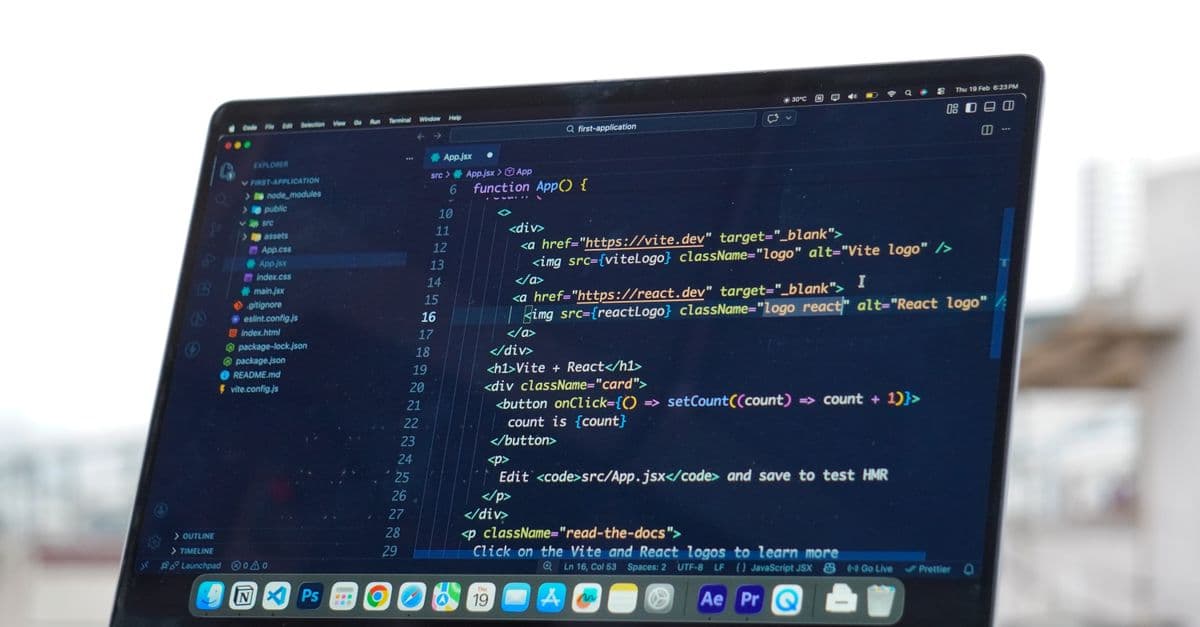
Photo: Meet Patel / Pexels
React Server Components (RSC) are the most polarizing addition to React since hooks. Some developers love them. Others insist they're solving the wrong problem. After two years of production deployments, the picture is clearer: RSC genuinely helps for content-heavy apps and dashboards, occasionally hurts for highly-interactive apps, and forces every team to think harder about the server/client boundary. This guide is an honest, hype-free explanation — what RSC actually is, where it's helping in 2026, and where it's making things worse.
What a Server Component Actually Does
The mental model most beginners get wrong: a Server Component is not "SSR for one component." It's a component that runs only on the server, ships zero JavaScript to the browser, and can directly read databases, file systems, or other server-only resources.
A simple example illustrates the difference:
// Server Component — runs on server, ships zero JS
async function ProductPage({ id }: { id: string }) {
 const product = await db.products.findUnique({ where: { id } });
 return <h1>{product.name}</h1>;
}
// Client Component — runs in browser, ships JS bundle
'use client';
export function Counter() {
 const [count, setCount] = useState(0);
 return <button onClick={() => setCount(count + 1)}>{count}</button>;
}
The key shift: Server Components disappear at the bundle layer. The user's browser never receives the code; it receives the rendered HTML and a serialized representation of the tree. The first React-team blog post called this "components as a way to fetch data" — that's the spirit.
For the framework-level context, our Next.js vs React comparison covers how Next.js wraps the underlying React feature.
What RSC Actually Solves
Three specific problems that traditional React struggled with:
1. Data fetching without waterfalls. Pre-RSC, fetching data in components forced you to either lift fetching up (prop drilling) or hit serial waterfalls (component → fetch → render → child component → fetch → render). Server Components let components fetch their own data without paying the round-trip cost.
2. Server-only code stays server-only. Database clients, secret keys, large dependencies — none of it ships to the browser. The reduction in client bundle size is real, and our web performance optimization guide covers why it matters for Core Web Vitals.
3. Streaming and progressive rendering. Server Components stream as they finish. Users see content sooner because slow components don't block faster ones. Suspense boundaries make this explicit.
These are real wins. They're also smaller than the hype suggested. Most apps had workable solutions to these problems before RSC; RSC just made the solutions structural.
What RSC Makes Worse
The honest counter-arguments most RSC fans skip:
1. Cognitive overhead. Every component now has a "server or client?" question. Junior developers especially struggle to maintain a clean mental model. "Why does this throw an error when I import this in this file?" is a frequent Slack message.
2. The 'use client' boundary. Once a component is a Client Component, all its descendants become Client Components by default. Lifting state into a Server Component, or interleaving them, requires deliberate design.
3. Caching complexity. Next.js 13–14 caching defaults caused widespread confusion. Next.js 15+ rewrote them. The mental model of "what gets cached, when, where" still trips up experienced developers.
4. Hydration mismatches. When server-rendered HTML doesn't match client expectations, you get cryptic hydration errors. RSC reduces these compared to traditional SSR but doesn't eliminate them.
5. Library compatibility. Many React libraries written before RSC don't cleanly support being used in Server or Client Components. Two years on, the ecosystem has mostly caught up — but legacy code still fights it.
For frameworks that take a different approach entirely, see our HTMX vs React comparison, where the philosophy reverses (server-rendered HTML with islands of interactivity).
How the Frameworks Differ
Three production-ready frameworks ship RSC support in 2026. They take noticeably different approaches.
Next.js (App Router) is the dominant implementation. The App Router defaults every component to Server, requires 'use client' to opt into Client. Caching, routing, and metadata are deeply integrated. Most production RSC usage happens here.
Remix v3 (now React Router 7) added RSC support in 2025 with a different philosophy. Less aggressive about defaults; you opt into server-only behavior more explicitly. Some teams prefer the lighter touch; others miss Next.js's strong conventions.
Waku is the minimalist option. Created by Daishi Kato (Jotai author), it's a small RSC-first framework without Next.js's surface area. Excellent for teams who want the feature without the rest of Next's opinions.
For most teams in 2026, the practical choice is Next.js. Remix is competitive but smaller. Waku is interesting but niche.
The Server/Client Boundary in Practice
Real patterns from production codebases:
Server Components for:
- Pages and layouts.
- Data fetching wrappers.
- Components that read databases, files, or environment variables directly.
- SEO-critical content (titles, meta, structured data).
Client Components for:
- Anything with
useState,useEffect, or other React hooks beyonduseId. - Event handlers (
onClick,onChange, etc.). - Components using browser-only APIs (
localStorage,window,IntersectionObserver). - Forms with client-side validation.
- Anything that needs to be interactive without a page reload.
Server Action for mutations:
'use server';
export async function createPost(formData: FormData) {
 const title = formData.get('title');
 await db.posts.create({ data: { title } });
}
Server Actions let Client Components call server code directly without writing API routes. This is the most underrated RSC-era feature.
State Management With RSC
Server Components don't have state. Period. State lives in Client Components or, more often in 2026, in URL parameters and server-side data sources.
The implications for state management libraries:
- TanStack Query / SWR still excel for client-side server-state caching.
- Zustand and other client stores work fine, but only inside Client Components.
- Many "state management problems" disappear because the data lives on the server.
This is why our React state management 2026 guide leads with TanStack Query and Zustand — RSC reduces how much global client state you need.
SEO and Performance Reality
Two areas where RSC delivers measurable wins:
SEO: Server-rendered content is in the initial HTML response. Crawlers see fully rendered pages without executing JavaScript. For content-heavy sites, this is the main reason teams choose Next.js App Router over a pure SPA.
Core Web Vitals:
- LCP (Largest Contentful Paint): Improves dramatically because content is in the initial HTML.
- TTI (Time to Interactive): Better than SPAs but worse than static HTML — hydration still costs something.
- Bundle size: Drops significantly because server-only code never ships.
- First Contentful Paint: Faster on slow networks because users see content before JS executes.
For data-heavy dashboards behind authentication, the SEO win doesn't apply — but the bundle size and data-fetching wins still do.
Common Mistakes Teams Make
A few honest patterns to avoid, based on real codebases:
- Marking everything as a Client Component. Defeats the entire point. Be deliberate about what needs to be client.
- Importing client-only libraries in Server Components. Causes build errors. Wrap them in Client Components.
- Trying to use Context across the boundary. Context only works in Client Components. Use props or Server Actions for cross-boundary communication.
- Forgetting that Server Components don't re-render. They render once on the server. To "update" a Server Component, navigate or revalidate the route.
- Over-fetching on every render. Server Components are async but they still fetch. Use caching primitives (
cache,unstable_cache, fetch options) to avoid waste.
Should You Use RSC in 2026?
Concrete guidance:
- New Next.js project: Yes, default to App Router with RSC. The patterns are mature enough.
- Existing Next.js Pages Router app: Migrate gradually. Don't rewrite for its own sake.
- Pure SPA (Vite + React without a framework): Stay where you are. RSC requires a framework.
- Highly interactive app (dashboard, editor, game): Mostly Client Components anyway; RSC adds little.
- Content-heavy site or e-commerce: RSC's biggest wins are here.
For broader context on what tools sit alongside RSC choices, our best web dev tools 2026 roundup and build tools comparison cover the surrounding stack.
Frequently Asked Questions
Q: Are Server Components the same as Server-Side Rendering? A: No. SSR renders Client Components on the server for the initial response, then hydrates them in the browser. Server Components only ever run on the server and never hydrate. The mental models are genuinely different.
Q: Can I use Server Components without Next.js? A: With effort, yes. Remix, Waku, and Parcel support them. Without a framework, you're effectively rebuilding one. Most teams use Next.js.
Q: Why does my Server Component throw "window is not defined"?
A: Server Components run in Node.js, where there's no window. Either move the code to a Client Component or guard with typeof window !== 'undefined' checks if absolutely necessary.
Q: Do Server Components work with React Native? A: Limited support, and the trade-offs differ. The Expo team is integrating RSC, but it's not as central as it is in the web React ecosystem.
Q: Is RSC making React more complex? A: Yes. The mental model is bigger. Most teams adjust within a few months, but the learning curve is real. Whether the complexity pays off depends on what you're building.
Q: What's the difference between RSC and Suspense? A: Suspense is a React feature for handling async boundaries; it works with both Server and Client Components. RSC uses Suspense heavily for streaming, but they're independent features.
Q: Will RSC eventually replace Client Components entirely? A: No. Interactive UI requires Client Components — they're not going anywhere. The question is what proportion of your app is each, not whether one wins.
Read next:
Follow new articles
Add SciHub101 to your feed reader to see new science and technology stories.
About the Author
SciHub101 is an independent science and technology publication founded and edited by Buğra Sözeri, a software engineer and app developer based in Türkiye. AI tools assist with drafting and research. Source documentation in the existing archive is uneven, and articles are being reviewed and corrected. The Editorial Team byline identifies editorial responsibility; it does not certify specialist or independent human review. Where we compare products, anything built by our own team is labelled as such — see the editorial guidelines and About page for how corrections and disclosures work.
Related Articles

Next.js vs React 2026 — Which Should You Learn First?
Next.js is a framework built on React, not a rival. What each does, Server Components, App vs Pages Router, and when to pick which, per the official docs.
Next.js 15: The Developer's Guide to App Router, Server Components, and Turbopack
Next.js 15 shipped in October 2024 and made the App Router the official default for new projects, stabilized Turbopack for development builds, and introduced async request APIs that changed how developers access cookies, headers, and search parameters. Next.js 16 (October 2025) extended Turbopack to production. This guide covers the concepts, architecture decisions, and practical trade-offs of the Next.js 15 era, which remains the most widely deployed major version.
What Is the Vercel AI SDK? LLM Toolkit
The Vercel AI SDK is a TypeScript toolkit for building LLM apps with React, Next.js, Svelte, and Vue. Unified API, streaming, tools, structured outputs.


Zustand vs Redux — React State Management
Zustand vs Redux compared: bundle size, boilerplate, API, when to use each, plus how Jotai, Valtio, MobX, and TanStack Query fit in 2026.

What Is shadcn/ui? Copy-Paste UI Components
shadcn/ui is a CLI that copies React + Tailwind + Radix UI components into your codebase so you own and control the source code.