Why Thermal Throttling Slows Devices

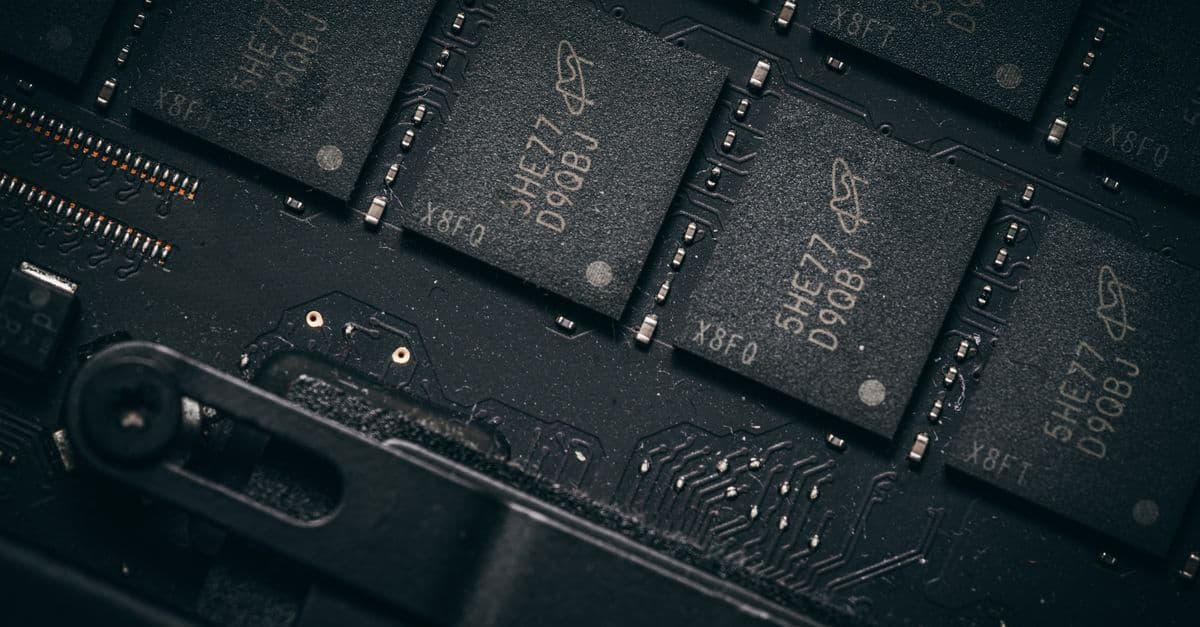
Photo: Pixabay / Pexels
A laptop that benchmarks fast for thirty seconds and then noticeably slows down isn't broken, it's protecting itself. Thermal throttling is the deliberate reduction of a chip's clock speed and voltage when its temperature approaches a manufacturer-defined limit, typically near 100°C (212°F) for modern CPUs and GPUs. It's a safety mechanism built into every modern processor, not a design flaw, and understanding why it exists explains a lot about the physical limits of packing more computing power into smaller, quieter, and thinner devices.
Every laptop, phone, and gaming console on the market today throttles under sustained heavy load. The difference between a well-engineered device and a poorly engineered one isn't whether throttling happens, it's how much performance a device delivers before throttling has to step in, and how gracefully it manages the transition once it does.
Where the heat actually comes from
To understand throttling, it helps to understand why chips get hot in the first place. A modern processor is built from billions of tiny transistors, switches that flip between an "on" and "off" state billions of times per second to represent the ones and zeros of binary computation. Every one of those switching events involves current flowing through material that has some electrical resistance, and pushing current through resistance always generates heat as a byproduct. This isn't a manufacturing defect or an inefficiency that better engineering could someday eliminate entirely, it's a direct consequence of how transistors physically work.
The amount of heat a chip generates scales with two things it's easy to reason about intuitively: how fast the transistors are switching (clock frequency) and how much electrical force is pushing the current through them (voltage). Power dissipation in a CMOS chip scales roughly linearly with clock frequency but roughly with the square of voltage, meaning a small increase in voltage produces a disproportionately large increase in heat output. That squared relationship is why chipmakers are so aggressive about shaving fractions of a volt off operating points wherever they can, and it's also why a modest voltage cut during throttling produces an outsized drop in heat generation.
There's a second, self-reinforcing problem hiding inside this physics. As silicon heats up, a phenomenon called leakage current gets worse. Leakage current is electrical current that flows through transistors even when they're technically switched off, essentially current "leaking" past a component that should be blocking it entirely. As device temperature rises, thermally excited electrons create additional stray charge carriers inside the chip's semiconductor material, and these leakage currents increase rapidly, in some cases exponentially, as temperature climbs (Radioelectronics and Communications Systems research on MOS leakage-current temperature dependence). That leaked current itself dissipates as heat, which raises the chip's temperature further, which increases leakage again. Left unchecked, this is a feedback loop that can spiral: heat causes leakage, leakage causes more heat, and power consumption climbs even though the chip isn't doing any more useful computational work.
This is the physical reality that makes throttling necessary rather than optional. A chip's temperature sensor and integrated power management controller continuously monitor die temperature, and when it approaches the point at which silicon reliably switches states without errors, known as the maximum junction temperature, the controller cuts clock speed and voltage to break the heat-leakage feedback loop before it becomes self-sustaining.
What happens to silicon if nobody stops it
Chip designers don't build in throttling because they're being cautious for no reason, they build it in because the alternative is measurable, permanent hardware damage. Sustained operation above a chip's safe temperature threshold risks a failure mode called electromigration, the gradual physical displacement of metal atoms within the chip's microscopic wiring caused by the momentum transfer from a high density of moving electrons. Electromigration is a well-documented reliability failure mechanism in integrated circuits, and its rate accelerates sharply with temperature, meaning a chip that spends long periods running hot is quite literally wearing its internal wiring down faster than one that stays cool.
Beyond long-term wear, there's an immediate risk too. Silicon transistors are engineered to switch cleanly between on and off states within a specific temperature range. Push a chip meaningfully past its rated junction temperature and switching behavior becomes unreliable, which can produce calculation errors, unexpected crashes, or data corruption in the middle of a task. Throttling exists to keep the chip inside the temperature envelope where its logic remains trustworthy, not just intact.
So when a laptop fan spins up and the benchmark score drops mid-task, that's the power management controller making a calculated tradeoff: slightly slower computation now, in exchange for a chip that still works reliably tomorrow, next year, and five years from now. Manufacturers set these thermal limits based on the same reliability data that governs the chip's rated lifespan, which is why the threshold isn't arbitrary and isn't something a user should try to override casually.
Why thin fanless devices throttle harder than desktops
Not every device experiences throttling the same way, and the reason comes down almost entirely to how quickly each device can move heat away from the chip once it's generated. A desktop tower has room for a large heatsink with dozens of thin aluminum or copper fins, one or more fans moving substantial volumes of air, and in higher-end builds, a liquid cooling loop that carries heat away from the chip and radiates it out through a large external radiator. All of that hardware exists to solve one problem: get heat off the silicon and out of the case faster than the chip generates it.
Laptops trade nearly all of that cooling headroom for portability. A thin chassis leaves room for a smaller heatsink, shorter heat pipes, and one or two fans that are limited in both diameter and how loud they're allowed to run before a customer returns the product for being obnoxious in a meeting or a library. Phones and fanless ultrabooks go a step further and remove moving-air cooling entirely, relying only on passive heat conduction through a metal chassis or a small internal heat spreader.
This is precisely why the exact same processor can perform very differently depending on which device it's sitting inside. Apple's M-series chips are a clean illustration: the fan-equipped MacBook Pro sustains meaningfully higher clock speeds under a long, demanding workload than the fanless MacBook Air running the identical silicon, simply because the Air has no active airflow to remove heat once its passive heatsink saturates and stops absorbing more (early independent benchmark comparisons of the fanless M-series MacBook Air against fan-equipped MacBook Pro models under sustained export and compile workloads documented exactly this gap in sustained-versus-burst performance).
Why phones throttle the most of all
Phones face the harshest version of this tradeoff: a sealed, pocket-sized chassis with essentially no airflow, a battery and multiple other components competing for the same tight thermal budget, and a metal or glass shell that can only get so warm before it becomes uncomfortable to hold. Because a phone's entire cooling system is passive conduction through its chassis and, in higher-end models, a small internal vapor chamber, phone processors are tuned by their manufacturers to throttle earlier and more aggressively than laptop or desktop chips of comparable raw capability, prioritizing sustained comfort and safety over maximum sustained performance.
How different cooling architectures change the outcome
The amount of heat a cooling system can remove per second is the single biggest variable in how much a given chip throttles, and device makers have built an entire spectrum of solutions to push that ceiling higher. Broadly, cooling solutions fall into a handful of categories, each suited to different device sizes, noise tolerances, and cost constraints.
| Cooling method | Typical device | How it moves heat | Effectiveness under sustained load |
|---|---|---|---|
| Passive heatsink / chassis conduction | Phones, fanless tablets, thin ultrabooks | Conducts heat from the chip into a metal spreader or the device's outer shell, which radiates it into the air | Low — saturates quickly under continuous heavy workloads |
| Vapor chamber | Flagship phones, some slim laptops | A sealed chamber where liquid evaporates at the hot spot and condenses elsewhere, spreading heat across a wider area before it's conducted out | Moderate — delays throttling by spreading heat, but still relies on passive dissipation to the outside air |
| Active fan cooling (heatsink + fan) | Most laptops, desktop towers, gaming consoles | A fan forces air across a finned heatsink attached to the chip, continuously carrying heated air away and pulling in cooler air | High — can sustain near-peak clock speeds for extended periods if fan speed and heatsink size are adequate |
| Liquid cooling loop | High-end desktops, workstations, some gaming laptops | A pump circulates liquid coolant through a block on the chip to a radiator, where fans dissipate the absorbed heat into the room | Very high — the largest per-cubic-centimeter heat removal capacity of the mainstream options, best suited to sustained maximum loads |
Cooling effectiveness under sustained load tracks almost directly with how much surface area and airflow a device's design allows, which is exactly why the smallest, quietest devices throttle the soonest.
Vapor chambers deserve a closer look because they're a genuinely different mechanism from a solid metal heatsink, not just a bigger version of one. A vapor chamber is a thin, sealed cavity containing a small amount of liquid, usually purified water, held under partial vacuum. When the chip beneath it heats a hot spot on the chamber's surface, that liquid rapidly evaporates, absorbing a large amount of heat as latent heat of vaporization in the process. The vapor then spreads through the vacuum cavity toward cooler regions of the chamber, where it condenses back into liquid and releases that absorbed heat into a wider area of the chassis. A wick structure inside the chamber uses capillary action to draw the condensed liquid back to the hot spot, and the cycle repeats continuously (Hackaday's technical breakdown of vapor chamber cooling in smartphones, 2025). Because this process spreads heat across a much larger surface area than a solid copper spreader of the same thickness can manage, it lets phone and thin-laptop designers delay throttling meaningfully without adding a fan.
What actually triggers throttling in the real world
Throttling isn't purely a function of a chip's rated power envelope, it's triggered by the interaction between workload, cooling hardware condition, and the environment a device is operating in. A handful of practical factors show up again and again in real-world throttling cases.
- Sustained heavy workloads. Video encoding, long gaming sessions, and large software compiles generate heat continuously for minutes at a time, unlike short bursts (opening an app, loading a webpage) that finish before the chip's temperature has time to climb meaningfully.
- Aging or poorly applied thermal paste. Thermal paste fills microscopic gaps between the chip surface and the heatsink to improve heat transfer. Paste that was applied unevenly at the factory, or that has dried out and lost effectiveness after years of thermal cycling, creates an insulating gap that traps heat right at the source.
- Dust accumulation in fans and heatsink fins. Dust restricts airflow through the tight fin spacing of a laptop heatsink, a common and easily fixable cause of a laptop throttling more aggressively than it did when new.
- High ambient room temperature. Every cooling system relies on a temperature difference between the chip and the surrounding air to move heat outward. A hot room, a laptop used on a bed or couch that blocks intake vents, or direct sunlight on a phone all shrink that difference and push the throttling point closer.
- Battery and multi-component thermal budgets in phones. Unlike a laptop CPU, a phone's processor shares a tight thermal envelope with the battery, camera module, and display driver, all of which generate their own heat and compete for the same limited cooling headroom.
How manufacturers tune the throttling curve
Chip and device makers don't just pick one temperature and cut power abruptly at that point. Modern power management firmware applies a graduated response, trimming clock speed and voltage in small increments as temperature rises through a range, rather than running at full speed until a hard ceiling and then dropping sharply. This graduated approach produces a smoother performance curve and avoids the jarring stutter a sudden, large frequency cut would cause during, for example, a video call or a game.
The engineering tradeoff behind sustained performance
Every added millimeter of heatsink, every additional fan, and every gram of extra chassis material removes more heat and pushes the throttling point further out, but each of those additions also adds weight, cost, manufacturing complexity, and in the case of fans, audible noise that consumers frequently resist in everyday laptops and phones. This tradeoff is why gaming laptops, which are explicitly designed to sustain demanding workloads for long stretches, are noticeably thicker and heavier than ultrabooks built around chips from the same generation, and why some gaming laptops ship with two or three separate fans and multiple heat pipes dedicated to a single processor.
Phone manufacturers face the same tradeoff on a much smaller and more constrained scale. Adding a vapor chamber, a graphite heat spreader sheet, or a larger metal midframe all measurably delay throttling, but each adds thickness, weight, and cost to a product where thinness and light weight are frequently the headline marketing feature. This is a genuine engineering compromise with no free option, not a case of manufacturers simply choosing not to solve the problem.
A concrete illustration of this tradeoff shows up reliably in independent hardware reviews. Reviewers who run a chip through a short benchmark and then immediately repeat that same benchmark continuously for ten to thirty minutes routinely find that thin, fanless devices post strong scores on the first run and substantially lower scores on later runs, even when a fan-equipped device using the identical chip holds its score steady across the same test. That gap between "peak" performance on a short burst and "sustained" performance over a longer task is now a standard section of professional hardware reviews specifically because it reveals far more about how a device will actually feel during a real video edit, gaming session, or code compile than any single quick benchmark number can.
What people get wrong about throttling
The most common misconception is that a device throttling under load means it's defective, poorly built, or was assembled with cheap components. In reality, essentially every modern processor throttles under a sufficiently demanding, sufficiently long workload, including flagship gaming laptops, desktop workstations, and premium smartphones. Throttling is a universal feature of how silicon and thermal physics interact, not a symptom that something has gone wrong.
The real, meaningful difference between devices isn't whether throttling happens, it's how much sustained performance a device can deliver before it kicks in, and how smoothly the transition is managed once it does. A well-designed laptop might sustain 90 percent of its peak clock speed for twenty minutes of continuous heavy use before dropping gradually; a poorly cooled one might drop to 50 percent of peak within ninety seconds. Both technically "throttle." Only one of them is a good product for sustained workloads.
A second common mistake is assuming louder fans always mean better cooling, or conversely that a quiet laptop is automatically a poorly cooled one. Fan curves, the relationship between chip temperature and how fast a manufacturer allows the fans to spin, are deliberately tuned to balance acoustic comfort against thermal performance. A laptop that stays quiet under sustained load may be intentionally permitting more throttling rather than running its fans at maximum speed, a deliberate product decision rather than a cooling failure. Some devices offer a "performance" or "fan always on" mode in their settings specifically to let a user override that default balance when they'd rather have the noise than the slowdown.
A third misconception worth clearing up: throttling is not the same thing as a battery-driven power limit. Phones and laptops often reduce performance to conserve battery life independent of temperature entirely, a separate power-management decision that can look similar to a user but has nothing to do with heat. The two behaviors are frequently confused because both result in a device that suddenly "feels slower," but only one of them is thermal throttling in the technical sense.
The takeaway
Thermal throttling is silicon protecting itself from the same physics that make it fast in the first place: every transistor switching event pushes current through material with electrical resistance, that resistance generates heat as an unavoidable byproduct, and heat above a safe threshold increases leakage current, accelerates electromigration, and eventually risks calculation errors, a self-reinforcing problem that throttling exists to interrupt before it spirals. How much throttling a specific device experiences comes down almost entirely to how much heat its cooling system, whether that's a passive chassis, a vapor chamber, an active fan, or a full liquid loop, can move away from the chip before its safety limit forces a slowdown. The next time a device feels slower under sustained load, that's not a defect announcing itself, it's a decades-old feedback loop in silicon physics being managed exactly as its designers intended.
Read next:
- Why Chiplets Are Changing Processor Design
- How Semiconductors Are Made
- Why Robots Need Force Sensors
FAQ
Q: At what temperature does thermal throttling usually start?
Most modern CPUs and GPUs begin throttling as they approach their maximum junction temperature, commonly near 100°C (212°F), though the exact threshold varies by chip model, manufacturer, and how the device's firmware tunes its thermal curve.
Q: Does thermal throttling damage a device?
No. Throttling is designed to prevent damage by cutting clock speed and voltage before temperatures reach levels that risk electromigration, the gradual physical wear of a chip's internal wiring, or calculation errors from unreliable transistor switching.
Q: Why do laptops throttle more than desktop computers?
Laptops have smaller heatsinks, shorter heat pipes, and space- and noise-limited fans compared to desktop towers, so they remove less heat per second, which forces throttling to begin sooner under sustained load.
Q: Why do phones throttle more aggressively than laptops?
Phones rely on passive conduction or, at best, a small internal vapor chamber, with no moving air at all, and they share a tight thermal budget with the battery and other components, so their processors are tuned to throttle earlier to keep the device safe and comfortable to hold.
Q: Can cleaning dust out of a laptop reduce throttling?
Yes. Dust buildup in fans and heatsink fins restricts airflow and traps heat near the chip, so removing it can meaningfully lower operating temperatures and delay or reduce throttling in older devices.
Q: Is thermal throttling the same as a battery-saving power limit?
No. Thermal throttling responds specifically to chip temperature, while battery-driven power limits reduce performance to conserve charge regardless of how hot the device is, even though both can make a device feel slower to a user.
Follow new articles
Add SciHub101 to your feed reader to see new science and technology stories.
About the Author
SciHub101 is an independent science and technology publication founded and edited by Buğra Sözeri, a software engineer and app developer based in Türkiye. AI tools assist with drafting and research. Source documentation in the existing archive is uneven, and articles are being reviewed and corrected. The Editorial Team byline identifies editorial responsibility; it does not certify specialist or independent human review. Where we compare products, anything built by our own team is labelled as such — see the editorial guidelines and About page for how corrections and disclosures work.
Related Articles


How AI Designs Chips: Hardware-Aware Neural Architecture Search
AI now helps design the chips that run AI. Reinforcement-learning floorplanning, neural architecture search, and co-design are changing semiconductor R&D, and parts of the evidence are disputed.
Best Free E-Signature Tools in 2026 (No Signer Account)
Best free e-signature tools in 2026 where signers need no account: eSignSimple, Zoho Sign, SignWell, Dropbox Sign, DocuSign and Adobe compared on limits and audit trails.
Best Free Online Tools in 2026: How to Pick Them Safely
A hub for our 17 free-tool guides, from PDFs and e-signatures to AI photo apps and prayer times, plus a checklist for privacy, file handling, free tiers, and accessibility.
Best Free PDF Tools With No Watermark in 2026
Best free PDF tools with no watermark in 2026: pdfdots, PDF24, PDFgear, Stirling-PDF, Sejda and iLovePDF compared on limits, file privacy, and price.