Why USB C Cables Are Not All The Same

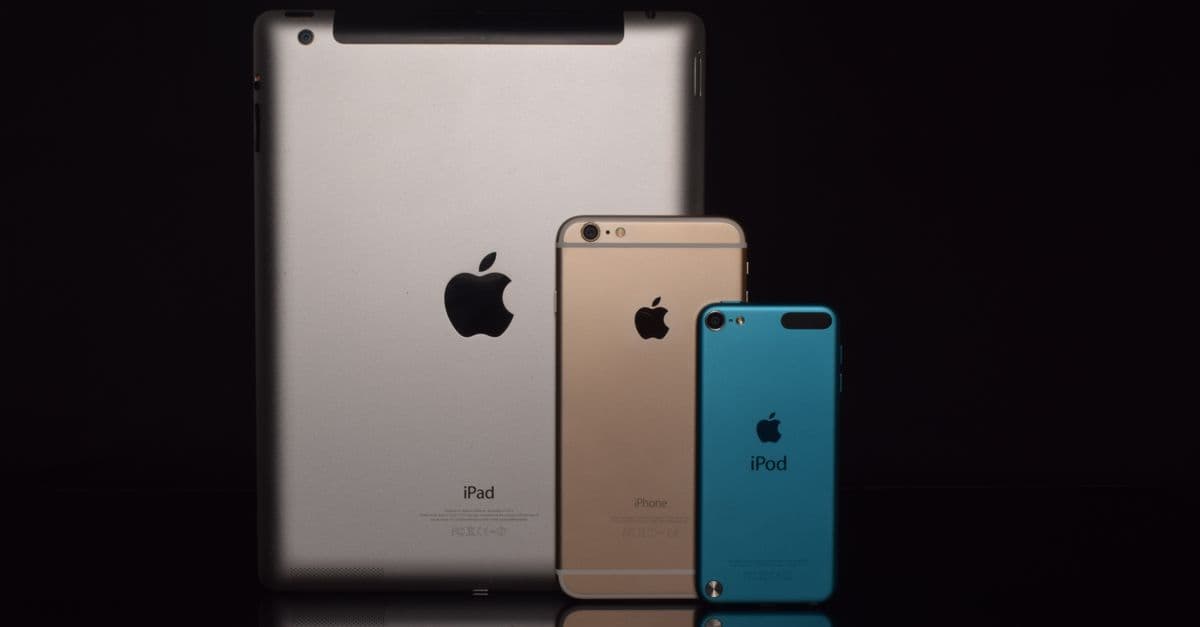
Photo: dlxmedia.hu / Pexels
Two USB-C cables can look identical, cost the same three dollars at the checkout counter, and behave completely differently the moment you plug them in. One charges a laptop at 100 watts and streams a 4K video signal to an external monitor. The other only trickle-charges a phone and refuses to carry any display signal at all, even though the connector on both ends fits every port perfectly. That gap exists because USB-C, standardized by the USB Implementers Forum (USB-IF), only defines the physical shape of the plug. What a specific cable can actually do, its charging wattage, its data speed, whether it can carry video, depends entirely on the wiring and chips hidden inside the sleeve, and those vary enormously between a certified cable and a bargain-bin one.
The connector is a shape standard, not a capability standard
The most common misunderstanding about USB-C is treating the connector as if it were the specification. It isn't. USB-C describes a reversible 24-pin plug, the same oval shape whether you're plugging in a $5 phone charger cable or a $70 Thunderbolt 5 cable that can drive dual 8K displays. The connector shape guarantees that the plug will physically fit and that basic USB 2.0 communication will happen. It guarantees nothing about speed, power, or video beyond that baseline.
This decoupling of shape from capability is deliberate. When USB-IF designed the USB-C connector, the goal was to create a single universal port that could replace USB-A, micro-USB, mini-USB, and a handful of proprietary connectors across phones, laptops, cameras, and peripherals. A single physical standard made that possible, but it also meant the connector had to support wildly different use cases: a basic mouse that needs almost no bandwidth, and an external SSD that needs tens of gigabits per second. Rather than force every cable to support the maximum possible feature set, which would make simple cables needlessly expensive, USB-IF allowed manufacturers to build cables with varying internal wire counts and chipsets, all sharing the same outer connector.
The result is a spec that scales down as easily as it scales up, but that flexibility comes at the cost of predictability. A cable that looks like every other USB-C cable on a store shelf might contain two data wire pairs or it might contain none beyond the bare minimum for USB 2.0 signaling. Nothing about the outside of the cable tells you which one you're holding.
Why a bundled charging cable can't run an external drive
Cables bundled with budget phone chargers are built to a price point, and the cheapest way to hit that price point is to wire only what's strictly required for charging and slow data. Manufacturers commonly omit the additional high-speed data lanes, called SuperSpeed lanes in the USB spec, because they add cost in copper, shielding, and connector pins without improving the cable's core job of delivering power to a phone. Plug that same cable into an external SSD expecting multi-gigabit transfer speeds, and the drive will still mount and show up in the file system, but file transfers will crawl at USB 2.0's 480 megabit-per-second ceiling instead of the multi-gigabit speeds the drive is capable of.
What actually differs inside the cable
Three things separate a capable USB-C cable from a limited one: the number and quality of internal wire pairs, the presence of an embedded identification chip, and the physical gauge of the conductors carrying current. None of these are visible from outside the cable, and none are implied by the connector itself.
Wire pairs and data lanes. A USB 2.0-only cable needs a single differential wire pair for data, plus power and ground lines. A cable built for USB 3.2 or USB4 needs additional high-speed differential pairs, properly shielded to prevent electromagnetic interference at multi-gigahertz signaling frequencies. More wire pairs mean more copper, more precise manufacturing, and a higher bill of materials, which is exactly why cheaper cables skip them.
Conductor gauge. Current-carrying capacity depends on the physical cross-section of the wire, measured in American Wire Gauge (AWG). A thin, low-gauge-number cable can safely carry more current than a thin, high-gauge-number one; a cable built to carry 5 amps of current at higher voltages needs thicker copper than one built for a 1.5-amp phone charge. A charging cable rated for basic power delivery doesn't need this heavier gauge, so cheaper cables use thinner, lighter wire, which is part of why they also feel physically flimsier.
The e-marker chip. This is the piece most people have never heard of, and it's the single biggest reason two visually identical cables can behave so differently.
How a cable "negotiates" its own capabilities
USB-C cables rated for higher power or higher data speeds contain a small embedded chip called an e-marker (short for "electronically marked cable"). When you plug the cable into a device, the e-marker identifies itself during a digital handshake that happens before any high-power charging or high-speed data transfer begins, reporting the cable's rated current capacity, its supported data speed, and in some cases its supported video modes to the devices on either end.
This handshake matters because USB-C charging isn't a fixed voltage the way older USB connections were. Under the USB Power Delivery (USB PD) specification, a charger and a device negotiate a voltage and current level together, and the cable itself is part of that negotiation, not a passive wire that just happens to be in the way. If the cable doesn't identify itself as capable of carrying a given wattage safely, the devices on either end will refuse to escalate to that wattage, defaulting instead to a slower, safer charging speed regardless of what the wall charger or the laptop is theoretically capable of delivering.
According to USB-IF's own cable labeling guidance, any USB-C cable supporting more than 60 W of power delivery is required to carry an e-marker chip, and the same requirement applies to any cable claiming USB4 data speeds, since both involve current levels or signaling frequencies that need active identification rather than passive wiring alone. A cable without that chip physically cannot be pushed past the 60 W ceiling or the base USB 3.2 data ceiling, no matter what the connected devices are otherwise capable of.
Why a cheap cable "refuses" to fast-charge a laptop
A generic uncertified cable that lacks an e-marker will typically negotiate down to 60 W or lower automatically, even if it's plugged into a 140 W charger and a laptop that can accept 140 W. The devices on either end interpret the absence of an e-marker identification as a safety signal, not a bug, and cap the negotiated power to the level a bare, unmarked cable is generally rated to handle without overheating.
Why EPR charging (100W+) needs a different chip than standard PD
The 2021 USB PD 3.1 revision introduced Extended Power Range (EPR), which raised the maximum negotiated power from 100 W up to 240 W by allowing voltages up to 48 V instead of the earlier 20 V ceiling. A cable that supports EPR needs an e-marker specifically programmed to report EPR compatibility and to confirm it can safely carry those higher voltages; a standard 100 W-rated e-marker chip built for the older Standard Power Range spec cannot simply be pushed into EPR mode, because it was never validated for the higher voltage and current combination (USB-IF, USB PD Revision 3.1).
The cable capability comparison
The table below lines up the major USB-C cable tiers by what they can actually carry, not by what the connector looks like. Real-world cables sold under a given "USB-C cable" label can fall anywhere in this range depending entirely on internal build quality.
| Cable type | Max data speed | Max power delivery | e-marker required | Video output |
|---|---|---|---|---|
| Basic charge-only cable | USB 2.0, 480 Mbps | Up to 60 W | No | None |
| USB 3.2 Gen 1 cable | 5 Gbps | Up to 100 W | Yes, above 60 W | Sometimes, limited DisplayPort Alt Mode |
| USB 3.2 Gen 2×2 cable | 20 Gbps | Up to 100 W | Yes | Yes, via DisplayPort Alt Mode |
| USB4 cable (40 Gbps, SPR) | 40 Gbps | Up to 100 W | Yes | Yes, single 8K or dual 4K display |
| USB4 cable (40 Gbps, EPR) | 40 Gbps | Up to 240 W | Yes, EPR-rated | Yes, single 8K or dual 4K display |
| Thunderbolt 4 / 5 cable | 40 Gbps (TB4) / up to 120 Gbps (TB5) | Up to 100 W or 240 W | Yes | Yes, dual 4K/6K or single 8K, guaranteed minimums |
Speed and wattage figures reflect USB-IF and Thunderbolt (Intel) published specifications; real cables must be individually certified to reach these ceilings reliably.
Thunderbolt cables deserve a specific callout here because they solve a problem USB4 alone doesn't fully close: guaranteed minimums. A cable can be labeled "USB4" while still supporting a fairly wide range of actual performance depending on its length and build, whereas Thunderbolt 4 certification requires a fixed floor of capability, including guaranteed 40 Gbps at any certified cable length and guaranteed support for dual 4K or single 8K displays, according to Intel's Thunderbolt 4 certification requirements.
USB-IF's fix: certification, logos, and QR codes
USB-IF has known about the labeling confusion for years, and its response has been a certification and labeling program rather than a change to the connector itself, since changing the connector would break backward compatibility with the billions of USB-C ports already in circulation.
Certified cables now carry a laser-etched logo directly on the connector housing, alongside a scannable QR code that links to an entry in USB-IF's public certification database, letting a buyer verify a specific cable's tested capabilities rather than trusting a marketing claim on the packaging. Certified cables are also required to print their actual specification in plain text near the connector, phrases like "USB4 40Gbps 240W EPR" or "USB 3.2 10Gbps 100W," so a cable's real capability is visible without needing to plug it into anything (TechPowerUp, 2021; Granite River Labs, USB Logo Guidelines).
This labeling push matters because self-reported claims on cheap cable packaging are not policed the way the certification logos are. A package can print "10Gbps" in large text with no independent verification behind it, while a USB-IF certified cable's claims have been tested against the organization's compliance program before the logo is allowed to appear. The presence of the logo and QR code, not the printed number alone, is the reliable signal.
Does the length of a USB-C cable affect its performance?
Yes. Longer cables experience more signal attenuation, and USB4's 40 Gbps ceiling is only guaranteed at short lengths, typically up to about 0.8 meters for fully passive cables; longer USB4 cables require active repeater chips embedded in the cable to maintain full speed, which adds cost and is part of why long high-speed USB-C cables are more expensive than short ones.
Can a single USB-C cable support both 240W charging and 40Gbps data at once?
Yes, but only if it is specifically built and certified for both: a USB4 EPR cable with the appropriate e-marker chip. Not every 240 W-rated cable supports full 40 Gbps data, and not every 40 Gbps-rated cable supports 240 W; the two capabilities are independently rated and independently tested during USB-IF certification.
What people consistently get wrong about USB-C
The most persistent assumption is that any USB-C cable will work for any USB-C task, because the connector fits universally into every port. In practice, plugging an underspecified cable into a demanding use case, an external 4K monitor, a fast NVMe enclosure, a laptop that wants 100 W to charge quickly, produces confusing, silent failures rather than clear error messages. A monitor stays blank with no on-screen warning that the cable is the problem. A laptop charges at a fraction of its rated speed with no indicator explaining why. An external drive connects and appears in the file system but transfers files at a small fraction of its rated throughput, and most users have no obvious way to diagnose that the cable, not the drive or the laptop, is the bottleneck.
A second common misconception is that cable thickness or price is a reliable proxy for capability. A thicker cable often does correlate with heavier gauge wiring needed for higher current, but thickness alone doesn't confirm the presence of high-speed data lanes or an e-marker chip, and a cable can be padded with extra insulation or braided sleeving to look premium without containing better internal wiring at all. The only dependable signal remains the printed specification and, ideally, the USB-IF certification logo and QR code, not the cable's outward appearance or its price tag on a retail shelf.
A third confusion involves adapters and hubs. Even a fully certified, high-capability cable can be bottlenecked by an intermediate adapter, dock, or hub that itself only supports USB 2.0 or lacks DisplayPort Alt Mode circuitry, so a chain is only as capable as its weakest link, cable included. This is conceptually similar to how a fiber-optic backbone can only move data as fast as its slowest segment, a pattern that shows up across networking infrastructure at why undersea cables carry most internet traffic, where the same idea of connectivity being limited by the weakest link in a physical chain applies at a planetary scale rather than a desktop one.
Why this matters beyond a single frustrating cable
The stakes of cable confusion go beyond an annoyingly slow file transfer. Charging a device with an underspecified cable at high current, especially a knockoff cable without an e-marker forced into carrying more current than it was built for through third-party adapters or non-compliant chargers, can produce measurable heat buildup at the connector, a safety concern rather than just a performance one. USB-IF's e-marker and certification requirements exist specifically to prevent this scenario: the digital handshake between charger, cable, and device is a safety mechanism as much as a performance one, refusing to escalate power beyond what a cable has proven it can carry.
There's also a compounding hardware cost angle. Buyers who don't understand cable variation sometimes conclude a laptop, phone, or monitor is defective, when the actual point of failure is a $4 cable pulled from a junk drawer. This shows up in the same category of hidden hardware behavior as why thermal throttling slows devices, where a device silently underperforms for reasons that aren't obvious from the outside, whether that's a processor pulling back clock speed to manage heat or a cable pulling back power delivery to stay within its safe operating range. In both cases, the device isn't broken, it's protecting itself, and the fix is understanding the constraint rather than replacing hardware that was never faulty.
The push toward chip-level identification inside a simple accessory like a cable also mirrors a broader trend in electronics: components increasingly carry their own embedded intelligence rather than being purely passive. The same logic that puts an e-marker chip inside a cable to report its own capabilities shows up at a much larger scale in why chiplets are changing processor design, where individual silicon components communicate their capabilities to the rest of a system rather than being treated as interchangeable, undifferentiated parts. The pattern across both is the same: as systems get more capable and more varied, passive, assume-everything-is-identical components stop being good enough, and something has to actively identify itself.
The takeaway
The USB-C connector standardized the plug shape, not the capability behind it, and that gap is the entire reason two visually identical cables can perform so differently. What a specific cable can do, its charging wattage, its data speed, its video support, comes down to the number of internal wire pairs, the gauge of its conductors, and whether it carries an e-marker chip capable of negotiating higher power and speed during the handshake that happens the instant you plug it in. USB-IF's certification logos, QR codes, and mandatory plain-text labeling exist precisely to close that visibility gap, and checking for them before buying, or better yet before assuming a random drawer cable will do the job, is currently the only reliable way to know what you're actually holding.
Read next:
- Why Thermal Throttling Slows Devices
- Why Chiplets Are Changing Processor Design
- Why Undersea Cables Carry Most Internet Traffic
FAQ
Q: Why can't all USB-C cables charge a laptop at full speed?
Charging above 60 watts requires an e-marker chip inside the cable to negotiate power delivery with the charger, and it requires heavier-gauge wiring to safely carry the higher current. Cheaper cables often lack both, so the connected devices automatically negotiate down to a slower, safer charging level instead of the laptop's maximum rated wattage.
Q: Can a USB-C cable carry video to a monitor?
Only if it supports DisplayPort Alt Mode or is a USB4/Thunderbolt cable with the correct internal wiring for video signaling. A basic charge-only USB-C cable typically has no video-capable data lanes at all, so it will charge a device fine while producing no image on a connected display.
Q: What is an e-marker chip?
It's a small chip embedded in higher-power or higher-speed USB-C cables that reports the cable's rated current capacity and data capabilities to connected devices during the handshake that happens right after you plug it in, before full power or high-speed data transfer begins. USB-IF requires it on any cable rated above 60 W or claiming USB4 data speeds.
Q: How can I tell what a USB-C cable actually supports?
Look for an official USB-IF certification logo and scannable QR code, plus printed specification text like "USB4 40Gbps 240W EPR" on the cable near the connector. Physical appearance, thickness, or price alone doesn't reliably indicate a cable's real data or power capability.
Q: Does a longer USB-C cable perform worse than a shorter one?
Yes, in some cases. Signal attenuation over distance means USB4's full 40 Gbps speed is generally only guaranteed on shorter passive cables, and longer high-speed cables often require embedded active repeater chips to maintain full performance, which is part of why long high-speed cables cost more than short ones.
Q: Is a USB4 cable the same as a Thunderbolt cable?
Not necessarily. USB4 and Thunderbolt 4/5 share a lot of underlying technology and can overlap in capability, but Thunderbolt certification requires guaranteed minimum performance levels, like fixed 40 Gbps and guaranteed display support, that a USB4-only certified cable isn't strictly required to meet at every length.
Follow new articles
Add SciHub101 to your feed reader to see new science and technology stories.
About the Author
SciHub101 is an independent science and technology publication founded and edited by Buğra Sözeri, a software engineer and app developer based in Türkiye. AI tools assist with drafting and research. Source documentation in the existing archive is uneven, and articles are being reviewed and corrected. The Editorial Team byline identifies editorial responsibility; it does not certify specialist or independent human review. Where we compare products, anything built by our own team is labelled as such — see the editorial guidelines and About page for how corrections and disclosures work.
Related Articles



Best Free E-Signature Tools in 2026 (No Signer Account)
Best free e-signature tools in 2026 where signers need no account: eSignSimple, Zoho Sign, SignWell, Dropbox Sign, DocuSign and Adobe compared on limits and audit trails.
Best Free Online Tools in 2026: How to Pick Them Safely
A hub for our 17 free-tool guides, from PDFs and e-signatures to AI photo apps and prayer times, plus a checklist for privacy, file handling, free tiers, and accessibility.