CSS-in-JS vs Tailwind 2026 — Why Tailwind Took Over
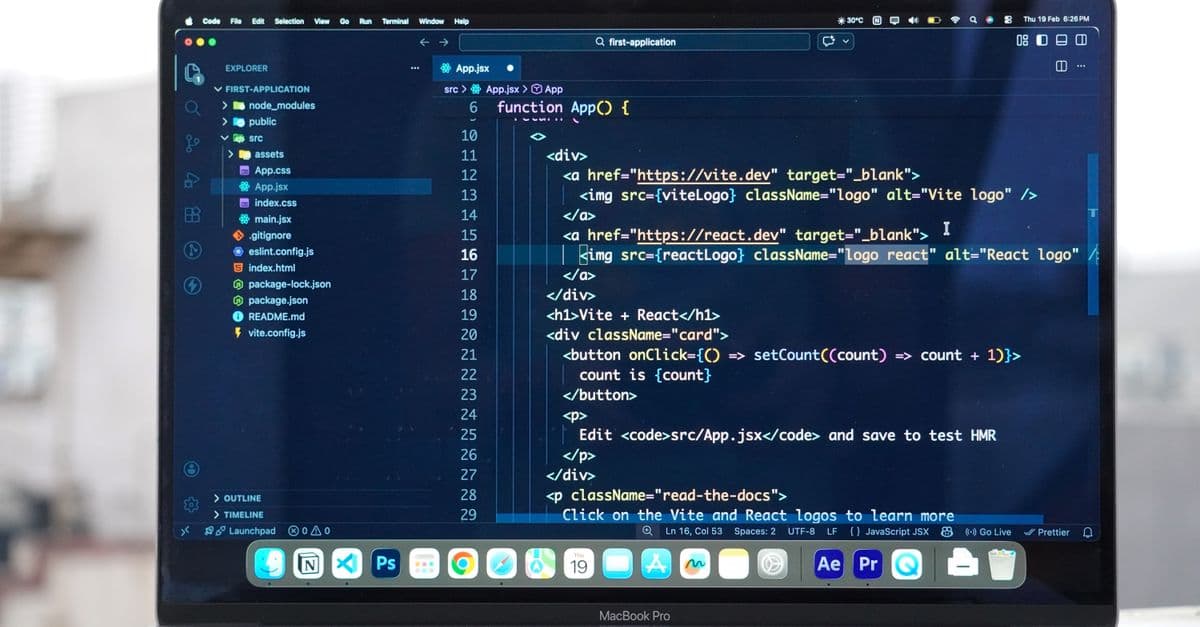
Photo: Meet Patel / Pexels
Styling a React app used to mean choosing between a global stylesheet and a library that wrote CSS from inside your JavaScript. That second option, runtime CSS-in-JS, is now in maintenance mode for its best-known library, and Tailwind CSS tops the 2025 State of CSS survey's framework list. This article explains what changed: where runtime styling costs time, why React Server Components complicated it, what Tailwind actually does differently, and where CSS-in-JS and its build-time cousins still make sense.
The short answer
| Question | Short answer |
|---|---|
| Which should a new React project use? | Tailwind, a CSS Modules setup, or a build-time CSS-in-JS tool. Runtime CSS-in-JS is the weakest default in 2026. |
| Is CSS-in-JS dead? | No. The 2025 State of CSS survey still counts hundreds of respondents using styled-components and Emotion, and build-time variants are active. |
| What is the main technical objection? | Runtime libraries inject and recompute styles during rendering, which costs time and conflicts with Server Components. |
| What is Tailwind's main drawback? | Class names must appear in full in your source, so fully dynamic values need CSS variables, and long class lists can crowd your markup. |
| Should I migrate an existing app? | Only if performance, Server Components, or maintenance is a real problem. A working app has no obligation to change. |
How React styling got here
Early React projects mostly used global CSS files or CSS Modules, which scope class names to a single file. Libraries such as styled-components and Emotion then let developers write CSS inside component files and compute it from props. That solved real problems: no class-name collisions, styles that live beside the component, and styles that react to state without extra plumbing.
Tailwind took a different route. It supplies thousands of small single-purpose classes (px-4, text-center, hover:bg-sky-700) and generates only the CSS your source files actually use. There is no JavaScript styling engine at runtime, just a stylesheet.
An analogy helps. Runtime CSS-in-JS is like a restaurant that cooks every dish to order: flexible, and fresh each time, but the kitchen is busy while customers wait. Tailwind and CSS Modules are closer to meal prep. The cooking happens before service, and at the table you are only assembling.
What runtime CSS-in-JS actually does
A runtime library takes your template string, turns it into CSS rules, generates a class name, and inserts a <style> rule into the page. It does this when components render, and again when props that affect styling change.
// styled-components
const Button = styled.button`
  background: ${props => (props.primary ? "#0066cc" : "gray")};
  color: white;
  padding: 0.5rem 1rem;

  &:hover {
    opacity: 0.8;
  }
`;

<Button primary>Click me</Button>
The benefits are real. Styles depend directly on props, unused components never contribute CSS, and the styling logic sits in one file. The costs show up in three places: time spent computing and injecting styles, extra JavaScript sent to the browser, and compatibility with newer React features.
Where the cost comes from
Injection during render
The React documentation for useInsertionEffect, a hook built for CSS-in-JS library authors, is blunt about the trade-off. It says runtime style injection "forces the browser to recalculate the styles a lot more often" and "can be very slow if it happens at the wrong time in the React lifecycle." The hook fixes the second problem by letting a library insert styles before layout effects run. According to the docs, the first problem cannot be solved. The same page recommends CSS files for static styles and inline styles for dynamic values.
A measured example
In October 2022, Sam Magura, who was then an Emotion maintainer and an engineer at Spot, described why his team left CSS-in-JS. As reported by InfoQ, the team compared one of its components built with Emotion against the same component built with Sass modules. Render time almost doubled with Emotion, from 27.7 ms to 54 ms. The article lists Emotion's size at about 8 KB minified and gzipped, and styled-components at about 12 KB. Magura's summary: "the runtime performance cost is simply too high."
Treat the numbers carefully. They describe one team's component, on one codebase and hardware, in 2022. They show that the cost exists and can be large, not that every app will see the same slowdown.
What the React team warned about
In the same InfoQ coverage, React core team member Sebastian Markbåge warned that injecting style rules during render "could make your library VERY slow in concurrent rendering." Concurrent rendering lets React pause and resume work, which magnifies the cost of style recalculation done at the wrong moment.
A fork that tested the theory
In September 2025, Sanity's engineers wrote that styled-components never implemented useInsertionEffect, so it injects styles during render. They reported that Linear saw up to 40 percent faster initial component rendering after switching to a patched fork, with no code changes. That figure is company-reported and not independently verified, but it is consistent with the idea that insertion timing matters. Sanity described its own forks as a stopgap and said it is moving its code to vanilla-extract, a build-time tool.
| Cost | Where it appears | Source |
|---|---|---|
| Style recalculation | Browser recalculates styles more often with runtime injection | React docs, useInsertionEffect |
| Render time | 27.7 ms to 54 ms in one Spot component | InfoQ report on Magura, 2022 |
| Bundle size | About 8 KB (Emotion) and 12 KB (styled-components), minified and gzipped | InfoQ report on Magura, 2022 |
| Concurrent rendering | Injection during render can be very slow | Markbåge, quoted by InfoQ |
Why Server Components changed the conversation
React Server Components run on the server and send results to the browser without shipping their code. A runtime styling library needs JavaScript state in the browser, and Server Components do not have it.
The Next.js documentation says libraries "are supported in Client Components in the app directory," and lists styled-components, Chakra UI, MUI, vanilla-extract, Panda CSS, StyleX, and several others. Emotion appears in a separate list of libraries "working on support." The setup is a three-step opt-in: a style registry to collect rules during a render, the useServerInsertedHTML hook to inject them before the content that uses them, and a Client Component that wraps the app. The docs warn that using CSS-in-JS with Server Components and streaming "requires library authors to support the latest version of React."
Emotion's tracking issue for App Router support was opened in October 2022 and was still open, with no maintainer comment after that month, when we checked in October 2026. In March 2026, styled-components' maintainer wrote that a working React Server Components setup had shipped in version 6.3.0, and that a 6.4.0 release candidate was available for testing. He also described himself as the only remaining maintainer. The library is in "maintenance mode," a status he set in early 2025.
So the situation is nuanced. Runtime CSS-in-JS can work with the App Router, but only in Client Components and with extra setup, and support depends on a few volunteer maintainers. For a team building with Next.js (see our comparison of Next.js and React, linked at the end), that friction is a cost. For background on why server rendering matters, see our explainer on what server-side rendering solves.
What Tailwind does differently
Static CSS generated from your source
Tailwind scans your files as plain text, finds class names, and emits only those rules. Its docs spell out the consequence: Tailwind "doesn't understand string concatenation or interpolation," so a class built at runtime, such as `bg-${color}-600`, is never generated. The fix is to write complete class names and map props to them:
const colorVariants = {
  blue: "bg-blue-600 hover:bg-blue-500",
  red: "bg-red-600 hover:bg-red-500",
};

function Button({ color, children }) {
  return <button className={`px-4 py-2 text-white ${colorVariants[color]}`}>{children}</button>;
}
The docs summarize the rule: "As long as you always use complete class names in your code, Tailwind will generate all of your CSS perfectly every time."
Why this is faster to ship
Because the CSS is static, the browser does not wait for JavaScript to compute styles, and a Server Component can use Tailwind classes with no special setup. Tailwind's documentation lists five stated benefits of the utility-first approach: you do not spend time naming things, edits affect only the element you change, UI chunks are portable between projects, changes are easier to find, and CSS "doesn't continue to grow linearly with every new feature you add," because utilities are reused.
Tailwind v4 simplified setup
Tailwind 4.0 shipped on January 22, 2025. Configuration moved from a JavaScript file into CSS through an @theme block, and automatic content detection removed the need for a content array: Tailwind ignores anything in .gitignore and skips binary files. The release post reports build times, measured on Tailwind's own Catalyst project:
| Build type | v3.4 | v4.0 | Improvement |
|---|---|---|---|
| Full build | 378 ms | 100 ms | 3.78x |
| Incremental, new CSS | 44 ms | 5 ms | 8.8x |
| Incremental, no new CSS | 35 ms | 192 µs | 182x |
These are build-time numbers, which affect developer experience, not what users download. They also come from the vendor. Meanwhile, Tailwind says v4 targets Chrome 111, Safari 16.4, and Firefox 128 as minimum browsers. If you must support older browsers, check the compatibility page and the v3 documentation before upgrading.
Dark mode and theming, compared fairly
The original argument for Tailwind says dark mode is "one line." That is roughly true for the common case. In Tailwind v4, the dark: variant follows the operating system's prefers-color-scheme by default:
<div class="bg-white dark:bg-gray-800">
  <h3 class="text-gray-900 dark:text-white">Writes upside-down</h3>
</div>
To let users toggle a theme, you override the variant with @custom-variant dark (&:where(.dark, .dark *)); and add or remove a dark class on the <html> element. The docs recommend a small script in the document head, which reads localStorage and the system preference, to avoid a flash of the wrong theme. So Tailwind still needs a toggle and a persisted preference. What it removes is the need to push a theme object through React context.
CSS-in-JS can theme with context providers, but it can also theme with CSS custom properties, which is the technique both approaches converge on. A fair summary: Tailwind makes the usual case short, while the hard parts of theming (persistence, avoiding flashes, server rendering) remain your job in either approach.
Truly dynamic values
One case where CSS-in-JS feels more natural is a color the user picks at runtime. Do not write bg-[${userColor}]; Tailwind will not see the full class. Instead, set a CSS variable and reference it with Tailwind's v4 syntax:
<button
  className="bg-(--brand) px-4 py-2 text-white"
  style={{ "--brand": userColor }}
>
  Save
</button>
Tailwind's docs describe the parenthesis form as shorthand for bg-[var(--brand)]. Setting the variable through React's style prop is standard CSS custom property usage. It is not much longer than the styled-components version, but it requires you to know the pattern.
Where each approach is the better fit
| Situation | Better fit | Why |
|---|---|---|
| New app with Server Components | Tailwind or CSS Modules | Static CSS, no registry setup |
| Large existing styled-components app that works | Keep it, or fix hot paths | A rewrite has real cost |
| Design system with strict typed tokens | Vanilla-extract or Panda CSS | Build-time output plus type safety |
| Heavy per-user theming | CSS variables with either approach | Dynamic values belong in variables |
| Component library for many consumers | Build-time CSS, or CSS Modules | Avoids a runtime dependency |
| Email templates | Specialized email tooling | Email clients need inline styles |
Build-time CSS-in-JS: keep the authoring style, lose the runtime
A middle path writes styles in JavaScript or TypeScript but compiles them to static CSS during the build:
- vanilla-extract calls itself "Zero-runtime Stylesheets-in-TypeScript." It generates static CSS files at build time and has official integrations for webpack, esbuild, Vite, and Next.js.
- Panda CSS describes itself as a styling engine that generates atomic CSS at build time. It scans source for style calls and emits only what you use, and its docs say server components get the same output.
- StyleX is a JavaScript syntax and compiler for styling. You define styles with
stylex.create(), and the compiler produces a static CSS file during the build. The docs say its output is atomic CSS whose bundle size levels off as a project grows. The project is hosted by Meta.
// vanilla-extract: button.css.ts
import { style } from "@vanilla-extract/css";

export const button = style({
  background: "blue",
  color: "white",
  ":hover": { opacity: 0.8 },
});
All three need dynamic values to be expressed in ways the compiler can see in advance, typically through variables. That is the same constraint Tailwind imposes. It is the price of static output.
Component libraries are moving, unevenly
Material UI's maintainers wrote in a "2026 and beyond" post that Pigment CSS, their zero-runtime effort, "remains in alpha phase and is currently on hold." They describe Base UI, a set of unstyled components, as where "we are concentrating our foundational work going forward." Chakra UI v3's migration guide still lists @emotion/react among install steps, and says it borrows recipe concepts from Panda CSS. The older claim that these libraries are simply "migrating to Tailwind" is not supported by their documentation.
For teams who want ready-made components with Tailwind, shadcn/ui describes itself as "not a component library" but "how you build your component library," giving you code to copy and modify. Our explainer on shadcn/ui covers the stack and trade-offs.
What the survey data says
The 2025 State of CSS survey gives a snapshot of what respondents use. The counts below are raw answers, not market share, and survey respondents skew toward developers engaged with the CSS community.
| Category | Tool | Responses |
|---|---|---|
| CSS frameworks | Tailwind CSS (rank 1) | 2,041 |
| CSS frameworks | Bootstrap (rank 2) | 1,194 |
| CSS frameworks | shadcn/ui (rank 5) | 766 |
| CSS-in-JS | "None" (rank 1) | 2,110 |
| CSS-in-JS | CSS Modules (rank 2) | 1,037 |
| CSS-in-JS | Styled Components (rank 3) | 870 |
| CSS-in-JS | Emotion (rank 4) | 382 |
Read it carefully. Tailwind leads its category. But styled-components and Emotion still collect hundreds of answers, and CSS Modules draws more than either. The data support "Tailwind became the leading framework choice," not "CSS-in-JS disappeared." Evidence for "large companies are migrating away" is anecdotal: Spot wrote about leaving Emotion for Sass modules, and Sanity wrote about moving from styled-components to vanilla-extract. Public migrations do not all land on Tailwind.
Where Tailwind loses
An honest comparison needs the other side.
Class lists get long. A button with states, sizes, and dark variants can carry 15 or more classes. The Tailwind docs advise creating a component when markup repeats, and say that "writing some custom CSS is totally fine" when a component feels heavy-handed for something as small as a single button.
Conflicting classes need help. If a component accepts a className prop and also sets its own, both strings land on the element, and CSS source order decides which wins. The tailwind-merge utility resolves this: its README shows twMerge('px-2 py-1 bg-red hover:bg-dark-red', 'p-3 bg-[#B91C1C]') returning 'hover:bg-dark-red p-3 bg-[#B91C1C]'. Many projects wrap it in a small cn() helper:
import { clsx } from "clsx";
import { twMerge } from "tailwind-merge";

export function cn(...inputs) {
  return twMerge(clsx(inputs));
}
A reset is included. Tailwind's Preflight removes default margins, sets headings to inherit font size and weight, and removes list bullets. That is useful for consistency, but it surprises people who drop Tailwind into an existing site. The docs show how to import Tailwind without Preflight.
Modern browser baseline. The v4 targets listed earlier are a real constraint for some audiences.
Design discipline is on you. Tailwind constrains values to a scale, but nothing stops a team from writing arbitrary values like top-[117px] everywhere. Utility classes organize decisions; they do not make them for you.
Migrating without breaking things
If you have an existing styled-components or Emotion app, treat migration as a series of reversible steps, not a rewrite.
- Measure first. Profile the pages that matter. If styling is not in the slow path, you may not have a performance problem to fix. Our guides on web performance optimization and why performance affects SEO cover the metrics.
- Stop adding new runtime CSS. Write new components with the target approach and leave old ones alone.
- Mind the cascade. Tailwind v4 places its styles in cascade layers. Styles written outside any layer generally take precedence over layered ones, so legacy global CSS can override utilities in surprising ways. If you add Tailwind to an existing page, check Preflight's resets against your old styles.
- Convert the hottest components first. The ones that render most often, or sit in the critical path, benefit most.
- Share the design tokens. Move colors and spacing into CSS variables that both systems can read during the transition.
- Remove the dependency last. Uninstall the old library only when nothing imports it, and check the bundle to confirm it is gone.
The timeline depends entirely on codebase size and team capacity. Be wary of any article, including the earlier version of this one, that offers fixed week counts. AI assistants can translate styled-components to utility classes, but review the output: dynamic prop-based styles are exactly where translations go wrong.
What to pick if you are...
Starting a new React or Next.js project. Tailwind with a copy-in component set is the common default, and CSS Modules are a sound alternative if you prefer writing plain CSS. Either gives you static CSS and no registry setup.
Maintaining a large styled-components codebase. Keep shipping. Profile, fix the hot paths, and decide on an exit only if Server Components, performance, or the maintenance situation make it necessary. Pay attention to the library's release notes, since the maintainer has said the project is looking for support.
Building a design system with typed tokens. Look at vanilla-extract, Panda CSS, or StyleX. You keep the authoring model and drop the runtime.
Publishing a library for others. Avoid forcing a styling runtime on consumers. Ship plain CSS, CSS Modules output, or unstyled components with a documented theming surface.
Working in Vue, Svelte, or Solid. The React-specific concerns (render-time injection, Server Components) do not apply in the same way, and Tailwind is a build-time tool that is not tied to React. Our overview of HTML, CSS, and JavaScript fundamentals is useful if you are still choosing a foundation, and the best web development tools list linked at the end covers the surrounding ecosystem.
Common misconceptions
"Tailwind replaced CSS." Tailwind generates CSS. You still need to understand layout, the cascade, specificity, and accessibility. Our piece on why accessibility improves web products is a reminder that utility classes do not make an interface accessible by themselves.
"CSS-in-JS is slow, full stop." Runtime libraries have a measurable cost, but build-time ones do not. The category is wider than its best-known libraries.
"Tailwind can't do dynamic styles." It cannot build class names from strings, but variants maps and CSS variables cover most cases.
"Everyone is moving to Tailwind." Survey counts show it leading, but styled-components, Emotion, and CSS Modules remain in use, and prominent public migrations went to Sass modules and vanilla-extract.
"Utility classes are the same as inline styles." Utilities support hover, focus, responsive, and dark variants, which inline styles cannot express. The Tailwind docs make the point directly: a hover: class applies only when the element is hovered. See also our Tailwind CSS explainer and responsive design guide.
The takeaway
The styling debate is less about syntax than about when CSS gets made. Runtime libraries make it while your components render, which costs time in the browser and clashes with a model, Server Components, where much of the work happens before the browser is involved. Tailwind and build-time tools make CSS during the build, which is why they fit that model easily. Tailwind became the default for many new projects because it is simple to adopt and its output is static. It did not make the older approach wrong, and it did not end the case for typed, build-time alternatives. Choose by constraints: server rendering, theming needs, team habits, and the browsers you must support.
FAQ
Q: Will Tailwind be replaced? A: Nobody can say. It currently leads CSS-framework usage in the 2025 State of CSS survey and is actively developed, with v4 released in January 2025. Frameworks do get displaced, but this article does not rely on a prediction.
Q: Should I migrate an existing CSS-in-JS codebase? A: Only if you have a concrete problem, such as measurable rendering cost, Server Components requirements, or concern about library maintenance. Profile first. A working app with acceptable performance has no obligation to change.
Q: Is styled-components still maintained? A: It is in maintenance mode, a status its maintainer set in early 2025. In March 2026 he reported a React Server Components setup in version 6.3.0 and a 6.4.0 release candidate, and said he is the only remaining maintainer. Check the project's current status before starting a new project on it.
Q: What about Pigment CSS, Linaria, and vanilla-extract? A: They are build-time approaches that generate static CSS. Vanilla-extract describes itself as zero-runtime and has official integrations for common bundlers. MUI's 2026 roadmap post says Pigment CSS is in alpha and on hold, so evaluate each tool's current maintenance before committing.
Q: Do Material UI and Chakra UI use Tailwind?
A: Their documentation does not say so. MUI lists Pigment CSS as on hold and points to Base UI for unstyled components, while Chakra v3's migration guide still installs @emotion/react.
Q: Does Tailwind work with dynamic user-chosen colors?
A: Not through string-built class names, because Tailwind must see complete names in source. Use a CSS variable set through the style prop and reference it with bg-(--brand), or map known options to complete class names.
Q: Can I use Tailwind and CSS Modules together? A: Yes. Many projects use utilities for layout and spacing and a module file for component-specific rules. Just be deliberate about the cascade so one approach does not override the other unexpectedly.
Sources
- React documentation:
useInsertionEffect - Next.js documentation: How to use CSS-in-JS libraries
- Spot and Emotion benchmark: InfoQ, "Prefer build-time CSS-in-JS"
- Styled-components migration and fork: Sanity engineering blog, September 2025
- Styled-components status: Open Collective update, March 27, 2026
- Emotion and the App Router: emotion-js issue 2928
- Tailwind v4 release: Tailwind CSS v4.0; compatibility; detecting classes; dark mode; custom styles; Preflight; utility classes
- Class merging: tailwind-merge
- Build-time tools: vanilla-extract, Panda CSS, StyleX
- Component libraries: MUI, "2026 and beyond", Chakra UI migration guide, shadcn/ui
- Survey data: State of CSS 2025, Other Tools
Related Articles
- Tailwind CSS Explained
- Next.js vs React 2026
- TypeScript Explained for Beginners
- Best Web Development Tools 2026
Last verified: October 2026
Follow new articles
Add SciHub101 to your feed reader to see new science and technology stories.
About the Author
SciHub101 is an independent science and technology publication founded and edited by Buğra Sözeri, a software engineer and app developer based in Türkiye. AI tools assist with drafting and research. Source documentation in the existing archive is uneven, and articles are being reviewed and corrected. The Editorial Team byline identifies editorial responsibility; it does not certify specialist or independent human review. Where we compare products, anything built by our own team is labelled as such — see the editorial guidelines and About page for how corrections and disclosures work.
Related Articles

Web App Monitoring Tools 2026 — Sentry & Datadog Picks
Web app monitoring tools 2026: Sentry vs Datadog vs Better Stack. Error tracking, performance monitoring, uptime, logs. Build a production monitoring stack.

Web Security Essentials 2026: XSS, CSRF, OWASP Top 10
Web security essentials for developers: XSS, CSRF, SQL injection, access control, and the OWASP Top 10:2025, with code and how to prevent each attack.

Tailwind CSS Explained — Why It Dominates Web Design 2026
Tailwind CSS for beginners: why utility-first CSS won, common patterns, integration with React/Next.js, gotchas. The CSS framework everyone uses in 2026.

CSS Flexbox and Grid — Complete Layout Guide
Master CSS Flexbox and Grid with practical code examples. Learn when to use each, key properties, and common layout patterns every developer needs.

Responsive Design & Mobile-First Development Guide 2026
Responsive web design guide 2026: mobile-first CSS, Flexbox, Grid, media queries, touch-friendly UI. Real code examples and checklist for every project.

HTML, CSS, JavaScript Fundamentals — Web Dev Basics
Learn the three pillars of web development. HTML structure, CSS styling, JavaScript interactivity. Interactive examples.